I'm looking for a device driver for the Shelly Wave i4 DC Z-wave scene controller hockey puck. It's got 4 switch channel inputs that when a switch is pushed, double pushed, held & released it calls, what they call scenes. I don't see any combability on the devices list, or in the device drivers app list. Ideas? TIA!
Looks like device I may want to try!
Will be watching this thread 
Shelly Qubino Wave i4 DC ZWave 800 4 Input Module
Nice!!
Looks like we're finally getting a local Canadian source of Shelly products at a reasonable price.
Now if only Zooz....
Can you try my universal switch driver? [DRIVER] Universal Z-Wave Drivers (Switch/Dimmer)
It should detect all the settings and the total number of buttons the device supports.
There is not a great standard of how those button events get sent over but the driver should push an event for every action on connected switches. You may need to just test the button presses and then watch the logs to see what button number it gets logged as.
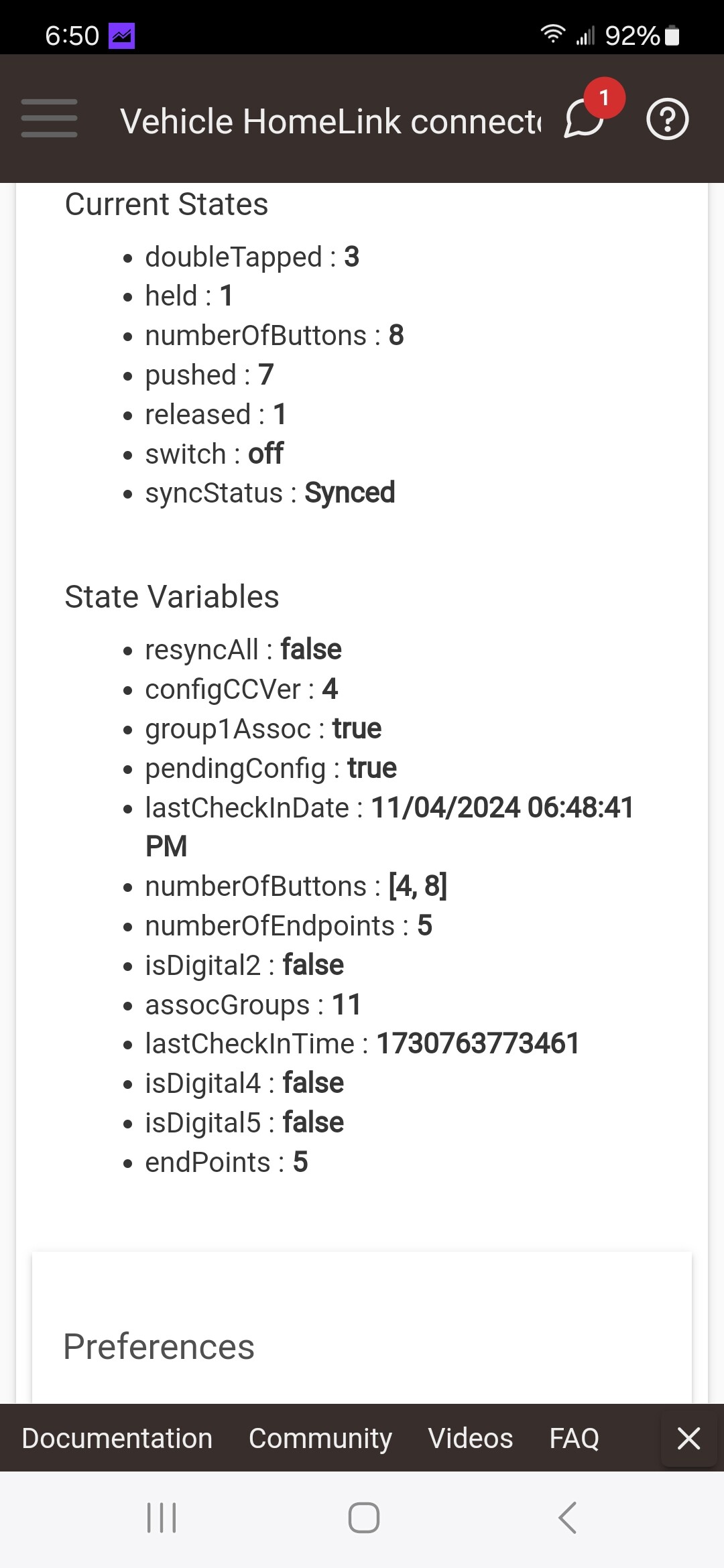
Oh dang it has 5 endpoints too, I wonder what those do, it might report a switch on/off state on the endpoints.
The extra buttons are for doubletap, 3x, 4x, etc... events, just to be consistent even though doubleTapped also has its own attribute. 3x and higher do not so they are "virtual" buttons. I am guessing buttons 1-4 are registering for for the push, held and release, and the buttons 5-8 will trigger for a double tap (along with a doubleTapped event). It makes more sense when you get 3x or higher. If your device had that it would be buttons 9-12.
Thank you for this! I'm not sure how to use this. If button 1 is pushed/held, 1 event is triggered. When released, the released even is triggered. If button 1 is operated again, the switch state is toggled.
I plan on coding all this in webcore, but haven't verified the button trigger event get transmitted to it yet.
These switch inputs come from 2 homelink receiver modules, for my 2 vehicles.
The driver only does whatever the device sends in messages for. If it sends a "centralscene" event its buttons, if it sends Basic/BinarySwitch its "switch" events.
Is the connected Homelink going to just open/close the contact? So when car is home is closes and when car leaves it opens? This is not ideal for "button" events but I think we can figure it out.
If it is in fact sending multichannel switch events on those endpoints, a multichannel switch driver may actually work better than my driver.
Get me a link to a manual or docs on the device.
Post a screenshot of the "Data" section from the bottom of the device page.
The homelink receiver, has 2 relays. The relays close only when 1 of the vehicles headliner buttons are pushed. My car has 3 buttons, so only 2 can be paired w/ this receiver. I have 2 receivers, 1 for my car & 1 for my wifes.
What I don't know is the timing of the Shelly input. What is a pushed vs held time differance.
You can find the receiver on Amazon.
TOPENS HLR01 HomeLink Compatible Universal Receiver with Remote Control Transmitter for Automatic Swing Sliding Gate Opener Garage Door Opener, Security Gate Operator Accessory.
Sorry I was not clear, I wanted a manual for the Shelly device, and the data section from the device page on HE.
AH, ok...There's more information on their web page for the device.
I'll get the data section tonight when I get home.
Thanks again!
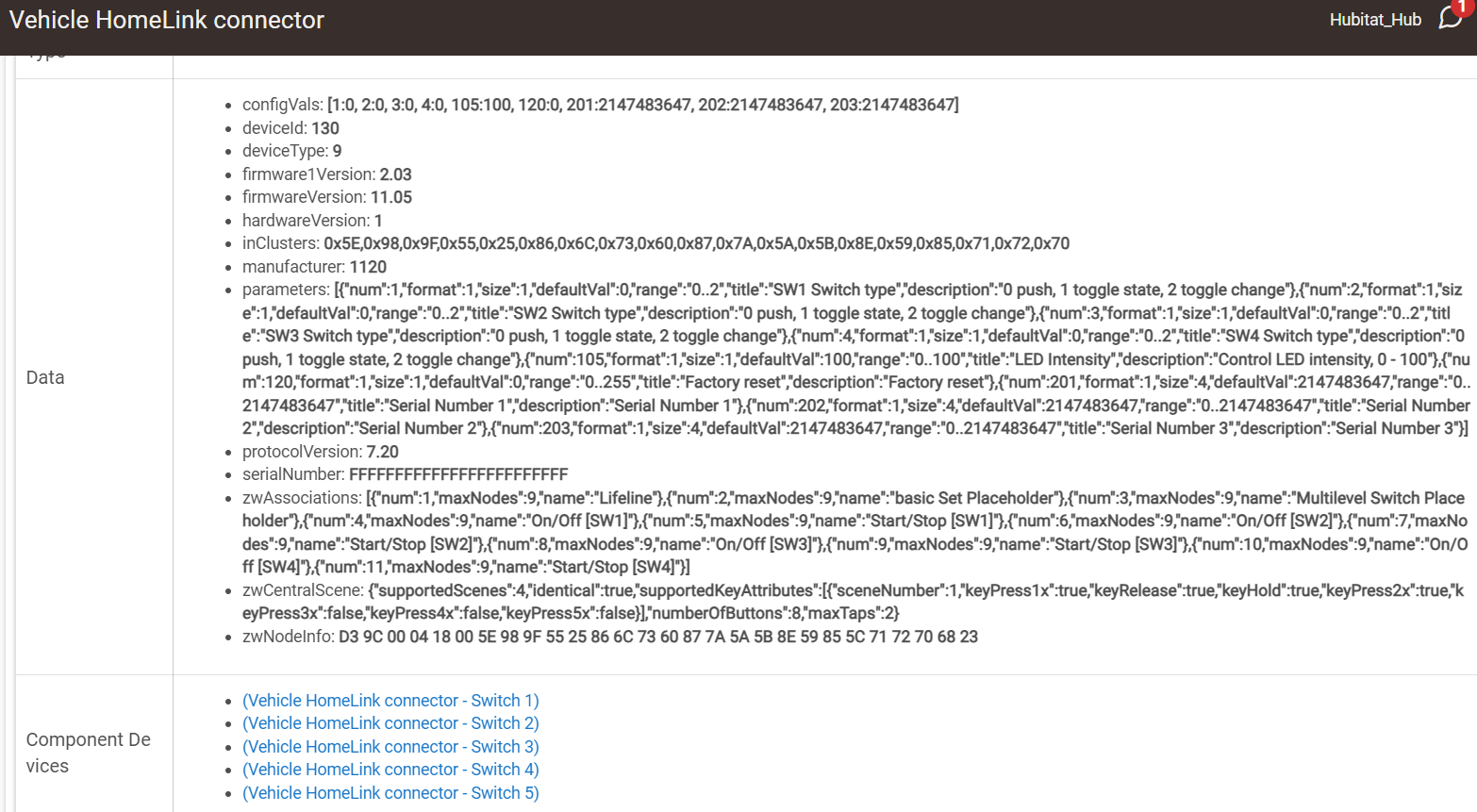
This device in the Wave I4DC or Wave I4 is the input device I have been wanting for a while. Sump pump high limit contact closure, Sump pump continuous run (stuck on) and other contact monitoring in the house. Your driver jtp10181 picks up the device but they come in as buttons which I can make work but is there a better option for status inputs? I am very new to anything other than Zwave simple light switches.
There should be a built in driver in the current platform 2.4.0
I suspect if you set the input mode to the toggle state then the endpoints (child devices) will get switch on/off events.
I have been trying to get the wave i4 dc working without much success. I am using the built in driver, but when I toggle a switch on and off, there is not log data showing any action. I have set the switch type to toggle. I have removed and readded the device, rebooted the hub. I am out of ideas. Any help would be appreciated.


My driver is not coded to work with child devices, so not sure how its actually working? Or maybe just the parent is working and the child devices are left over from a different driver?
Thanks for the feedback. Will this driver work with the wave i4 or is there a different driver you recommend?
You can try it, I don't have any Shelly device so not sure exactly.
It probably depends on what you are using it for. I think the person above was possibly just trying to capture button events, which it would work for.
I am just trying to capture button events as well. I tried the build in driver, and it provided no data in the log. I have installed the universal switch driver, pressed configure, and refresh. Where do I see the status of the buttons now? Sorry for the basic question, but I am just not getting any data in the log to see the input working.
