@rob thank you for the incredible driver. I am working on a single app that would combine smart switches and smart bulbs as one virtual device. The reason why is that I have about 43 LIFX bulbs and about 20 Lutron Caseta switches. For simple use cases I can toggle the smart switch with smart bulb in Rule Machine but I wanted to repeat myself less in the rules I was writing. I was wondering if there would be a way to implement the HealthCheck capability so that I can ping the bulb in order to determine if it has power before sending the bulb a command?
1 Like
EchoRequest - packet 58, seems best suited for this. However, for most LIFX users, it feels like overkill.
Are your switches actually toggling power to the bulb? Otherwise, what's the harm in just sending the intended packet - if it goes through, great - if not, then power was off?
@dkilgore90, what I want to do is the following:
- Turn on a Smart Switch that powers the LIFX Bulb
- Wait for Health Check to succeed
- Issue a command to the Bulb to change its color
Without the health check, I could potentially be sending a command to the bulb in which the bulb is not online yet.
Hopefully that makes sense!
Not sure I'd recommend putting bulbs on circuits controlled by smart switches, for one the polling will throw lots of errors when the switches are off. When the switches turn one the bulbs will end up at full brightness (I think that's still the default behaviour).
@rob, I put smart switches in front of the bulbs because I wanted it to be intuitive to use the lights without an app. Secondly, if the power goes out, they do return back to the state they were in prior to being turned off ... not necessarily full brightness.
That being said, regardless of how I designed my solution, is there a possibility to implement a health check capability ... or would you be open to a PR to implement the functionality? It seems fairly straight forward.
Thanks!
Feel free to create a pull request for this. I suppose it might be useful generally to call this periodically to check the status of all devices.
Hi all, anyone here having trouble while capturing & restoring the state of the globe? I managed to capture and restore some of it such as on/off and level however the light comes back on in RGB rather than CT if I turn it on manually under the Devices tab whereas it was set to 3500k CT before it was turned red.
I used the same rules for Nue and Hue lights but they worked as expected so I thought I'd ask here since I am only having the issue with the LIFX ones.
Any suggestions would be much appreciated.
Cheers.
I assume this is using a Scene?
If you edit the scene and use Adjust Scene Settings then you should be able to force RGB or CT mode I think.
Is there any chance of copying the IPaddress setting support from the Wiz code? Very simple and greatly improves my ability to manage the device?
You're going to have to clarify that, I'm really not sure what you're getting at.
if you look at Wiz Driver you see there is a capability to allow to set the IP address. On my PC I have a program that periodically checks IP address against the MAC address and uses the maker API to update the address in the Hubitat. This way I don't have to rely on static address to manage hundreds of devices.
Looks fairly straightforward - given the device network id currently uses the IP address the existing Wiz code could be used, replacing the call to device.updateSetting('ip', addr) with device.setDeviceNetworkId(addr).
Would also need the makerIPEnable preference setting (although I'd probably suggest moving that LIFXMasterApp.groovy to simplify setting it for all devices).
I've never had to use the Maker API so testing it would be a challenge. It would probably be simpler if you could implement and test it on your own system, then create a pull request on my repository.
@zranger1 is the one to answer the question as the author of the code. I'm just a client. I could get up to speed to do it but it should be straightfoward.
I wasn't using scenes but I created some which fixed the issue, thanks Rob.
How were you capturing the state then? I may have a bug to fix.
I just noticed something about bulb transitions, I'm not sure if it's a bug or not.
Normally when the bulb's color changes there's a nice smooth transition between settings, but when moving from one color map to another there's no smooth transition. One temperature to another works, and a temperature to a color or the other way around also work. The color map transition time in the driver settings doesn't seem to make any difference either. Here's an example that shows the issue:
light.setColorTemperature(6000)
pauseExecution(2000)
light.setColorTemperature(3500) // Nice transition from temp to temp
pauseExecution(2000)
light.setColor([hue:75, saturation:95]) // Nice transition from temp to color
pauseExecution(2000)
light.setColor([hue:25, saturation:95]) // Not so nice transition here from color to color
pauseExecution(2000)
light.setColorTemperature(3500) // Nice transition here again from color to temp
It looks as though it should be using the transition time, what happens for you if you specify the transition time in the color map string e.g.
light.setColor([hue:25, saturation:95, duration: 5])
Ok, I figured it out. For some reason on occasion when I thought I was saving the new transition time for the device it didn't actually update. Also, if you are transitioning all the way from 25 to 75 and your transition time is too low it just looks janky. Not the drivers fault, I just chose a bad test case.
1 Like
Hi Rob, I also get the socket timeout exception warning but the Z strip works when I trigger it in hubitat. The log shows it a few times per second.
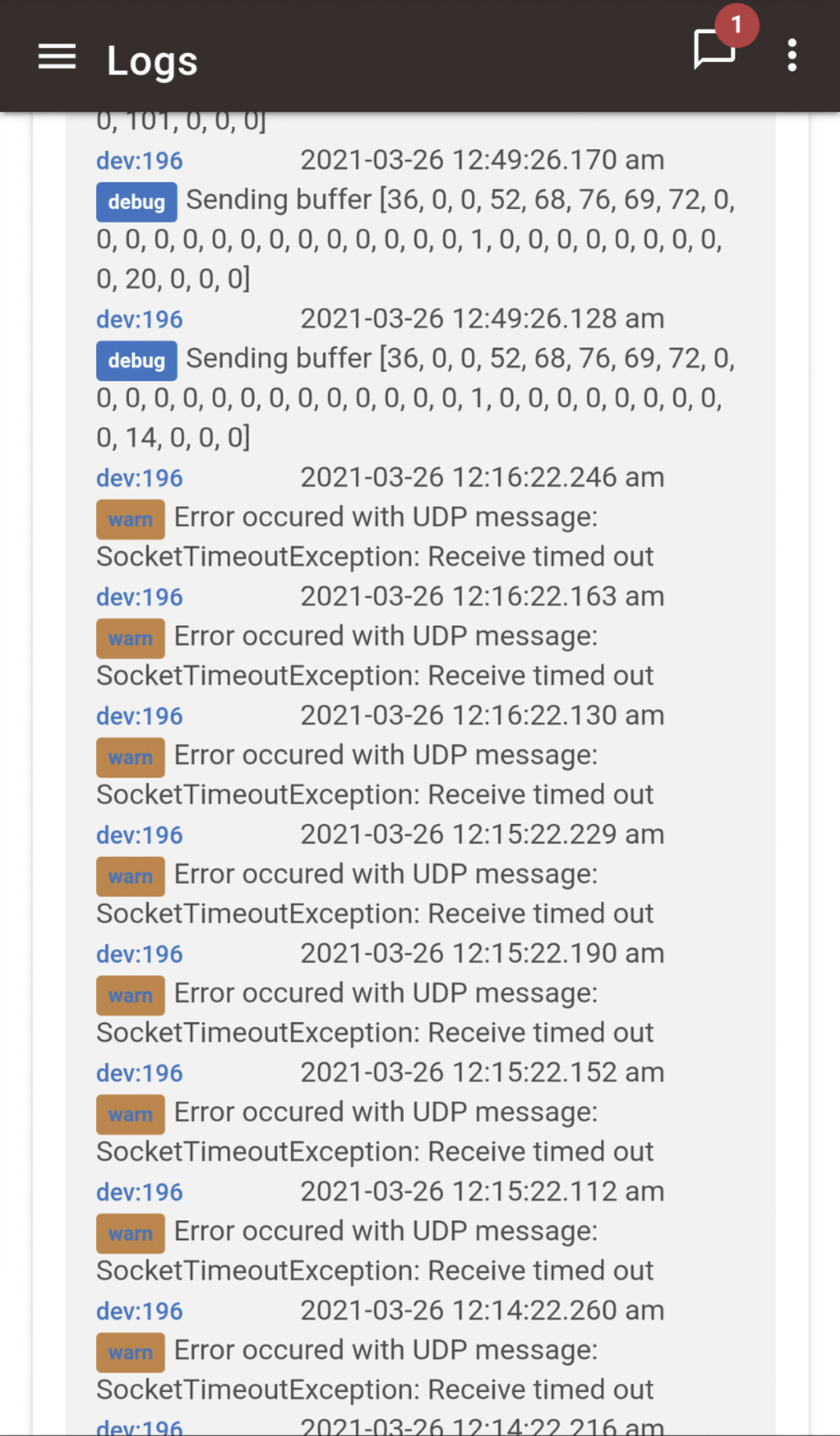
That's concerning, you really shouldn't see that more than once a minute (actually 4 times in each minute since there are 4 queries during polling), something's gone wrong with the scheduling, are you using the latest versions of LIFXMultiZone and LIFXMultizoneChild?