The homemade ones don't work that great either. Whichever you get, you will need some way to shave down the splice since it will most likely be of a larger diameter than the filament and won't fit into the extruder and/or Bowden tube unless you shave it down first. When it does work, it works great but if you can't feed it, it won't print.
1 Like
What is the GCODE needed for the Bed visualizer on the Sovol's?
I had the same question and related question about how folks track their filament use on a spool so you have a better idea of what you have left. Either manually keeping could of meters of filament used (tedious) - going to look for an Octopi plugin that does that.
You could do a filament change mid-print (like a color change) and that should work, but you have to be on top of the print progress. I'm adding a print runout sensor (hopefully today or tomorrow) so I can stop worring about it - the print will pause when the runout is detected and I just put in a new spool and continue the print.
This is a useful small print if you want to manage SD cards...
2 Likes
Doing some speed tests on my SV05 today and it's going surprisingly well. Three prints so far in vase mode using speed test G code generated on this excellent site:
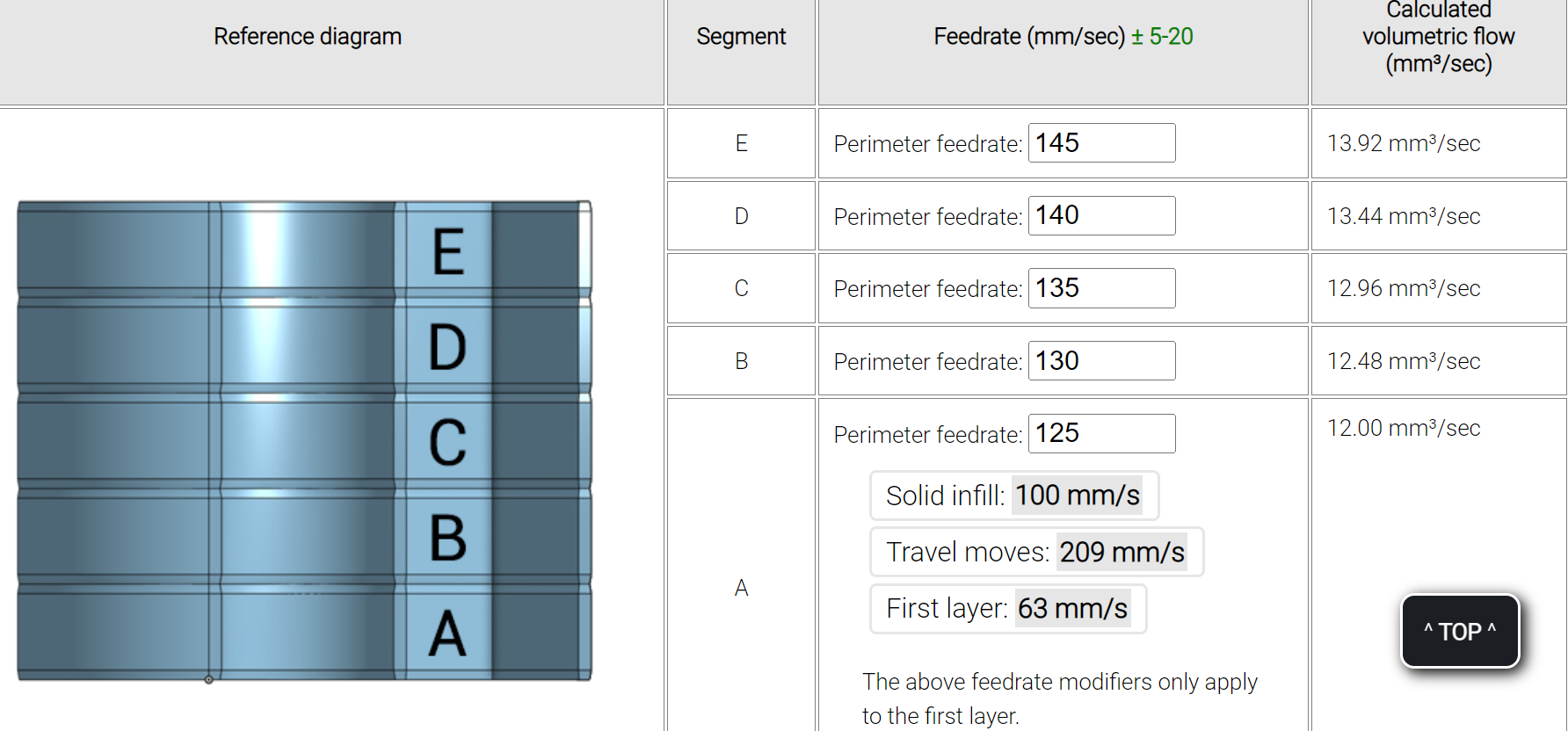
https://teachingtechyt.github.io/calibration.html#speed
So far I've tested up to 135mm/s and it appears to be working w/out issue. That print is going on right now (speed 125-130-135-140-145.gcode) and it's on the third layer (135) and looks flawless. These are the first three tests (speed 20-30-40-50-60.gcode, speed 60-70-80-90-100.gcode, and speed 105-110-115-120-125.gcode).
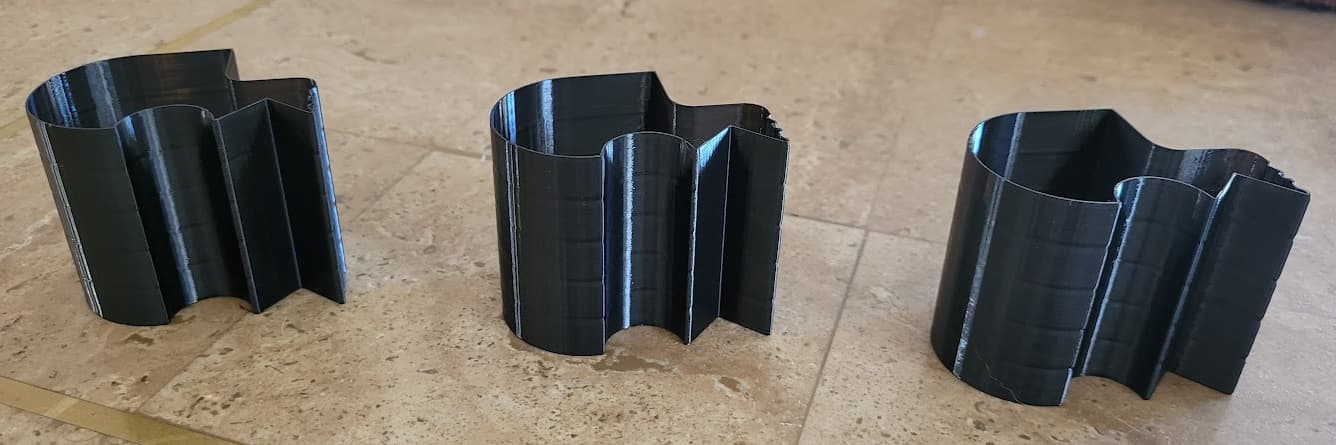
An you Bambu and other sports-car printer owners had better not start teasing the slow kid in the topic for being happy about going over 100. 
The last speed test print (speed 125-130-135-140-145.gcode) completed w/out issue. This is going so well I'm starting not to trust it...
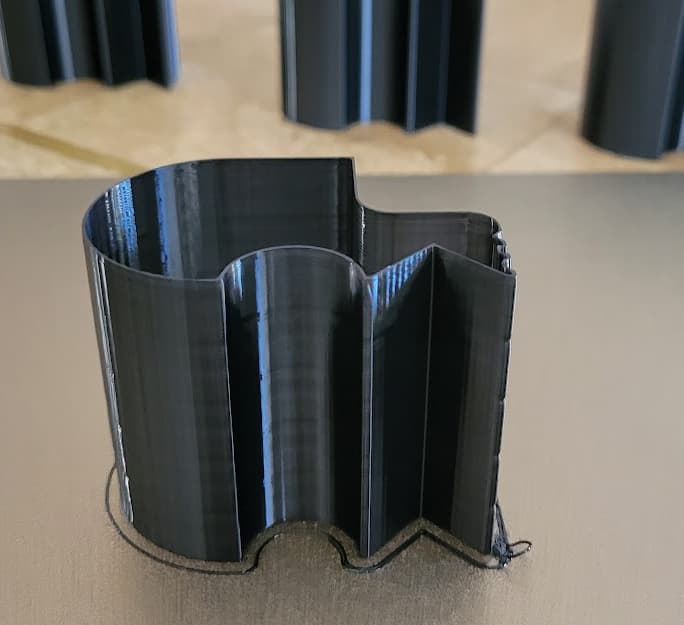
6 Likes
1 Like
It’s normally a good idea, assuming you’ve backed up your config using OctoPrint.
1 Like
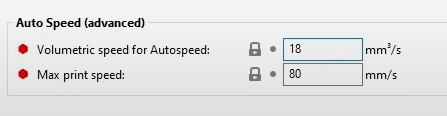
So I'm having some odd results following the instructions in the print speed video...when he changes his volumetric speed in settings it immediately affects his volumetric speed reported after slicing:
He enters 18 in the setting...
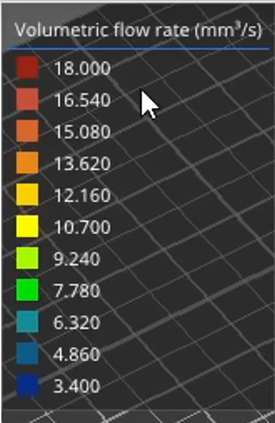
And 18 is the highest level reported/allowed in the slicer:
However, no matter what I put in as my volumetric setting (I'm using 18), my slicer never shows any value above approximately 5 for volumetric flow rate...some other setting in PrusaSlicer, it seems, is limiting my flow rate:
With the Max volumetric speed setting at default 0 (i.e., turned off), slice and check values:
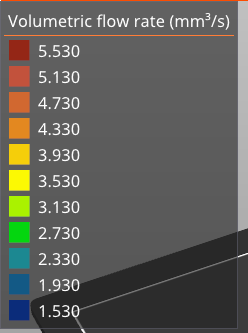
Set to 18:
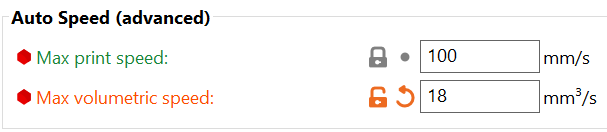
Slice again and no corresponding change on volumetric flow rate similar to what was shown in the video:
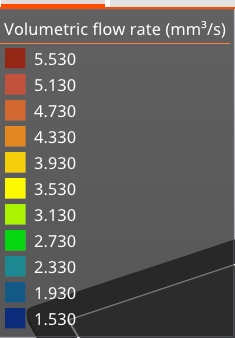
What am I doing wrong or misunderstanding?
If your acceleration settings aren’t turned up to a high enough value, you’ll never reach high enough speeds to get higher volumetric flow.
I need to wipe the dust off it, but screw it. Here it is - just mentally picture it wiped down.
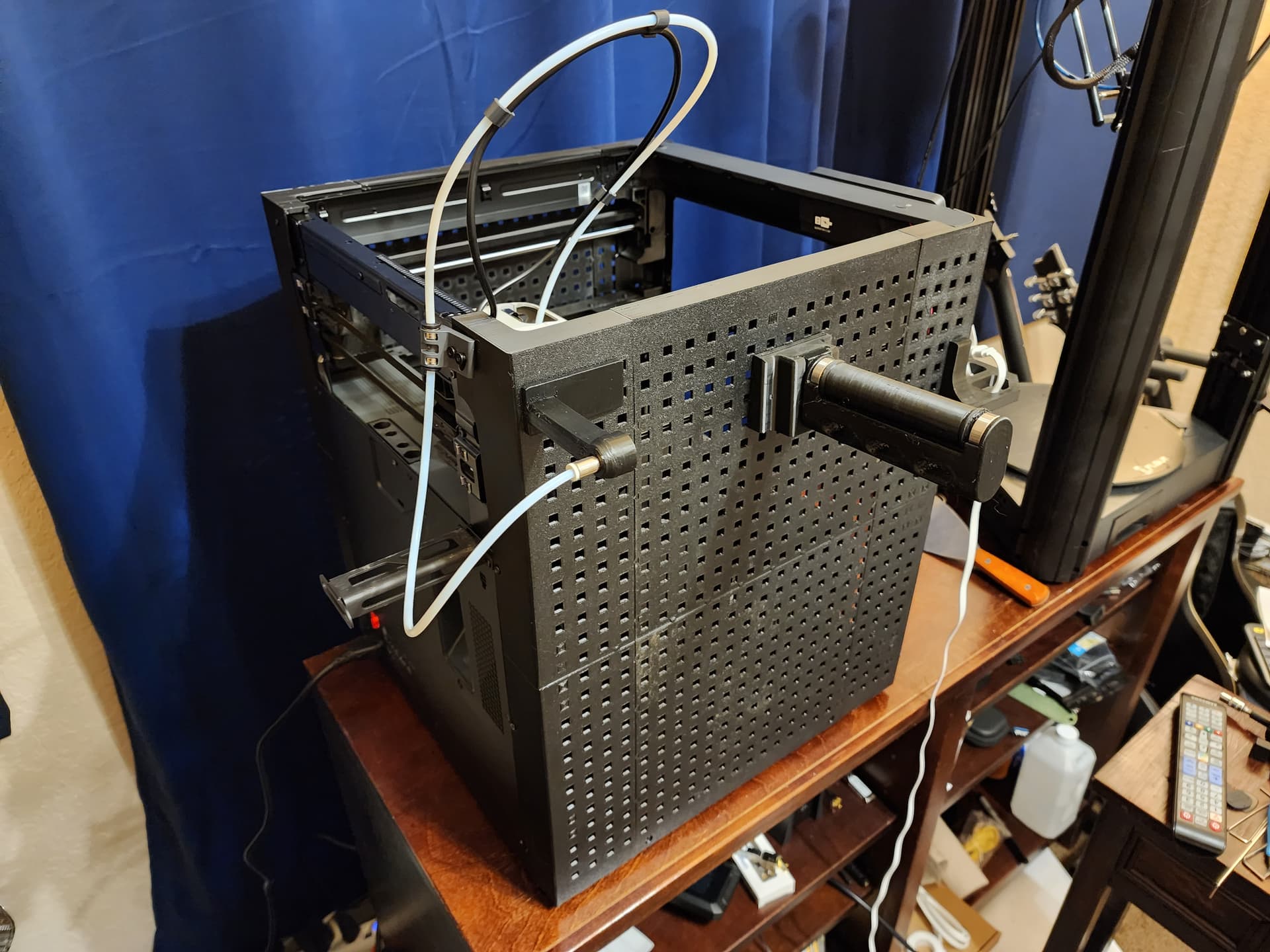
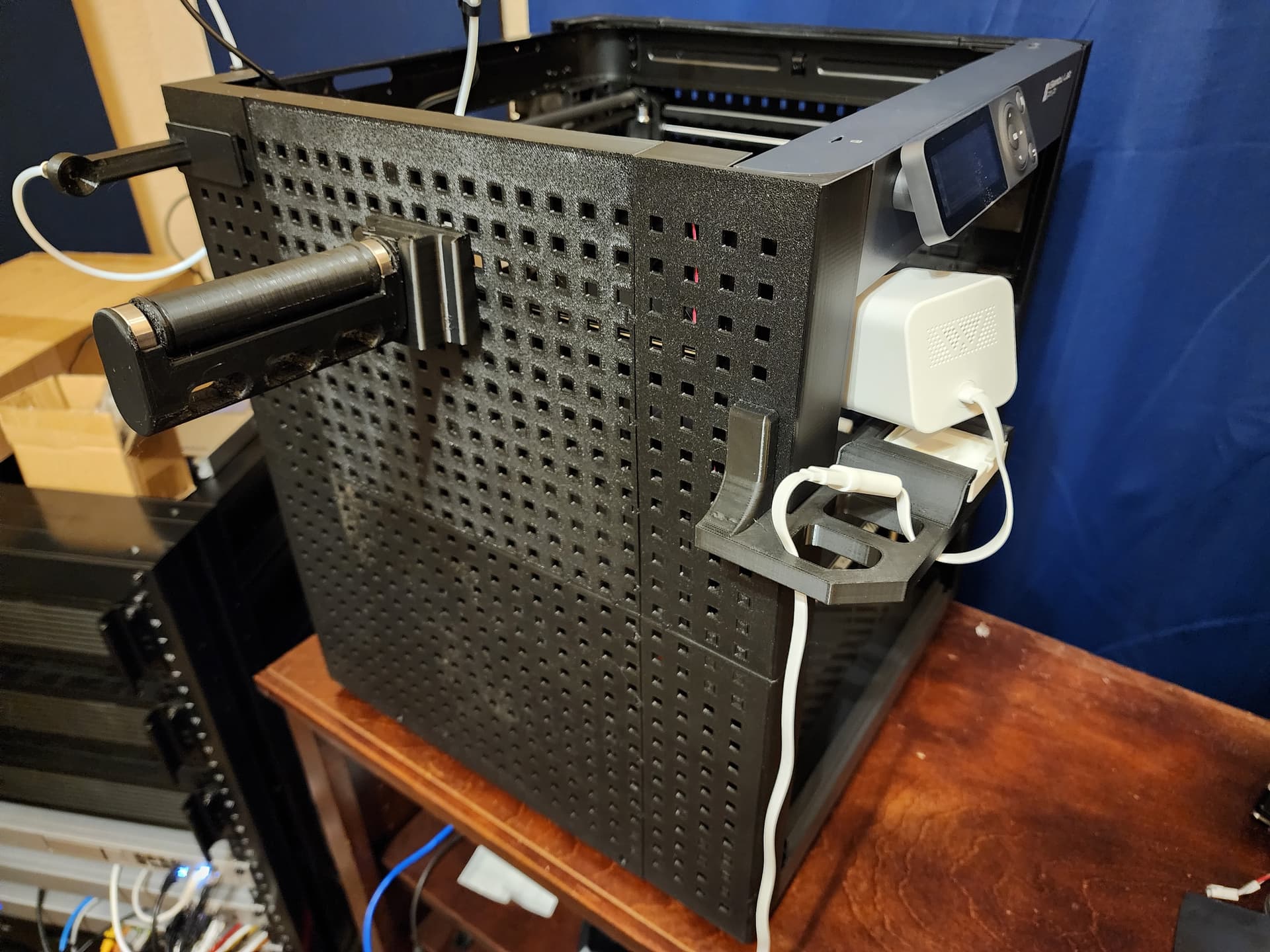
Edit: also, the lighting made the panels look uneven in the photo. Not sure why. Looks better in person.
5 Likes
Looks awesome! Didn't realize what you had done until I saw the pics, very cool, in spite of the dust.
1 Like
OK, thanks...I'll continue to hit the books.
I did the speed/volume tests from the Teaching Tech video, and saw no issues all the way up to perimeter feed rate of 190mm/s (.4 nozzle, .2 layer), and stopped there as I was starting to wonder if the tests weren't working right or something. The print out from the final test at 190 was as good as the first test that maxed at 60. I didn't expect to get to that speed level so smoothly.
2 Likes
Octoprint filament runout sensor in the house:

4 Likes
Mistakes were made tonight, I was moving a spool from cardboard to a plastic spool (the Bambu AMS isn’t a fan of cardboard), and in the process my hand slipped and now I’m the owner of unspooled plastic filament…
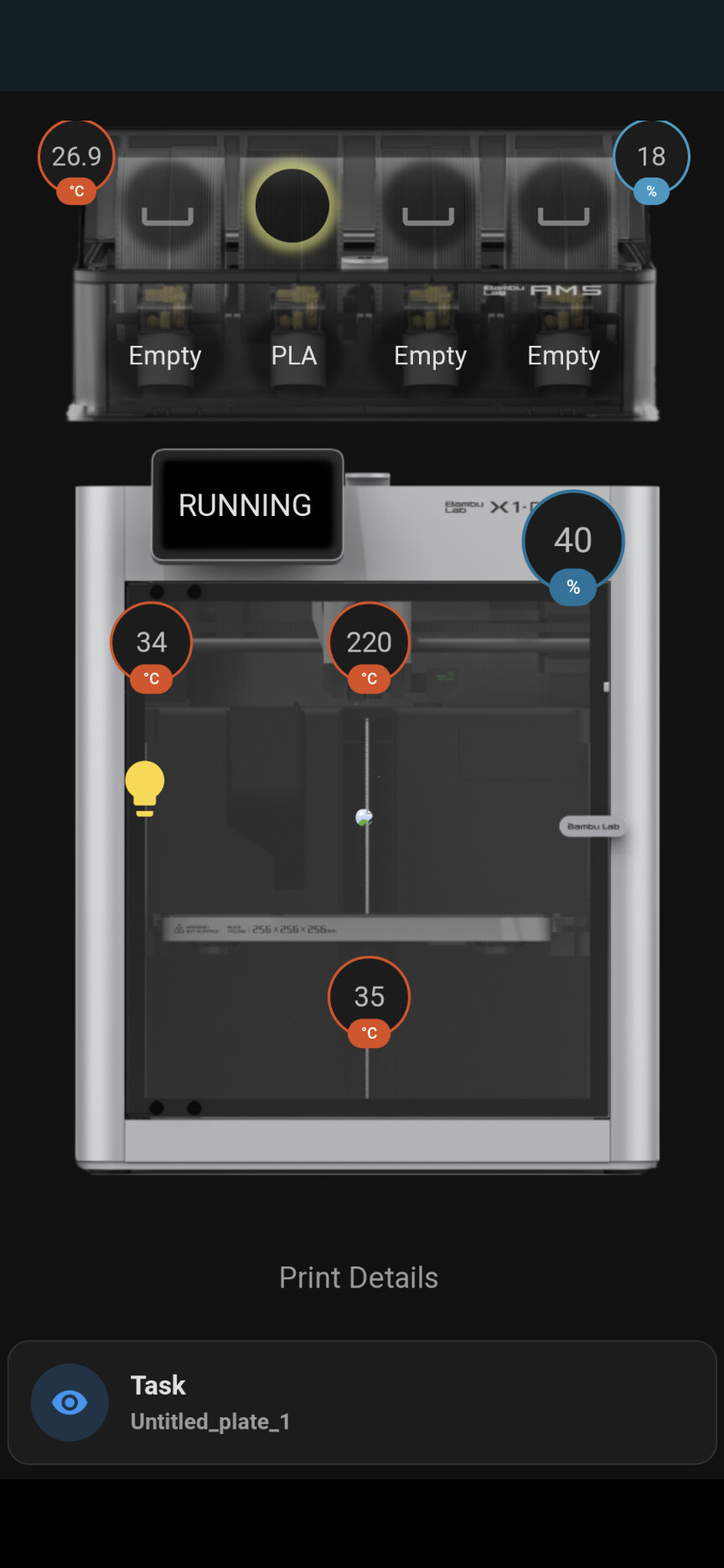
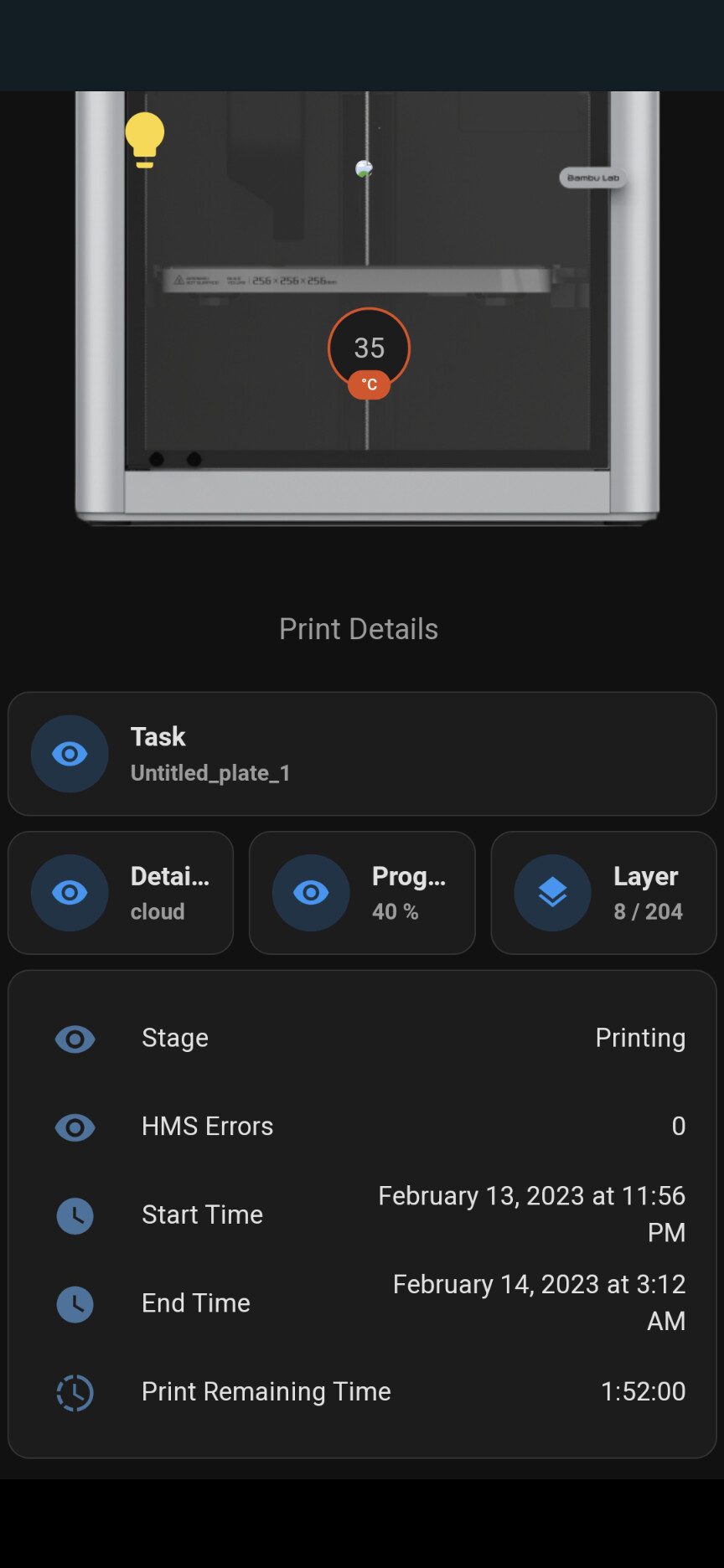
In positive news, integrated the printer with my home assistant dashboard.
4 Likes
That looks amazing.
I can’t take too much credit, straight copy/paste from the HA community. My skills are a lot more basic.
3 Likes
Story of my life...
3 Likes
I must admit, I’m very impressed by AnyCubic support. The Buffoon who owned this printer before me damaged the polarising film on the LCD.
Anyway, they are replacing my entire LCD module. I just had to send them a video showing the scratched screen.
Considering I bought it as a used printer, I’m very pleased they didn’t just brush me off. I was even upfront with support in saying it was a factory return.
All up, I’m a happy AnyCubic customer
6 Likes
I'm glad to hear that, as I just took the plunge with a pre-tested AnyCubic 4max. 
Hopefully won't need to get them involved but nice to hear that they're willing to help their more frugal customers.
2 Likes
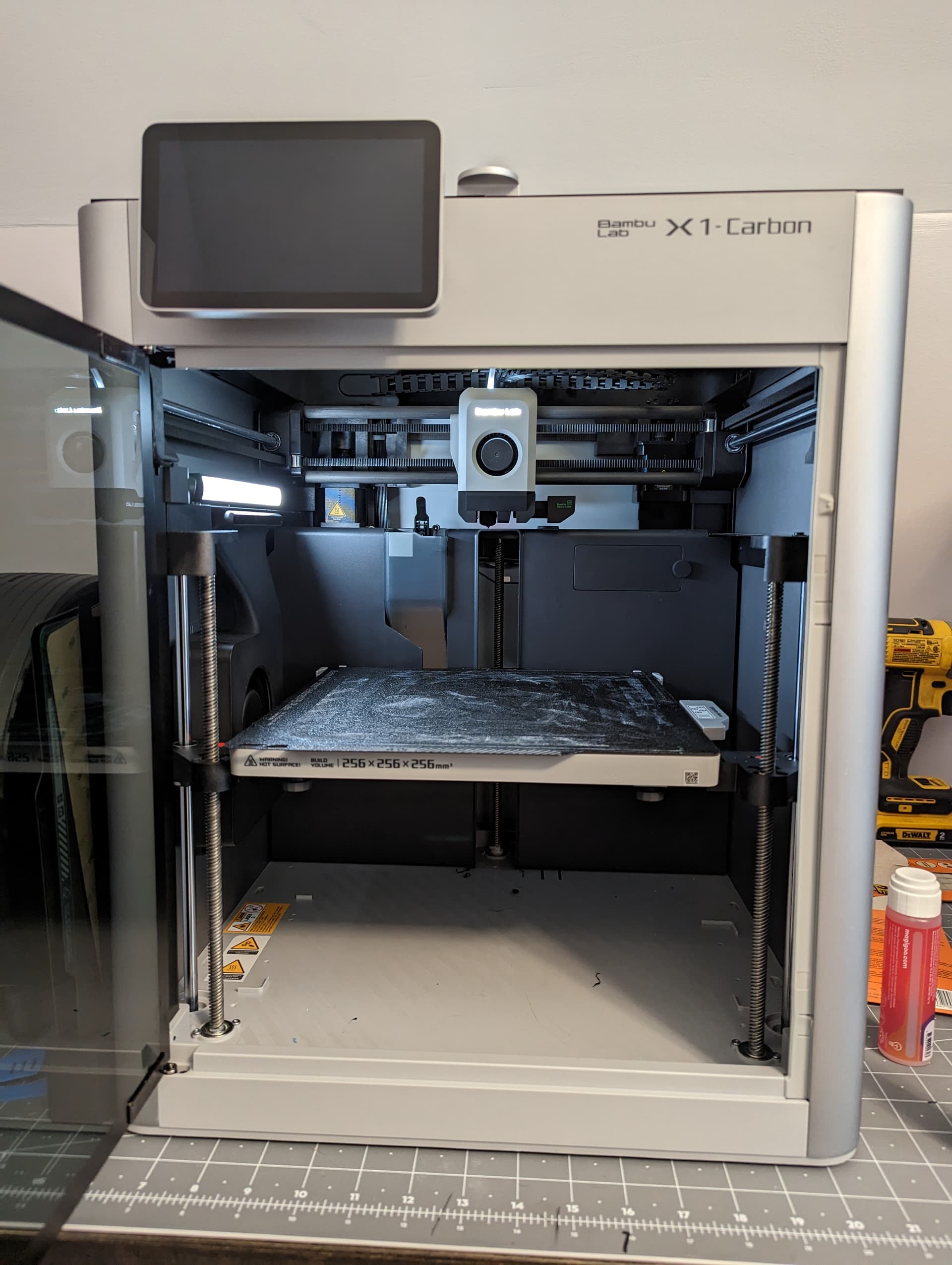
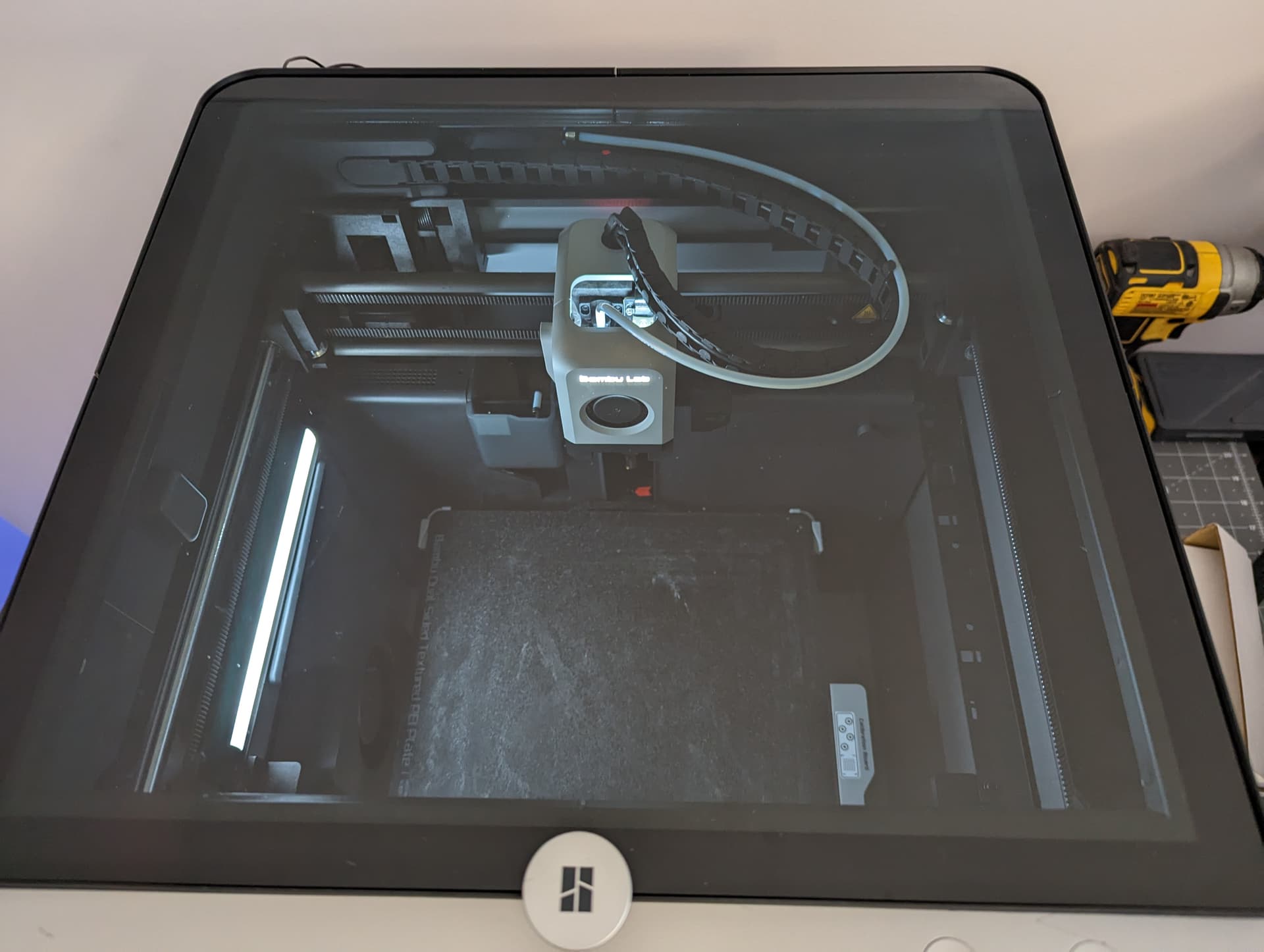
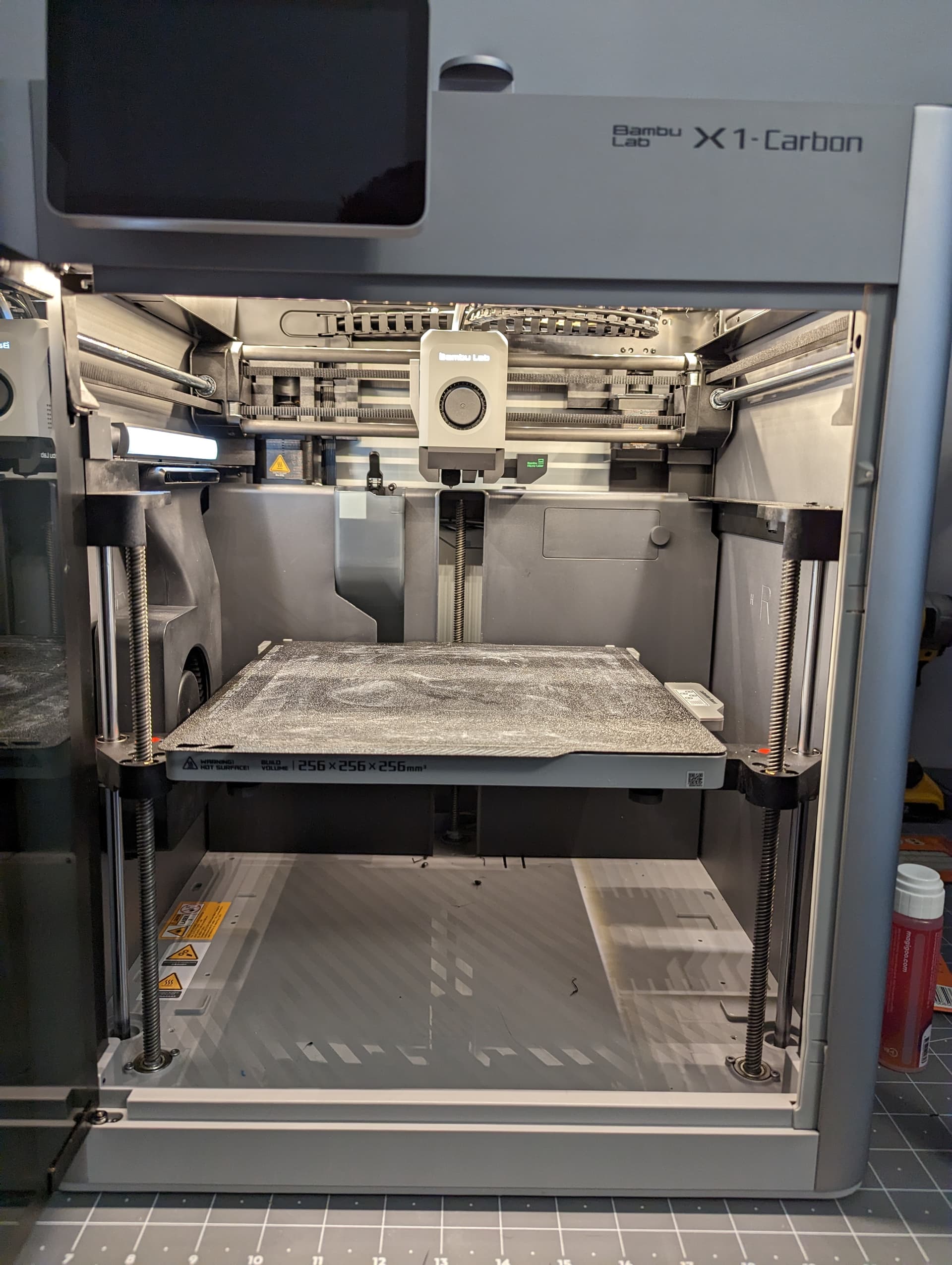
First "mod" to add some more lighting. I still need to add foam stripping to the glass side and I'm not sure if I'm going to stick with the LED strip in there or go up to 4000k.
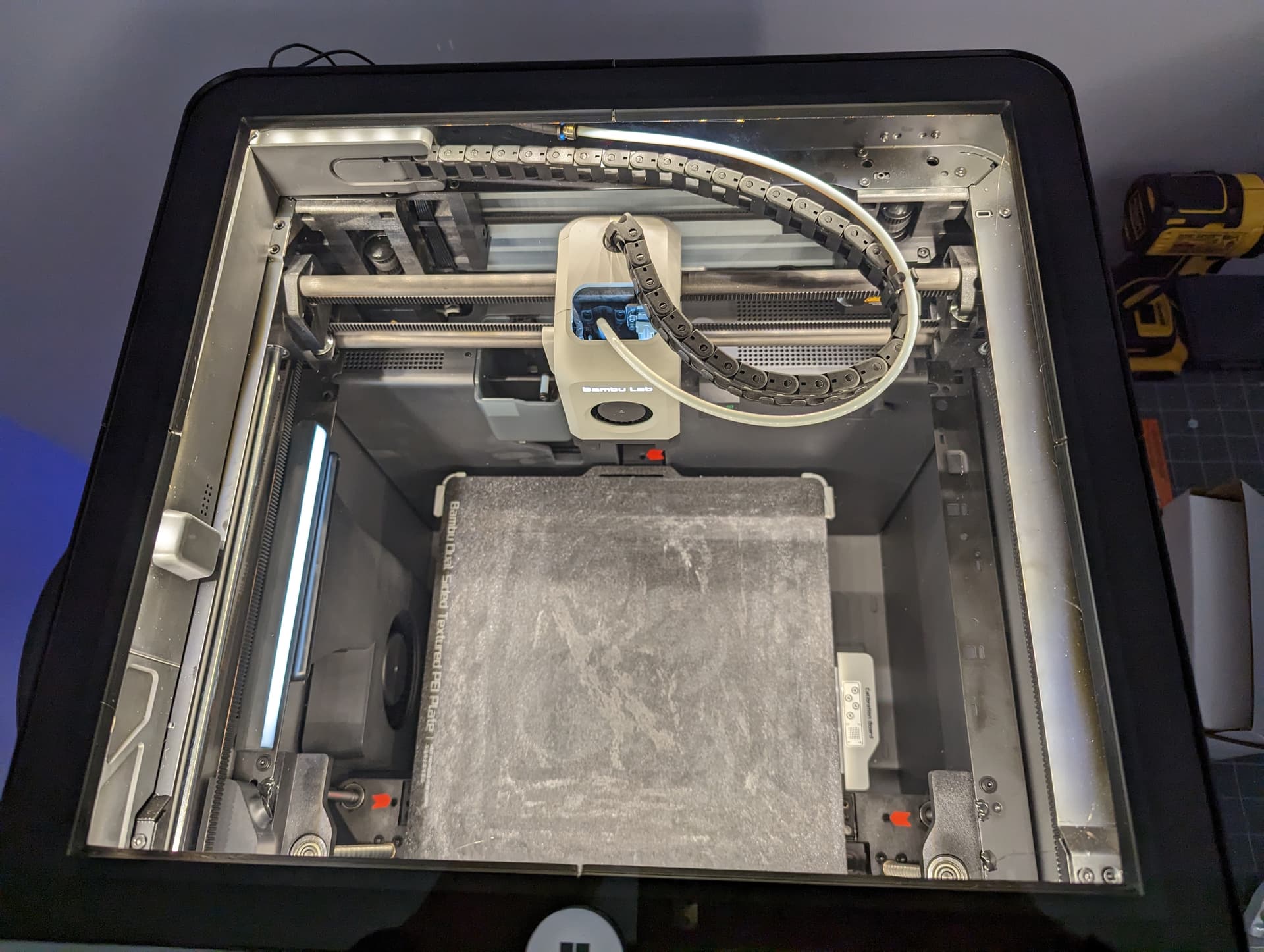
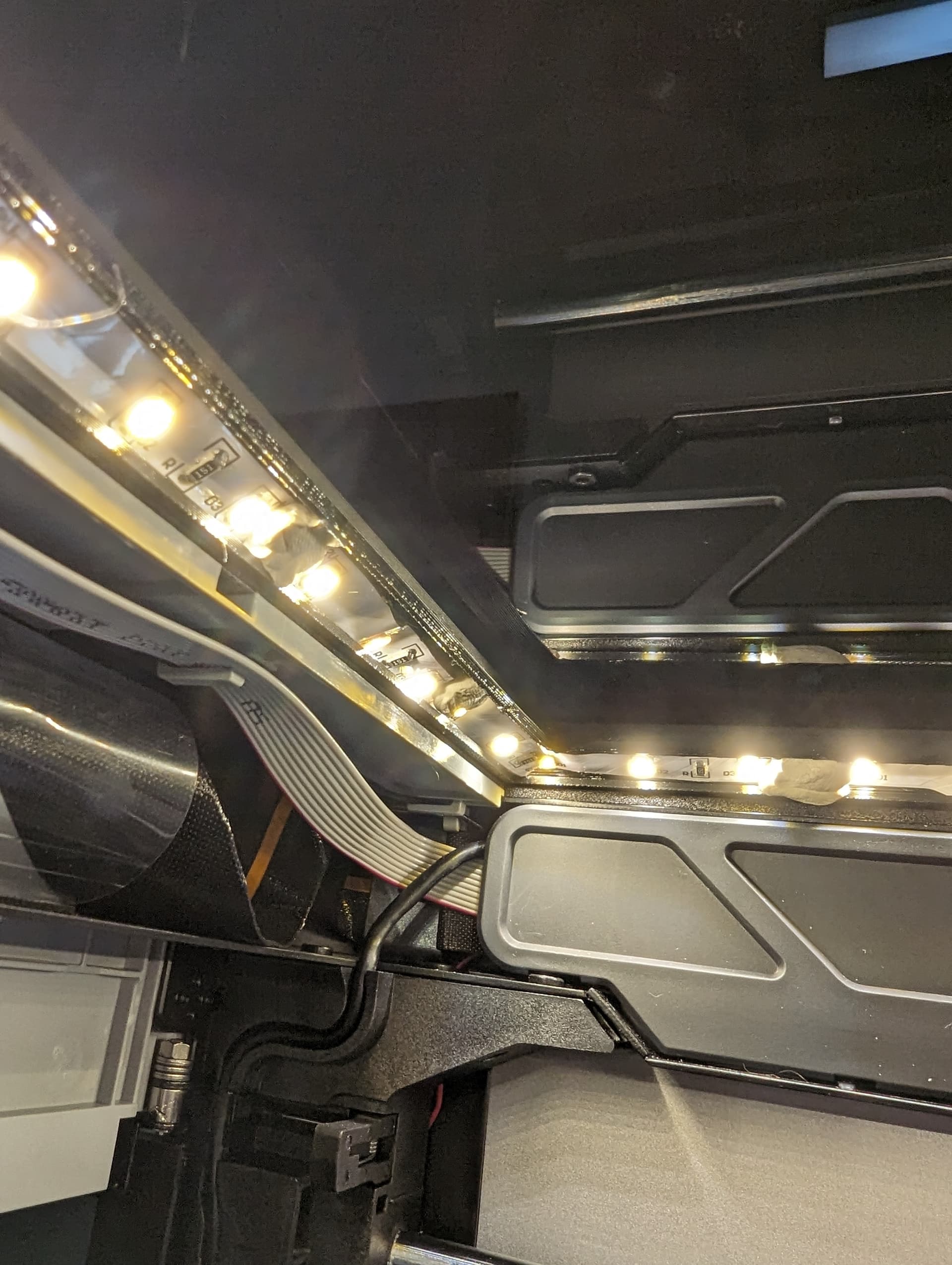
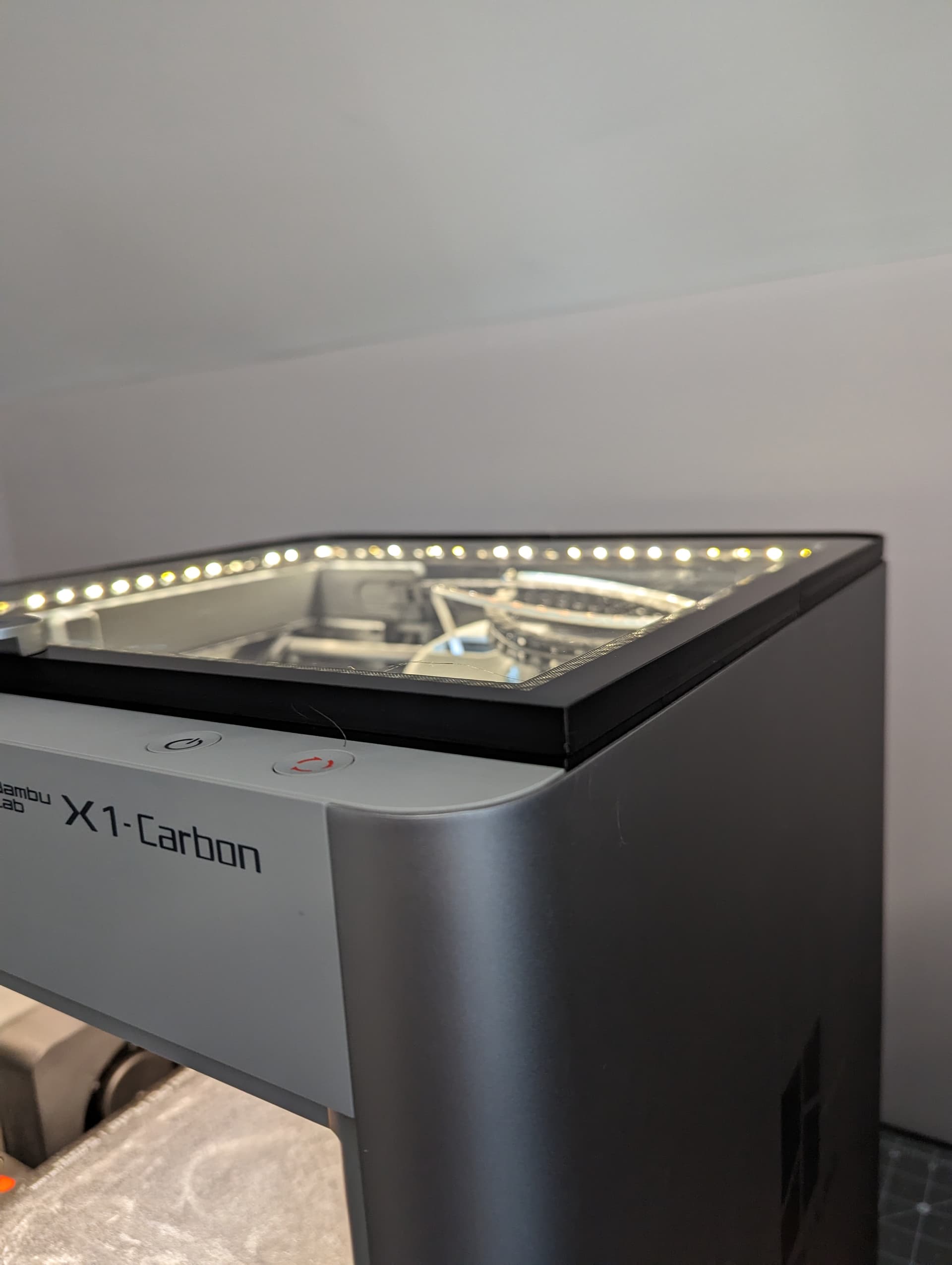
5 Likes
Link please.
1 Like