Is anyone else having an issue with their zwave devices reconnecting after a firmware update.
I have some ge toggle switches some dimmable and other brands that I either have to turn off the sprinkler breaker that powers those switches or wait sometimes days for them to reconnect,.
How can I fix this issue that
I have a C8 up with the latest firmware
I've never seen this problem with Z-Wave, outside of "old Zwave, before ZWave+" - Are your GE toggle switches older models? (aka Zwave before the "+" was added)
And how to you detect that they "reconnect"? - Can you send them on/off/level commands from the device command panel? - Does that work without a power cycle.
I'm unclear what you mean by "reconnect" as most devices are "stateless", unless there is a state change on either end - Some change for the device at the hub, or a physical state change at the device, that triggers a report. - Otherwise both ends are just going to "sit there", if there isn't any communications to exchange.
The Zwave traffic is more like UDP packets, just issue a command over the mesh, and expect the endpoint to react correct (excluding details around command retry). - So the concept of "reconnecting" seems more like a TCP/IP socket/session, which isn't how Zwave works.
Given this is a "regular" C8, and not a C8Pro, I would assuming your not running a ZwaveJS stack from some earlier Beta's - Is that correct?
Just to add a datapoint, I have never experienced this issue with any of my (5 in production) hubs, and I update them often.
I wonder if something else might be the cause?? I’m often reminded of the old saying: « Correlation is not causation »…
they are the zwave + version
I have some rules that run, motion in my office the light switch gets triggered, going to the device page and selecting the on or off does not resolve the issue
when I say reconnect i mean it will not respond to commands after upgrade
I also run a rebuild network in zwave details and get the following
Stage: Idle
Finished Z-Wave network rebuild
Failed Nodes: 02 43 04 29 4B 4C 2F 4F 30 31 34 35 37 22 2D 0F 36 3E 2C 2E 10 1A 3C
that about 90% of my zwave devices
regular C8, did not install ZwaveJS stack
do not remember if I ever updated them, but I was looking on Jascoproducts gethub page down loaded the firmware for the 2 types of toggle switches I have and then installed the built in device firmware updater, every device i select i get this response"
Device did not respond to firmware metadata request" even though that same device was just triggered
Perhaps it could be fixed by fiddling with the hub or antenna position?
"Sprinkler" sounds like it could be a little ways from the hub.
3 of the toggle switches are within 5 ft other 4 more are within 20ft
2025-12-01 07:01:49.248 AM info Office light GE is 98% [physical]
that is one of the goggle switches, it can see when it was physically turned on this morning but will not control it
I have a wifi AP near the hub which I have turned off to see if that makes a difference, going to reboot the hub and give it a little bit to see if that makes a difference
I agree, hub firmware/platform updates get blamed as the source of all manner of problems when most often it’s something else.
I would suggest reviewing this post in detail. Not all of it is relevant, as it’s meant to cover many different potential issues, but it’s a very helpful resource for those having all kinds of issues with their hub, with detailed troubleshooting suggestions depending on what’s going wrong.
This sounds like a Zwave mesh or ghost issue - Given the failed repair.
Can you post your full Zwave devices detail page (as a screen shot), as it sounds more like Zwave radio issues (not sure why just yet)
Also, how is the hub powered?
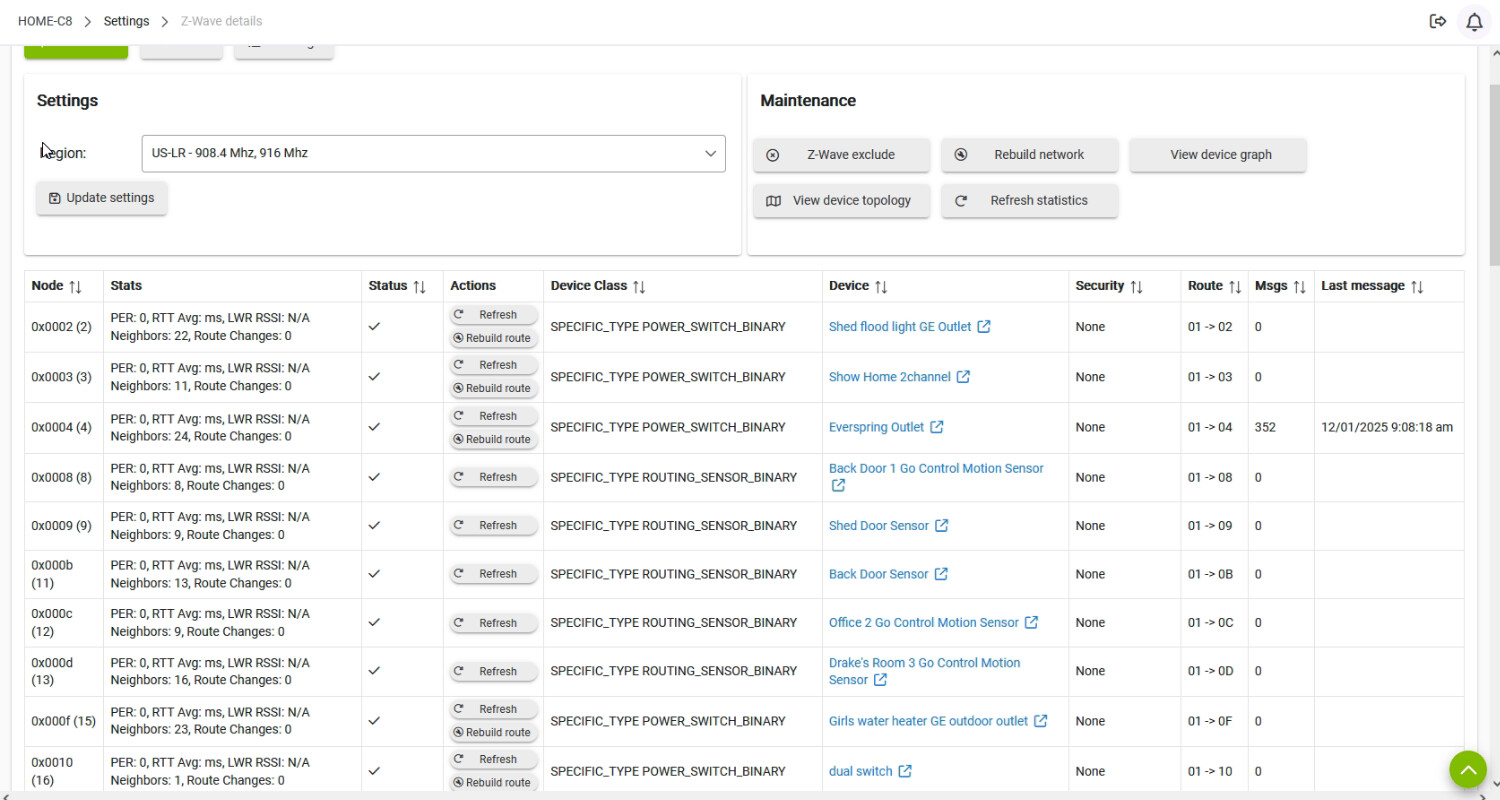
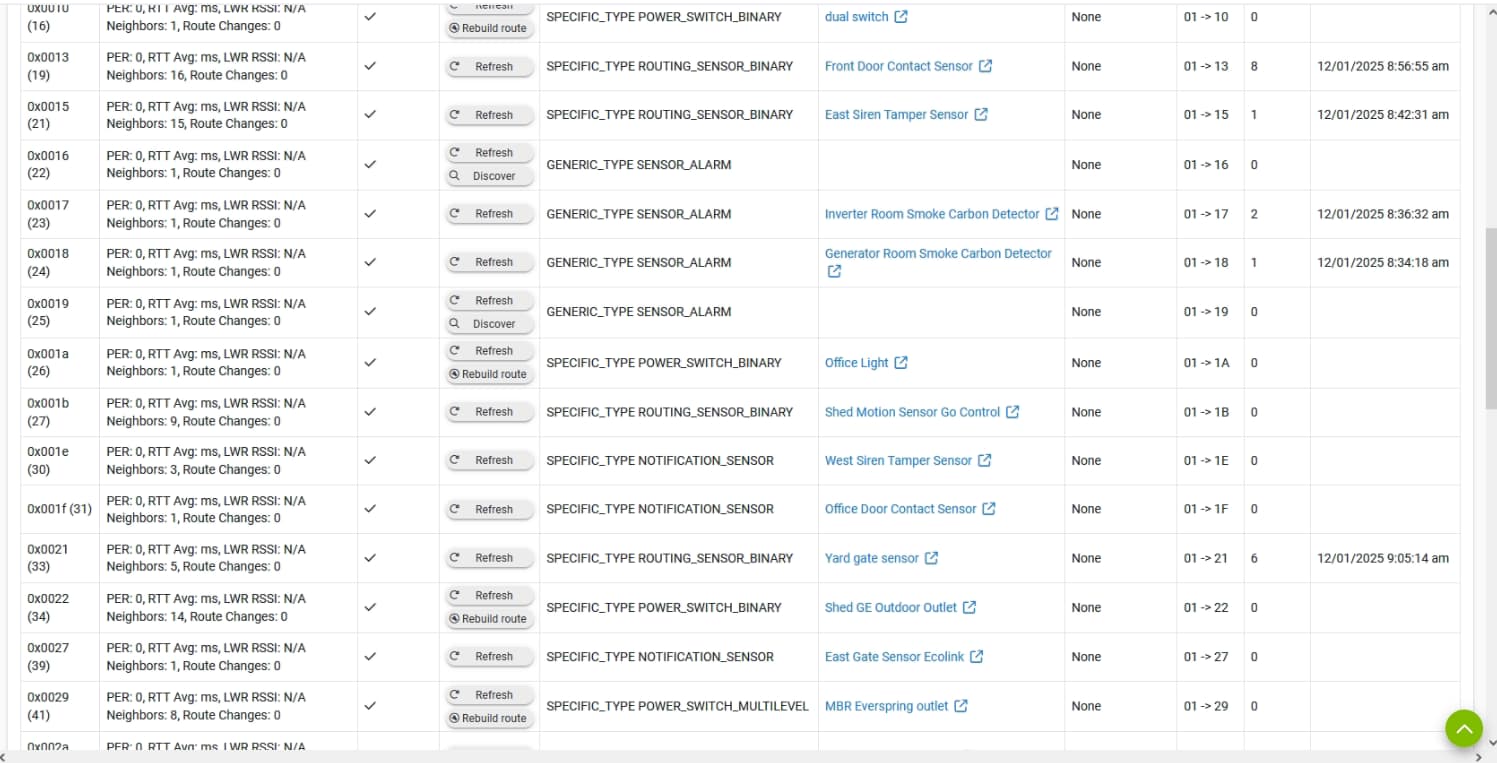
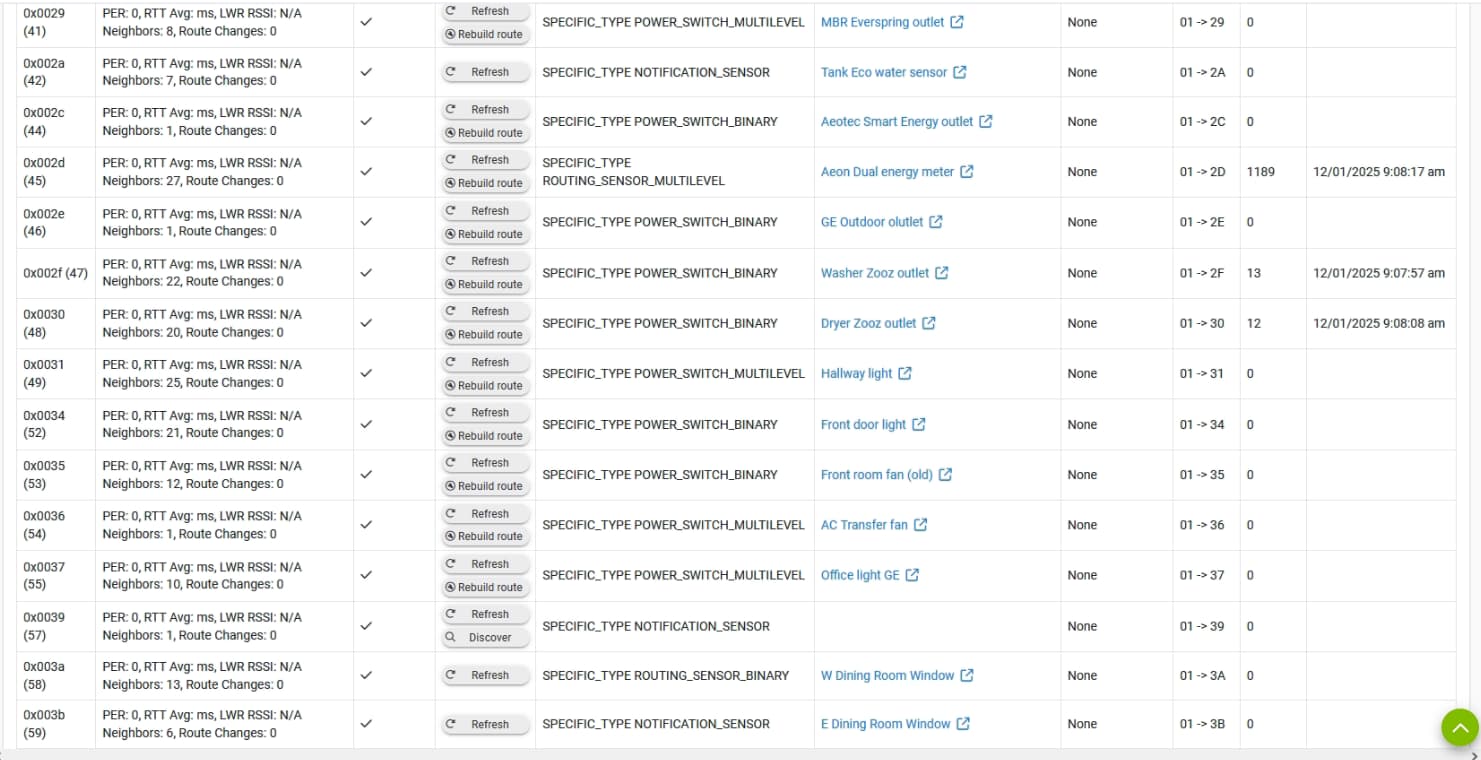
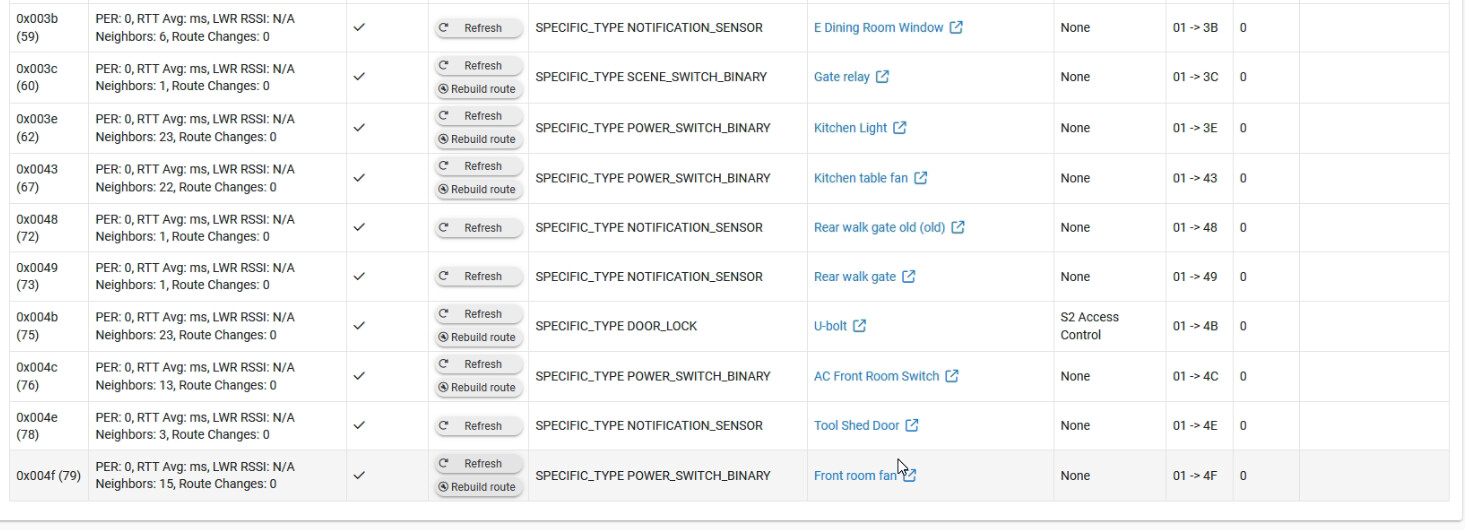
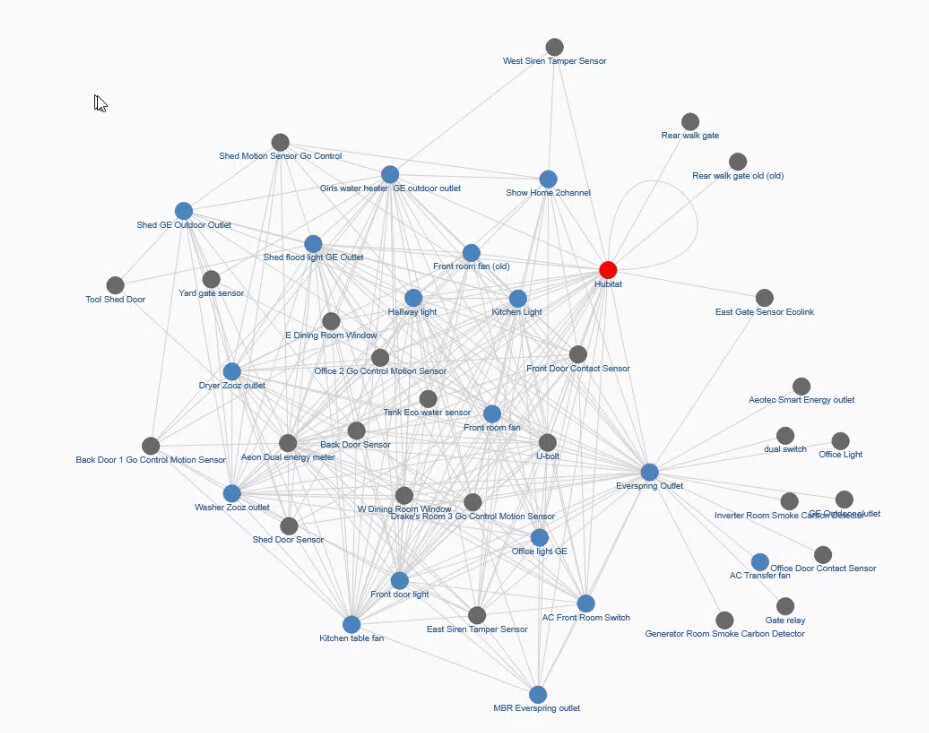
16, 19 and 39 look like ghosts...
those 3 are legitimate, 19 is not currently in use so I just disabled it via the toggle switch
I had done a soft reset a quite while back, may end up doing that tonight but am away from the device and don't want to do that now and something go wrong and cant put my hands on the hub to try get it restored
If those two alarms are FLIRS devices (Frequently Listening Routing Slaves (FLiRS) are a class of Z-Wave devices that are battery powered but wake up every second to check if there is a message waiting for them . FLiRS were initially used for door locks...) your issues could be related to them being offline. Offline FLIRS devices can really blow up your Z-Wave network under certain conditions...
I had a severe hub problem similar to yours during the recent beta which turned out to be caused by a battery powered Z-Wave thermostat when the batteries died and the device fell off the mesh. Once the device was offline, havoc ensued, as other devices trying to communicate w/an offline FLiRS device is not good for your mesh:
From @bcopeland: This is a LSS (FLiRS) device .. So sending a command to it while not powered would cause a flurry of activity while it tries to wake it through the previous route and multiple other routes after it doesn’t reach it through the expected route..
Your problems might be exacerbated after an update/reboot. So maybe put your alarm devices back online (or fully exclude them) and do a shut down/pull power/wait 30s/reconnect power and let things run for a while. 
Sorry forgot to answer about the power adapter, i think it's the original that came with the hub
The real issue is power over ethernet (POE) devices. They can really interfere with Z-wave for some reason. So long as you are using the original power brick, you should be fine.
Have you looked at the potential FLIRS issues I noted above?
Either fully exclude the devices, or put them both back online (with fresh batteries) and see how that affects your mesh. My Z-Wave mesh was completely destroyed by one FLIRS device (thermostat) w/low-almost dead batteries.