Hubitat C8 running 2.4.3.155
Two iphones running 26.0.1
My presence features seemed to have failed some time ago and I ignored it as I knew it might take some time to investigate. But yesterday, we had a power outage and the Zooz zac38? did not report.
What have I done? I updated hub about 3-4 weeks ago and discovered a lot of new capability, I must have been behind on updates. Today, I then took the .155 release. I also did a reboot with database rebuild.
On the iPhone side, I left #2 iphone as it has been configured for over a year. It looks good in the device list. However, it does not receive notifications and its presence does not update. The device icon is green.
On iPhone #1, I did a complete removal and deleted the app from the phone and started over. Initially, I received about ten minutes of test notifications, perfect. Within a half hour it no longer received notifications. There is no presence indicator. The icon is greyed out in Devices.
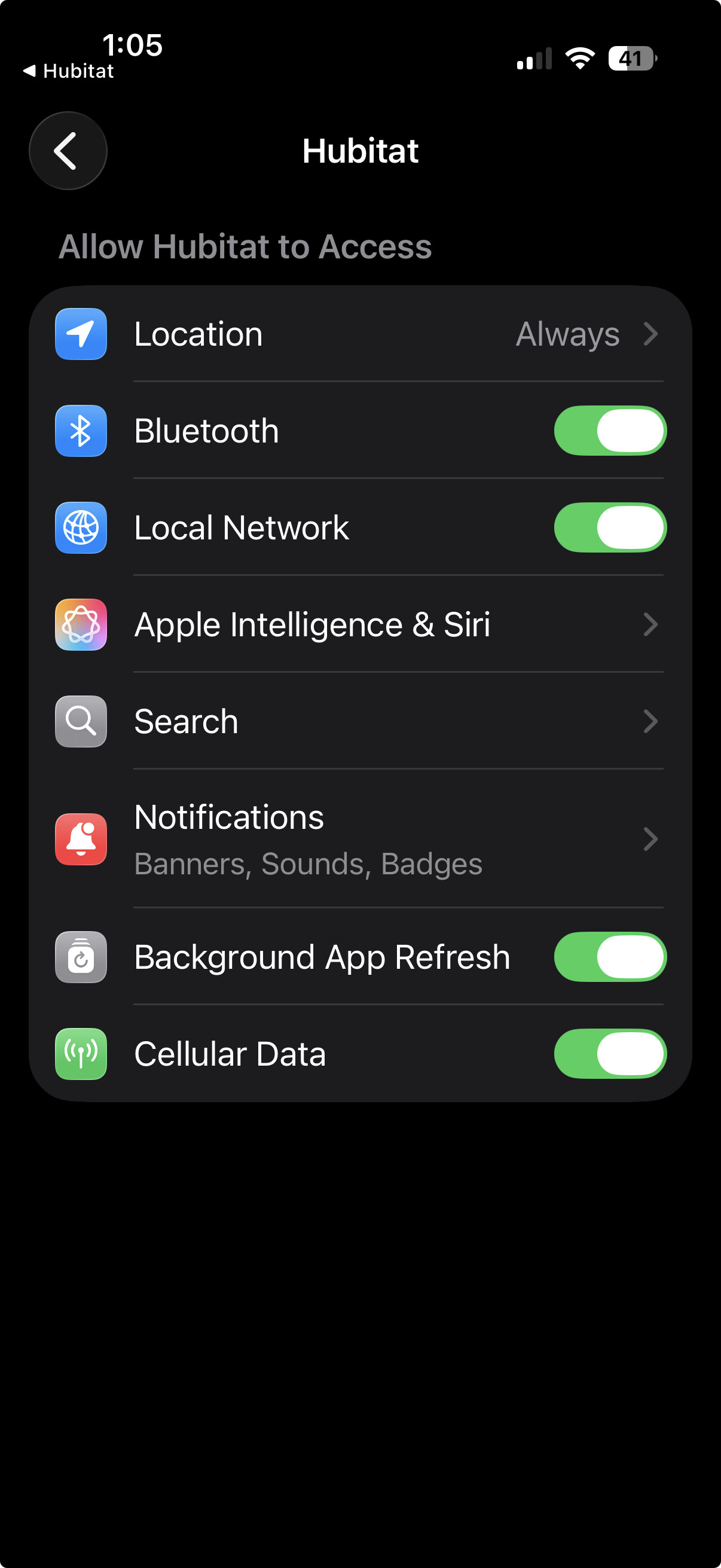
Location services and notification services all set correctly on both phones.
I have searched the support and community sites and tried some AI in desperation but have not found anything current and relevant.
I would really like to get those notifications in real-time, they sometime come 5 minutes late and then, only via Hubitat app. The presence would be nice but, I have never had total confidence.
Have I missed some information about the iphone integration with Hubitat? Seems that there are no other posts like this so - perhaps it is my "user error".
Thanks,
26.0.1 or 26.1? If you are still running 26.0.1, i would recommend 26.1. There are a lot of improvements in the latest ios release. I think some were related to location services.
notifications in real-time
Have you looked into pushover? It has a lot of love from the community and for most people, just works.
Next, we need to determine if your Hubitat hub is maintaining a consistent connection to the Hubitat Cloud server.
What type of home network equipment are you using?
Are you using Ethernet or WiFi to connect your HE hub to your home network?
If you disable WiFi on your iPhone, and then open the Hubita mobile application, can you properly access the Devices tab at the bottom of the HE Mobile App?
iOS 26.01 had issues with Apple Home location based automations firing consistently. So I wouldn't be surprised if issues were also present with the Hubitat app. I believe they are working better with 26.1, so I'd start with that upgrade.
Thank you all for your input. Still no joy. Here is what I did.
I have a robust Unifi network with minimal 'enhancements'. It works well and has not caused issues over a 3-4 year period.
I updated my iphone 14 to 26.1.
I reviewed my settings and have all suggested but for these discrepancies.
Bluetooth is not listed as a service under the HE app settings?
My background app refresh is greyed out,(yet it is green underneath the grey)?
I also tried sending test notifications for the iphone device page. It failed on wifi and it also failed with wifi off (therefore cellular)
Which Hubitat Mobile App are you using? The old one "Hubitat" (White Background with Green Logo) or the new one "Hubitat Elevation" (Green Background with White Logo)?
Also, did you try opening the "Devices" tab in the Mobile App (assuming you're using the NEW Mobile App) with WiFi enabled and disabled?
How about going into the phone app under App Settings and click on the green "Refresh". That should relink any required connections of phone to hub that is necessary.
Then go into the Devices section of hub and search for Mobile App Device. You should see the same DNI on the phone in the corresponding mobile device on the hub.
Wow. I have this hub all screwed up as it relates to the mobile devices.
No, my iphone was not showing as PRESENT in response to sidjohn1's question.
There is no doubt that my mobile devices (2 iphones, 1 ipad) were somehow broken when I began this thread. Generally, they could be seen as devices, control devices but notifications and presence did not work.
I have been focusing on one iphone (my personal). I have deleted and reinstalled the app multiple times. At this point, I cannot even cause the iphone to appear in the device list.
Losing my mind, I began to wonder if I once hit the mobile "remove acct" button. I went to the Hubitat cloud acct and everything appears to be in order.
I know that in my zwave experience, I have orphaned broken devices and then required some extra effort to do the housekeeping and clean up the zwave devices. Is there a similar device table where the mobile devices are stored that may need some attention?
At the moment I have a full functioning environment but cannot add / enable a mobile device.
Additional information.
I cannot run the hub diagnostic tool either local or from the iphone.
I can enter ip address but, the button does not enable to run the diagnostic.
?????
no, I have a flat network. After your question, I went and looked at my network but, find nothing out of sorts.
I see it on the network and use other network devices. And, with celluar turned off, I have access to all Hubitat............but, for the presence and notifications.
Remove the Hubitat Mobile app from your iPhone, including any data if offered the option to keep/delete
Reboot your iPhone using the Vol Up, Wol Dwn, Press and hold power until the white Apple logo appears
One your Hubitat Hub, download a local backup file via the Settings Menu. Always good to have just in case you want to revert any of the following changes.
On your Hubitat Hub, in your list of Devices, FIND and REMOVE your iPhone's Mobile App Device from the list
Reboot your Hubitat Hub from the Settings menu. Choose the Advanced Option and select Rebuild Database
Once the HE Hub is back up and running, install the Hubitat Elevation mobile app from the Apple App Store. Make sure to grant it access to anything in the Settings it asks for, like Location Services, LAN Access, Bluetooth, etc... When you first run it, it should ask you to log into your Hubitat Cloud Account. If you have more than one HE hub registered to this account, it will ask you to select a hub. If prompted to select an existing mobile app device from the hub, or to create a new one, please choose create a new one.
Once done, open up the newly create Mobile App Device on your HE Hub using a standard web browser on a laptop, tablet etc... Try to manually send notifications to see if they appear on your iPhone.