Well, first, I never heard of Screen Time so I went there. The Content and Restrictions slider was off. However, the bluetooth capability is still set to ALLOW. Must be the default.
I also went to a couple of apps (settings) where I would expect to see bluetooth. Those apps are working but the bluetooth slider does not appear in apps(settings)???
I have also cold booted the phone a number of times and have reloaded Hubitat.
I may come to the nuclear option which I would try this evening.
Thanks again....
I have done each of these steps suggested. However, I have probably not done them in the order you recommend. I note the emphasis on the sequence and will try that this evening.
Regarding my recent reloads of HE. I have only been prompted for LAN access and cloud acct.
Also, I cannot remove the iphone as it is not listed in devices. However, the iphone HE client works fine with Hubitat except for notifications and presence.
btw. my wife recently drove away with her iphone 16. I noticed that her presence is still not updating. Yet, she also has solid control of Hubitat.
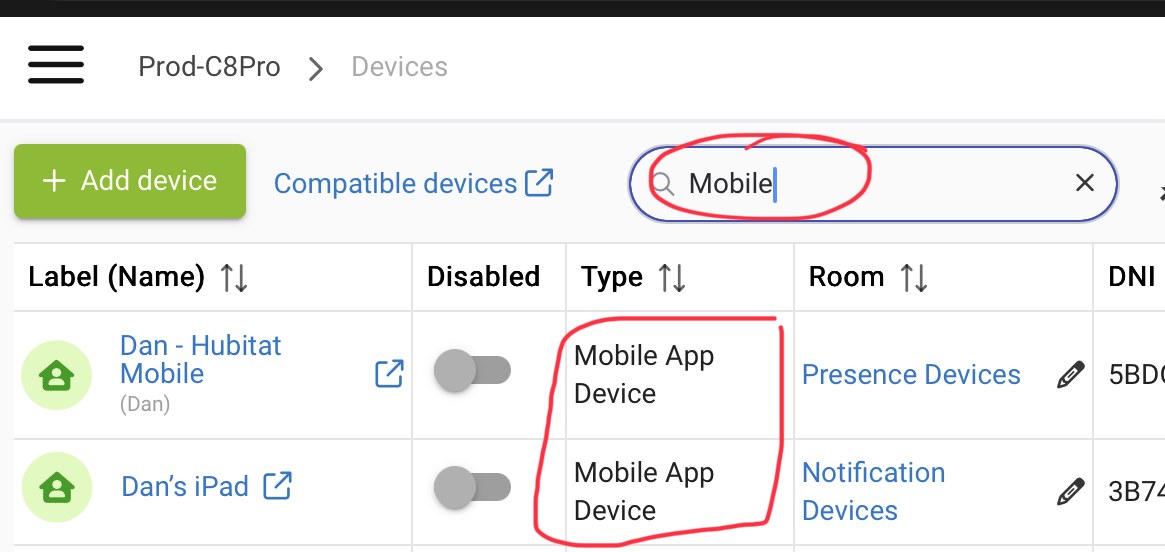
Have you removed all of the “Mobile App Devices” from your hub? If so, not sure how you would even check if your wife’s phone was working correctly or not?
Success, by any means, is success.........
After considering the generally excellent reliability of Hubitat and my infrequent deep dive into Hubitat and the very helpful support community input...... I succeeded despite myself as follows.
First, before making any further changes, I dragged out a retired iPhone 10. It had been factory reset a couple of years ago. No cellular-just wifi. I did the Hubitat reboot/rebuild. Then, I added the iPhone10 without a problem. All expected functionality was there.
But, along the way, I was asked if I wanted to LINK to another device. Lacking a full understanding of LINK, I chose instead to CREATE NEW. It worked out great and a new device appeared. I now believe that today's iPhone ghost problem was caused because during one of those reinstalls, I am almost certain that I LINKED to an ipad. I did not see or understand what that LINK prompt was about.
So, I then went through the same careful install process with my problematic personal iphone. Only, this time, I CREATED NEW instead of LINK. Boom. Success. So I owe todays pain to this LINK misunderstanding. btw, Bluetooth is still not an option for Hubitat app - should I care?
It still remains that all my mobile devices did not cope well when I rev'd up the Hubitat system. My lack of use of PRESENCE meant that I was somewhat unaware. The lack of NOTIFICATIONS might have been going on for some time. What could be better than a lack of notifications?
Seems that I did have a problem that was never really solved. Then, I made it worse while trying to fix it. If I had to do it all over again, I should have accepted that all the mobile devices were unhappy and just deleted and reinstalled them.
Your suggestions were very helpful to motivate me to try a few things and I greatly appreciate it. I will try to stay a little more involved with my Hubitat system which we have come to rely on. Thanks again, Dave
Just an FYI - The reason for having the option to Link the HE Mobile App on your phone to an existing “Mobile App Device” on your HE Hub is to allow you to easily transition from your current phone to a new phone without having to update all of your Hubitat Apps/Automations.
Thanks for explanation on Link. After contemplating this, I believe that what happened here is that we have both upgraded iphones in the last year. I probably added them with the same iphone name and thought I had it covered. We probably both lost notifications and presence when the phones were swapped. Yet, we had the control we use daily via the app.
I am not sure the process to use the LINK capability but I understand the purpose of it. I went out to find information on Link and did not really find an explanation. I know that LINK is there for me for future mobile device transitions and can figure it out then. That LINK capability for smooth migration between mobile devices seems to be a pretty high value capability. If documentation does not exist, I would recommend something for REPLACING YOUR MOBILE DEVICE.
I’m hoping to see if anyone has any further input than what I’ve been able to find in searches.
I just recently purchased a C8 pro and have started configuring it. I am having trouble getting a 2nd phone to report presence correctly on the hub, the 1st phone which is mine and I’m an administrator seems to report its status correctly. The 2nd phone user is not administrator. They are both iPhones running 26.6.2. I have done a side by side comparison of phone settings and they are identical. The Hubitat app on the 2nd phone it shows the device is not in the geofence when it’s not which is good. One time I opened the app I noticed that sometime later(maybe 20-30 seconds the status updated in devices. I don’t remember clicking on anything in the app. I have validated the DNI and sent a text and did receive the text. I’ve sent a geoevent from the phone a I believe the hub did receive it. I’ve logged out of the app and have tried reconnecting to the hub, etc. The only thing I have not tried is deleting and reinstalling the app on the 2nd phone. Any insight would be greatly appreciated.