Excellent! Thanks @Gerry-Innr and Mike for coming together on this. Will give it a whirl when i get home 
1 Like
THREAD DIVERSION POINT - My posts in this thread, and replies to them, from this point on - relay the story of discovering that a INNR 244 device accepted an inappropriate version of firmware that didn't totally brick the device but "zombied" it. Zigbee communications were still intact but the plug's handling of commands was kaput. What caused and allowed this to happen has been resolved through all involved channels.
Conclusion here: INNR 242 turns off and on due to power spikes - #67 by PunchCardPgmr
Updated, kinda surprised by versioning number difference, like not even slightly the same. Haven't finished trying to shake things up to get this to respond but initially...while the logs act like it's going through the motions of Configure, I am not able to control the outlet.
here's what was there before loading new-
softwareBuild: 1.4.3
here's what is there now after loading new-
softwareBuild: 17173685
and the log got to this point-
manufacturer:innr, imageFileName:1166-0333-17173685, fileVersion:17173685] is 100% complete.
Log entry since:
descMap:[raw:catchall: 0000 0013 00 00 0040 00 3DBB 00 00 0000 00 00 00BB3D6451F203A638C1A48E, profileId:0000, clusterId:0013, clusterInt:19, sourceEndpoint:00, destinationEndpoint:00, options:0040, messageType:00, dni:3DBB, isClusterSpecific:false, isManufacturerSpecific:false, manufacturerId:0000, command:00, direction:00, data:[00, BB, 3D, 64, 51, F2, 03, A6, 38, C1, A4, 8E]]
- endpointId: 01
- application: 14
- firmwareMT: 1166-0334-17173685
- inClusters: 0000,0003,0004,0005,0006,0008,1000,0702,0B04,E001
- manufacturer: innr
- model: SP 244
- outClusters: 000A,0019
- powerCluster: 0B04
- softwareBuild: 17173685
so your saying the outlet no longer works after the update?
I didn't want to say that....until I did everything I could to shake it up.
I still haven't removed it from HE yet because
- it acts like it has some level of interaction, just not on/off command level interaction
and
- I can't reset the outlet to disassociate it, it is not giving any of the light cues that are expected with a 5 second hold of the button
so I thought I'd leave it connected at this point in case there's something I'm asked to look at...just in case I can't get it re-paired.
Does the HE inbuilt 'Device' driver 'Get Info' command show anything in the live logs?

I will add that just prior to this I was trying to turn it on manually and after a couple presses of the button I went "hey, maybe that firmware upgrade will help this, let's try".
The last I knew this device was commanded off last night without problem. And digitally it WOULD take commands even if the button depression seemed, humm, kinda sleepy.
Now after the upgrade it's kaput !
So it is alive and updated to firmware version 1.7.23 
Tuya?
Power off for 30 seconds and then plug it back on. Seems to be alive…


It takes the Config command but On/Off has no effect. However It did report in the log that the power was 0 and it was off.
I did not realise that there is another firmware update v1.7.23.
I had previously updated via Zigbee2MQTT.
I can't seem to initiate an update from 1.6.22 to 1.7.23 in Hubitat, nothing happens when I click updateZigbeeFirmware?


You should look at the sys: logs ( not the device live logs)
1 Like
Thanks, that explains why the Dehumidifier is on the latest firmware as I initiated it the other day 

Have you clicked on the 'Configure' button after the firmware update?
The major change between version 1.7.23 and the previous versions is that the last one should allow configuration of the power and energy reporting as per the ZCL standards—a big improvement!
I see Zigbee2MQTT has been polling the SP242 older firmware versions (as done in the Tuya driver)... Now polling should not be needed anymore.
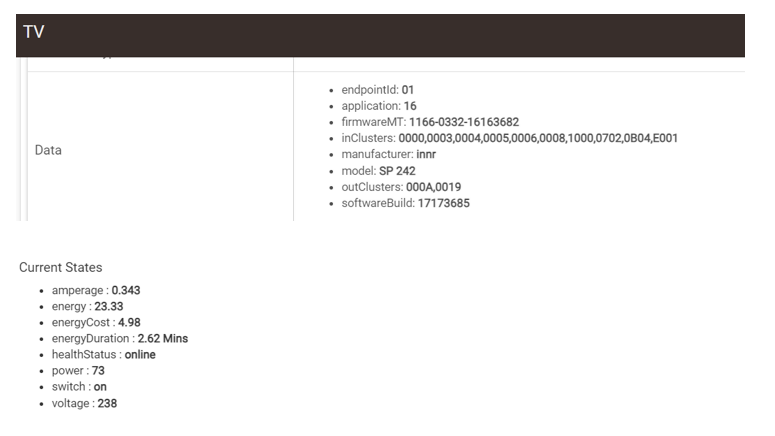
The Tuya driver will work, I have no doubts.. 
The question is if the latest INNR SP 242 (EDIT: 244) firmware has a problem with the HE inbuilt Generic Outlet driver or not.... Probably no problems? Can you try?
OK I've just gone to the Tuya driver and it acts like it is controlling the outlet BUT the light won't come on and no power is to be had...
But unlike the Generic HE driver I can actually turn it on/off which actually just triggered my rule, which wasn't happening with the Generic driver.
It's almost like INNR's fix for the amp overdraw is keeping it from transferring the juice to the prongs while the plug is still operational in the driver's view ???? Could that be?
Hey guys,
That's strange... Your plug is an SP 244 (v1; there is a v2 with a small hardware change, not yet on the market). The "Image Type ID" (OTA cluster attribute) of the SP 244 (v1) is 0333. The upgrade file that I sent to @mike.maxwell is app_innr-sp244-1.7.23_UG.ota, which has a header (first X bytes) containing the manufacturer ID (1166=Innr), Image Type (0333=SP 244) and the new OTA File Version (another OTA cluster attribute, hexadecimal value 0x17173685). That is consistent with the imageFileName you saw @PunchCardPgmr : 1166-0333-17173685.
But, after the upgrade you see " firmwareMT: 1166-0334-17173685". Image Type ID 0334 is an SP 240 v2. I donb't know about what is logged when by Hubitat and I can't comment on the log info that @PunchCardPgmr posted above, but it looks like the SP 240 v2 firmware upgrade file was downloaded instead of the SP 244 firmware upgrade file, and that in addition, the header of the SP 240 v2 firmware upgrade file was changed to the header of the SP 244 file: the device will not accept an firmware upgrade for another Image Type than its own.
The reason that you're not seeing any interaction is that the GPIO pins changed from v1 to v2, so the firmwares are different. If you indeed have v2 firmware running on v1 hardware, nothing will work except the radio. You should be able to update the firmware again to repair it.
I double-checked the files I sent and they seem to be OK.
@mike.maxwell it might be a good idea to disable these upgrade files until we figure out what's going on.
About the versions: there a several version fields available/used in Zigbee. The most important ones are:
- Basic cluster SWBuildID attribute
- OTA cluster Current File Version attribute.
The SWBuildID is the human readable string, like "1.4.3" or "1.7.23".
The Current File Version is a hexadecimal number, like 0x17173685. We follow Zigbee recommendation for the format of this attribute; 0x17173685 means major version 1, minor version 7, build number 23 (0x17), stack (SDK) version 3.6.8.5.
I don't know why Hubitat shows the SWBuildID 1.4.3 for the old version, but shows the Current File Version for the new version.
I can help with my knowledge of the devices and firmware, but I'm afraid I don't know much about the internals of Hubitat.
2 Likes
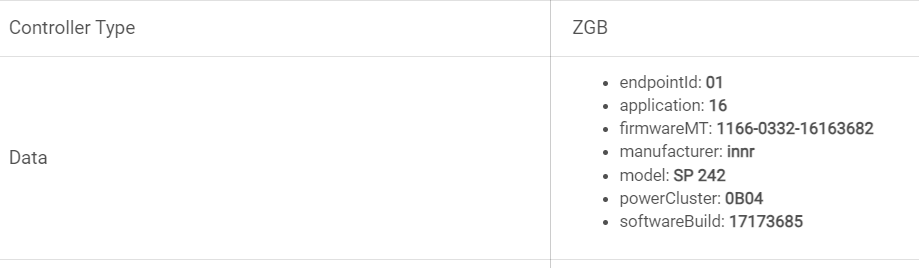
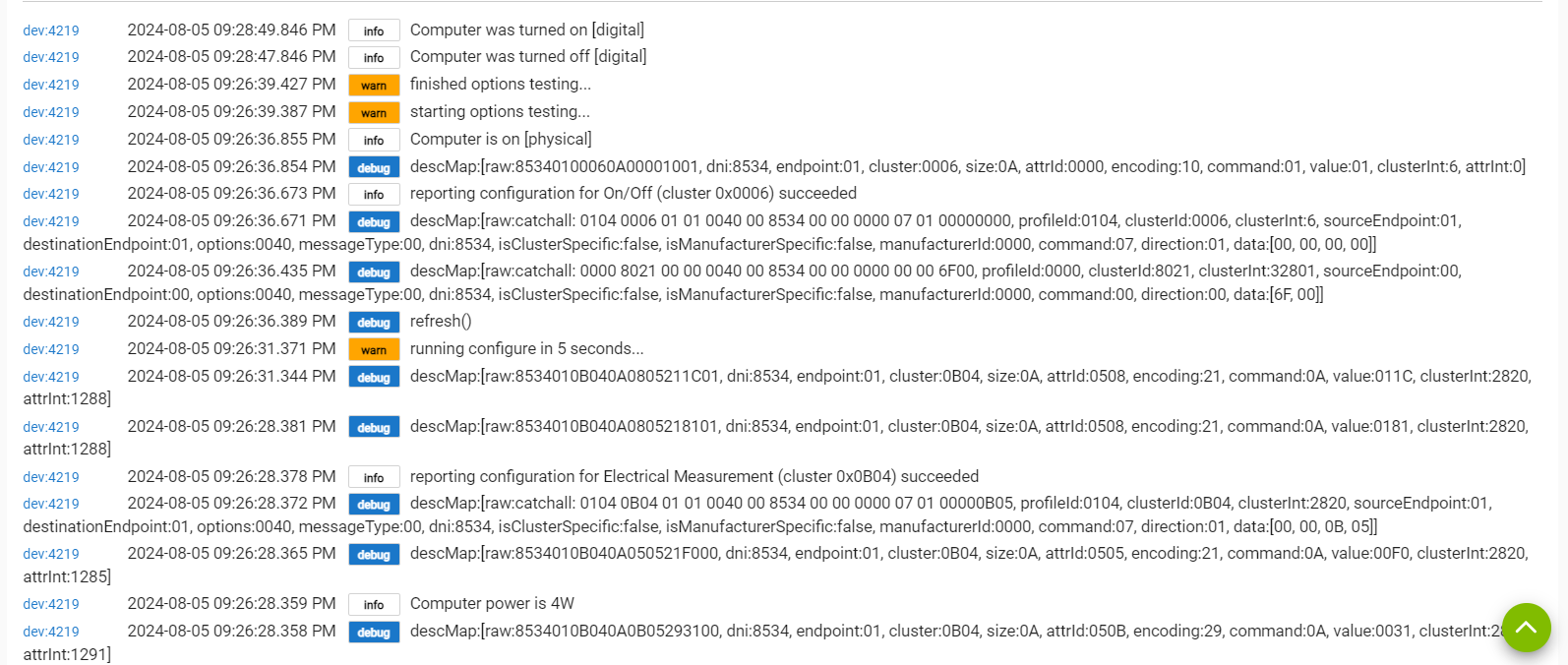
OK, I wondered about that Model # showing up different but thought the firmware was maybe applicable for say a generic class of 24x plugs.
So, I did try to Update the firmware again just in case something wasn't fully completed in the process and an attempt to go find applicable firmware was made but comes back saying there is no upgrade to be had ; in other words that the plug is at the most current available.
So can we speculate that if we did get this straightened out that the plug WOULD accept a different firmware and COULD be repaired or might this be a bricking?
EDIT ADD: Let me be clear that prior to the firmware upgrade the outlet would go on digitally but it would not always go on when pushing the button on the side. Took a few sometimes, other times...one and done.

