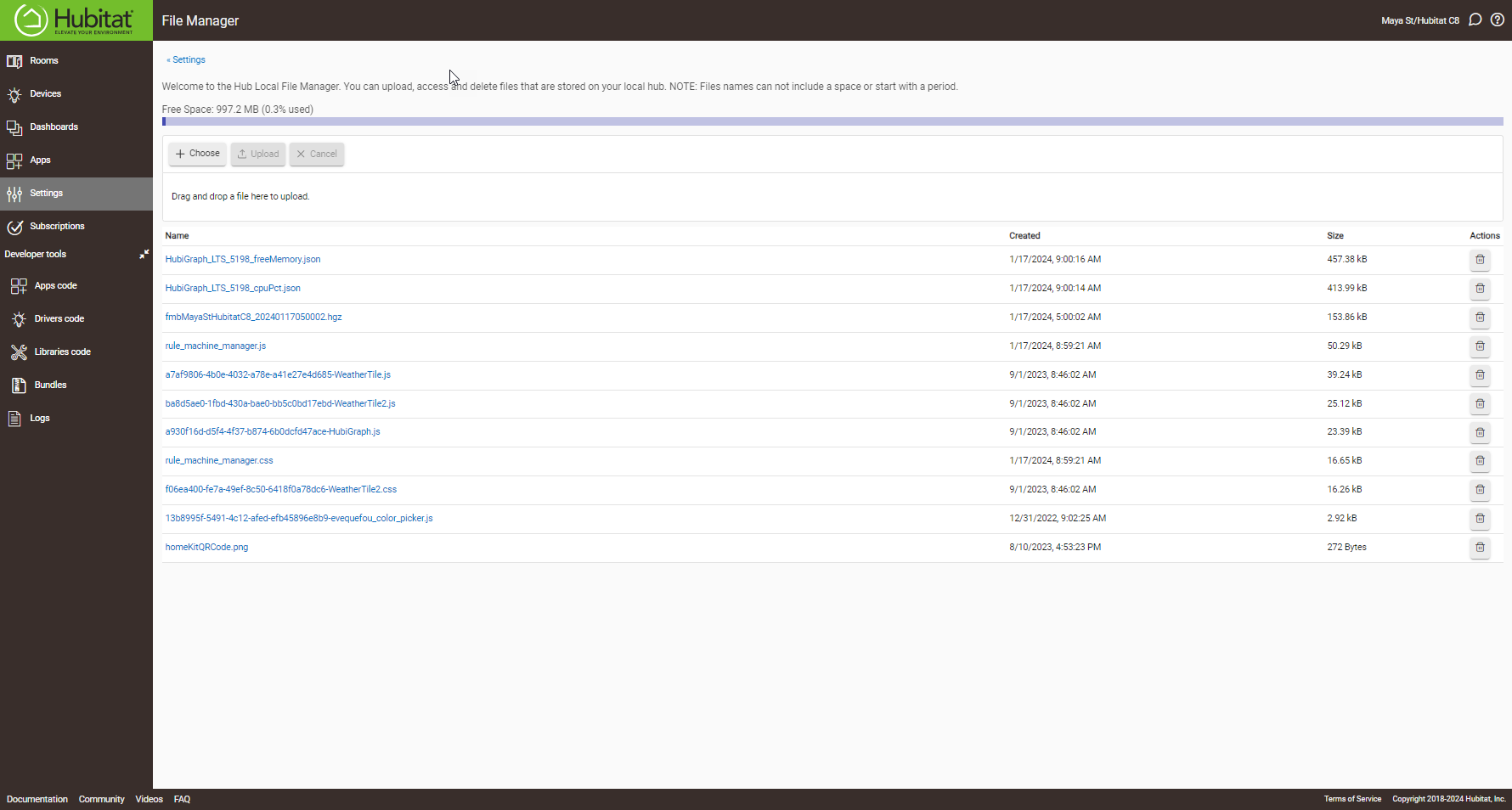
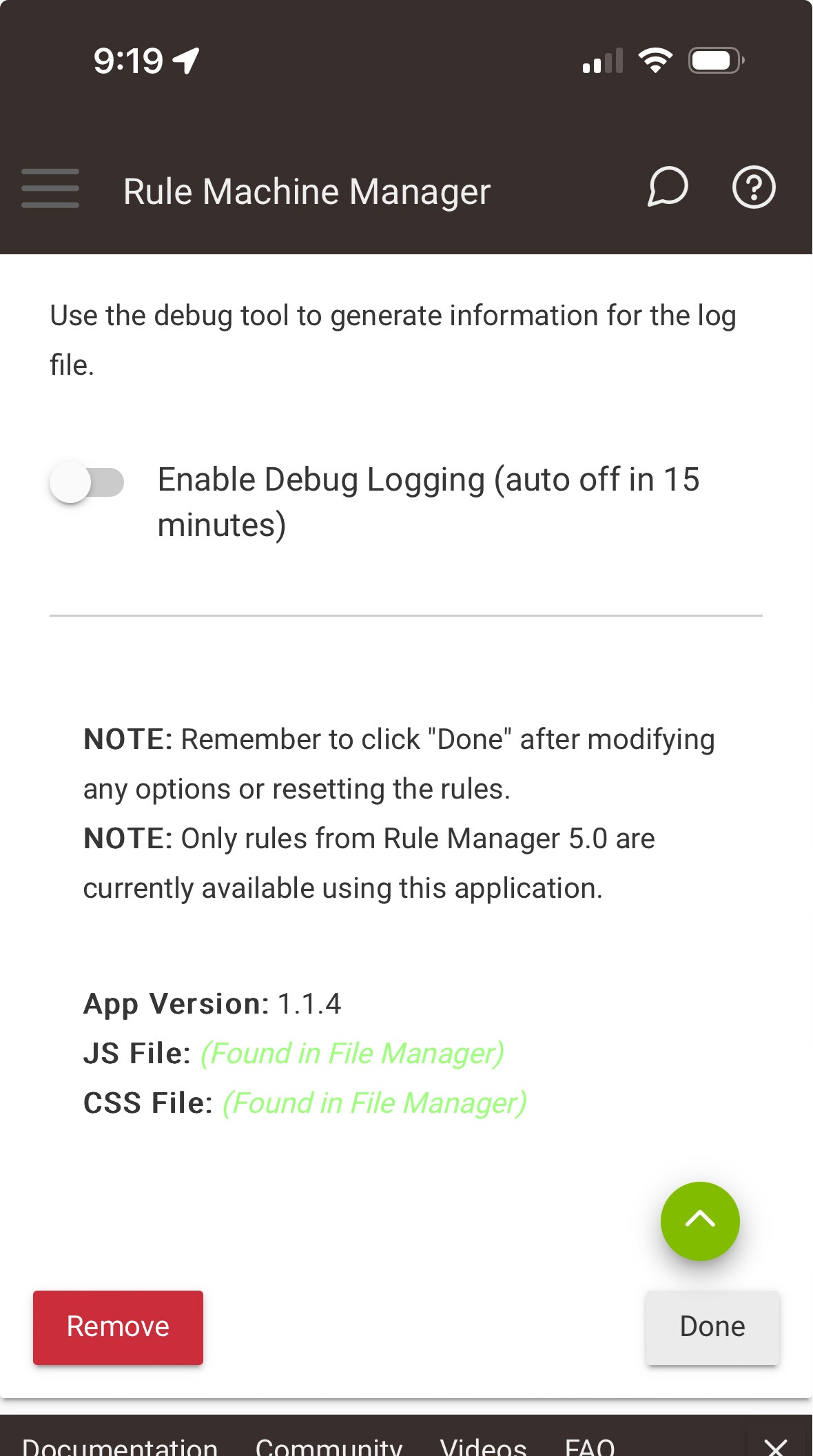
I have the exact situation that @jhendric11 had. In my case, the File Manager files look good. They are named correctly and the raw looks good. I have done an HPM a delete, upload .js and .css, and then reinstalled, and still no joy. Any further suggestions?
Hmmm, indeed it does.
What does the app page look like when you scroll down to the bottom, where it mentions about the JS and CSS files? Does it say they are installed and a green color?
Honestly, I can't say with certainty. So, my understanding is it will work with anything created using the rule machine app. It does not, for example, pull rules from the basic rules app, the lighting rules app, or other rule apps. I do believe the rule machine app supports both 5.0 and 5.1 rules.
I apologize for not being more knowledgeable on this particular part of the app. I just haven't worked in development where the upstream code was closed-source before... so I cannot see how things work inside the functions that are available to us community developers.
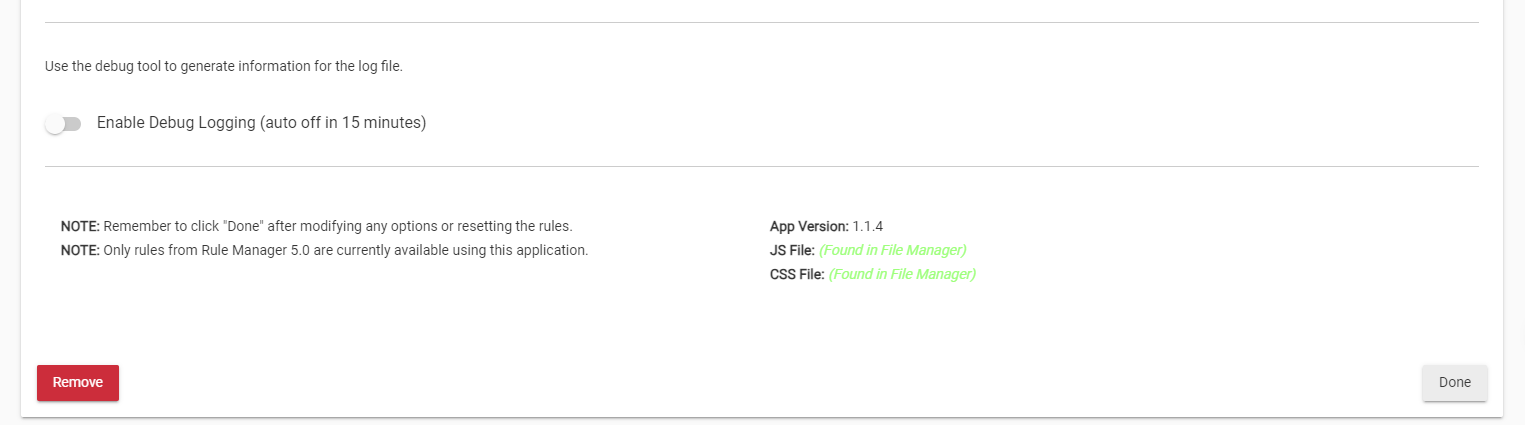
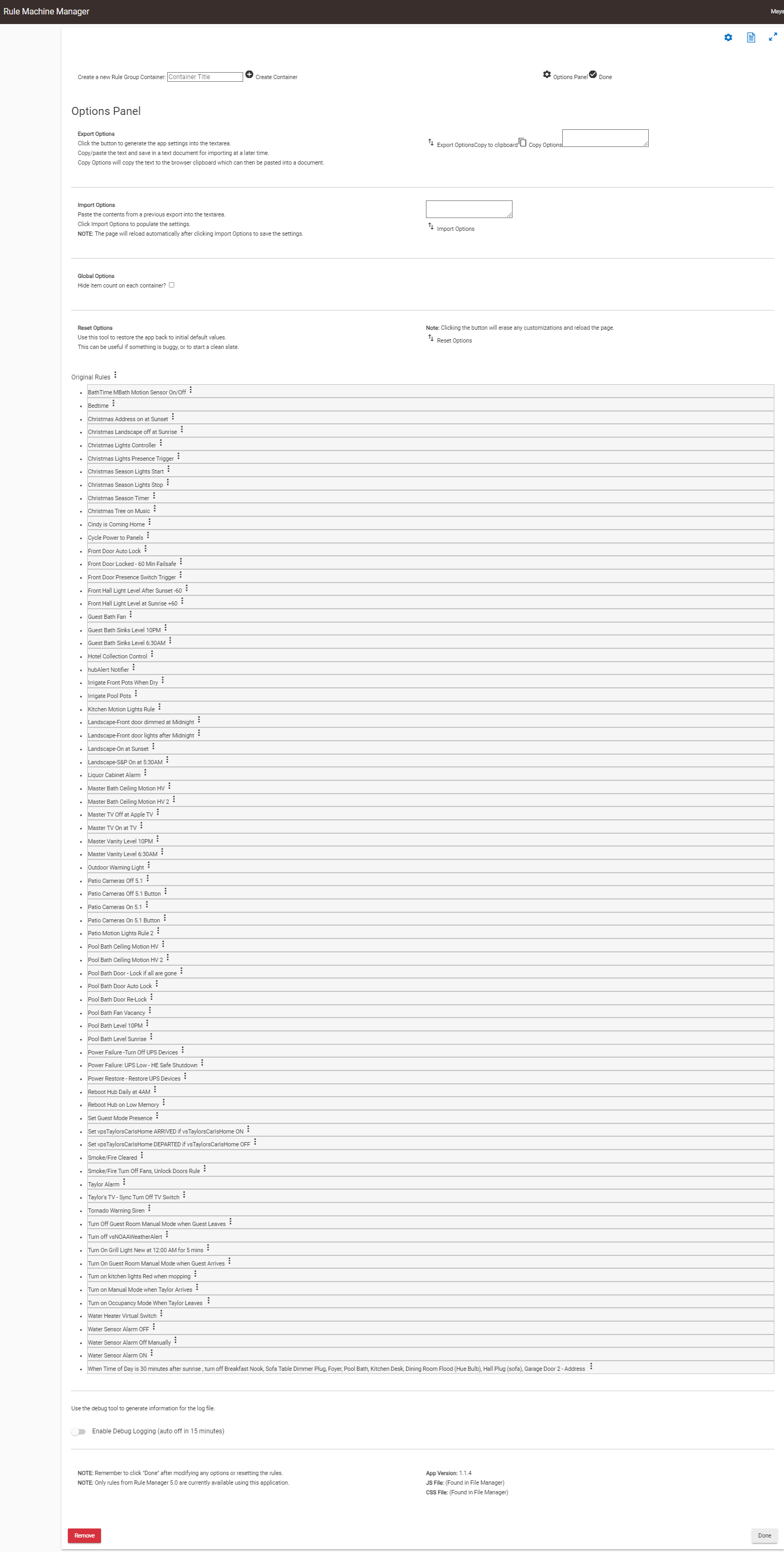
Sorry, the day got away from me yesterday. OK, here is where I discovered even more strangeness. When accessing your app from a Windows PC on my LAN I see the following:
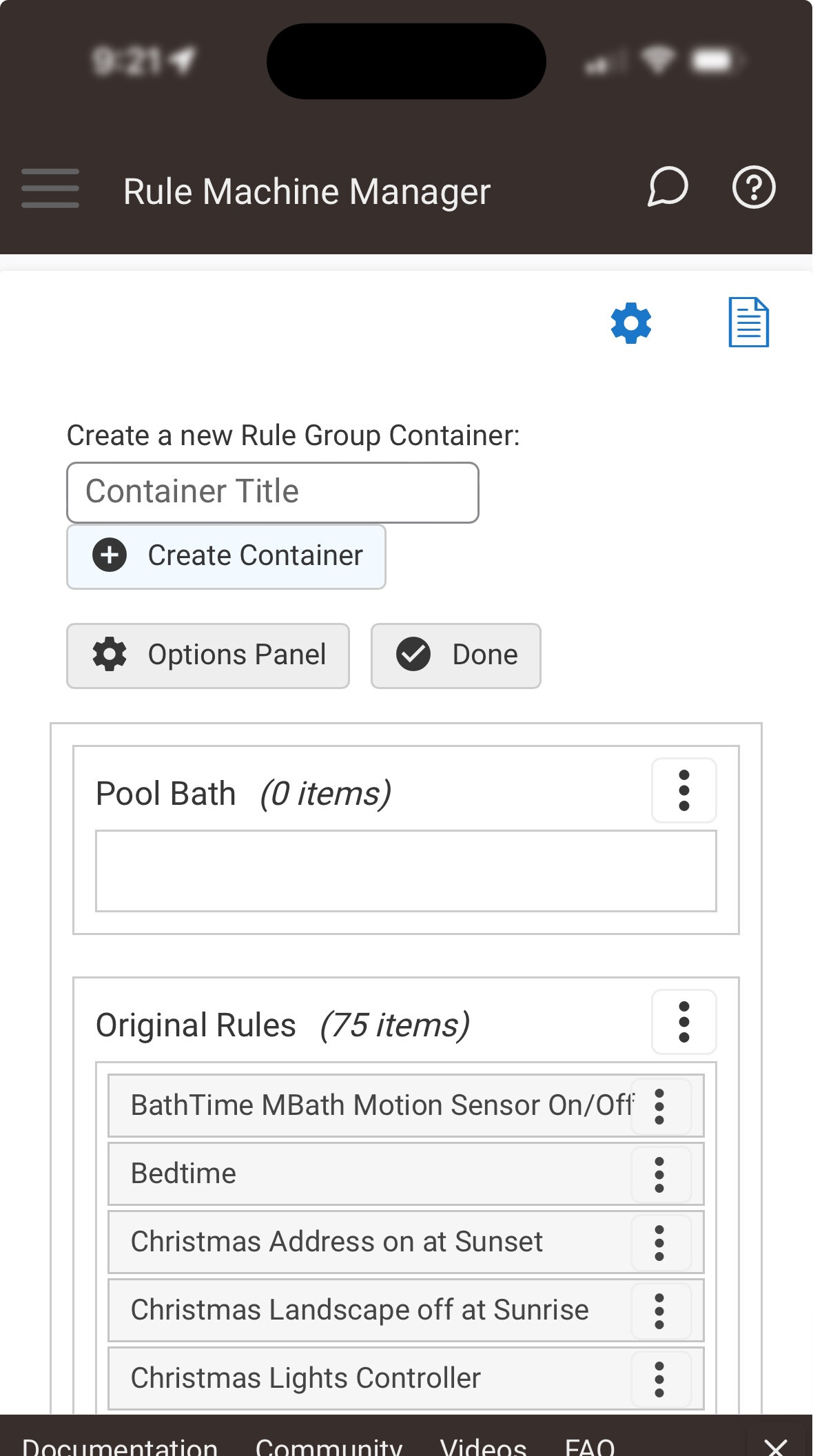
Notice at the top that there are no buttons, and nothing is clickable. Also, the Options page seems to display permanently. At the bottom, it does indeed say that the .js and the .css are found in File Manager, but they are not green. What gets stranger is when I access your app from an iPhone connected to my LAN:
As you can see, the .js and the .css files show as found in File Manager, and this time they are in green. Also, at the top you can see that buttons do show up and I can add a group. I I can click on the 3-dots next to the rules that show up and get a drop-down with options but I can't do anything with them. I can't seem to add any rules to the new Pool Bath group. Even stranger is when I go back to the Windows screen and reopen your app the new group doesn't show up. I did hit done in between. Then when I go back to the iPhone and reopen your app the Pool Bath group is still there.
Okay. That means it is definitely not loading the css and js correctly. The broken links, can't do anything, options page displays permanently, etc... is expected when the files do not load correctly. So, when accessing on PC, something is different with your setup. I'm also confused as to why they show "found", but not green. Something is wonky there. We will dig further in a bit. Also, I am going to add a note to self to make it more apparent when there is trouble with the files; and how to troubleshoot.
It looks like the app is working correctly on your iphone. To move rules between groups; you need to drag and drop. So click and hold one of the rules from one container, and drag it to your newly created container.
This is because the PC version is broken, while the MOBILE version is working. So, anything you save on your mobile will continue to show correctly on your mobile, but will not reflect on the PC until we figure out why those css and js files are not being recognized correctly.
Now... let's figure out why the PC is not loading the files correctly...
Do you have the username and password set on your hub?
Are you accessing the app from the same network as your hub; or are you using some kind of remote admin?
Have you tried using a different browser on your PC? What browser are you using?
Not everything is working on the iPhone. Drag and drop doesn’t appear to work.
No security is set on the hub right now.
Same network. PC is hardwired and mobile is WiFi.
I am using chrome. I have not tried another but I will. I have some considerable ad blocking on my network and in my browsers but I can turn that off. I would doubt that impacts it but let’s see.
I am happy any time to help you beta test this if you want to send me pre-release code.
Okay, my apologies this time.
I had a few tasks I needed to take care of on my end.
I'm still not sure why this is happening.
I'm happy to hop on a call and watch a screenshare and see if we can figure it out.
Have you tried with a different browser on your LAN?
I uninstalled it using HPM. Rebooted, and reinstalled it using HPM. It looks like everything was installed correctly, but in my Chrome browser, it still didn't work. I then tested it in Microsoft Edge Browser and all seemed to work fine. I then deactivated all my extensions in Chrome and tried again there. Still didn't work. So it seems like there may be an issue with Chrome.
Question for you. How does yours show all those icons next to the rules? I don't have that appearing.
Okay. It seems you might have a chrome extension that is not playing nicely. I have no idea what it might be, but I do know I use chrome and it works fine. At least using another browser is a workaround for the time-being.
This is just an emoji or ascii character.
You can browse the web for multiple places that have different ones.
Here is one example.
Just click on an emoji to copy it to your clipboard.
Then go to your rule manager app, and select the rule to modify.
In the input field for the name of the rule; paste the emoji and save.
I turned off all my chrome extensions and it still didn’t work, I will revisit that. Also, I am using Windows 10 and its version of edge if that makes a difference.
Also, your app doesn’t seem to indicate which rule are paused, or deactivated on the screen,
Further, after creating a group on my PC using edge, I then went to my iPhone and the group doesn’t appear there.
Ahh.. I missed where you said you deactivated the chrome extensions.
Still, it's entirely possible something is living in a cache somewhere, even though the extensions are disabled.
Maybe clear chrome cache?
Might want to restore plugin defaults. It is an option under the options panel. It's possible something is awry there. Doing so will reset all your containers and put all the rules back into the default container.
Yes, this has been mentioned. And, unfortunately, that data is not available to me in the hubitat function I am using to pull the rules. I will be looking at other ways to "poll" the rules and pull in that data.
Make sure to click "Done" after making any changes.
Cleared all computer caches and all Google caches. No success. I am hesitant to reset the the extensions so as to have to redo all the saved changes. Also, since I have tried with all extensions off, I don't think that it is an extension setting issue. I has checked all Google security settings. Nothing seems like it would interfere unless you are using some osrt of funky cookie.
OK, that was the reason that the new group built on edge did not appear on the iPhone. After hitting done in edge the iPhone showed it. However, after going back to Chrome, it initially showed the group, even though the options panel and buttons weren't right. so I hit Done at the bottom of the screen (the HE Done button) and then re-entered the app and the group was gone. Same thing from Iphone and Edge. The group got deleted.
Unfortunately, not.
They have made some updates to the RM 5.1 framework... but nothing in the returned data. I played around with using maker api.. but with poor documentation on any api's... and me unable to find any helpful values.. I ended up moving on to other things.
Well, more specifically, it's the fact the necessary data isn't returned from the API.
This is what I call RMUtils.getRuleList("5.0").
It just returns a list of the rule ID's, and their names.
I need more information, like if the rule is paused.
Regarding maker api.. from what I remember.. I can call the rule, I can enable and disable it, I can pause and resume, but I can't get any of that information returned to me. I can only manipulate the rule using "endpoints" (urls with parameters).
Please keep working on adding multi-select -- I just manually moved over 120 rules, most of which were already genus/species named and so would have been easy to multi-select.
Consider an "edit" mode for moving rules around, and an "operational" mode in which the rule name is a hot link to the actual rule (rather than having to click on the hamburger and then clicking on "View Rule").
For Containers, please consider making collapse/expand be a second icon (or pair of icons) next to the Container's hamburger icon (OR make clicking on the Container name an expand/collapse toggle) rather than hiding that function in the Container's hamburger icon. Expanding and collapsing are much more frequent operations compared to moving, sorting, or editing a Container.
Lastly, a question: Some of the screen shots for RMM show Rules having leading icons -- is that an RMM feature or an RM feature?