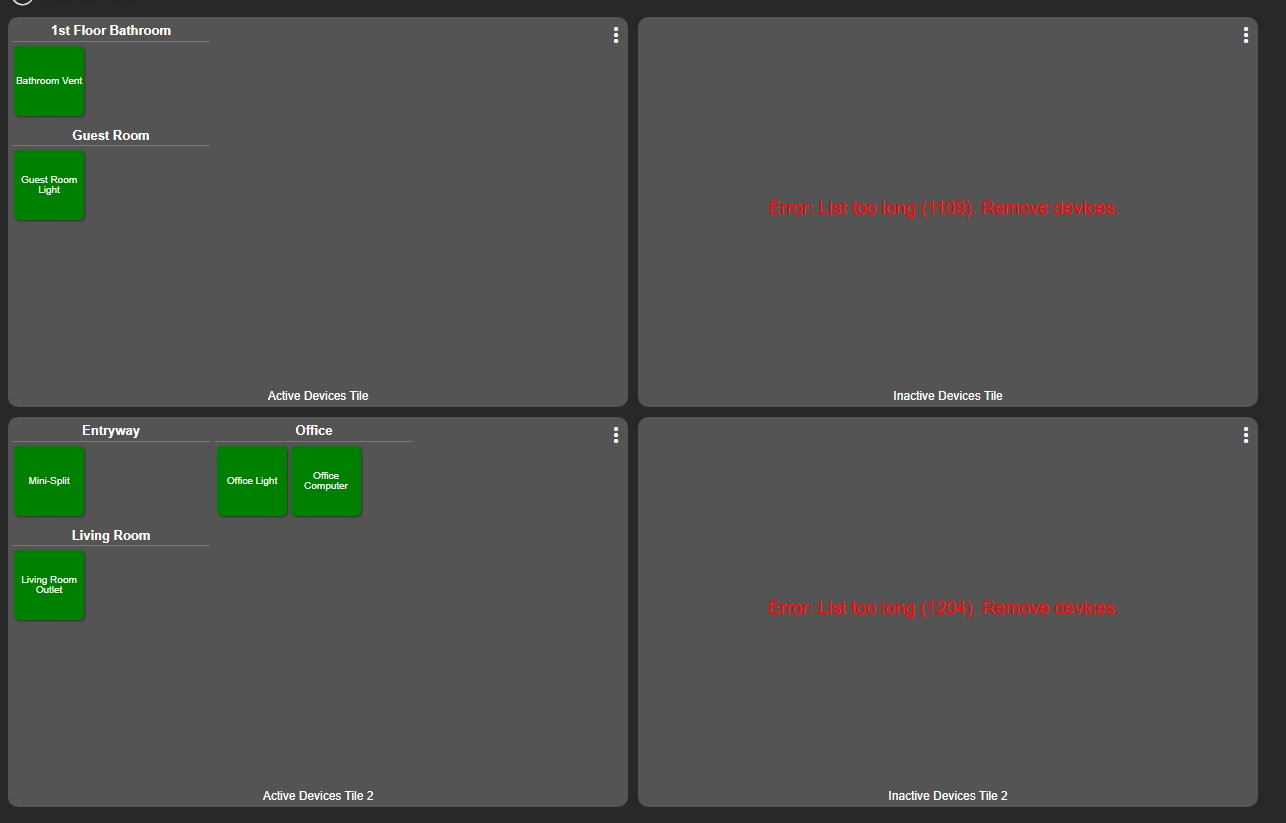
I'm trying to make a visual representation of any devices that have not reported to the hub in over 24hrs. I've been using Gemini to try and make a dashboard for this. I only want the device to show up if it has not reported in. The way Gemini has done this is by making an app that monitors selected devices, which uses a virtual device and the Text attribute, lists the devices. So on the dashboard I see nice boxes, sorted by room, that show the inactive device and how long it's been since the device reported in. Once the device has been fixed and reports it, it automatically is removed from the list. You only see inactive ones.
For those of you who actually know how to code(since I dont), you may see the problem with this. Text/Html limit is 1024 characters. It only takes a handful of devices to overload this limit. I already have a daily health check notification, but I'd much prefer to see a visual representation. Is there a different way to go about this? Or should I just make a virtual device for each room to keep the potential device limit down to reduce the Text CSS size?
Do you want Hubitat Dashboard in particular, or do you just want some centralized view into this? Your exact use case sounds like why I wrote this app, which does have local and cloud endpoints you can use to view this data "outside" the app (and I suppose you could also link to one of these from a dashboard, though no "native" dashboard option exists in the app, like a device with a custom HTML attribute or a string variable you could set to a summary of the data -- certainly possible to add if someone wanted to).
What I'm aiming to achieve is something like this. In the view you see here, the gray box is a virtual device. The 'device' is just CSS text based provided by an app to simulate a normal dashboard since, as far as i can tell, there is no way to make Hubitat hide a device. Those devices would disappear once they report again. (though, the active devices boxes here are to show me which lights are currently on)
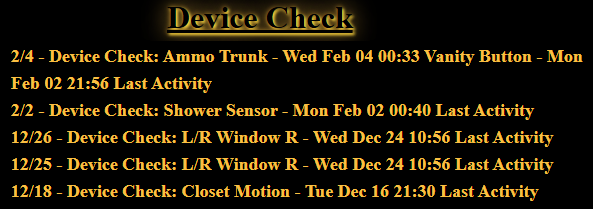
If you're not familiar with the following community app I would highly recommend it for display purposes. You can create custom tiles with any info you like. The tile builder app is fantastic and there is almost nothing you can't do. I have numerous tiles created. But, I personally use @bertabcd1234 app listed above with a driver from the @thebearmay to display the info for devices that have not checked in a basic tile. I have it set to append and display the last 5. You can have it overwrite or display fewer. My purpose is for dead batteries.
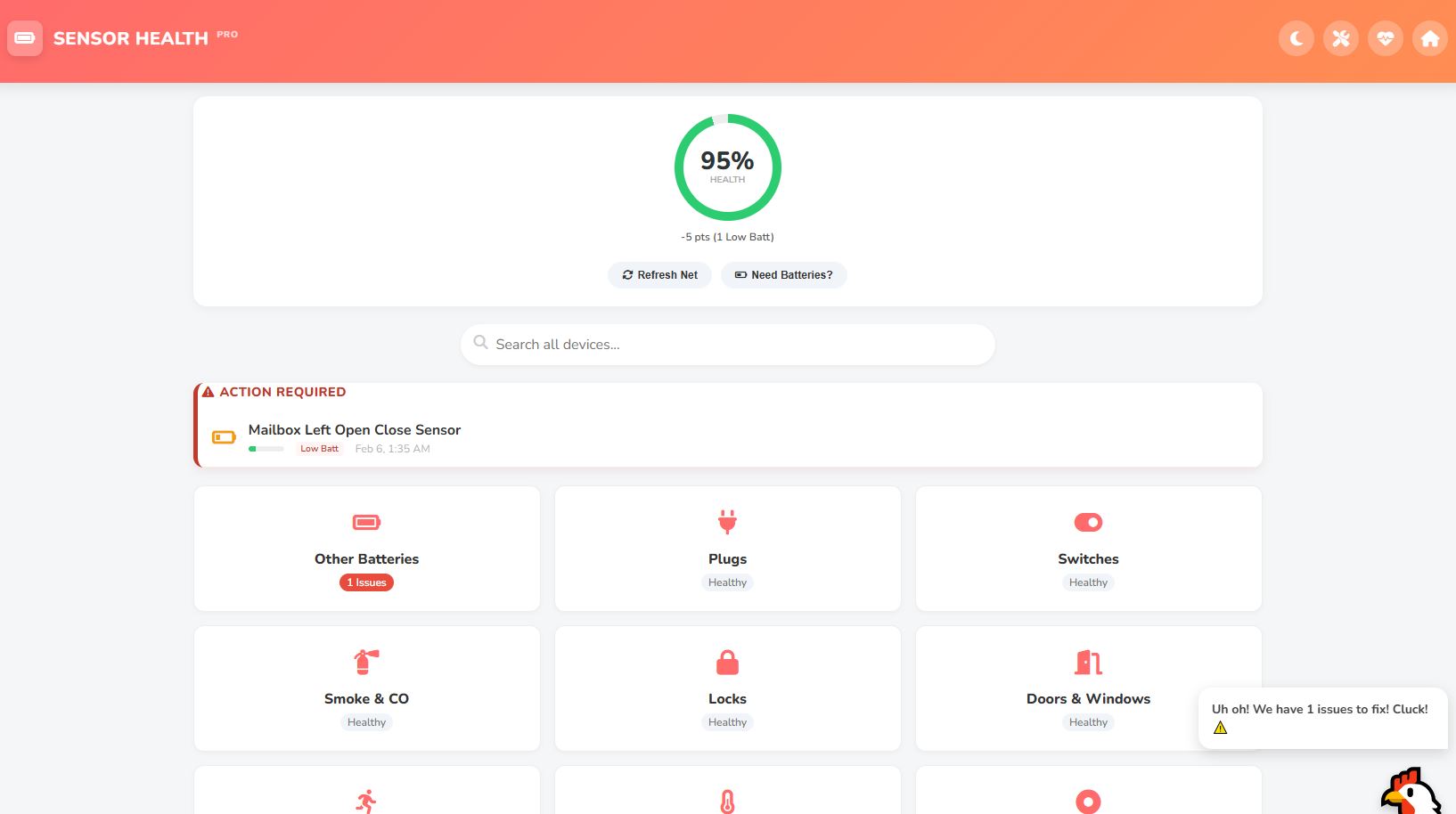
I’ve actually been working on an application called Sensor Health Pro that solves exactly this problem. I'm currently in beta, but I’d be happy to let you test it out if you're interested.
The issue you are running into with the 1024-character limit is because you are trying to shove all that HTML into a single device attribute (Text Tile). My app bypasses that limitation entirely by serving its own dedicated, mobile-friendly HTML Dashboard directly from the hub. It doesn't rely on standard dashboard tiles, so you can display hundreds of devices without ever hitting a character limit.
It’s designed to be the "Ultimate Device Monitor." Here is a breakdown of what it handles beyond just checking if a device is offline:
1. The "Visual" Solution (Solves your Character Limit)
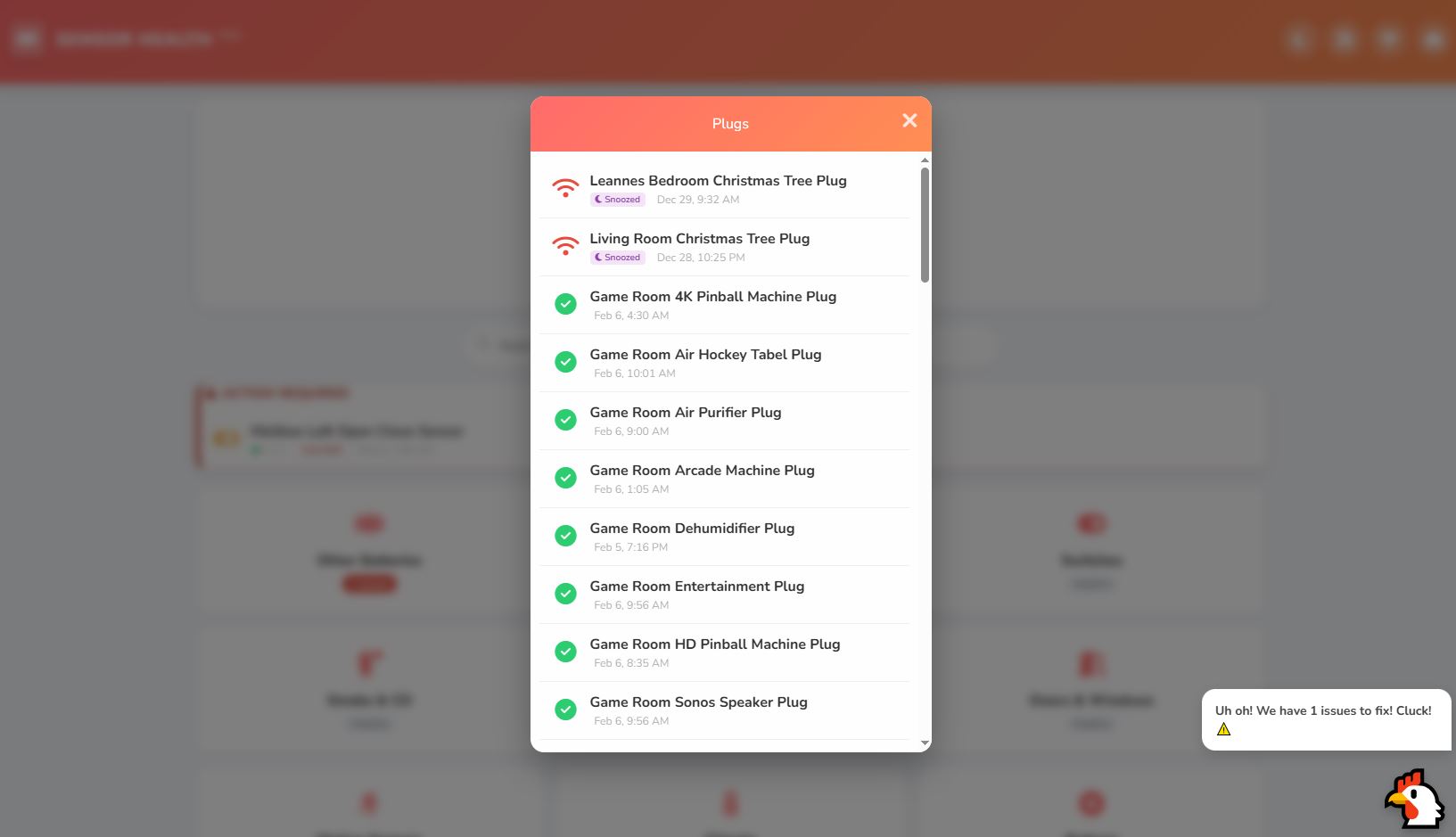
Dedicated Web Dashboard: It generates a standalone, widescreen dashboard link (Cloud or Local) that visualizes your system health.
Health Ring & Score: Gives you an immediate 0-100% system health score based on offline devices, battery levels, and errors.
Dynamic Sorting: It automatically groups devices (e.g., "Critical," "Warning," "Healthy") so you only see what needs attention at the top.
2. Smarter Monitoring
Activity/Offline Check: Configurable thresholds (e.g., 24 hours) for when to mark a device as offline.
"Ghost" Detection: Identifies sensors that are "stuck" active (e.g., a motion sensor that has been 'active' for 12+ hours).
Signal Health: Monitors RSSI (signal strength) and warns you if a device has a weak connection (e.g., < -90dBm).
Auto-Healing: If a device stops reporting, the app attempts to 'ping' (refresh) it automatically to wake it up before marking it as dead.
3. Household Management (The "Wife Approval Factor")
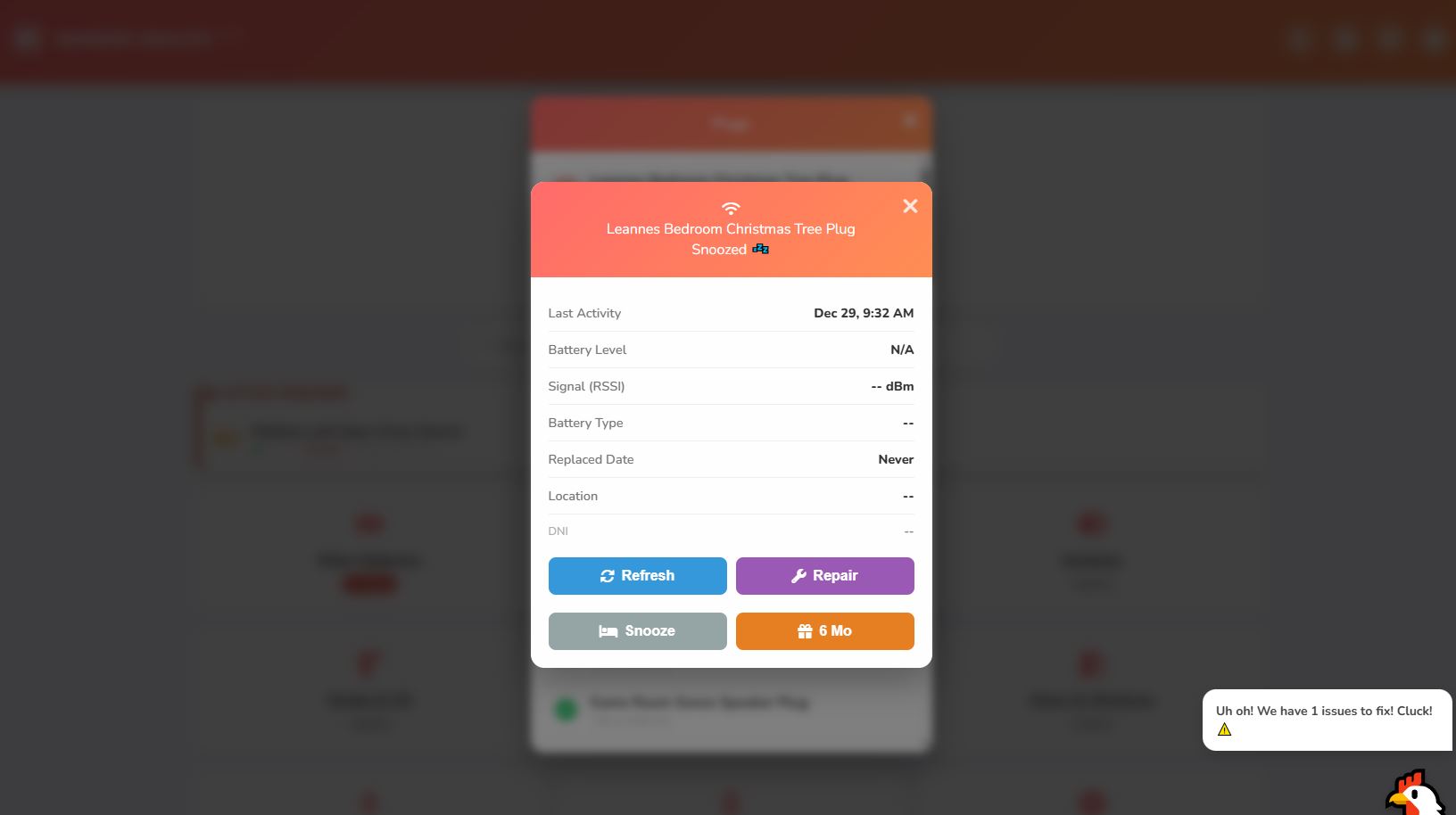
Battery Database: You can save the Battery Type (CR2032, AA, etc.) and Quantity for every device directly in the app. No more opening a sensor just to see what battery it needs.
Location Logging: You can add custom location notes so family members know exactly where the sensor is.
Shopping List Integration: It can generate a battery shopping list based on your critical devices (and even send it to a calendar/shopping app if you have the integration).
4. Maintenance Tools
Snooze/Dismiss: If a device is dead but you can't fix it right now, you can 'Snooze' it for 2 days or 'Holiday Mode' it for 6 months so it stops cluttering your dashboard.
Replaced Date Tracking: Logs exactly when a battery was last changed and by whom (supports user profiles/avatars).
It sounds like it does exactly what you are trying to build but avoids the dashboard tile limitations entirely. Let me know if you want to give it a spin!