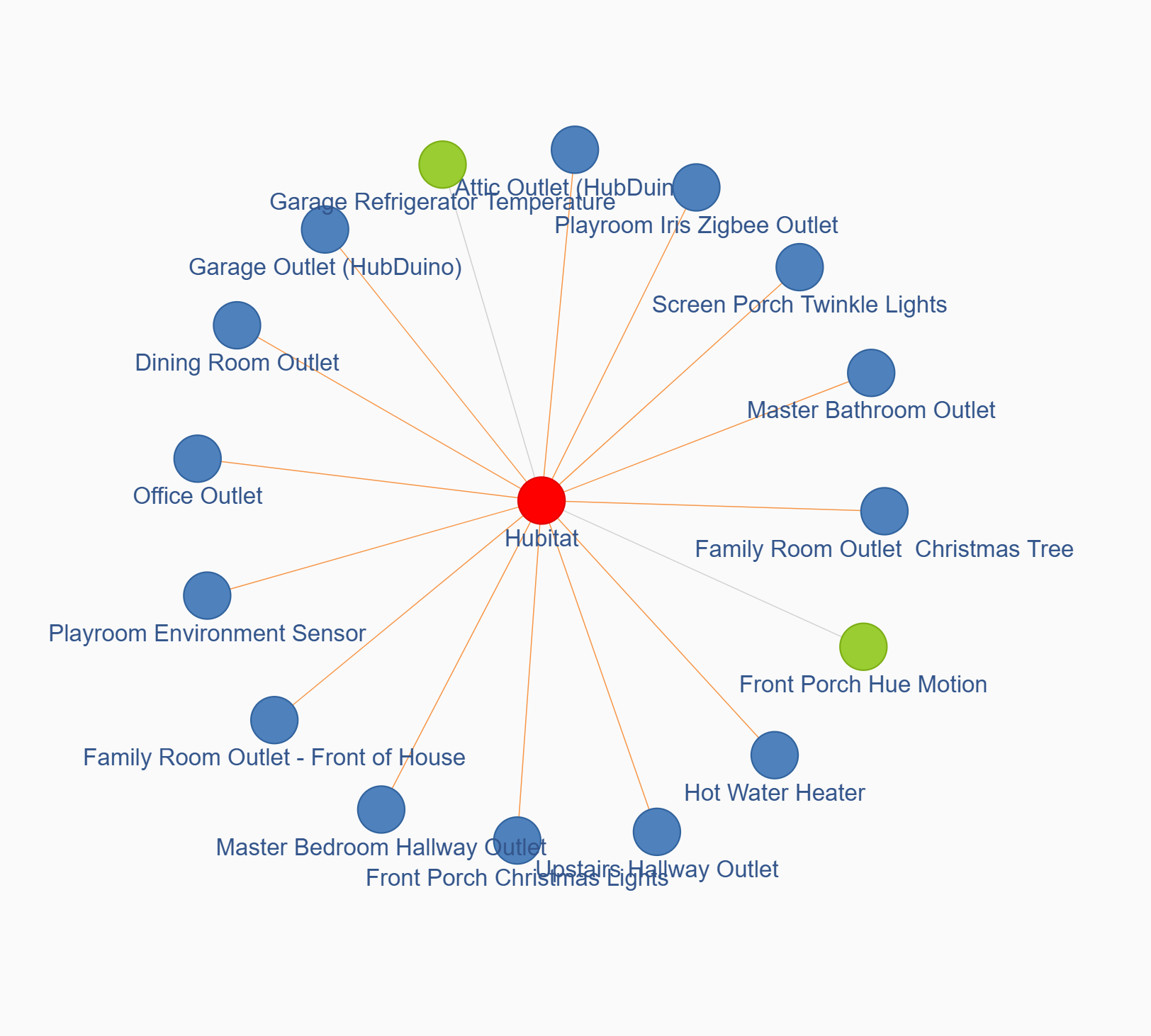
I have 26 ZigBee devices - at any time I have at most 9 devices found - usually the same 9 devices - and most are fairly close to the Hub. I have tried changing my ZigBee channel all over the map and have read that the most popular is "20" but strangely, my hub reports a weak signal when I use channel 20. I have tried all channels, and most on power levels of 20 or 16 as a test. Channel 24 can find 9 devices after a day - most only get 5-8 devices.
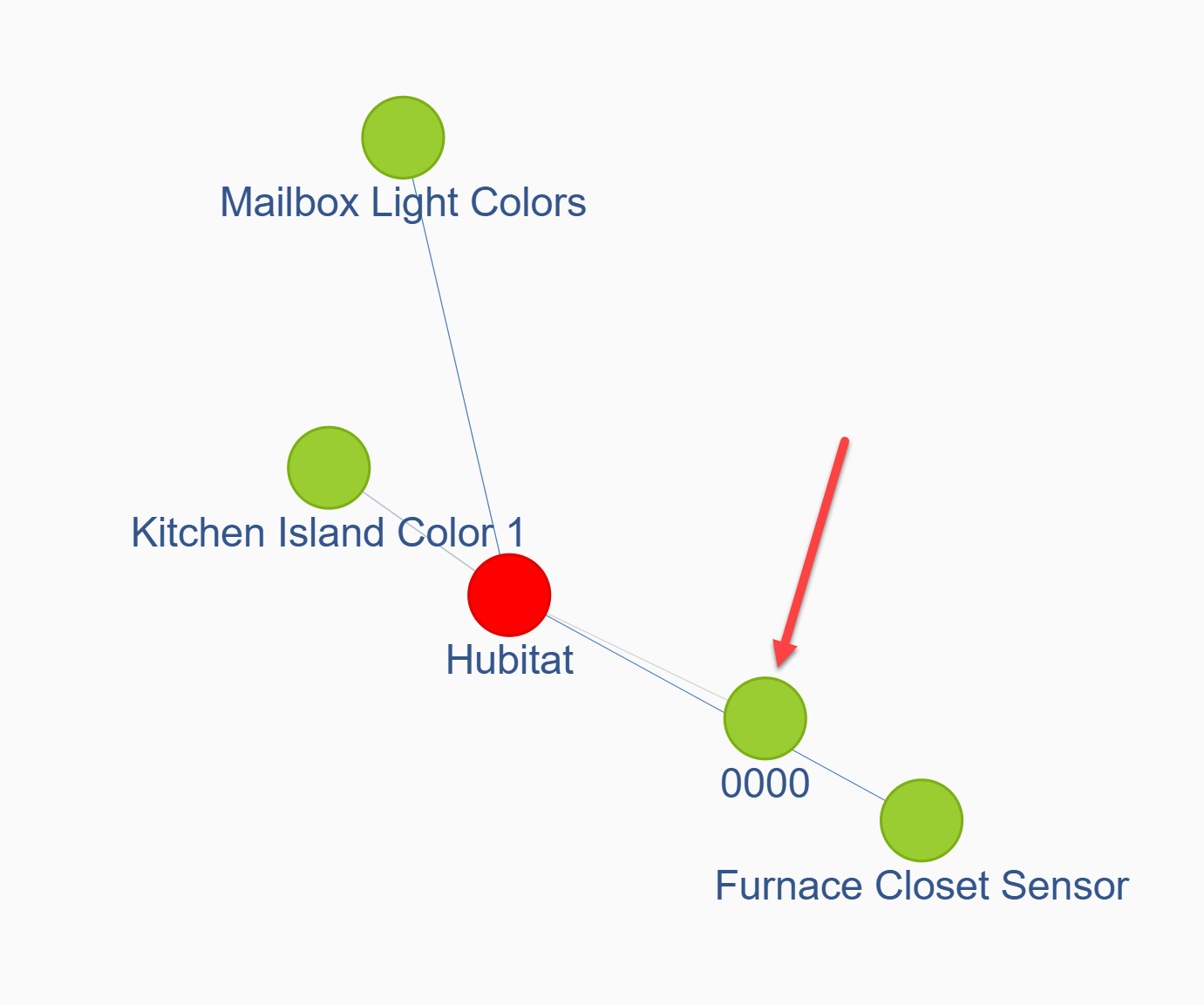
What is the best method to troubleshoot this? I have tried going to the logs page and it's empty - if I leave that page open all day I can see some text, but it's nonsensical to me. One of the devices is 0000 which the link says it doesn't exist. So how is that even showing up in an activity log??
I have three access points in my house and each have their own channel on 2.4 as well (1, 6, and 11). I realize Zigbee uses the same radio spectrum and could cause interference, but I haven't made any changes to anything in a very long time, and it's just gotten significantly bad in the past month or two. Thankfully I have a decent yard space which shouldn't let neighbor wifis cause interference - so I'm pretty stumped why my C8 Pro Hub can only see 10-15 feet anymore - when it seemed to mesh up and reach hundreds of feet - even to our shed outside through siding and exterior walls.
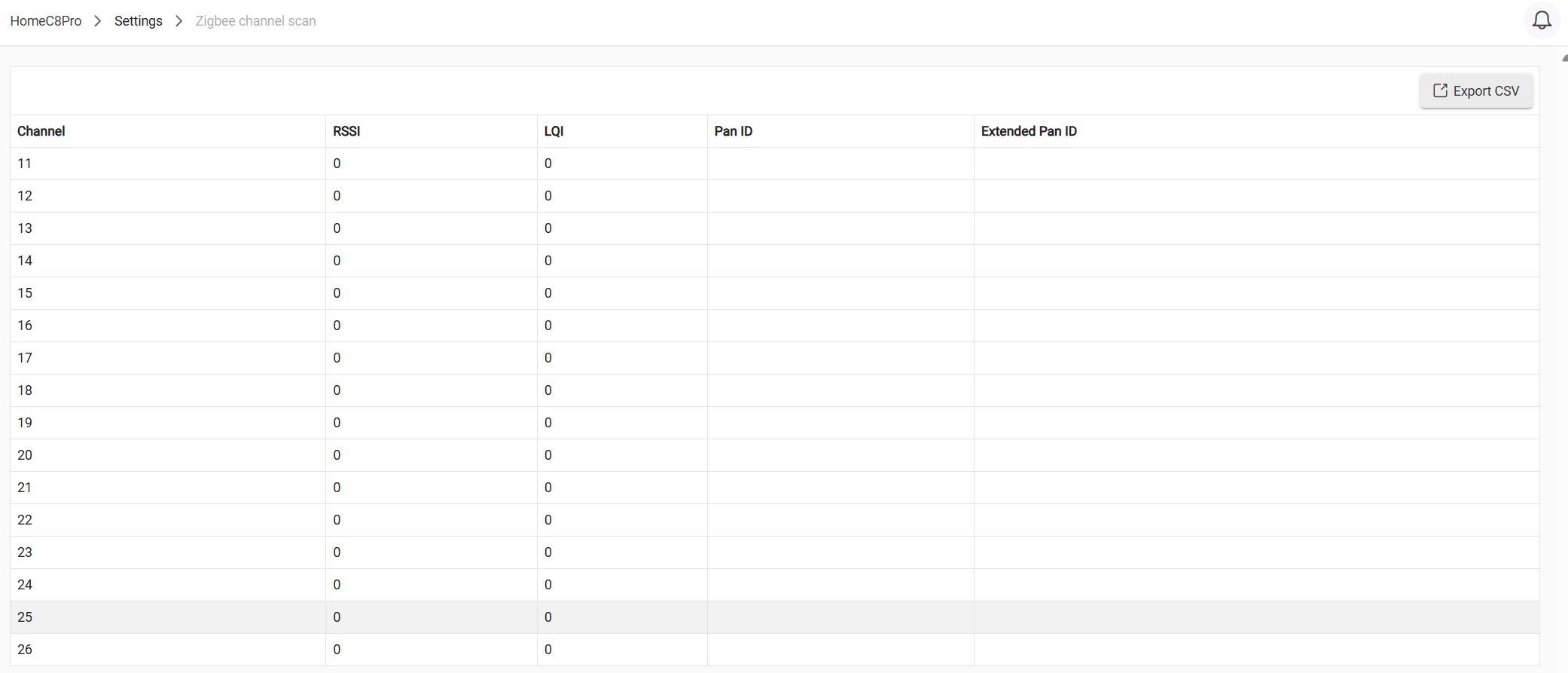
Also - my channel scanner is reporting all zeros - what should this page be saying?
What are the devices that are falling off the mesh?
I have my C8p set to channel 25 and power level 12. This is my main mesh. My C8 is set to 20 and 8 for my lights. I also have three APs set to 1, 6, and 11. I've also turned down the power levels on the APs to reduce interference.
The lights are on a separate mesh because I have older Sylvania/Ledvance that don't play nice as repeaters of non-lighting traffic.
FYI - If Zigbee channel 20 works best for you, then by all means please ignore the hub warning. I have been using Zigbee channel 20 for over 11 years, using various hubs from different vendors. I have been using Hubitat hubs since early 2018, and still find channel 20 to be the best for my particular setup.
During a recent firmware update, my hub also reported the “weak channel” warning. If you scan through the forum posts regarding this, you will see that only channel 20 produces this particular warning. For many users, I believe it was found that changing to a different Zigbee channel helped improve their Zigbee mesh performance. Thus, the warning was added.
What do you mean by “found”? Are you referring to the graphical Zigbee mapping tool? If so, devices will only appear if they send data to the hub, IIRC. So, if you have a motion sensor that is idle, it might not appear on that display until someone triggers it. Also, this type of Zigbee reporting relies somewhat on the capabilities of your devices acting as Zigbee repeaters. What devices are you using? How many are mains powered and are acting as Zigbee repeaters?
Even if these devices don’t show up in the graphical Zigbee display, are they successfully paired to the hub? Do they report status updates? Can they be controlled from the hub?
Like Ogiewon mentioned above, that isn't an analysis of the signal strength. That is simply a warning that channel 20 is known to not be as good of a choice for some users in certain situations. I don't know if anyone knows the exact combination of what makes ch 20 weaker, but for some reason it is.
If it works, just use it. If it doesn't work, try a different channel.
That blank data sometimes happens, I wouldn't put too much trust into that tool. It may help you to find a non-conflicting channel, or it might not.
I find it is better to run the hub power as low as you can, and let the repeaters do the work they were intended to do. If you crank up the power to the max, you are skipping repeaters, so devices on the edge might not communicate every time. You also are literally shouting at every device, which drowns out their responses.
If you go to Settings, Zigbee, and sort the rightmost column with the most messages at the top, are any devices spamming? A flaky device might be causing a bunch of issues. Any dying batteries that have put a device into a weird state? Power surges or other incidents that may have damaged a device?
Could you please list what devices you have, especially mains powered? Based on the details provided, it sounds like interference. If you change channels, some devices may not reconnect on their own and you will have to reset and rejoin. If you have legacy Zigbee devices like bulbs running Zigbee ZLL protocol, they may not work well with newer devices. Providing a list of your devices may help further troubleshooting your mesh problems.
For those recommending to reset and rejoin - are you talking factory reset the zigbee device and re-pair it with the hub - or is there some other method to resetting zigbee devices like a reboot method?
When I say found - I mean leaving the hub's page open for a day to watch them reconnect and show back up in the graphical method to see how they are connecting/meshing/etc. Most are just direct connections and a few devices - the smart plugs in my list - that will mesh and relay. How do I force or block devices from trying/meshing? I know the BR30 bulbs have had issues so I have the toggle for meshing turned off in the device preferences - but is there some other way to see that or assign it? I do not see any bubls acting as repeaters or relays at all - but just curious if somehow I set something wrong along the way and don't realize it.
Turning my power to the lowest setting and amping it up one notch every four hours has little effect from 12+. 8 and lower finds no devices except the camera light bulbs which are pretty close to the hub (always have been).
And I do not see the firmware update button @Ranchitat - but thanks for the possible solution.
Also - I have one device that I cannot determine what it is - show up as 0000 and is not clickable like the others to take me directly to the device page. It does seem to hit the Hub quickly after a reboot or channel change - so it must be close to the hub maybe - but since I only get at most 9 devices connected after a day of waiting - I'm not entirely sure what the device is by process of elimination either. Too many missing variables.
I believe, that in order for the graphical display to work properly, the Zigbee repeaters in your mesh need to function properly. I know that the Sylvania smart bulbs were disastrous as Zigbee repeaters. I see that all of your smart outlets are made by Sylvania as well. Those are pretty old, correct? I see that they are no longer being sold on Amazon.
My hypothesis is that those old Sylvania outlets are crappy Zigbee repeaters, that do not report back to the Hub properly the list of end devices that are being routed through them. I would recommend replacing those Sylvania smart outlets with modern Zigbee 3.0 outlets, that are known to work well with Hubitat.
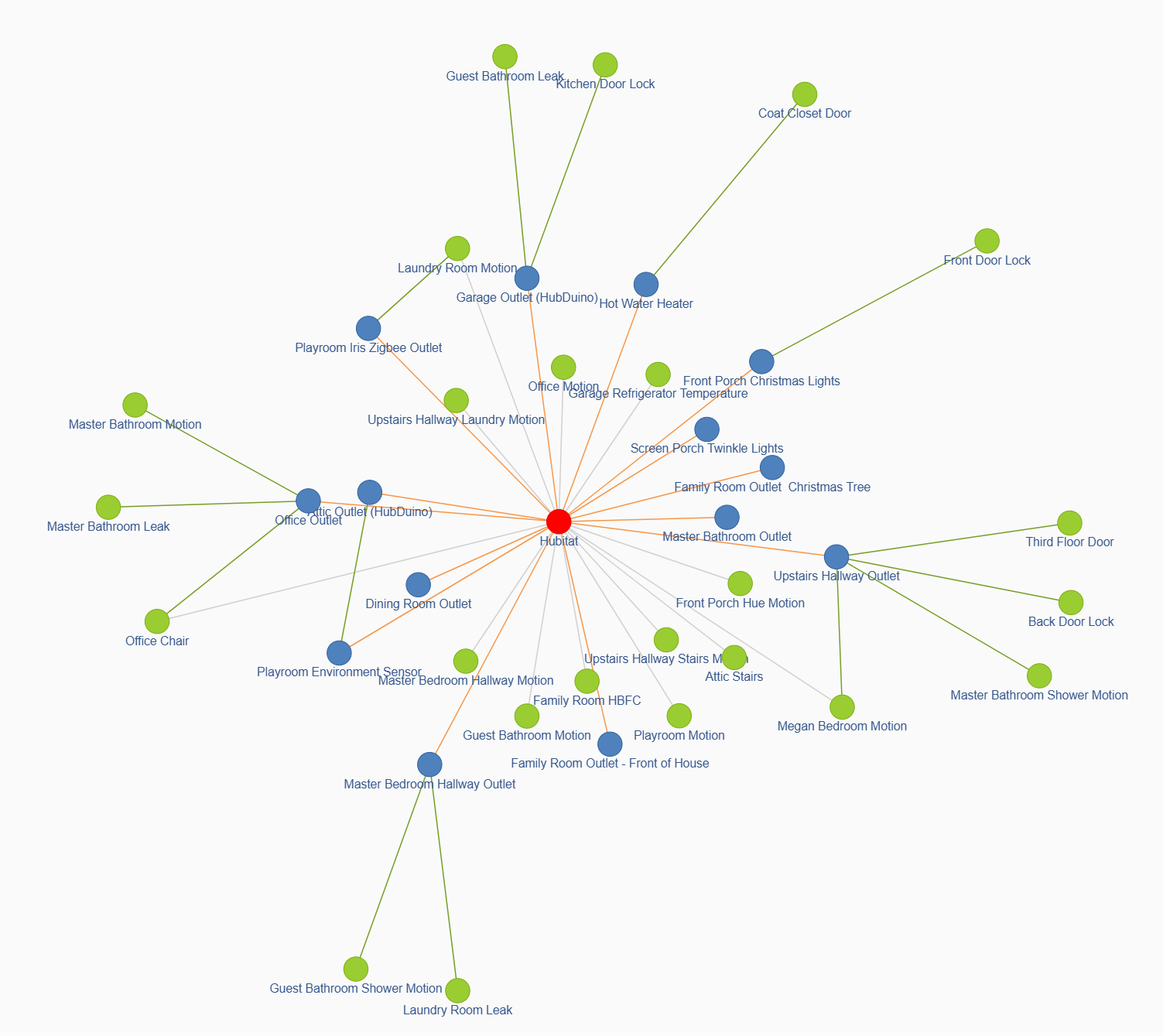
Here is what my Zigbee network looks like within 5 seconds of opening the Zigbee Map page.
Yes, put both the device and the hub in pairing mode to get a new, clean and complete pairing process.
That seemed to resolve a lot of issues I was having with devices dropping off after my migration.
So things have been fine for a month - and I've checked my wifi for interference - same channels hard assigned to APs and haven't changed my zigbee radio settings on hubitat but all of my zigbee devices are again, nearly all unresponsive. The webpage to hubitat seems to flicker very badly when I attempt to change any zigbee settings, and I think it's messing up the changes I'm trying to make- so if I change the channel from 14 to something else and save the settings - and then reboot the radio or rebuild the network or pretty much any clickable button on the zigbee details page, the cursor on the webpage on my Mac flickers to the point where the clicks are not accepted. IF the click DOES get accepted, I see the zigbee radio state say "initializing" for long periods of time and eventually says "offline" and then the "Channel and Power"'s channel value is blank. I cannot seem to assign the channel - no matter what I pick and save reverts back to a blank value - even when using the app on iOS and not the webpage having the cursor stuck issue.
Could my zigbee radio be going bad - or is there a bug in the latest update of Hubitat maybe? Pretty frustrating since zigbee has been so reliable since I bought the hubitat.
Rebooting brings the hubitat hub back to the old value - not the ones I'm trying to save or change too in order to test channel conflicts with maybe a neighbor (but neighbor houses are so far away I doubt this is an issue)
Have you tried taking those sylvania outlets out of the mesh?
As @ogiewon mentioned last month, those devices misbehaving seems like a more plausible explanation than a hub with a zigbee radio that was somehow dying, then started behaving as expected for a month (after adding a new zigbee repeating device) and now has started to die again.