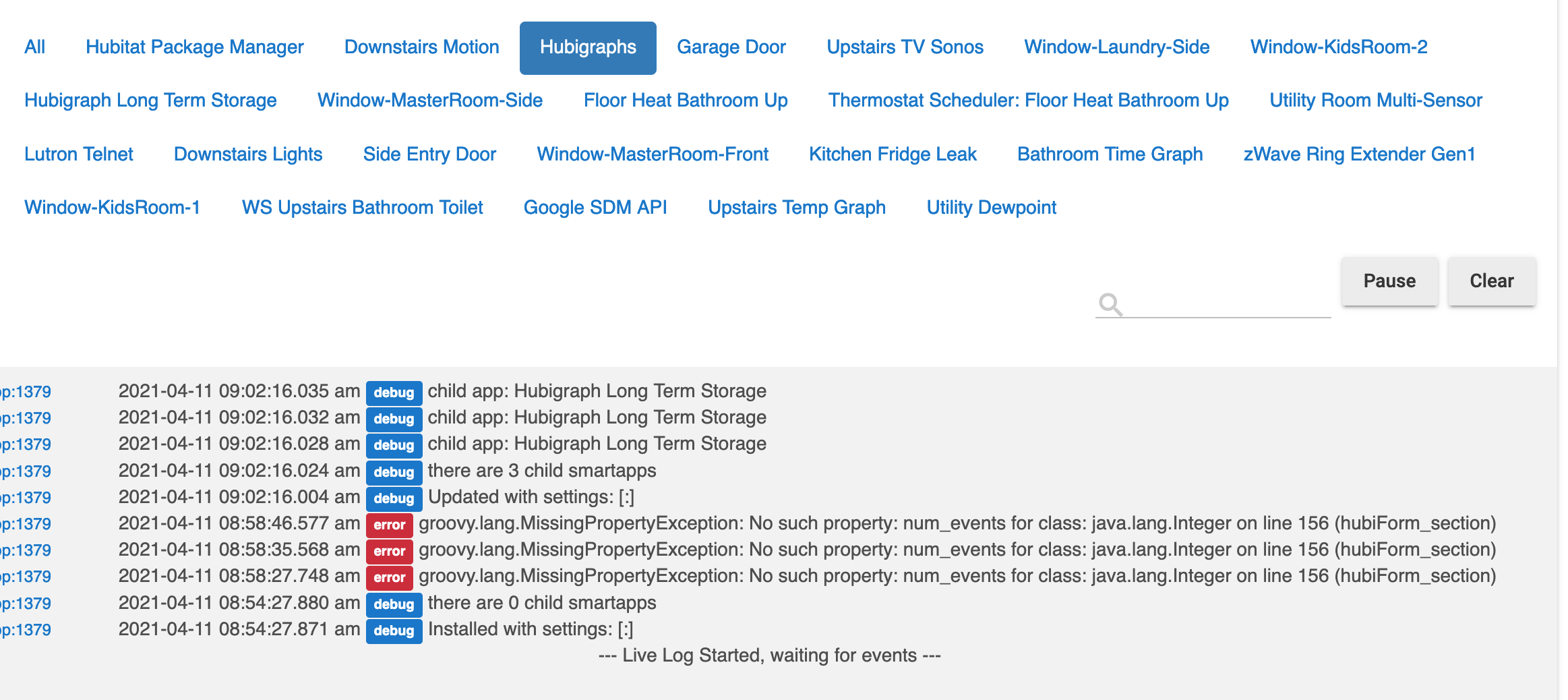
Interesting...
Ok, before I do that @thomas.c.howard, anything you'd like me to do or code you'd like me to add for logs, etc. that would be useful to you before I nuke these and start over?
Interesting...
Ok, before I do that @thomas.c.howard, anything you'd like me to do or code you'd like me to add for logs, etc. that would be useful to you before I nuke these and start over?
I have not done that yet. If I do so will my existing LTS stored data be lost (or need to be deleted)?
That would be a question for @SoundersDude. The data may remain after uninstall, but I don't know if between the 2 versions the format of the LTS data changed. I suspect once you reinstall and create the LTS storage group it will just create new files. If the data is stored in JSON and has the same format you may be able to copy the old data into the new files if it's that important to keep.
I haven't done this yet (weekend plan), but I'm assuming I'll just loose my data, and i don't plan to manually merge anything.
Sorry, I have been out (COVID vaccine #2; hit like a ton of bricks). If you are referring to the new LTS, the files will remain after uninstalling. They can be removed manually. I still need to implement auto-uninstall.
I'm a complete Hubitat and hubigraphs newbie and, first I think Hubigraphs is a fantastic piece of work. But...i keep losing datapoints in my graphs: while the right part of my graph keeps filling slowly, once the data are coming more to the left (it's a timegraph) the datapoints are not shown anymore. Sometimes there are points at the left and right bit a whole in the middle right where a few hours earlier there was a normal part of the graph. I have been fiddling with refresh rate, long time storage etc but no success. Can anyone point me in the right direction. I couldn't find a topic discussing this here...
Sorry if this is the wrong section, I was directed here but am not familiar yet with rules and conventions of this forum...
Easily fixed; just up the “State Data History” for the device. Currently the default is 30.
So I have today been through the following process.
While setting up the graphs initially I did not see the LTS option for the sensors, however when I went in to change the settings the setting appeared. Is that normal?
The process does seem to have solved my original issue.
Thanks for all who contributed.
No need to apologise. I hope you're feeling much better.
I'm hoping to follow these steps but to not do #3 to see if I can keep my data round.
If you don’t delete your LTS files, they should come up as available
Thanks Thomas, of course it worked perfectly. I'm busy experimenting with all kinds of graphs. That is one of the reasons I am transferring my devices from my Fibaro HC3 to the HE C7: no graphs worth that name in HC3 after > 1 year, no Zigbee support yet, no 433 Mhz, no Bluetooth. I'm getting used to the HE and love it. Thanks for your quick reply.
No issues; truth is, I enjoy developing and Hubitat allows just enough flexibility to do some neat things. My only complaint is that I wish the processor was a little bit more powerful. Before this thread turns on that debate— please don’t. Hubitat is plenty powerful for its intent. Anyway, I am looking at adding features, so let me know…
So I uninstalled and re-installed, and two of my graphs with LTS are working (yay!), however I can't get one of them (the most important one) to have LTS show up.
I'm seeing this error which is making me think perhaps it's a parsing issue with the values in LTS?
What is weird is line 156 on that main app code doesn't seem relevant.
Let me know if there is anything useful to DM you.
I'm migrating to c7 do I need to do anything with the oath?
Is there any way of making the graphs to fill the tile? resize with the resizing of the tile?
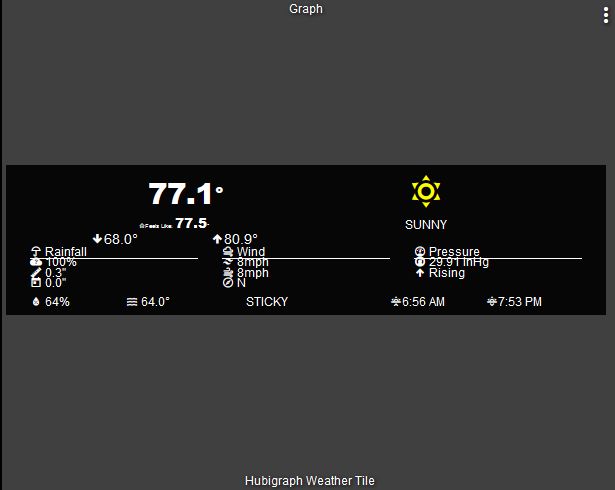
I been trying to use the weather and radar tiles, they both work but i get a small graph that stays the same size no mater how big i make the tile making it impossible to read. Making the text bigger helps a little but makes the graph wonky and doesn't look right.
Using Firefox?
i use firefox to edit because chrome freezes as soon as i hit the 3 dot menu. But in firefox the tile is small and on chrome it's filling the tile but completely out of wack.
Firefox
Chrome
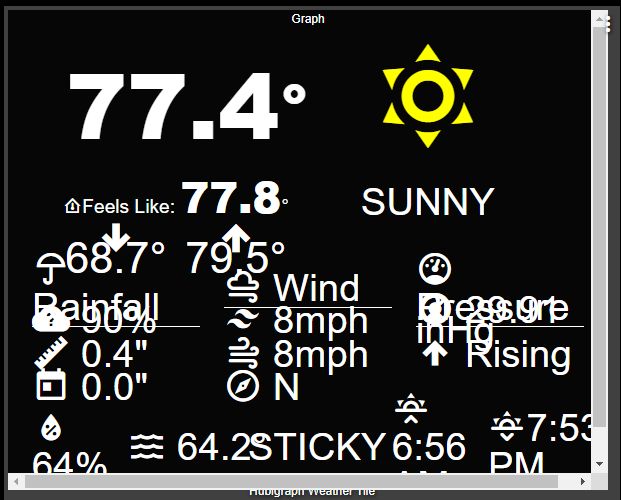
Oh wow, that is a v1 Tile... In order to work, the tile needs to be a certain size. This looks like the font sizes were made too large in the configuration (thus the wrapping, etc)... Firefox has some edits to the CSS that make it fill properly (kist search this topic). Suggestion: Checkout v2, much more flexibility...
Is it a separate app from this one? i run package update at least once a week so unless there's a separate app? i will check and install
It is all part of the Hubigraph package (currently)...
Download the Hubitat app