I have added a fix that 1) Fixes a change of hub ip and 2) Turns the text into a link that will open in a new window. All you need to do is update.
4 Likes
thanks @mark.cockcroft, update is made and in the repository
1 Like
Thanks I will try when I get home
So I updated to the new code and checked my dashboard and it still failed
I then checked the app/local graph and that is correct
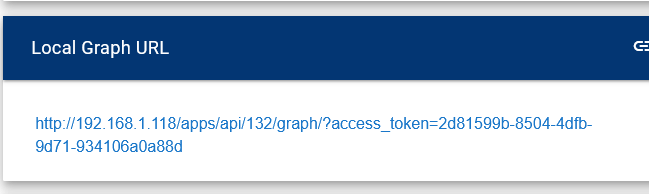
went back to dashboard and its still wrong IP
I then deleted the dashboard tile and saved, then re-enabled the dashboard tile but its still wrong
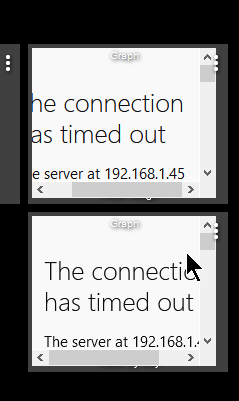
In the screenshot of your dashboard, it still shows your old Hub address of .45. This is probably why you are having an issue...?
yes that is the problem...just not sure of solution
I’ll put a fix in for that too…. Stay tuned
This is easy (happened to me and answer is somewhere in this thread). On that same screen scroll down and disable the oAuth:
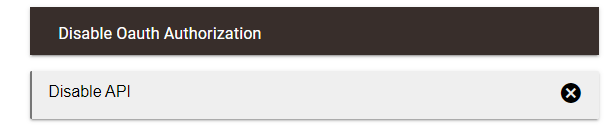
Then Click Done:

Then Click Enable API:
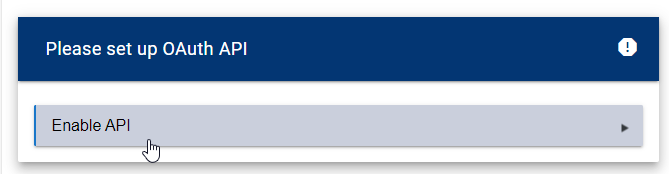
Then click Done:

Now check the URL...
Repeat for each graph.
2 Likes
Speaking of the address, is there a reason why using the hub's hostname doesn't work in the graph URL? If I replace the IP address with "hubitat" then the graph hangs on "Getting options (1/4)".
Sorry I must be dense...but I don't see where to do that...what screens do I go to?
try "hubitat.local"
For example, when I want to access my hub on the local network using the name in the url, it looks like this:
http://hubitat.local/ instead of http://192.168.x.x/
hubitat.local doesn't work for me. I use hubitat to access my hub and it works, it's only hubigraph local graph URLs that require the IP address.
So, to answer your question; HubiGraphs uses the localAppURL that is provided by the API. That happens to be the IP address of the hub. I am not sure why hubitat or hubitat.local does not work unless the dns is not seeing it….
1 Like
On the graph details screen (looks like this) and shows the link to the graph...
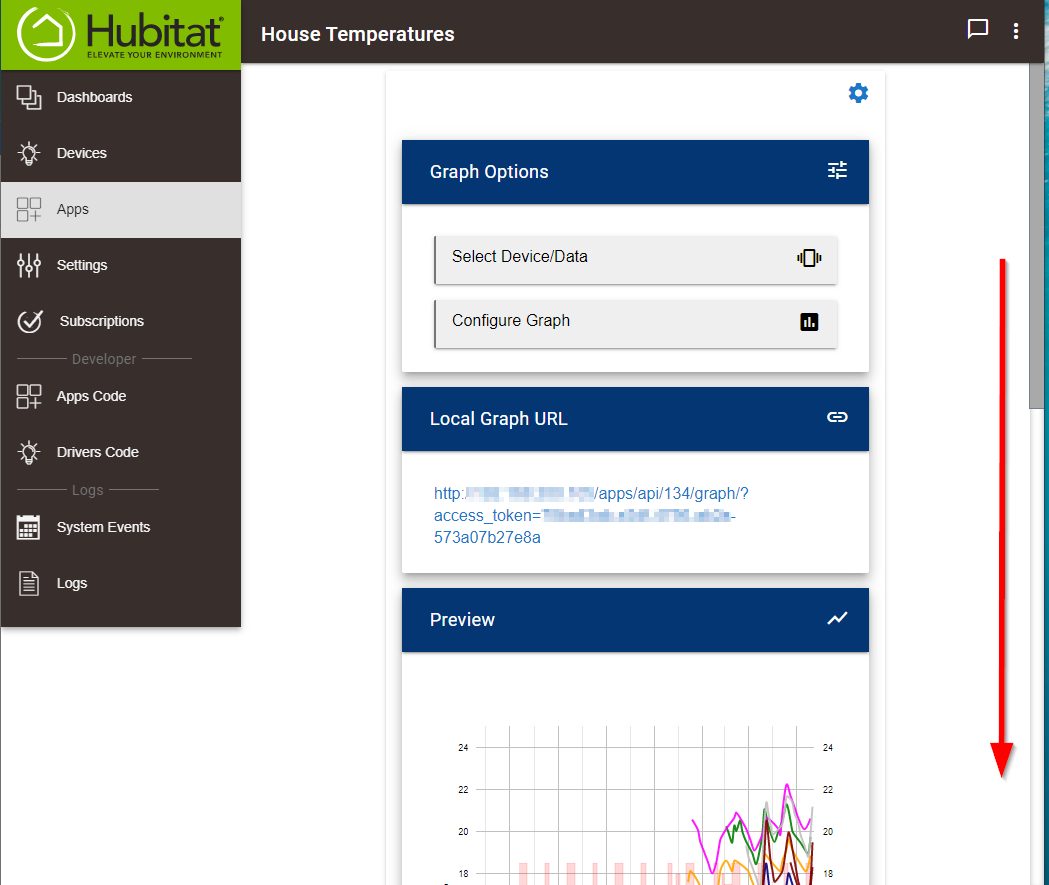
Scroll all the way to the bottom...
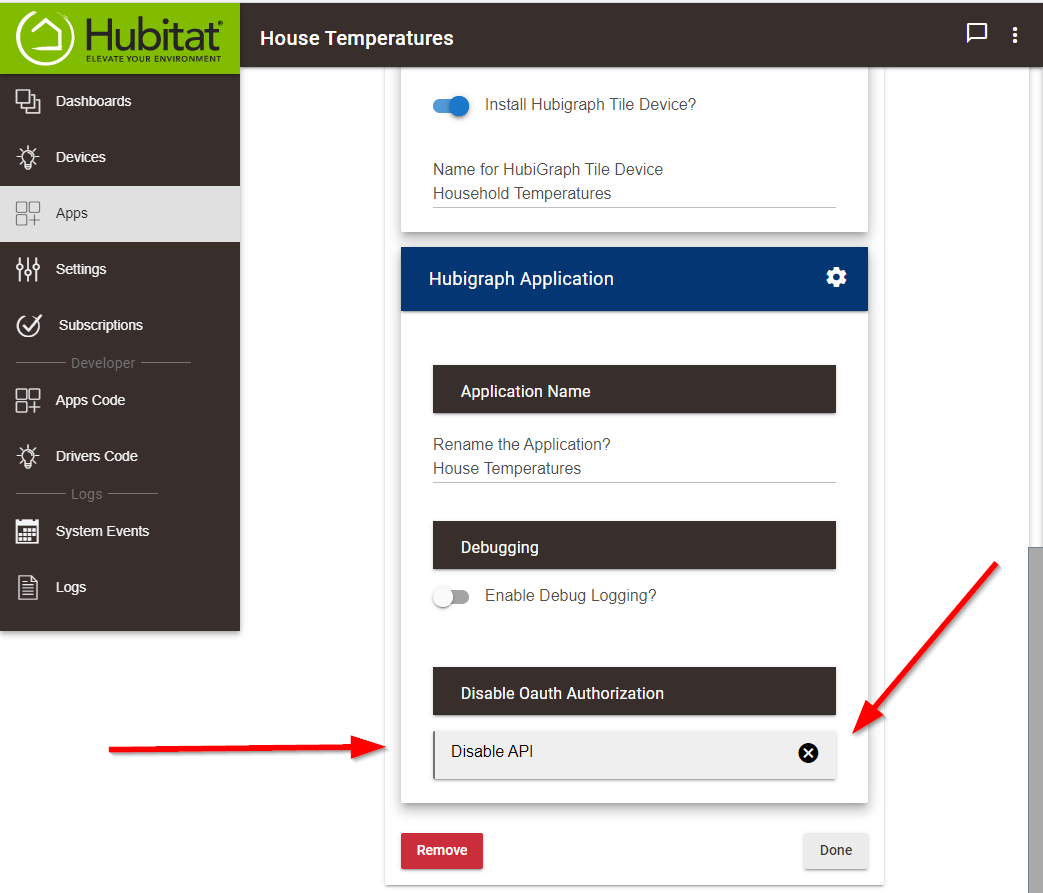
You should find the necessary button.
Try Hubitat.local:8080 instead. I think I’ve seen somewhere that if you need to access the URL of HE from itself, you need to use port 8080 (or 8443 for HTTPS)
@thomas.c.howard Feature Request: Would you be able to implement the ability to give LTS sub-apps different names?
I have created 4 in order to make the settings easier to manage (all the motion sensors in one, all the temp sensors in another, etc.) but it would make life easier if they were not all called the same thing.
Thanks
David
P.S. Great work on creating this graphing app, it's amazing.
Thanks for the great picture... That fixed it perfectly!!
1 Like
Hubigraphs is brilliant. I got rid of a dashboard of temperature sensors and combined them all into a single tile. Just amazing!
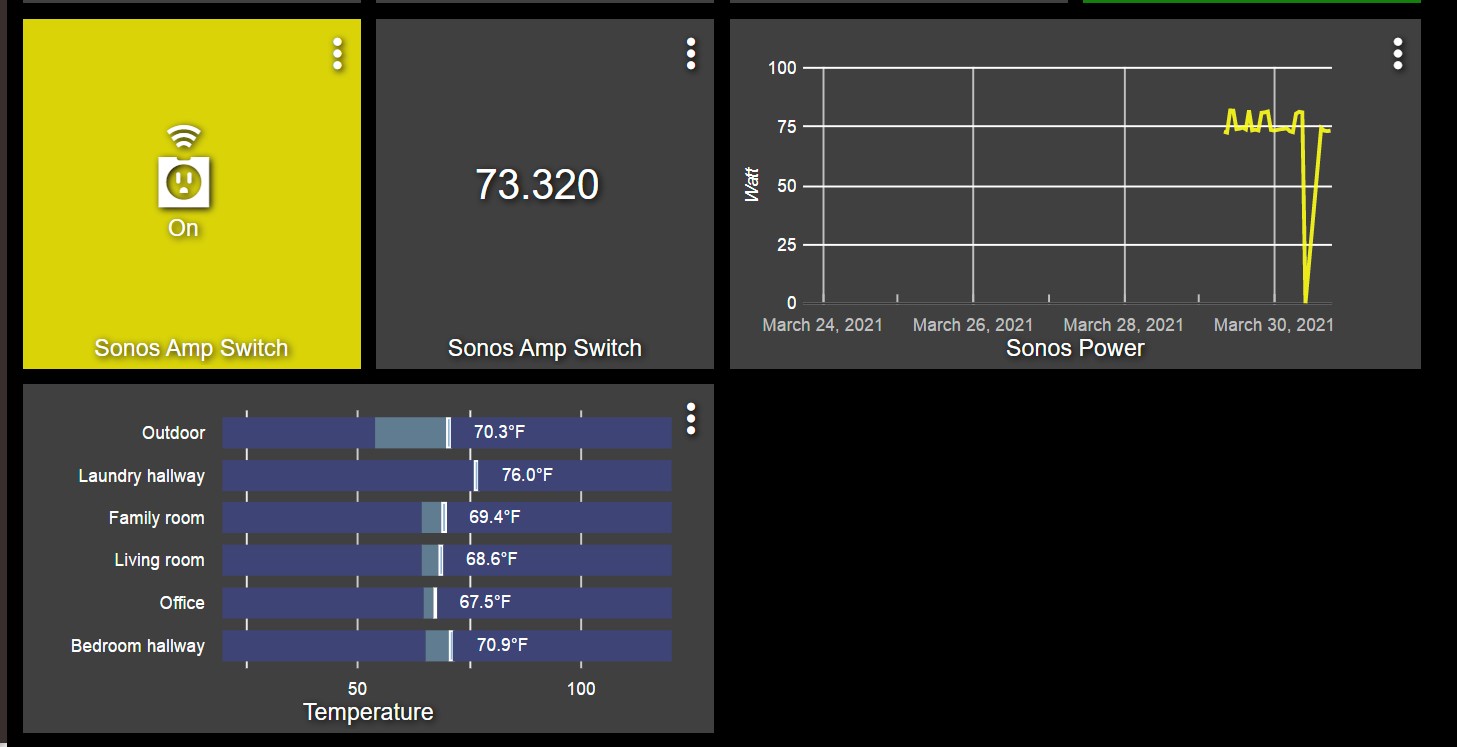
I also have been monitoring my idle power draw and begun making automations for turning off things like sonos etc based on motion in my house. I find that the graphing tile configured to pull the watt from my power switch (that i put in front of 5 sonos amps) worked excellent! It caught the dip correctly when i turned off the switch for a couple of hours in the morning,
I am going to buy current sensors for my pool equipment put them into hubitat to monitor power, this is brilliant stuff!
My first dash with hubigraph!
4 Likes
I am getting an error when I try to update to the latest version, any ideas?
Error Message:
An error occurred while installing the package: Failed to upgrade app https://raw.githubusercontent.com/tchoward/Hubitat/master/hubigraph_long_term_storage.groovy.
Is there anything corresponding in the Log?

