Yes; if you update (again) it should fix it.
1 Like
@thomas.c.howard I found a bug I think. I wrote up a long description and as I was about to post it I realized what might be causing the error and I confirmed it.
If a sensor has an apostrophe in the name it screws up the page where you configure storage save time and shows you estimated storage values. It drops the header from the field and runs it into the sensor above it.
Oh boy. That is a bigger bug than you might think. The apostrophe really messes with html code and the file names….thank you. I’ll get a fix in tonight.
3 Likes
Got an issue with one of my graphs. The graph shows the total KWH reading of a HEM at midnight in a stair step bar graph. I want it to show 32 days of data,
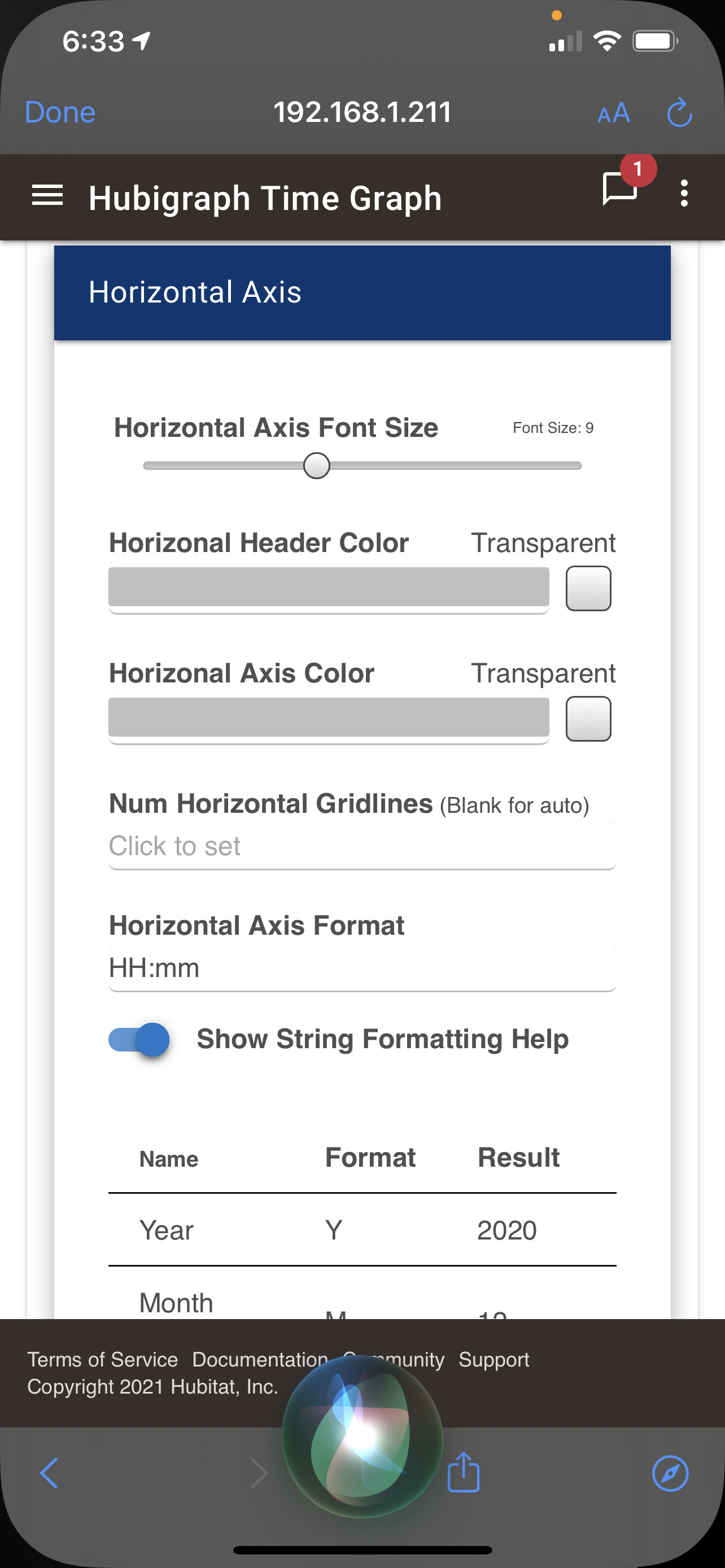
The first issue is I can't get to show more than 28 days. The setting shown below.
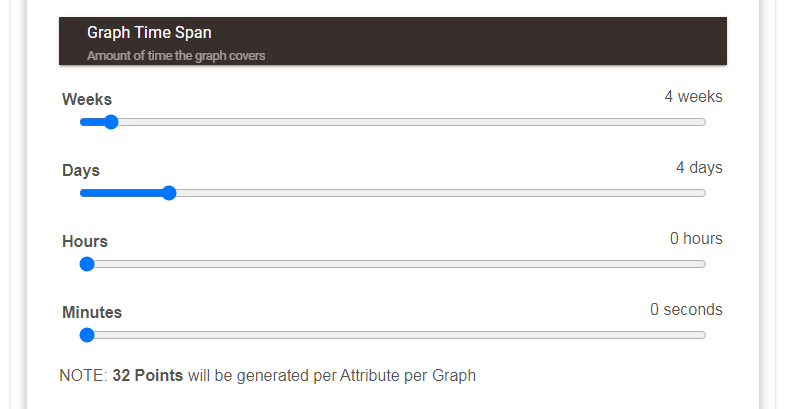
This is what the graph shows today. The last day shown on the graph is March 15th, but the last data set shown is from March 14th. Last night I filled the file with 32 points of data. I never could get it to display more than 28 though. The last data shown was March 14th. The data is the total KWH at midnight each day. The drop is the reset for the month's billing cycle.
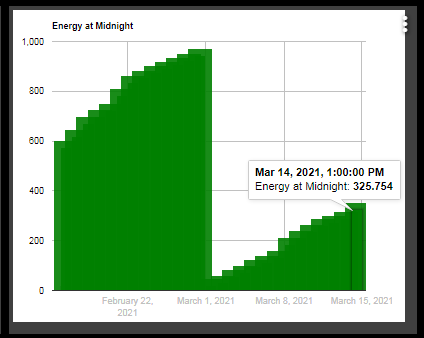
Another issue is the data file now says it has 45 events, last night before I went to bed it said it had 32 as I intended, but for some reason it put the March 15th value from this morning in there 13 times.

[Edit] I was just looking at this again and it now says it has 46 events, I think it is re-writing the last data items each hour, which is the setting I had for store data interval.
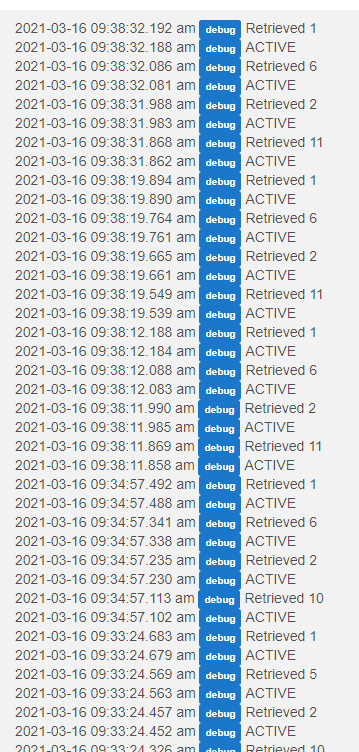
I’ll take a look; The issues above are an easy fix; the issue storing too much might be an issue with polling too often; I’ll take a look there too.
1 Like
Your old schedule is still running. I would go back to the graph, enter the configuration page, and go back to the main page. That should fix it, the unscheduled command should remove it…
You can check in the settings for the app. Scheduled jobs should be empty.
Not yet. I am working (in my spare time) to streamline HubiGraphs (ie remove HubiWeather). Stay tuned. Realistically, it might take a day or two, but HubiGraph Lite wouldn’t be too hard….
3 Likes
Now just click the console tab and screenshot
As I suspected. https://cdnjs.cloudflare.com/ajax/libs/svg.js/3.0.16/svg.min.js and https://cdnjs.cloudflare.com/ajax/libs/moment.js/2.29.1/moment.min.js are not available. Whether you lost your internet connection or not, I don't know. It is possible to put the scripts in local storage and I have played with making it an option....
1 Like
dns issue. hard coded the dns server working again.
i have done that.. install everything then just remove the drivers for those graphs you don't want.. obviously if you try to create one you will get errors. you need long term storage app, hubigraphs app, and any graphs you want like time line
1 Like
I see the same thing (bug?). Setting the positions of the Legend seems to have no effect. legend always appears left-justified regardless of the setting.
2 Likes
@mark.amber, @furom. Fixed in 4.83. Thanks for the bug-report.
2 Likes
In the graph I posted above I have noticed that the last day's data will not display in the graph, although the value was in the LTS file.
I found that the time stamp now is, due to time change, 04:00:59+0000 instead of 05:00:59+0000 on each data point. For some reason the new data with 04 is not showing in the graph.
I just updated to the latest version. I had modified the time stamp back to 05 to get the data to show the data point. After updating I put it back to 04 and it is now missing the last data point in the graph again.
1 Like
I am seeing some “weirdness” as well…looking into it
1 Like
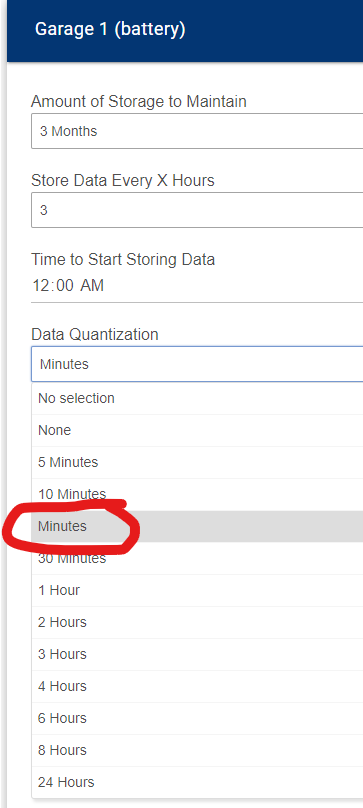
@thomas.c.howard Is this supposed to be "15 Minutes" (or maybe 20 minutes)?