Yes I know, don't ask me how though. 
So… I should build a data inserter?
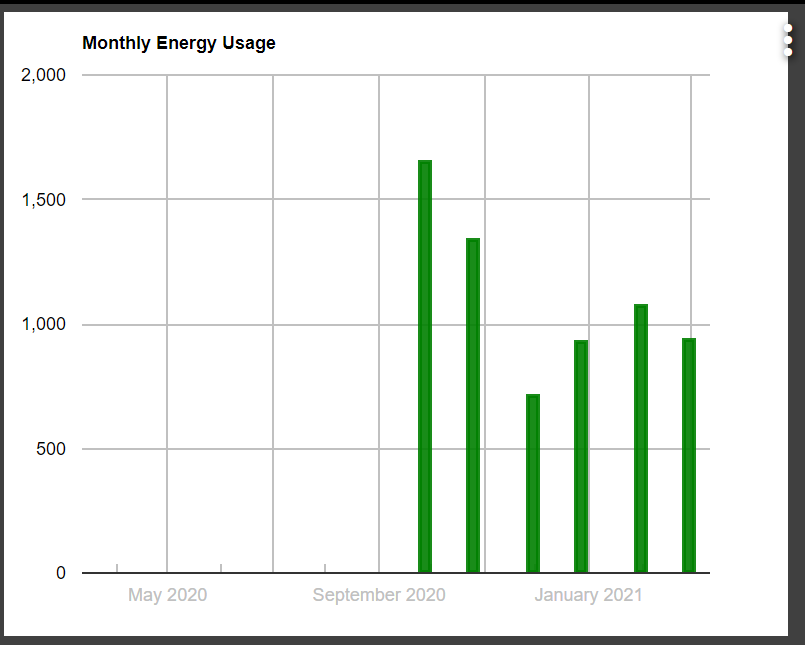
That would be awesome. I just added the 6 months of data I have in Hubitat and inserted a group of data one space to far and it messed up one bracket. The first time I forgot the comma between data points. Neither error caused any issue other than no data showing in the graph. Once corrected it opened up fine.
2 Likes
Hi @thomas.c.howard
I have 5 devices that I am using LTS for.
They are for temp and humidity.
When I go into the child app I see one of the devices listed at the top and then 5 sections. Shouldn't each section be headed by the device you are amending the settings for?
At the moment it's not possible to tell which device is being amended apart from the top one.
At the moment a couple are not giving the results I expect.
Now comes my thicko question.
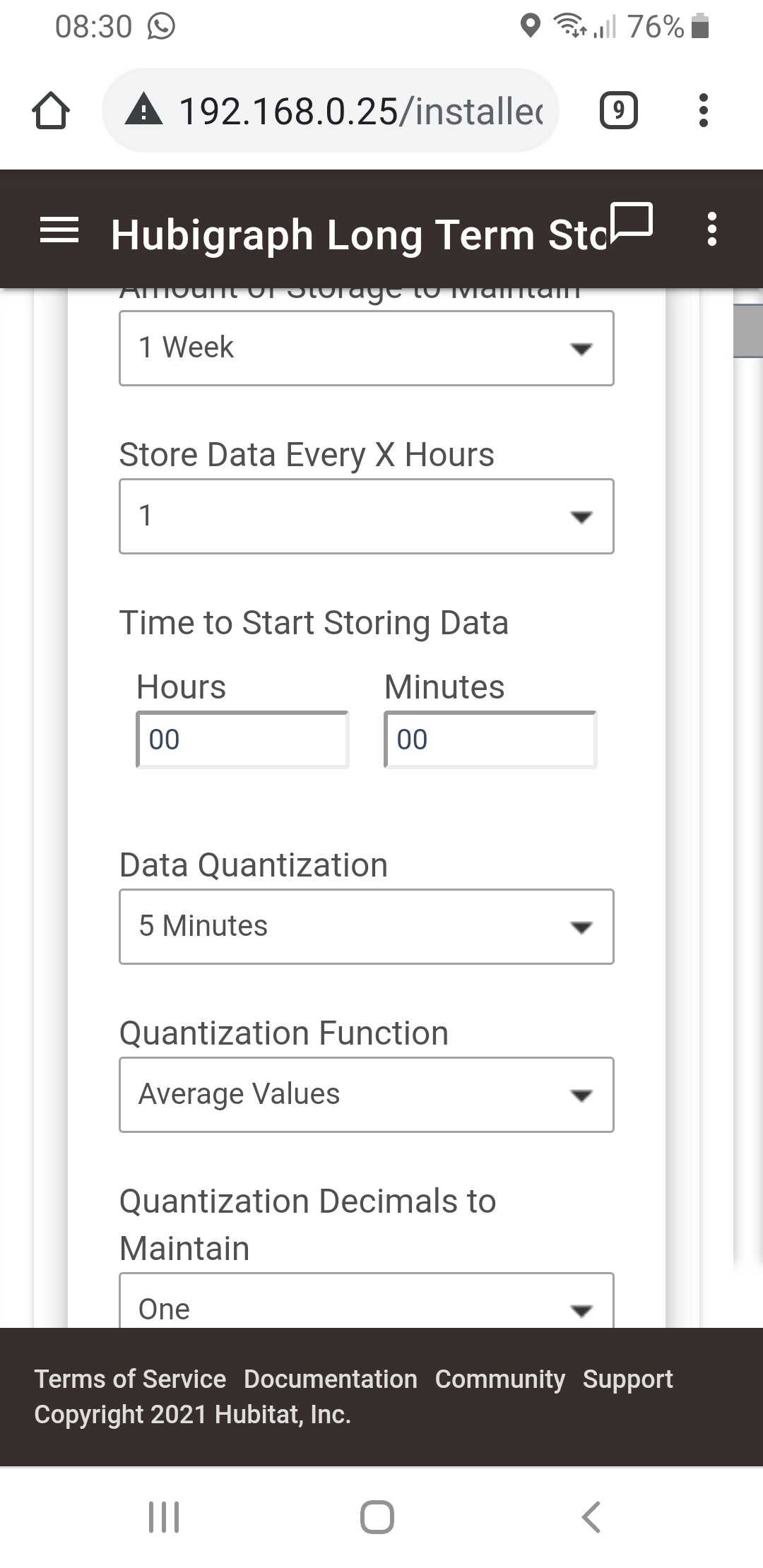
If i was setting up recording temp for a week how would I set it up.
I've used as below. Is this correct in your opinion? Thanks.
Can you check the logs? If the headers are not showing; then there is an issue.
I cannot find anywhere to turn logging on so I assume it is all part of your app.
I open LTS and get this.
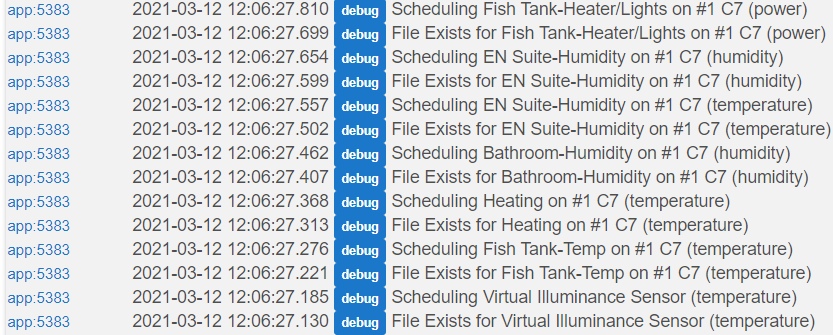
Which is correct for the devices I have selected.
Click on Select Device/Data.
Selected items show up OK. Click next.
I appreciate that this is very small but it shows what is happening.
Top blue line is a device then it lists the options for all the devices but no more devices are shown.

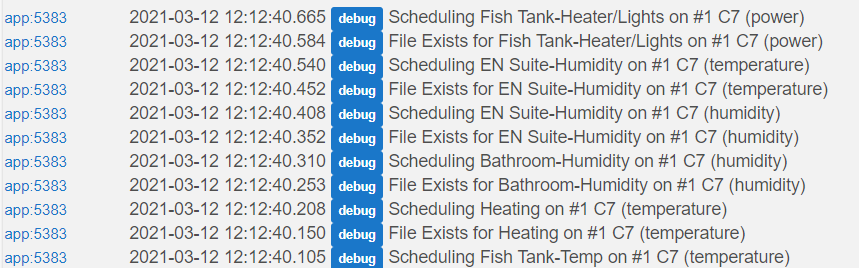
Nothing is generated in the logs until I click on next. Then I get the same as shown above.
Hi @thomas.c.howard
I've just loaded another instance of Hubigraphs and defined a graph.
I notice on the new instance there is an option to select for using LTS. It doesn't appear on the already installed version.
I'll move things over and see what happens.
Thanks.
In your screen shot, was there a line number? Also, how did you update?
In answer to your questions:
Why having LTS as a separate app instead of within the graph using it?
- I wanted to centralize the storage of data. If each graph had it's own storage, then deleting the graph (or changing it) would delete and change the data. Talk to @terminal3. He had 6 months of data "almost" lost due to the upgrade.
Could some shortcut be added after "beta & launch"?
*Don't know how to do that
Besides the errors I posted above, could you please explain these a bit? Does a high value here mean possible dataloss should the hub freeze or go belly up?
*If the hub goes belly-up, the next update should fix it.
What does 'Time to start' really do, and why reset every day?
- Start time here is how the scheduler works. So if I set the start time to 1am and then every 8 hours, the data will be saved at 1am, 9am, and 5pm. I however, I set the start time to 6 pm and every 5 hours then it would save data at 6pm and 11pm. Make sense?
Sorry for all the questions, you're doing a great effort here, and much appreciated.
1 Like
Actually, it looks like the graphs are using the old LTS. Try rebuilding the graphs, that might fix the issue. This is one of the beta issues I thought we might hit.
Which type of virtual sensor are you using for the Virtual Energy Meter ?
Virtual Omni Sensor
I am seeing this as well. On any graph that I did not touch. I can't remember if I had the old LTS setup for them or not.
1 Like
every one of my graphs this morning is stuck on 4/4, doing configure etc does not help. any ideas?
REbooting hub did NOT fix it..
it must be a cloud issue? As trying a new graph still hangs at 4/4?
Don't know if this will help, but I updated one graph that was a simple graph of power from my washing machine plug. It was generating the error that @furom had listed. I added the sensor to LTS to see if the error would go away.
I noticed in the logs after the addition, the following error.
java.lang.RuntimeException: CronExpression '0 0 12/null ? * * *' is invalid. on line 203 (hubiForm_section)
Ok; this one I understand. Make sure to check your You did not set the "Store Data Every X Hours". That is the null value. I have a fix ….
Did you setup LTS? I didn’t take into account someone NOT doing that. Just a hour or so; I’ll have a fix
no i am not running the latest version., just older version havent updated or changed anything.
Do you know how to look at the console output on the browser? Something is broken in JavaScript

