I've configured geofencing and I'm trying to pause/resume a rule depending on the presence of my Pixel 8 phone. Can someone explain to me how set a variable in the trigger? If the phone reports "departs", set the variable "present = false". And if arrives set "present = true". After this I believe the actions will run as desired.
I wound up with the "ONLY IF" logic in the trigger which assumes the variable is already set.
Because I don't want numerous notifications from my family and I locking and unlocking the door when I'm home. I'm always locking/unlocking the front door.
Why are you using a variable here at all? Why not just check the state of the device directly?
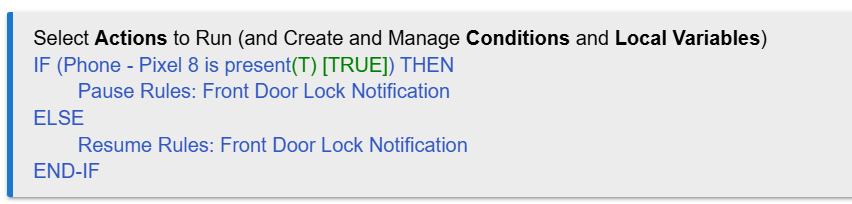
IF (Pixel 8 is present) THEN
   Pause Rules: ...
ELSE
  Resume Rules: ...
END-IF
As others have mentioned, you cannot set the value of a variable in your triggers. You can't really do anything in triggers in general. I'd take seriously my suggestion yesterday to read the Rule 5.1 docs -- and also look at some examples you can find here and elsewhere. People are happy to help if you get stuck, of course.
(So if you do need that variable elsewhere, you'll need another approach. But with just this rule, there's no indication of that.)
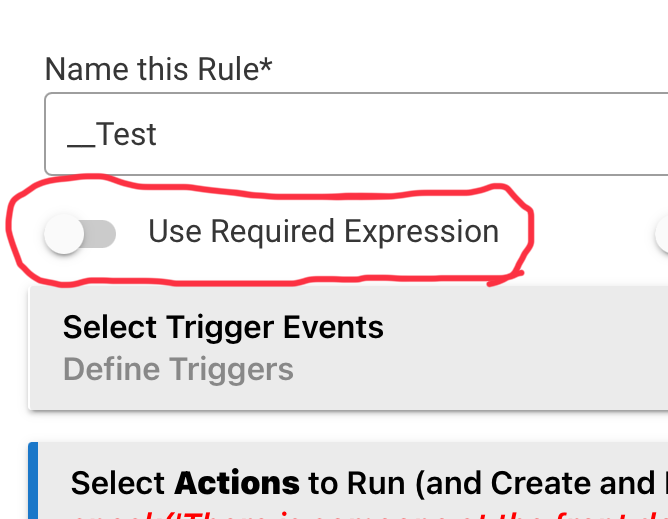
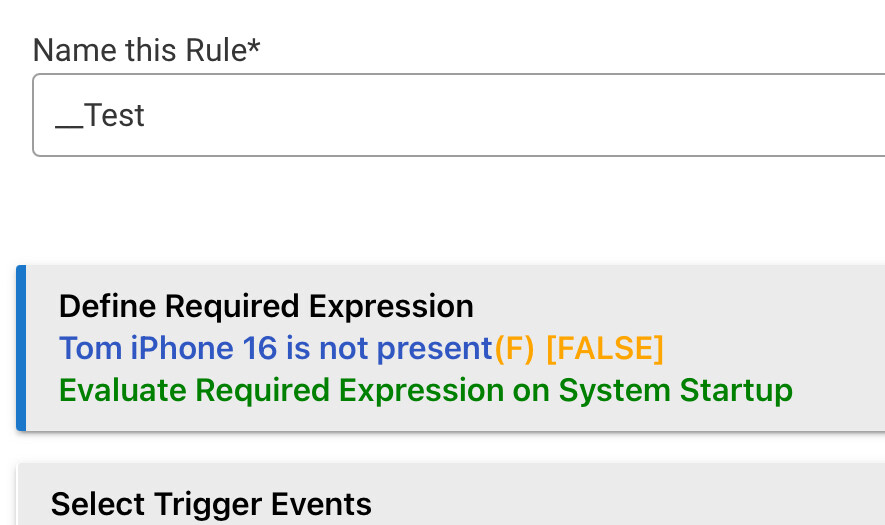
The "Use Required Expression" restriction will be added to your "Front Door Lock Notification" rule not the one you showed us. You won't need that rule at all.
Even simpler solution, yes yours is fine, would be to add a restriction to your notification rule that restricts it from running if your phone is present.
If interested, post that rule an I, or someone, will show you that approach.
Yes, I would be interested in seeing that approach. I'm curious how it compares with the if-then-else statement I created with the help of bertabcd1234.
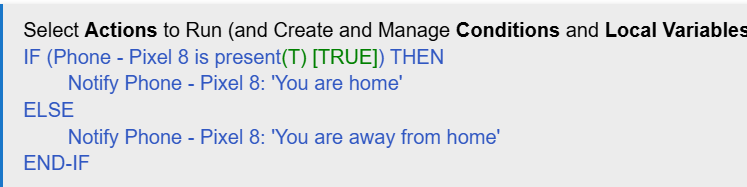
I followed your suggestion and setup a rule to pause the rules and it did not work. I think the rule looks just fine. So, I created a similar rule to send me a notification based on present and not present and that did not work either. But I confirmed in my Pixel 8 events as you can see there is a present and not present entry. I double checked my location in the Hubitat settings and also the Hubitat app which are correct. I'm getting close!
Along those lines, it may also be helpful to enable logging on the other rules and check Logs for that output too, but if you think your problem starts with this rule, I'd start troubleshooting here first -- and seeing the whole thing would be the best place to start (for us), Logs for it being next.
It just occurred to me after you mentioned seeing the entire rule. I need a trigger right? I was thinking I didn't and that the IF THEN ELSE logic was sufficient.
Yes. Please read the docs I linked to above. I again think this will help with a lot of the problems you are running into. While many of us are happy to answer questions, it would make things easier for you if you had at least the fundamentals to start.
Rules will not do anything unless they are triggered (or run manually or from another rule).