I added the trigger and all is well. Rookie misteak!

What does the updated lock notification rule look like now?
Works great! Now I don't get notifications every time I lock or unlock the door! Thanks again for your help.
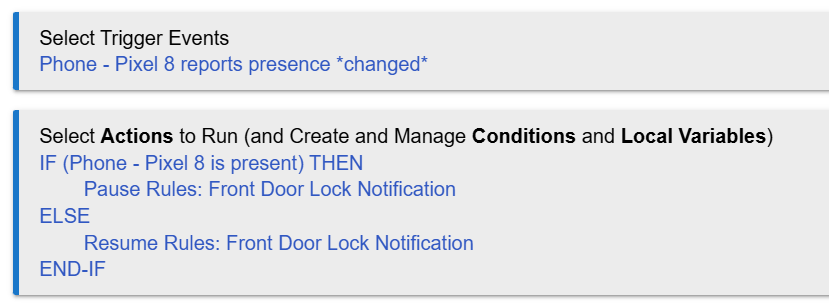
As I mentioned in my first reply, I still don’t understand why you would prefer to use two rules, with one of them pausing/unpausing the other, when one rule can do what you’re looking for.
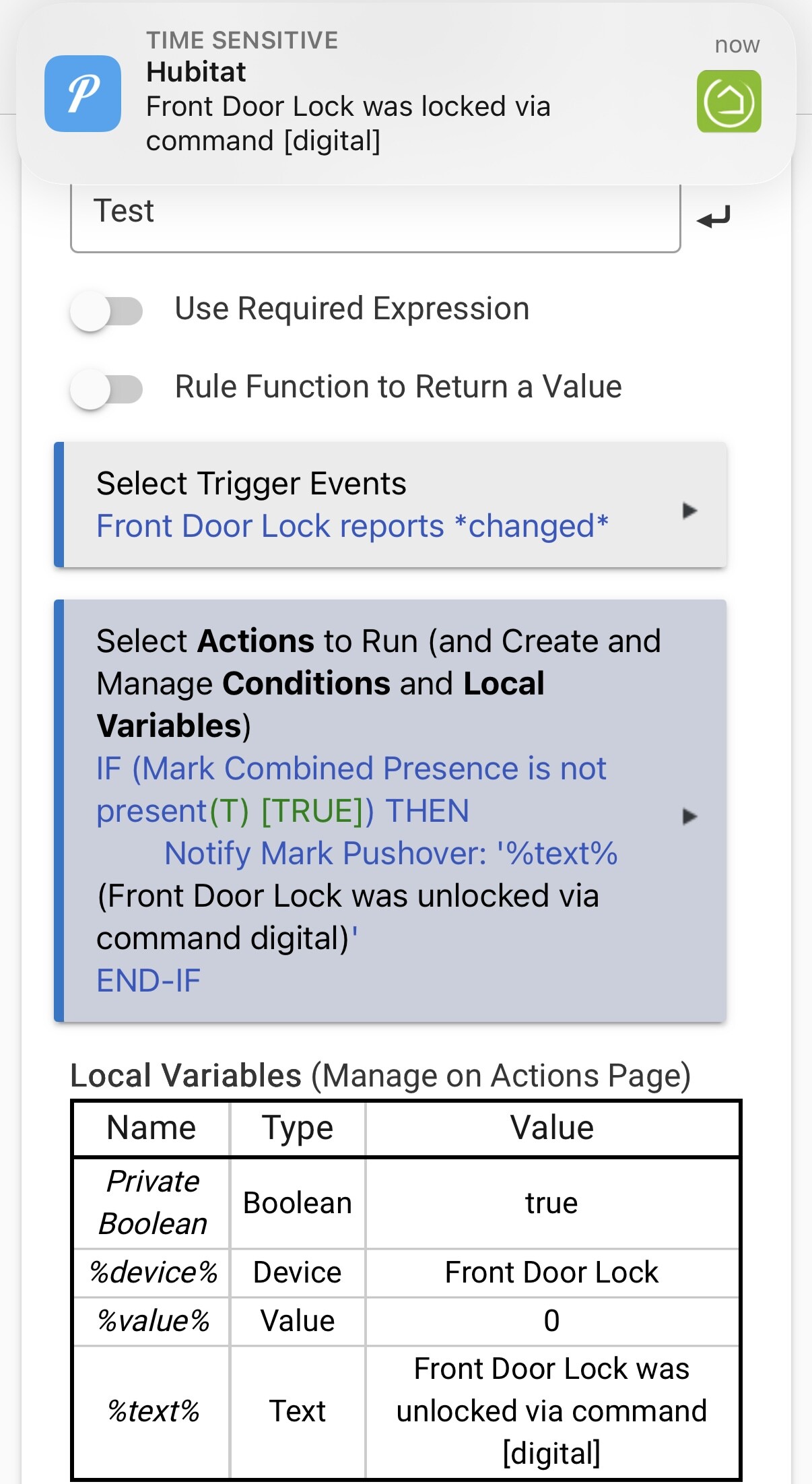
Here are two screenshots of a rule that tells me if my front door lock was locked, or unlocked, only when I’m not home.
Just one rule. With a single trigger, and a single conditional action, plus the use of the %text% local variable built into all rules.
Notice the pushover notification at the top of each screenshot. It reports both locked or unlocked, depending on which event occurred. And it specifies how the event occurred, e.g. key code, digital, etc.
%text% is a very handy variable sometimes.

2 Likes
Here’s another way to do it with one rule.
This rule uses a required expression to prevent the trigger from executing the rule actions unless I’m away.
And then it uses two conditional actions to send the relevant message for locked or unlocked.
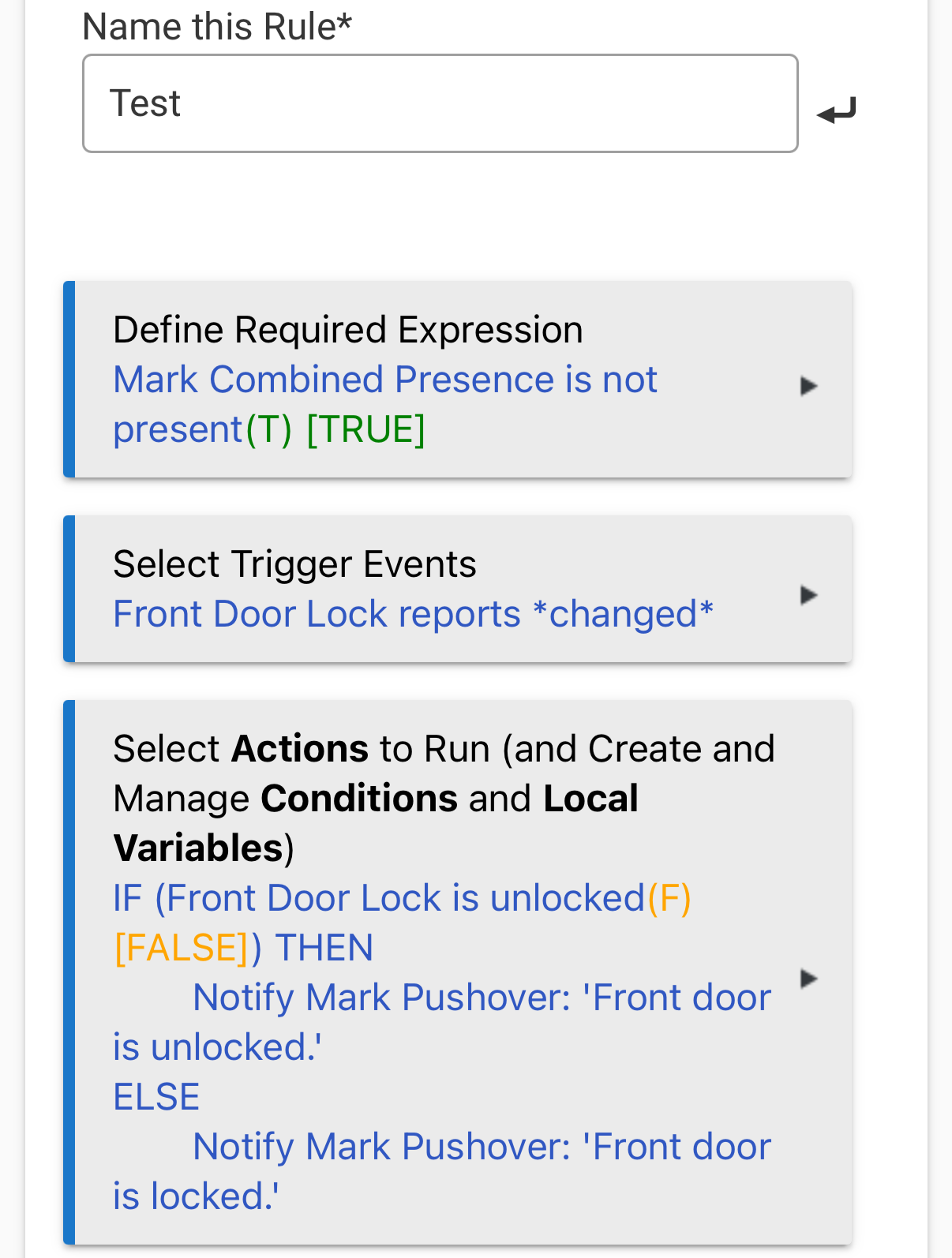
The point I’m trying to make is that there are many ways to achieve similar results with Hubitat automations.
But using a a second rule purely to orchestrate the pausing/unpausing of your primary rule adds complexity, which is never a good thing. And serves no purpose in this case, as far as I can tell.
1 Like
Thanks, I will try to replicate this and add it to my bag of tricks.
I was able to replicate this fairly closely. I've added it to my repertoire of examples. Thanks again for your help with my Hubitat learning curve.
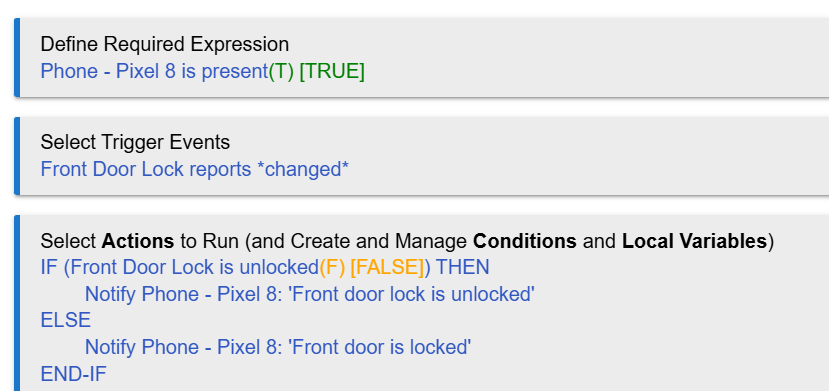
While certainly a possibly desired automation, it should be noted that the one you wrote now appears to do the opposite of what you shared previously (although I suppose we can't really tell without seeing all of every one) -- and compared to the example. This one will send the notification only if you are at home.
I only wrote it to duplicate marktheknife's example for my own edification. Not using for anything at this point except as a learning example.
That's fine -- just pointing that notable difference out. 
(From experience, I can also share that people tend to learn better when they duplicate what was suggested to them if that is the goal, instead of trying to make modifications off the bat, but this is simple enough...)
1 Like
It’s not a duplicate really. The logic is opposite to what I posted, as @bertabcd1234 pointed out.
I second his suggestion to read through the documentation.
It really does help to gain a better understanding of some of the basic automation concepts that rule machine relies on.
3 Likes
As I said in post #13 above. 