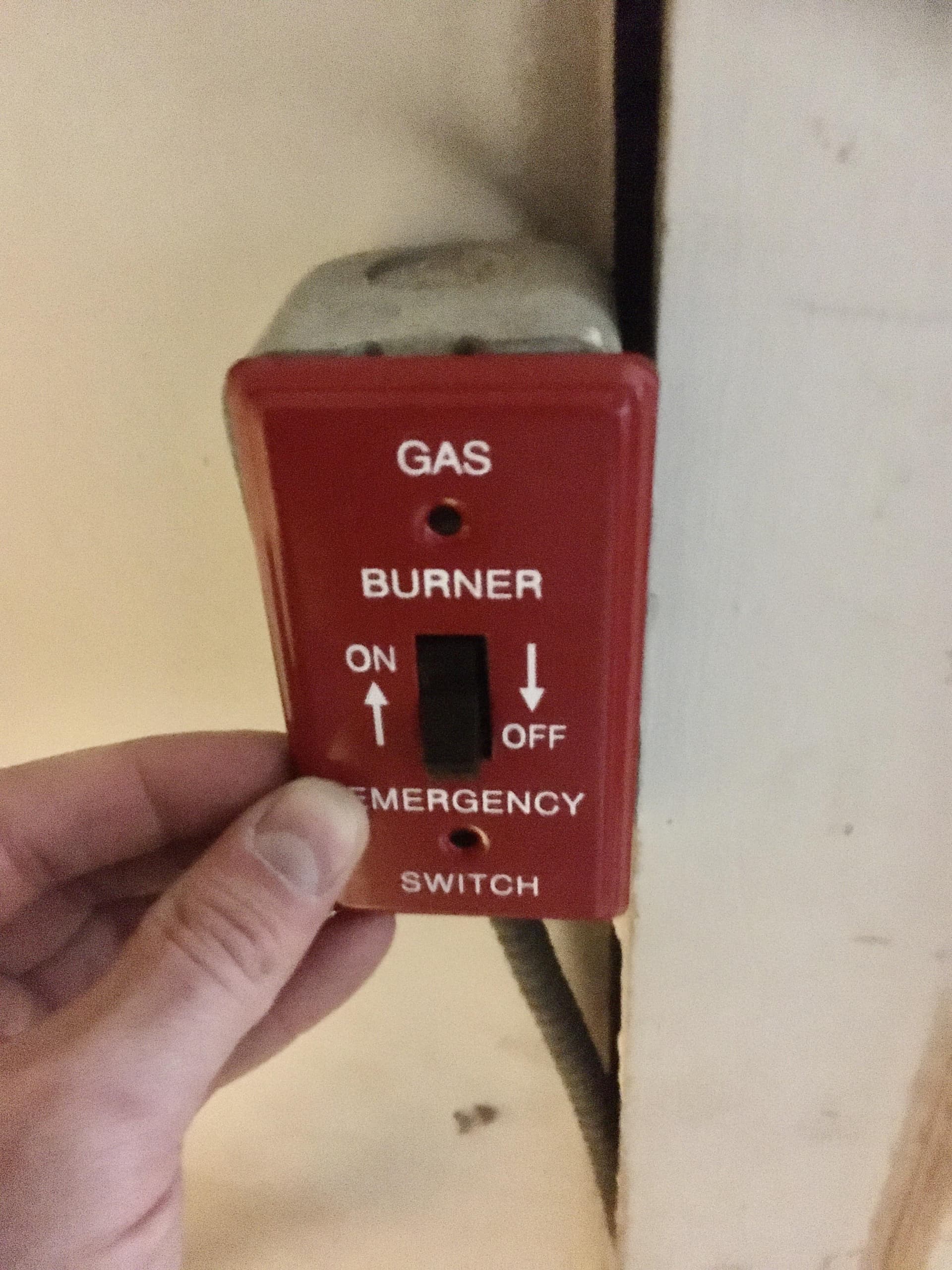
Zen57 meets these requirements. But you do need to intercept the wires leading to the switch. Those are the low voltage wires. You cut them and then rejoin them to the zen57 in the middle.
1 Like
No. My device uses AAx2 and is moderately reliable. But the WAF is low.
That is what I was thinking.
@JumpJump, do you have a quick wiring diagram for me for the Zen57?
I'm glad you asked me that question because while relying on search results and page summary the deep dive into the linked product documents actually show the zen57 as dry contacts switch but wet contact relay. So my apologies that will not work after all. That was my mistake. However, as I started out with the zen58 it does support dry contact relay and it's product documents say it can be used with a fireplace.
https://www.support.getzooz.com/kb/article/2025-zen58-low-voltage-xs-relay-recommended-loads/

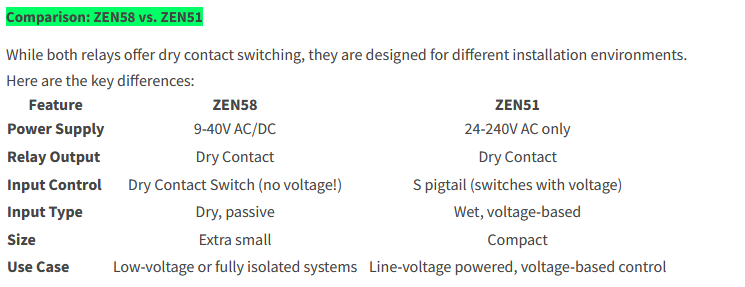
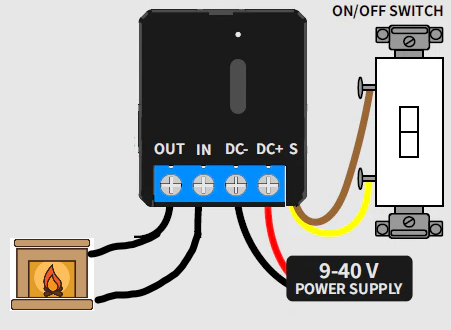
So ultimately the zen58 with a low voltage power supply plugged into that junction box is the way forward.
1 Like
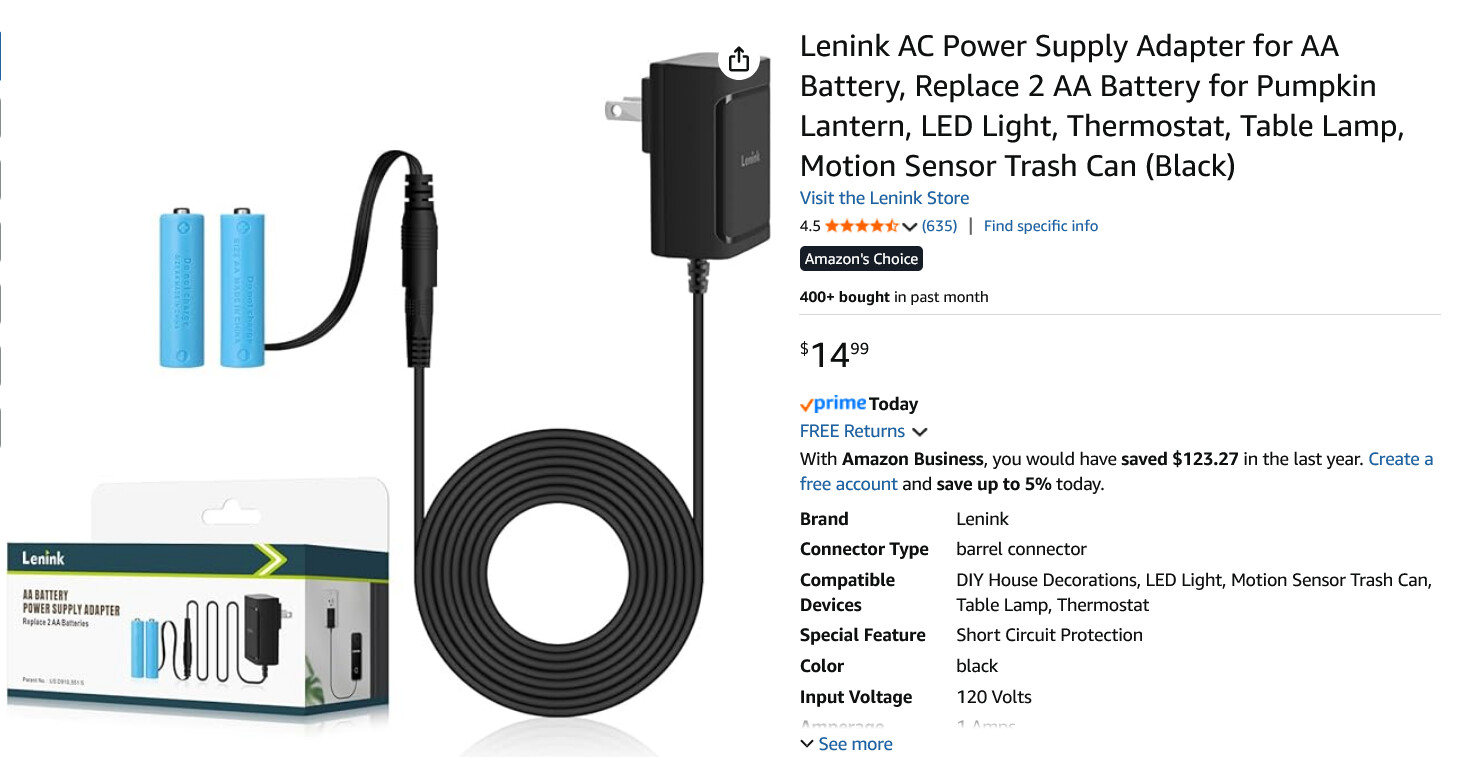
Yes I was just going to point that out, ZEN57 would not work. ZEN58 will but you need a power supply (Zooz sells one that works).
Or also a ZEN16 would work as shown above. If you have a blower, it could be used to control the fan outlet on that j-box as well with R2.
And in either case you could swap the wall switch for a momentary switch (Zooz sells as ZAC99), if you want it to be "stateless".
1 Like
If you go down the Zen17 route here is all you would need to do. I have taken a picture of my setup so you can see how it is set.
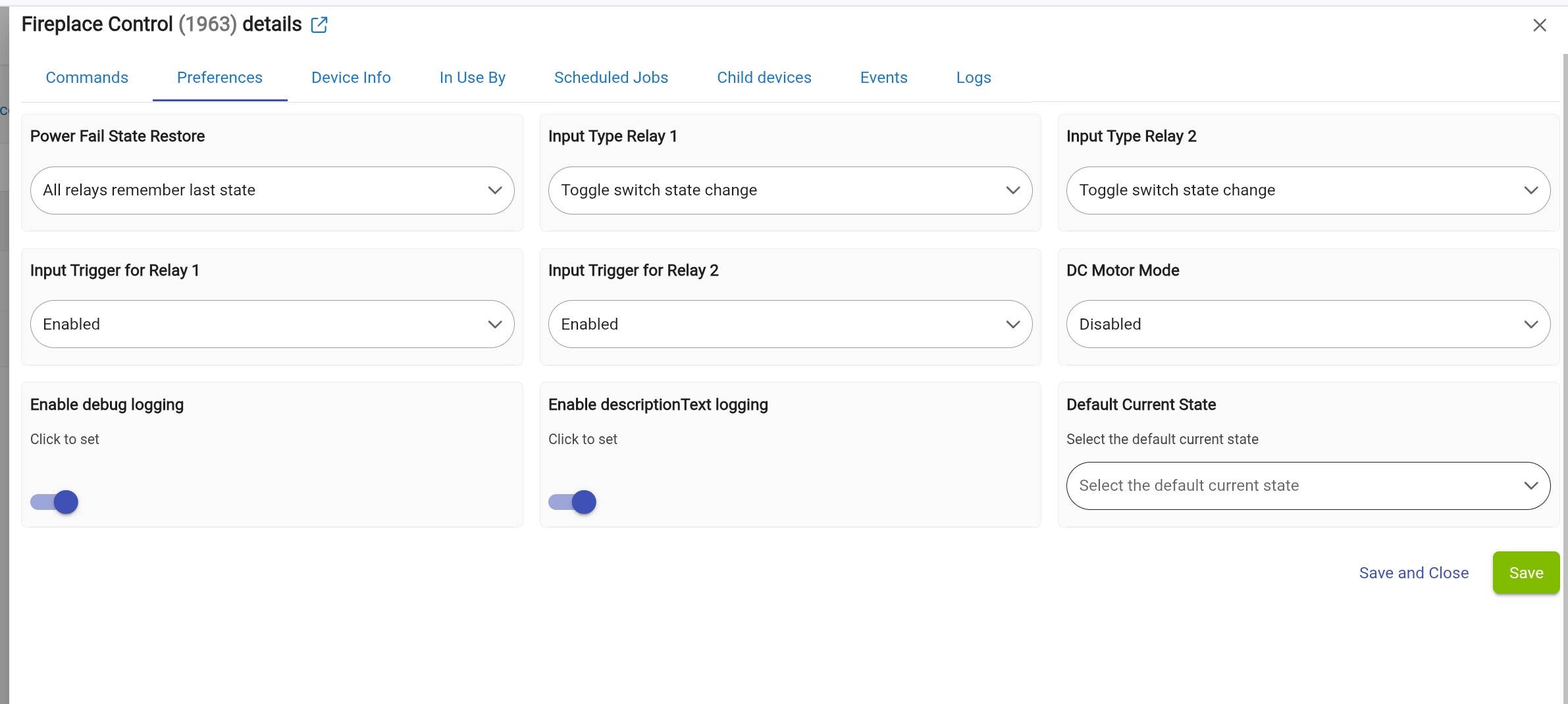
First the prep work. The Zen 17 has allot of potential configurations so you want to take a moment and get it setup before you install it. Take the USB Power adapter you are going to use power up the Zen17. Once powered on go ahead and get it included. Set the values as shown below. This is a good idea to do now as some configuration changes require you to exclude it and include again for all changes to take effect. Once done you are ready to install it in the fireplace.
Install of the Zen 17 into the fireplace
- Locate the control box and identify the pair of brown switch wires that got he the Low Voltage switch. Most likely you will find the pair has a spot with a crimped connector that is connected to the wires that go to the Low voltage switch. Take note of where the connectors are and what type they are. You will need 2 of each the male and female connectors for jumper wires.
- Get some thin paired wire you can use for low voltage and cut somewhat short legths maybe 6-8 inches. These will be your jumper wires between the Zen16/17 and the wires for the switch. You will want to crimp the male and femaiil connectors to the jumper wires in pairs. Keep in mind you will need the same type of connectors on each pair of jumper wires.
- Now take the jumper wires and connect them in the screw terminals on the Zen 17. Use the pair with the correct connectors for the Swich side to the S1 and C terminal next to it. The connect the jumper wire for that will connect to the control box to the NO and C terminal for R1. You can see that in my image below of exactly how mine is wired.
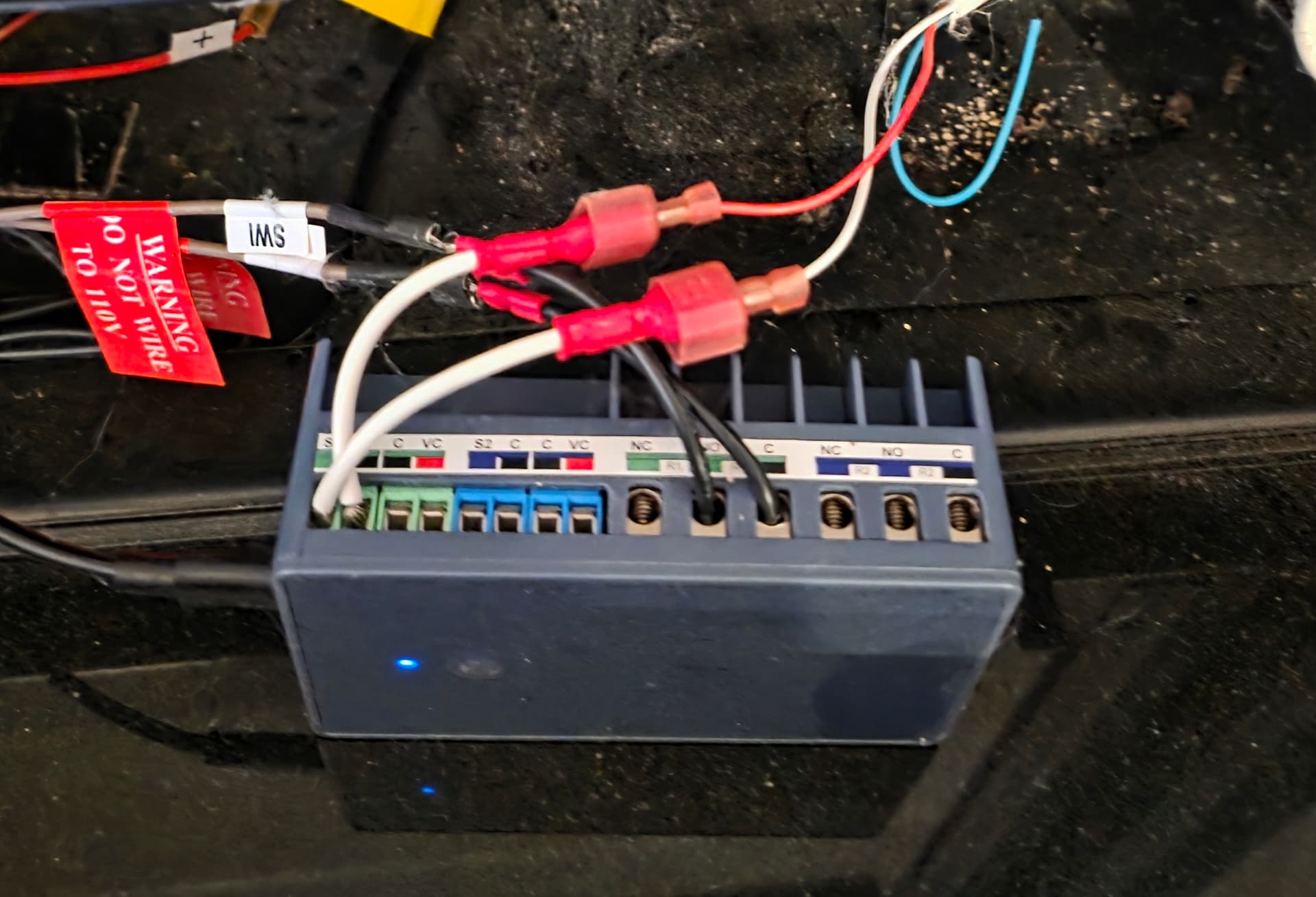
The nice thing about this is that for me to put this back to the way it was all i have to do is simply disconnect the crimped connectors on the Zen17 jumper wires to the switch and controller and connet them to each other.
@JumpJump @mavrrick58 @jtp10181
So let me condense this in my mind.
I can use the Zen51, powered by the 120V rail on the Heat & Glo Junction Box that is in my fireplace. But the wall switch now is NOT low voltage and is not stateless, unless I use a momentary switch. I would have to change the wires to the switch because of the 120V. I don't really want to do that.
I can use the Zen16, with a power adapter, but also not stateless, unless I change the switch.
The "FAN" outlet on the Heat & Glo Junction Box (my only other source of power at this time) does not work UNLESS I put a jumper across the rail. The TRANS and REM/AUX outlets are already in use.
EDIT : The Zen51 does have dry contact relay.
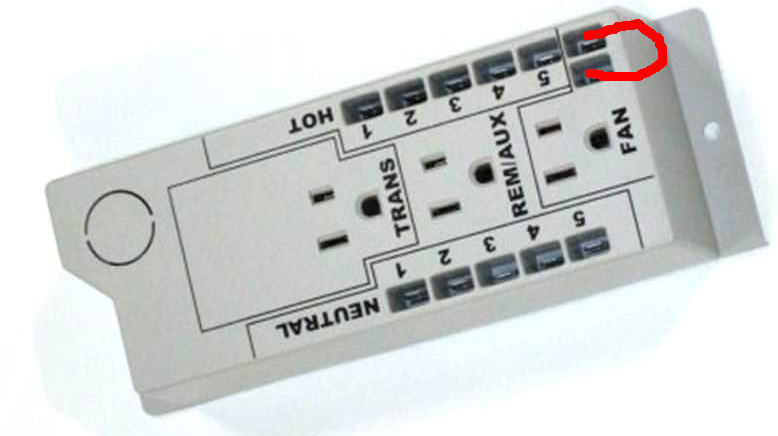
That should work.
1 Like
I would have to find a place to plug it in that would not upset the WAF 
So let's say that I only want to use the line voltage 120V available to me on the rail of the junction box that I already have in my fireplace. It appears that I can use the Zen51, powered from the rail, and replace my current wall switch with a momentary switch that is attached to the dry contacts of the Zen51. Correct?
The issue with using a zen51 is that you have said the wiring to your existing switch is low voltage wiring. If that is the case and you can't replace it with romex then you need a smart controller that uses a low voltage switch.
Zen58, zen17, zen16.
If you read the tread from the top there is this zooz article that was written before the Zen58 came out. Please read it.
https://www.support.getzooz.com/kb/article/1208-how-to-add-z-wave-to-your-fireplace-switch/
The other important thing to grasp is that you are truly trying to avoid line voltage in your switches. Switches that are line voltage make sparks. There is a reason not to use a zen51. It's doing something you don't want in the fireplace control. It's using a line voltage switch.
The zooz documents include comments on which devices can be used with fireplaces.
2 Likes
Do you have more information on this?
This isn't really a problem with the zen16/17 if you consider the switch as a toggle between states. The setup i show above works perfectly fine with the provided regular low voltage toggle switch.
1 Like
@jtp10181 I did search for and found the IntelliFire WiFi Module. The reviews of it and the phone app are not that good. I'll pass for now. Thanks for the info.
I read it. Good info!
I ordered the Zen16! I'll be returning the Zen51.
1 Like
I know you’ve received a lot of advice already but, whatever you end up doing, consider at least keeping a (separate) switch that can turn off the fireplace, overriding any automated switching. The hub could be down, a Z device might be messing with your mesh, heck early ZEN17 firmware used to cause spontaneous relay state changes…
2 Likes
 100% Agreed!