Remember we're using MakerAPI for the integrations which is then funneled via Cloudflare. This allows users to use the mic options for Athena's module.
Are you saying you'd prefer to have the cameras flow via MakerAPI rather than adding the live stream link?
I guess the question is, what live stream link are you looking for?
The directions in the Cameras section state to enter an mjpeg stream. The only place I have that is within the RTSP camera device that gets created in Hubitat. Everywhere else, it is an RTSP stream URL.
I feed my UniFi cameras through Scrypted so that I can use them in Apple Home. The Scrypted muted RTSP info is what I used to create the RTSP camera in Hubitat.
Thanks for the detail here, this actually answers the question we had.
The short version of why the RTSP URLs (rebroadcast, RTSPS share links, all of it) won't work directly in Hestia: those are all still raw RTSP under the hood, just packaged differently, and a browser can't decode RTSP at all. Doesn't matter what dashboard app it is, a website fundamentally can't play that. The only way it works anywhere is if something transcodes it to a browser-friendly format first.
Good news is your own screenshots show that already happening. Your "Front Door Camera Stream" device (1633) has an Image Url field showing /hub2/videoStream/1633.mjpg, and it's marked validated and live. That's Hubitat's own hub-side transcoding, MJPEG over plain HTTP, which is exactly what a browser (and Hestia) can play directly.
To use it:
Take that path and add your hub's local IP in front of it: http://<your-hub-ip>/hub2/videoStream/1633.mjpg
Paste that full URL into a browser tab first, just to confirm it loads on its own before touching Hestia.
In Hestia, go to Settings > Cameras, find (or add) that camera, and paste the same URL into the Live Stream URL field. Save, then tap into that camera to see it play live.
One thing that might trip you up: if you're viewing Hestia over https:// (hestari.com) but that URL is http://, browsers can flag that as mixed content. Same issue that already exists for the hub connection itself. If it shows as offline, check whether your hub also serves that same path over https:// and accept its certificate once, that's the usual fix.
Let me know if it plays once you've got it in there.
That's the same URL I posted in a screenshot a few posts above. It does not work. I've entered it as http and https in Hestia. Neither work. I can enter that URL in a browser as http or https and it works.
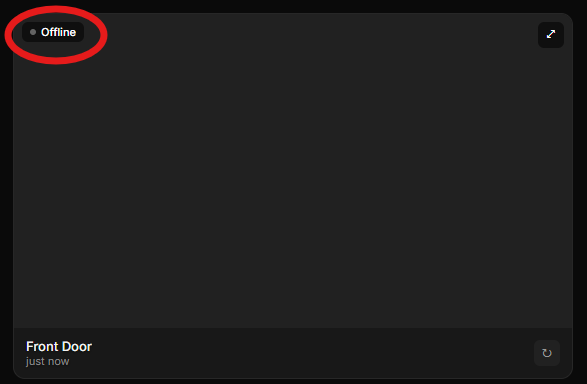
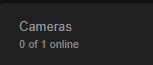
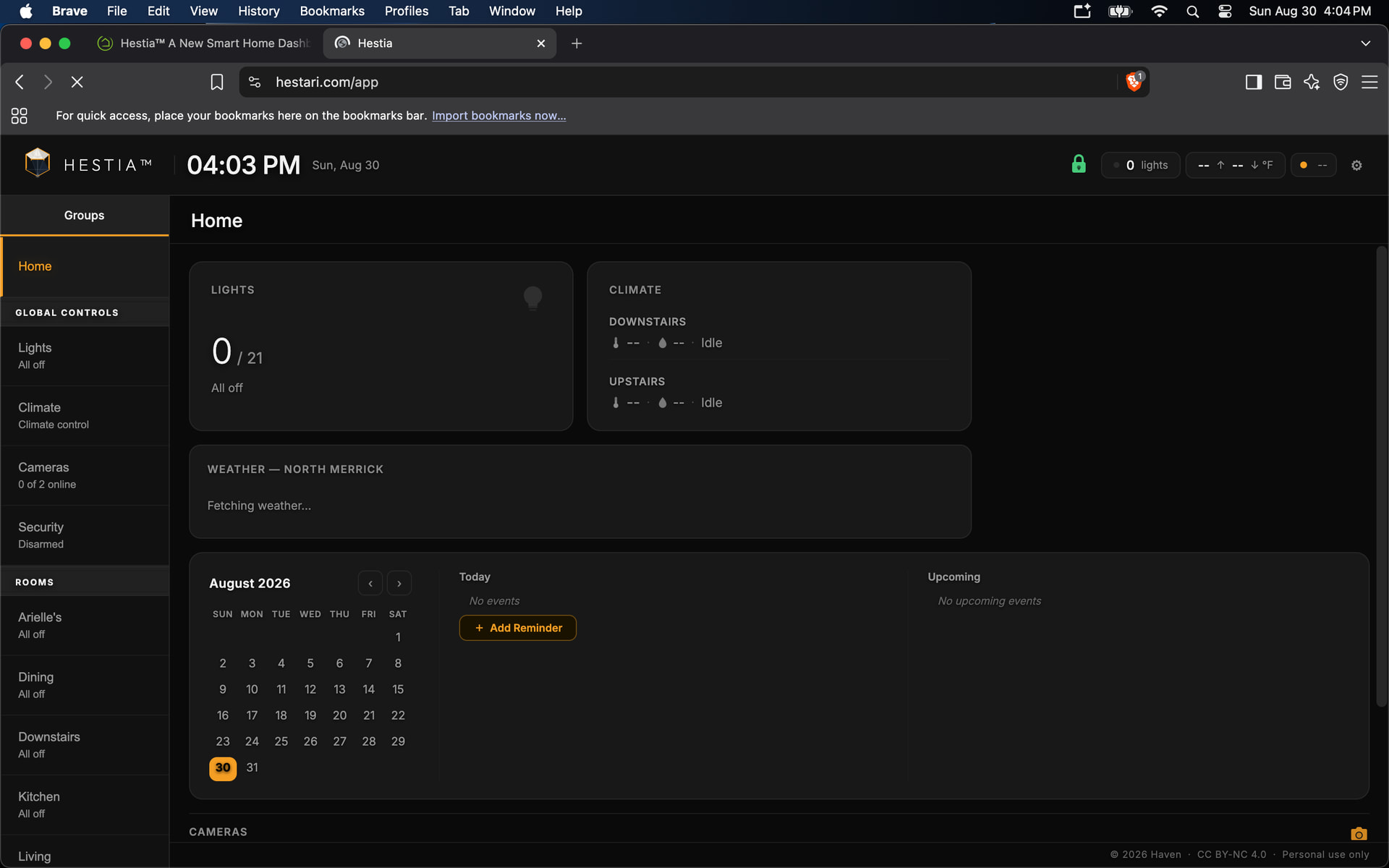
@Haven I only used the Live Stream link. The directions say a camera only needs one of the 2. I clicked on the camera and nothing. It says Offline on top left. If I expand, it says Stream unavailable. I did not try the snapshot.
I don't have an RTSP camera to test this against myself, so this is a diagnostic step to try rather than a confirmed fix, but here's my theory and how to check it:
Open a new tab in the same browser you use for hestari.com.
Go to the https:// version of your stream URL directly: https://<your-hub-ip>/hub2/videoStream/1633.mjpg
You'll likely get a security warning ("not private" or similar). Click through it to accept the certificate.
Go back to Hestia and reload the page, then check the camera again.
Let me know either way, whether it starts working or still doesn't, both outcomes tell us something useful. If your hub only serves that stream over plain http:// with no https option at all, let me know that too, that's a different situation and we'd need another approach.
Thanks for those screenshots, that actually pointed us at something concrete. I found a real gap in the code: Hestia wasn't suppressing the referrer header on camera image requests, so loading your stream URL from hestari.com sent a different request than pasting it directly into a browser tab. That's a real, testable difference between "works in a browser" and "fails in Hestia," which matches exactly what you're seeing. Just shipped a fix for it.
Same as before, I don't have an RTSP camera to confirm this against myself, so I can't promise this is it, but it's worth a clean retest:
Hard refresh Hestia (Ctrl+Shift+R, or close and reopen if you're on mobile) to make sure you've got the latest version.
Check the camera again, no changes needed on your end, same URL, same settings.
We found a real gap and fixed it, and this time I've got actual confirmation it works.
Turned out the live view was using the wrong model for this endpoint. Hubitat's own dashboards consume hub2/videoStream by polling it (a "Refresh Interval" field, ~1s) rather than opening one connection and expecting it to keep pushing updates on its own. Hestia was doing the latter, load once, and if that single attempt failed, give up. Rebuilt it to poll the same way Hubitat's own software does.
I set up a local test RTSP stream on my own network (not a public one this time, learned that lesson) and confirmed it end to end, live, continuously-updating video actually playing in Hestia. So this isn't a "maybe" this time, the underlying mechanism is confirmed working against a real live source.
Worth a fresh retest on your end:
Hard refresh Hestia (Ctrl+Shift+R) to make sure you're on the current build.
Check the camera again, same URL, no changes needed on your end.
If it's still not working after this, that's genuinely useful too, it'd point pretty specifically at something in your particular chain (Scrypted's rebroadcast behavior) rather than the general mechanism, which narrows things down a lot from here.
Hestia can now send real browser/OS push notifications for door, window, lock, motion, smoke/CO, water/freeze, and security alarm events — the kind that show up in your phone or desktop's own notification tray, even when Hestia isn't open.
How it works:
Settings > Push Notifications — enable it, pick a delivery mode for each device (Always, Armed only, or Don't push), then choose which categories and event types you want (Doors, Windows, Locks, Motion with a per-sensor picker, Alarming, Smoke/CO, Water/Freeze, Open/Unlock, Close/Lock).
Alarming, Smoke/CO, and Water/Freeze always reach every registered device regardless of arm state or per-device mode — the same way a physical smoke alarm doesn't care whether your burglar alarm is armed.
No new device setup required anywhere. It reuses the exact same devices already authorized through Maker API — nothing to re-select in Hubitat's own app UI.
Delivery runs through a small Cloudflare backend, end-to-end encrypted with a key derived from your own household's IP. We never see your notification content.
If notifications don't seem to be arriving:
Every browser: you'll get a permission prompt the first time you enable push on a device. If you accidentally dismiss or deny it, the browser won't ask again on its own — you'll need to reset the site's notification permission (usually via the padlock/site info icon in the address bar) and re-enable it in Hestia's Settings.
Brave specifically: Brave has its own privacy setting, separate from the site permission above, that silently blocks push notifications when off: brave://settings/privacy → "Use Google services for push messaging." If push saves successfully in Hestia's Settings but you never actually receive anything, this is the first thing to check.
Chrome/Edge: no equivalent toggle exists — if it's not working there, it's more likely a network/firewall blocking Google's push service, or a corporate-managed device policy, than a browser setting.
One-time setup if you're not on Hubitat Package Manager:
The companion app's source code doesn't auto-update outside of HPM. If you installed it by pasting the code into Apps Code:
Open Apps Code, find Hestia Dashboard, replace the contents with the latest from GitHub.
Save, then open the Hestia app instance and click Done once.
If you're on HPM, this shows up as a normal available update.
Everything else — Cameras, Artemis, Athena, existing device controls — is unchanged in this release.
@jkudave — a lot has shipped since your last update (v1.6.3 is live now), so this is a good point for a clean retest.
One thing worth doing before anything else: if you installed the companion app by pasting code into Apps Code (rather than through Hubitat Package Manager), it doesn't auto-update — you're likely still running an older version. Open Apps Code, find Hestia Dashboard, replace the contents with the latest from GitHub, Save, then open the app instance and click Done once. If you're on HPM, this shows up as a normal update instead.
For the "hestari.com just spins forever" issue specifically: I haven't root-caused the Hub Login Security interaction yet — that's still an open question on my end, not something I've fixed and am asking you to confirm. But several unrelated sync/loading fixes went in during this release that could plausibly affect general page-load reliability too, so I'd genuinely like a fresh read rather than assume it's unrelated.
If you're able to test again with Hub Login Security still enabled:
Hard refresh (Ctrl+Shift+R) or fully close and reopen if on the Fire tablet.
Does it still spin/hang, or does it load now?
If it still hangs, could you open the browser console (or check what you can on the Fire tablet) and share whatever errors show up? That'll tell me a lot more than "it doesn't work" — I'm specifically looking for anything mentioning a failed request to /local/hestia-token.json or a login redirect.
And separately — cameras: last I saw you said "I think it's working now, checking things over" before the login-security issue came up. If you've had a chance to actually check them properly since, let me know how that landed too.