If i do expand it i was thinking of adding processing time in the logging so we would see how long each call takes.
The thing is depending on what you are trying to do it may be ok. Having a delay for a poll probably wouldn't be an issue. But that kind of delay when setting a configuration value like color, on/off, ct or a scene isn't good. Even then in some cases it could be of little impact depending on use case.
Processing time for the log would be great. I agree polling time isn't as important as when my room scene's change the RGB follows the scene as quickly as possible. Out of my 5 or 6 Govee devices the TV back lights are the only ones that depend on the cloud API and have no local LAN control. I make it a habit now when I find their lights in the "return/discount" bin at Best Buy to make sure I check the model number for LAN control.
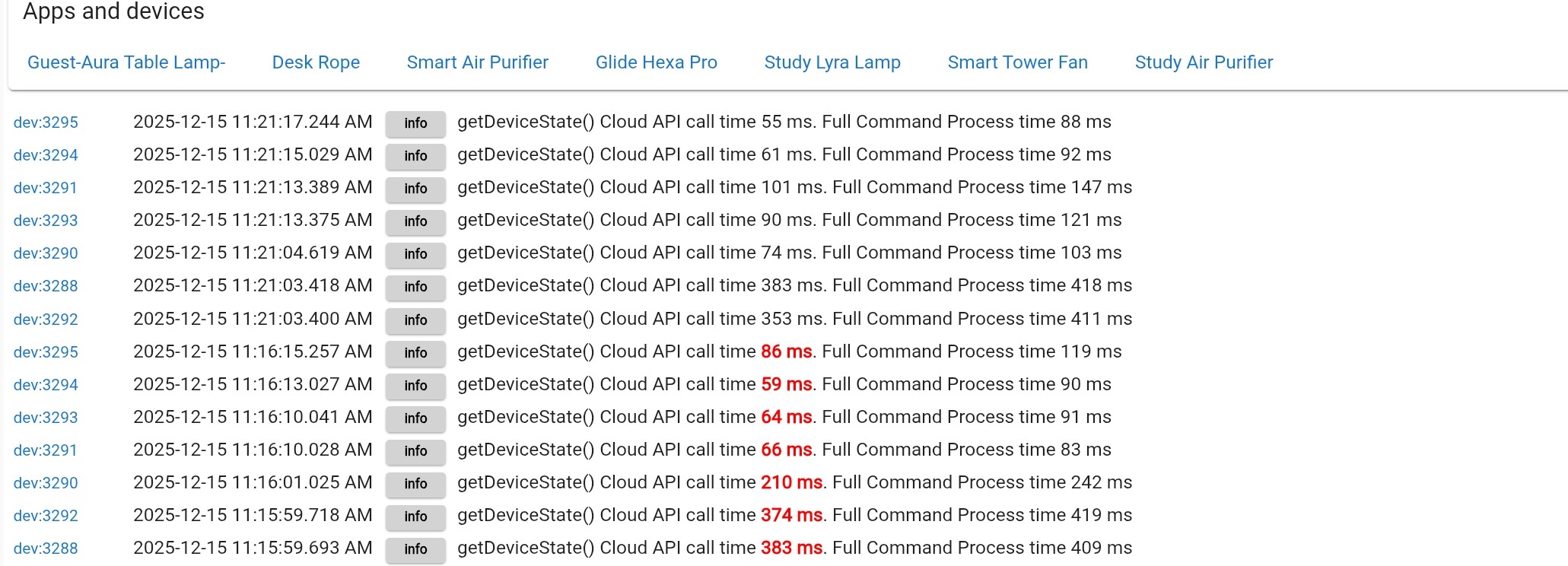
I have a new build with the Govee_Cloud_API library updated to use a 60 second timeout value instead of the default 10 seconds timeout that is used when not specified. It also has logging to show how long the calls are actually taking. Here is an example of the logging. I added color coding to show when a call gets over 10 seconds for the API Call part of the action. Below you can see the response with the color coding before i adjusted the value to trigger the color.
If we see the issue pop up again, I will publish it so users can see what is going on. The first time wouuld be specifically the time between sending the call/post to the API and getting the response. The second time value is to complete the whole routine in hubitat. That would mean not only getting the response from the api but also any post processing after the response is recieved.
That's a very useful bit of code/logging. Being that I'm using the retry bundle, how does one update it? I'm assuming download the bundle and import again? If you're not updating that build, no worries
I just updated the bundle file with the retry logic to include the api call timing code changes. I also adjusted it so that when a call takes over 10 seconds it will be logged as a warning instead of info to help it stand out since it is a problem.
Interesting issue with H607C lights (applies to all 3 of them). Before now, I used LAN controls with Cloud for scenes for these devices. I attempted to switch to LAN scene controls, using the model-specific scenes file (GoveeLanScenes_H607C) that I generated from the app. Even though the driver saves reloaded the scenes (with the lower numbers), I still initialized and performed a Scene Load.
After these steps, setEffect behaves oddly. Regardless of the number argument in setEffect, it always executes the last scene that the Cloud activated before I switched. The logs indicate different effect alphanumeric details in the Govee commands, but the device itself sets to the last Cloud-set effect. I reverted back to the cloud, selected a different scene, reverted back to LAN Scenes, and then all effect numbers executed that latest Cloud scene. It's as if the device does not the parameters of the LAN scenes.
Back to Cloud for now. (I was trying to avoid the timeout issue.)
The retry bundle with LAN API and LAN Scenes has been set up for a few days now. Zero issues. This says something I guess for the extra work creating Tap to Run\Snapshots in the Govee app and importing them via the V2 integration. Finally have that process sorted and working well.
Yes, it has a small light in the base. I completely forgot about it. Do you think the issues are related to the new parameter in the LAN API's setEffect? Perhaps it's something like a section or segment indicator, and the H607C requires a different value to set the pole effects.
Not all devices extract with the exact same logic. Strip devices generally do, but once you get a way from that the option to extract from Govee's API may need parameters per device. If i haven't validate a device yet, it just needs to be evaluated and then added. When i get a chance I will add the H607C to use use the same parms for that method that the H6079 (Floor Lamp Pro) uses. They are similar devices and released at the same time. There is a decent chance they follow the same enconding methodology. If not i will need some extracted with the Tap-To-Run method so i can do some evaluation and then update the configuration accordingly.
Please go ahead and download the latest update. All it includes is new values in the Integratino app to extract the Scene file as stated in the above post. Once it is updated try running the process again to extract that file. Then refresh your scenes and let me know if they post or not.
If not i would ask that you extract 4 or 5 scenes using the older Tap-To-Run method. Then send them to me in a DM. Then i can decode and compare what is being created and make the needed adjustments.
I have an API key and the H6008 bulbs say they are not LAN devices.
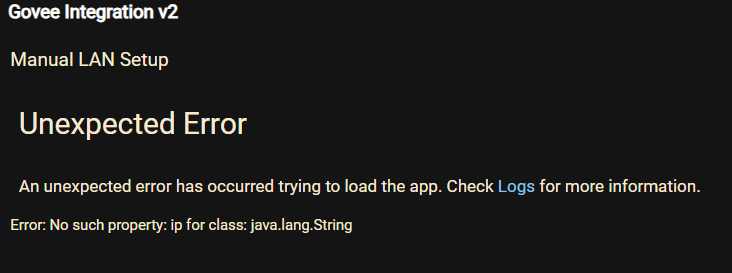
I was just clicking on the app and exploring.
Just mentioning in case some of these clicks should be handled. Prevent dummies like me thinking something was wrong.
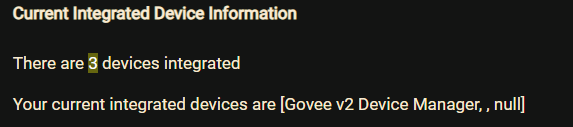
This first error I thought would show my 2 bulbs not ,,null though.
A note on the scene names. After changing to LAN Scenes and saving, the scenes automatically reload. A multi-word scene name appears as "Spring Wind", with a normal space. After hitting "Scene Load", the spaces in multi-word scene names change to "\u00a0". So "Spring Wind" becomes "Spring\u00a0Wind". Not causing problems for me, as my apps account for this. But an interesting difference between the auto save-load and the explicit "Scene Load".
Sorry, I was too quick in sharing my observation, because there's more and it makes sense. Refreshing the browser returns the normal space ... and the clarifies the issue. "Scene Load" returns the character (i.e. No Break Space), which is correct for the actual Govee scene name (also returned for Cloud scenes). But refreshed browsers (Chrome and Firefox) exhibit the same behavior in that they re-render the No Break Space into a normal space for display purposes.
Sorry, this was spam. This is not an issue. Even if the character were actually changing (which it's not), it would not impact execution, since the setEffect command takes the integer value. (AI assisted with this investigation.)

 .
.