So are there any good youtube videos that talk about all this rather than trying to wade through 1400 posts and other driver threads?
I have a GoVee Pro string light setup via the driver: Govee RGBW Matter Advanced. However what I really want is it to start up with one of the user created themes on the GoVee app. Hubitat seems to start it up with a basic white theme which is configured in the Hubitat Device page.
I would rather not have to manually deconstruct the user theme and then try to configure it back into Hubitat.
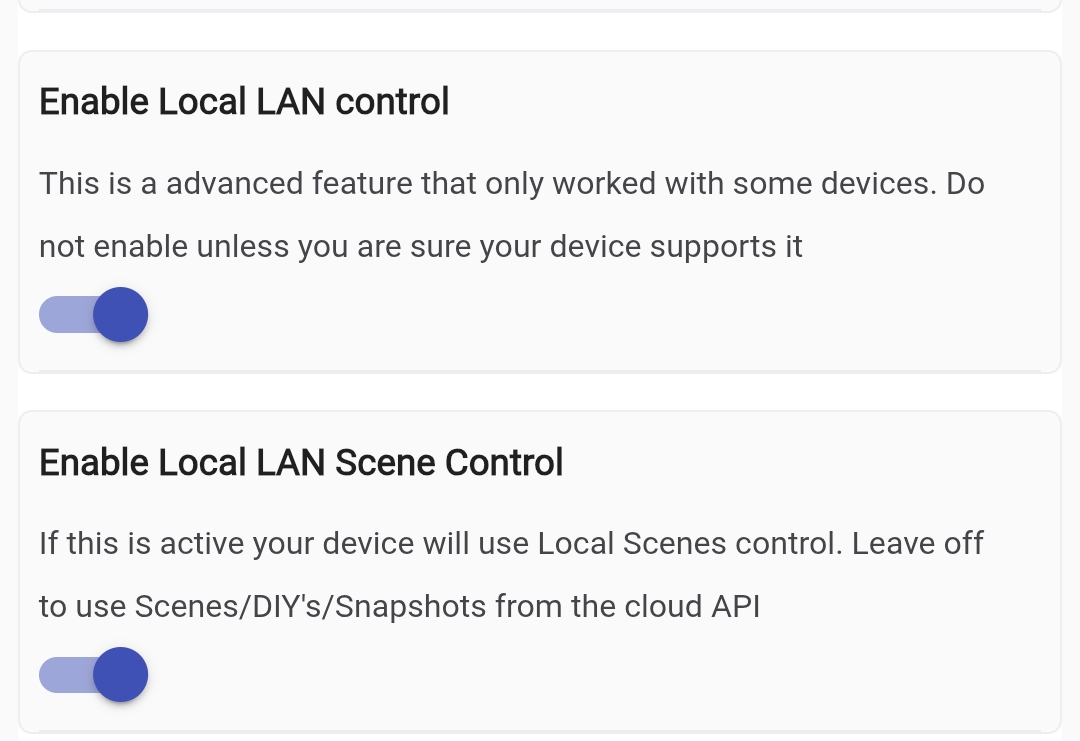
Unfortunately the use of "Matter" is kind of limiting as it doesn't support LightEffects. My driver that you are using does support LightEffect through the use of the LAN API. You will need to set that up. That means that in the Govee Home App make sure you open up the device settings and turn on the LAN API. Once that is enabled you will also want to set the device to use a reserved(static) ip so it doesn't change and set that on the device. Once that is done you will want to "Enable Local LAN Scene Control" and also specify the LAN Scene File that should have downloaded and loaded on your hub's storage.
I have actually stopped using the Matter drivers myself. I had to many issues with the devices dropping from Hubitat and becoming unavailable. Do you know if your Govee Pro String Light will work with either the Cloud or LAN API. What is the model number of it
I would suggest since you are here to load the Govee Integration V2, request your API Key through the Govee Home App. Then configure the device through the Govee Integration V2 App. You can still keep all the same stuff local with the Govee Integration V2 but since it isn't matter some stuff just happens a bit more fluidly as part of the integration. It will also enable additional flexibility for functions you may want.
As far as Youtube videos there isn't really, but that is because there are so many possible setup options.
Click on the little person icon in the lower right. Then click on the Gear Icon in the upper right.
You should be on the settings page and in the bottom section is a option to apply for a API Key.
Generally they respond with the key in just a min or two.
Hard to know without your returned API data. I generally suggest installing all of the light deivera in the integration because you may need any of them as you get more items.
The integration figures that out for you. You really should never change the driver. The only reason you would is if new functions get added to the API and i build a new driver. If that happens i will provide directions on what is effected and what to change it to.
There is also a icon in the upper right corner of the app that leads to documentation i have created for it.
Once you get the device added you will want to ser it to LAN API. To that wait a few min and then open it up and set the preference to enable local Lan Control to on. At that point you should be all set. Feel free to keep hitting me up if you need assistance
I tried just doing the GoVee Manual LAN APi Device and get the same error than I tried the light drivers and not the LAN API Device and still get the error.
I tried doing an uninstall to see if I had some version of Govee 2 already and nothing shows.
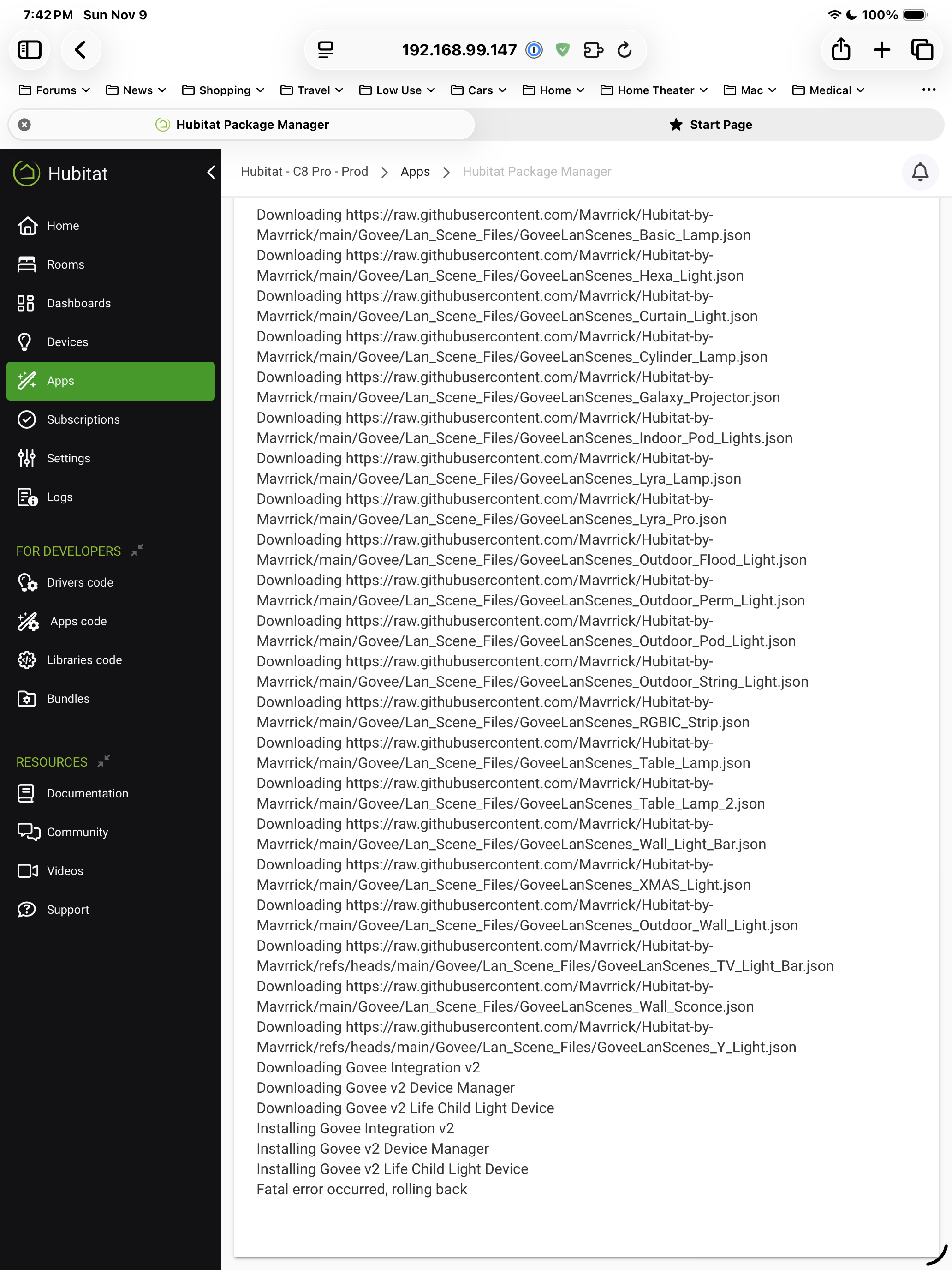
Then I tried selecting none of the V2 components and still got:
Thanks I updated HPM and successfully installed Govee V2. I do not see it listed in the main Apps Display. I do see it in the apps code section. Do I need to activate it?
So I think I have it all loaded. I tried to download the DIY themes. In the device under the GoVee 2 listing it mentions DIY numbers. Are they simply 1, 2, 3 or is there a code name. When I put in 1 and activate the log came back with null object.
It's been awhile since I've had to download the diy scenes but I know the scene numbers are listed in the state variables on the device page. My scene numbers start with 1001.
I can turn on the lights via the device page now but the scene thing does not seem to work.
I believe I did do the download but the state variables show the "DIY" list is essentially empty.
However I have 3 items in my DIY showing in the GoVee IOS app.
If you did you need to extract and populate the diy scenes file. If you turn off just the option to "Enable Local LAN Scene Control" the driver will get the scenes from the Cloud and will match what is in the Govee Home App.
Yes they are both on. I turned off the local scene control and I do see the DIYs in the state variables now.
So my next question is setting the default scene. If I input the number in activate scene and say run does it stay that when the Hubitat automation turns it off/on on a daily basis?
Or do I do something else to manage the default behavior?
It's unfortunate this seems to be the only place I can see DIY numbers. They don't show up in the app from my browsing.