Govee Integration V2

Pretty much the best way to make it as fast as possible is to ensure you are using LAN Control. It may never be instant because you still need the switch to talk to the hub and then the hub to talk to the device. Eliminating the Govee Cloud though can make a big difference.

@matsam i believe i see the issue. The easiest way to help with the issue could be to turn on the LAN API control for a device in the Govee Home APP. Wait a few min and then try again. I will work on a update to fix what you pointed out.

Totally worked, thanks, mavrrick!
I've only added one device after adding one with the Local control, but it happened just like you predicted. Awesome work!
Thank you!

1 Like

That is fantastic to hear and confirmed what I thought was causing the issue.

I just published a small update to the "Govee Device manager" device to address this issue.

The issue centers around the lack of any LAN API enabled devices. This small fix should allow the software to work even in that scenario now.

1 Like

Good afternoon,

I was chosen to test two H6008 bulbs newly released from Govee. I received the bulbs and set them up in Hubitat. They do have the lan control option so I turned it on and set the ip address in Hubitat. Most seems to be working but one thing I noticed is that when lan scene control is on, setting the scenes on the bulb do not work. In order for the scenes to work lan scene control has to be turned off. Am I missing something?

Thank you

This is fantastic to hear. This has been a big miss for the their light bulb products for a while.

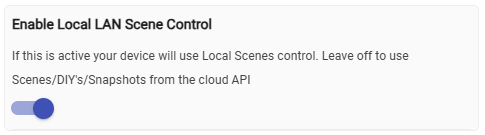
Can you confirm that this is the option you are referencing

image

When that is turned on the device driver references a local file to use to identify the command to be passed for the device via the LAN API. When it is turned off is the driver reverts to the cloud api for the Light Effect control. Since those are brand new devices and don't really have a Local LAN file generated it is likely that the driver is failing to find a the local file and then is just erroring out. I would be will bet some money you would find error messages in the live logging to that effect.

There is a new way we can try to generate the file and see if they work.

  1. Open the Govee Integration v2 app and scroll down and select the button for "LAN API Scene management menu".
  2. Click on the option to "Extract Govee Scenes from API". It is labled experimental, but only beacuse i can't ensure it works for new devices.
  3. Then put the model number in of H6008 and click on the next button.
  4. Once the spinning cirlce goes away in the upper right corner you should get a new screen with the file name that was created that contains those scenes. Highlight the file name and use the copy function so you have it ready to be pasted.
  5. Now go back and open up your light bulb device and go back to the preferences. You should see a field for a file name. Past the file name for the file you just created and click on save and close. Initialize the device and look for scenes to be listed. If they are try to run them and let me know the results.

If that scenes that are extracted fail then we likely need to extract the scenes using the Tap-to-Run method. But i would try the above first as it is much easier and less tedious.

Either way this is fantastic news as LAN API Enabled bulbs have been a frequent topic i have heard about.

Also if that doesn't work these items may help me figure out what is happening

  1. Debugg logging when you are creating the event or lack of activity
  2. a snapshot of the device data values. Specificaly the device type that is detected
  3. A snapshot of the state values so we can see what the device things it has for scenes.

Yes that is the setting I’m referring to.

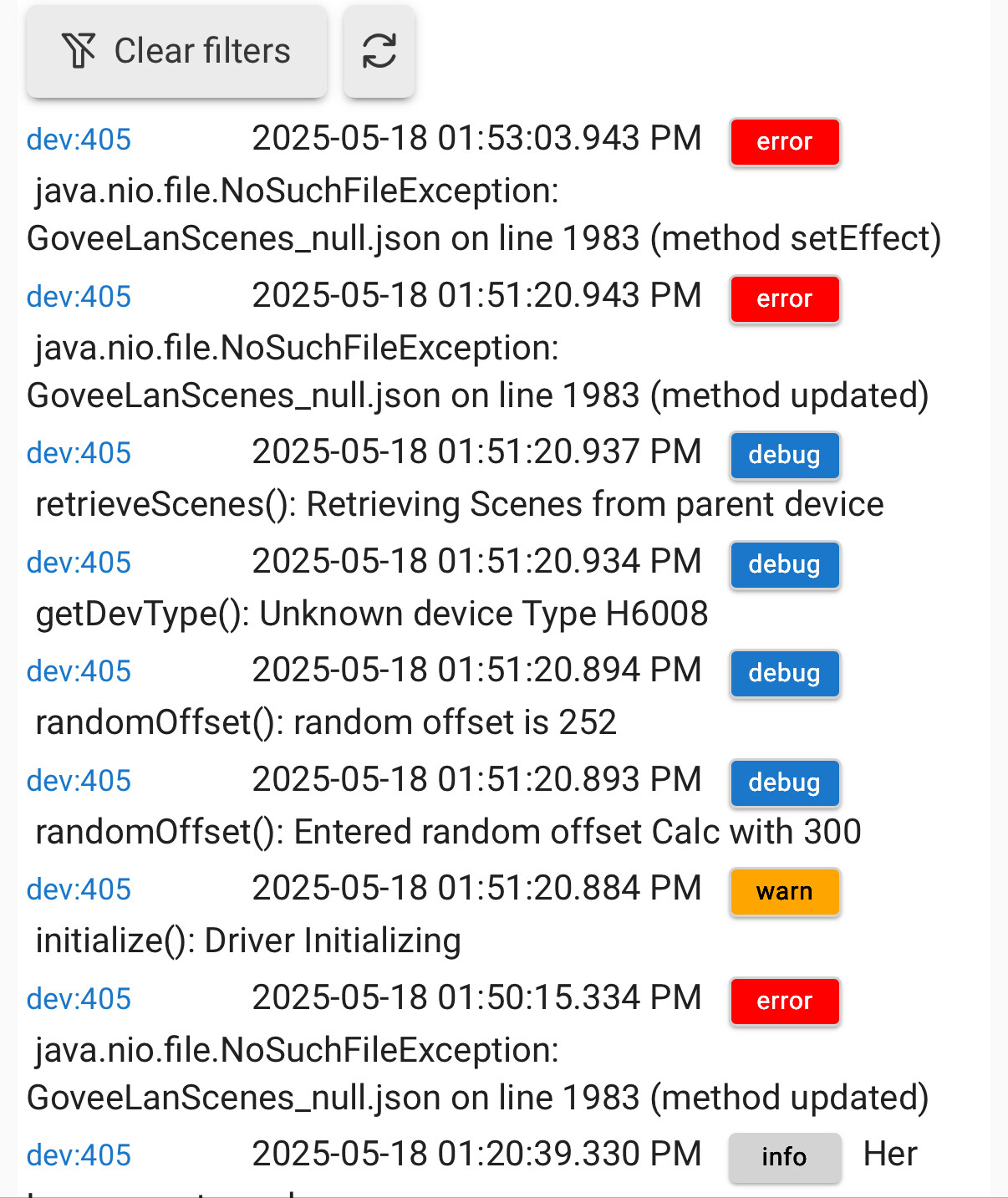
Yes the file that it inputs when the setting is turned on is GoveeLanScenes_null.json.

These are the logs when I try to run a scene with the GoveeLanScenes_null.json file.

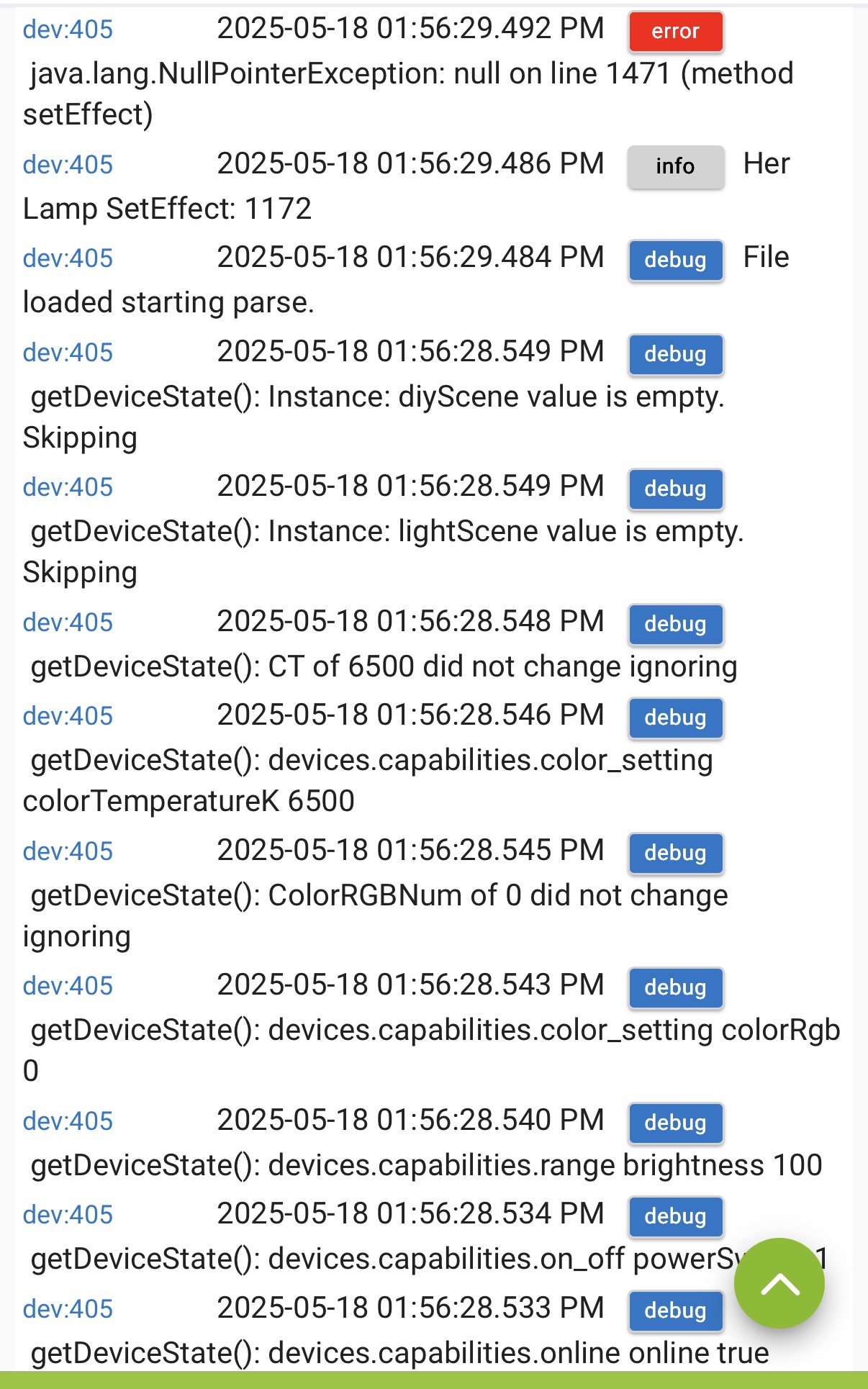
I followed the instructions you listed and the file name changed to GoveeLanScenes_H6008.json but unfortunately still do not work, after I pasted the new file name, saved and initialized. I don’t know if it helps but the scenes were listed in the state variables with either file name I used. They are listed but do not work when setting effect with either file name.

These are the logs I get when I try to set an effect using the new file name GoveeLanScenes_H6008.json

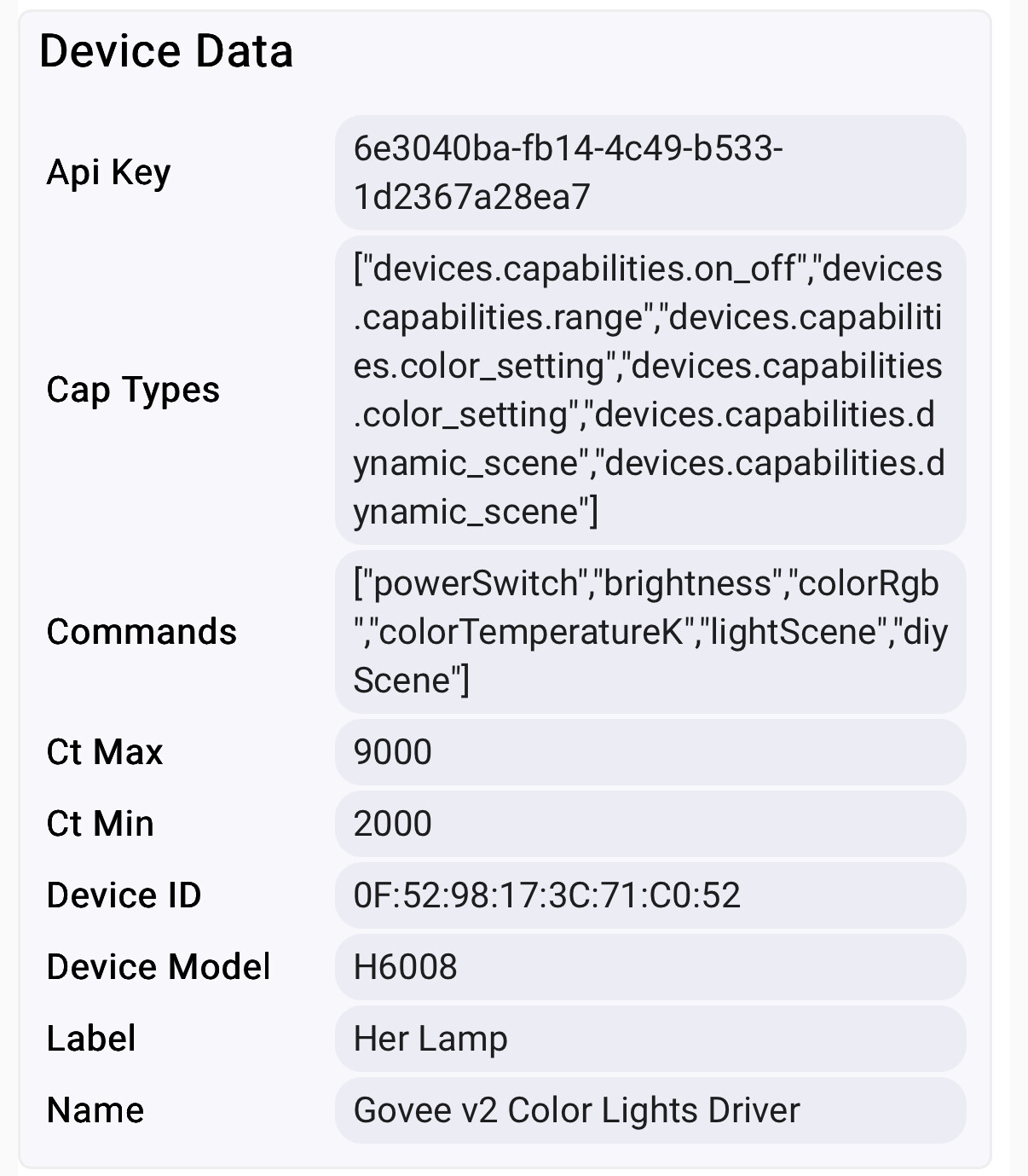
This is the device data section

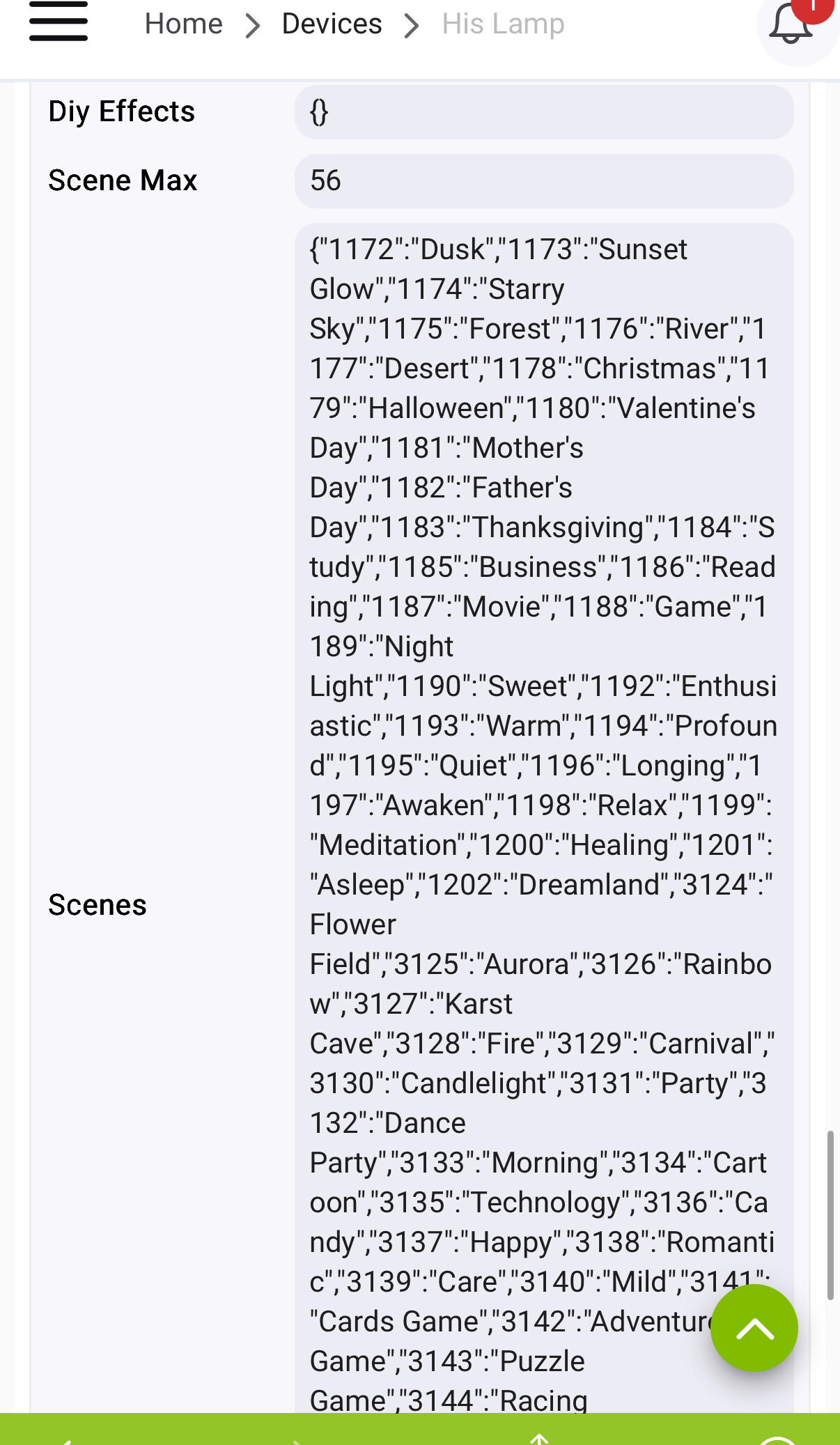
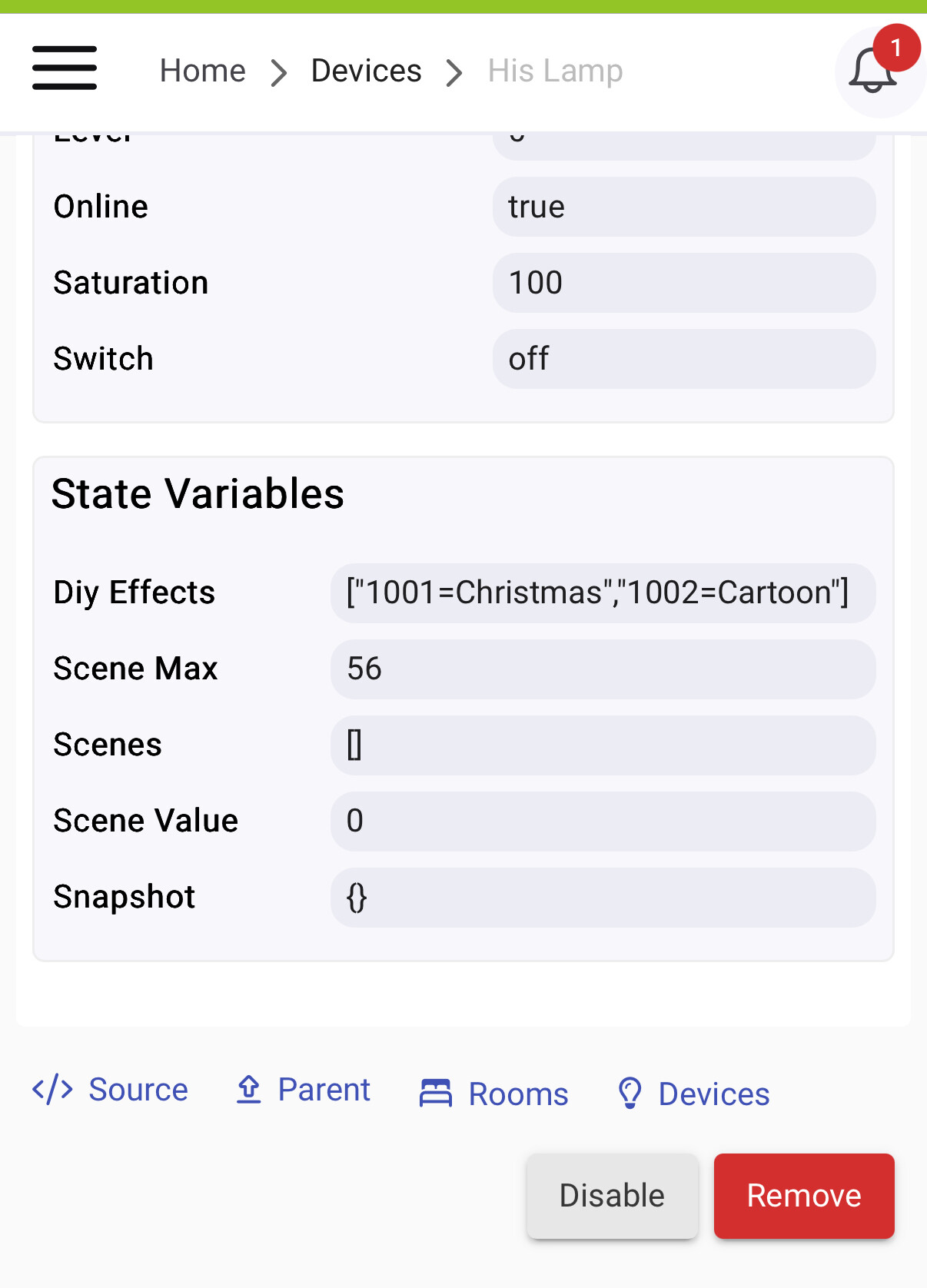
Here are the state values.

Yea, it’s nice to see lan control added. I have a Govee h6003 bulb that doesn’t support lan. I hope I’ve provided the correct info and enough to help get it sorted out. As for now, I’ll leave lan scene control off and continue to use the scenes through the cloud api

Those numbers for the scenes indicate that it still has the scene numbers from the Cloud API. The it would start at 100 and go up from there if it was using the generated Scene file.

I also see a few things that don't quite match up. Can you make sure you are running the latest version of the integration. Maybe just perform a repair in HPM to be sure you are on the most recent batch of code.

That makes sense because my Govee floor lamp scenes are in the 100’s.

I don’t see any update to the Govee manager in Hubitat packages manager and when I try to do a repair to Govee manager in package manager this is the result I get:

An error occurred downloading https://github.com/Mavrrick/Hubitat-by-
Mavrrick/raw/main/Govee/v2/Mavrrick.Goveev2ColorLights3Driver.groovy

That error most likely means a tracked driver was removed outside of HPM. Easiest way to fix that will be to unmatch the Govee Integration and then Match it again in HPM. Once that ia done done a repair again.

So I did the unmatch and rematch, it let me then do the repair. But now I’m noticing the lamps aren’t working at all. The ip address field is gone under lan control in preferences. If I turn lan control off the lamp works over the cloud api but when I turn the lan control back on it no longer asks for the device ip address thus causing it not work when lan control is on. What happened during either the unmatch/rematch process or the repair?

That is expected. The new version of the integration has functionality that retrieves the IP from the device and for that reason i removed the ability to manually set/change it.

The Unmatch simply makes HPM completely forget about the app/driver. This helps when stuff get manipulated outside of HPM and it doesn't know how to fix it. Then the rematch allows it to relearn what you actually have on the hub. Kind of like a clean start for HPM so it only knows about what is actually on the hub.

The problem is likely because a simple HPM update doesn't fallow the procedure i layed out to go to the release that came with 2.4.1. I should have also asked you to do a restart after. That will trigger every device to initialize again and ensure the IP data is current.

Please tey a reboot of the hub and let me know if that doesn't fix your lan API devices.

I did a hub reboot and still none of my Govee devices are working with lan enabled. This is the log

Edit: so after another repair and unmatch process I was able to get them working on the lan again but the lan scene control still does not work after all of those processes

Are we still just talking about the new bulb device, or other devices.

May need you to extract a few scenes with the older tap to run method so i can see what the difference is between methods.

After that initial unmatch and rematch then repair all of my Govee devices stopped working (not just the H6008 bulbs) on the lan and those logs above are what it was logging. I started to try and figure out why so I did another unmatch and rematch and all of the Govee devices started working on the lan again but the original problem of the new H6008 bulbs not setting scenes on the lan is still happening.

So we are just trying to still figure out why the scenes aren’t being extracted properly to work on lan scene control, they are only working on cloud api for the new bulbs.

Most likely the default method used by the process i sent you to isn't quite right. I may need to implement some adjustments for bulb devices.

If you can collect a few using the older Tap-to-Run method i can then compare the output and find the discrepancy and code to fix it. Since this isbanearly release device i would need you do to the extraction and send me the data feom the app state value.

I will give it a try tomorrow, I can never remember how to do that so if you can provide me some instructions for reference I’d appreciate it.

Thank you

There are directions in the online documentation.

If you open the integration app there should be a ? Icon in the upper right for the documentation. I will review it tomorrow if i can get sone free time to make sure that section is up to date.

Ok talk to you tomorrow

1 Like

Not sure what device you are running, but it looks like Govee Moved the Tap-to-Run's and renamed them to be under short cuts. This means the documenation isn't 100% accurate anymore. Simply put to to create the tap-to-run/Shortcut card perform the fallowing.

  1. open the Govee Home app.
  2. Select the icon across the bottom second from the left next to the Home icon. That will put you in the shortcut/autorun screen.
  3. click on the icon in the upper right with the 3 squares and diamond
  4. Now select "Tap-to-Run" and you should see an option to create. Click on that and setup the action. You may need to specify a custom action as it looks like by default it just does on/off for the standard action.

They certainly didn't make it easier with these latest changes.

I’m sorry, life was busy

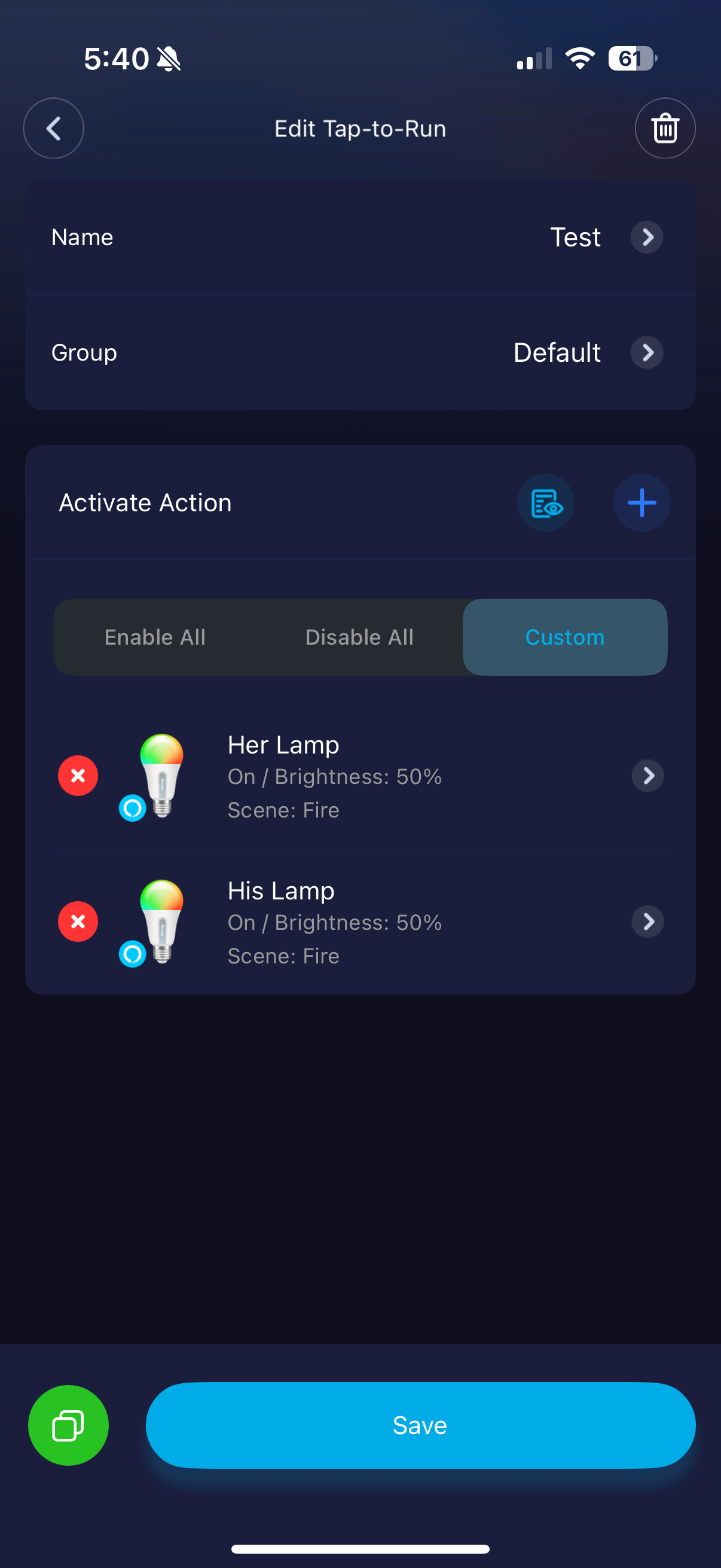
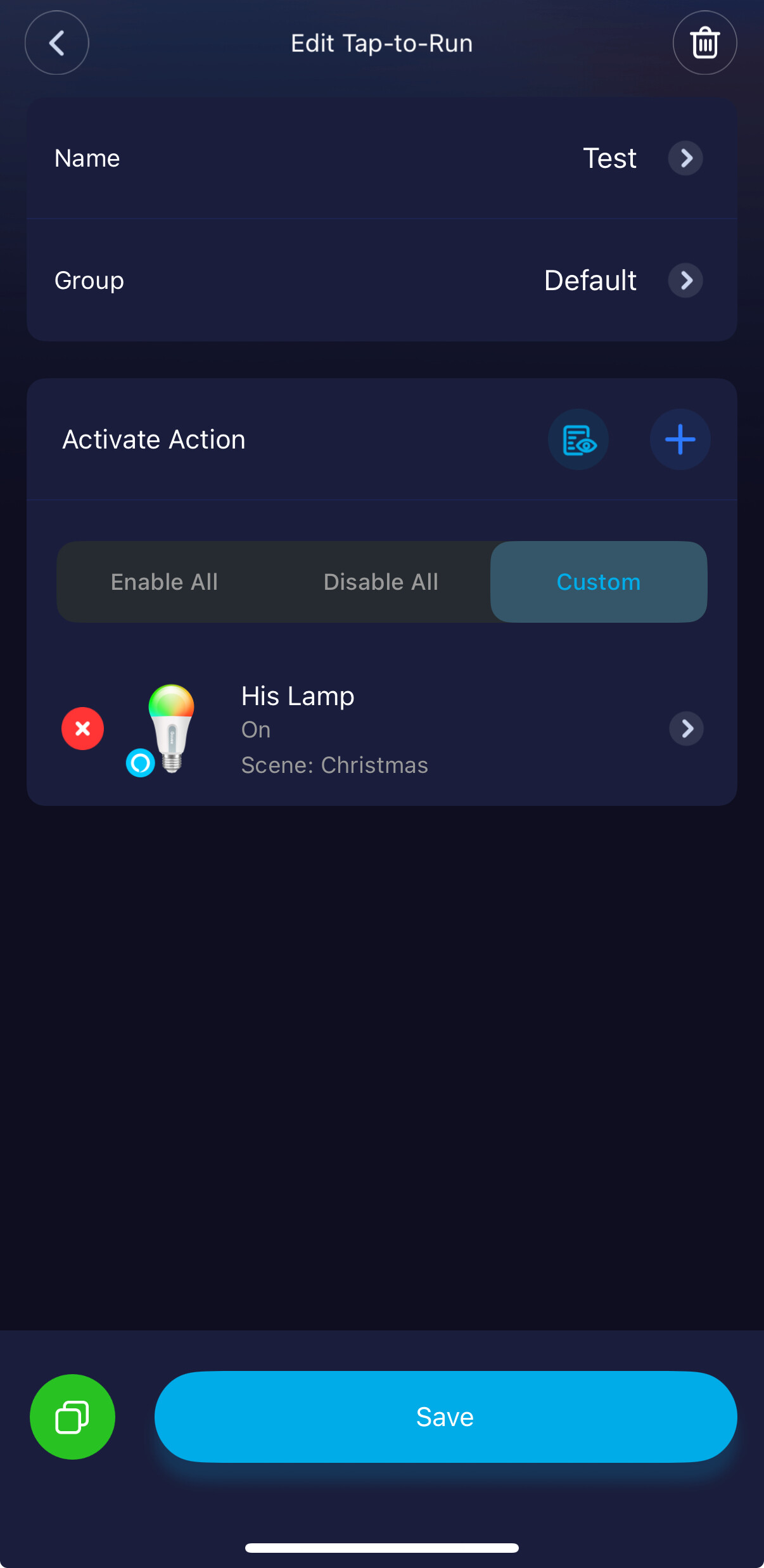
So, I created a tap-to-run in the Govee app with one of the Govee scenes.

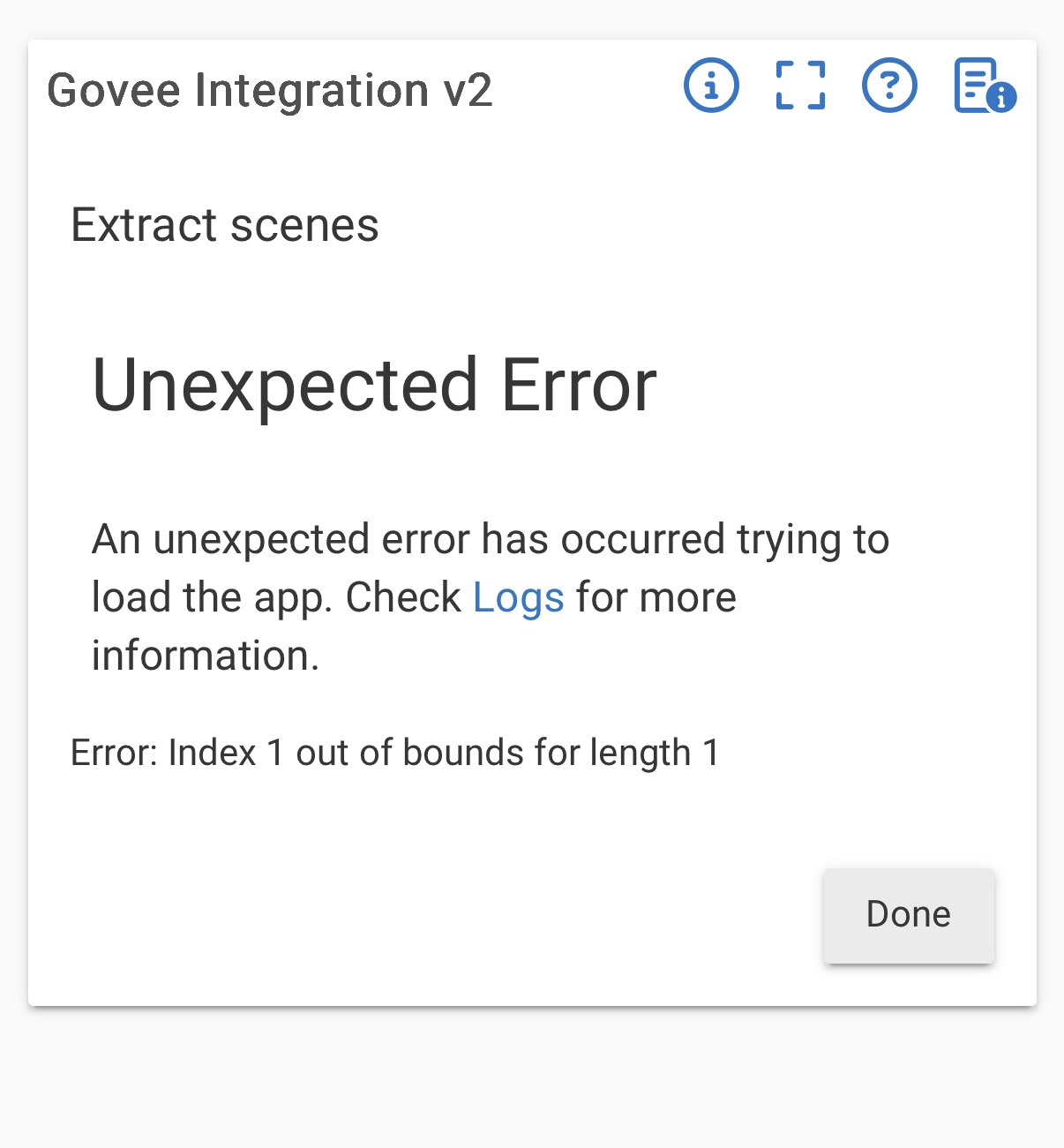
Both H6008 bulbs have lan scene control turned on in Hubitat currently. I went to Govee integration and to scene extract. I received an unexpected error, it did not find the scene from the tap-to-run.

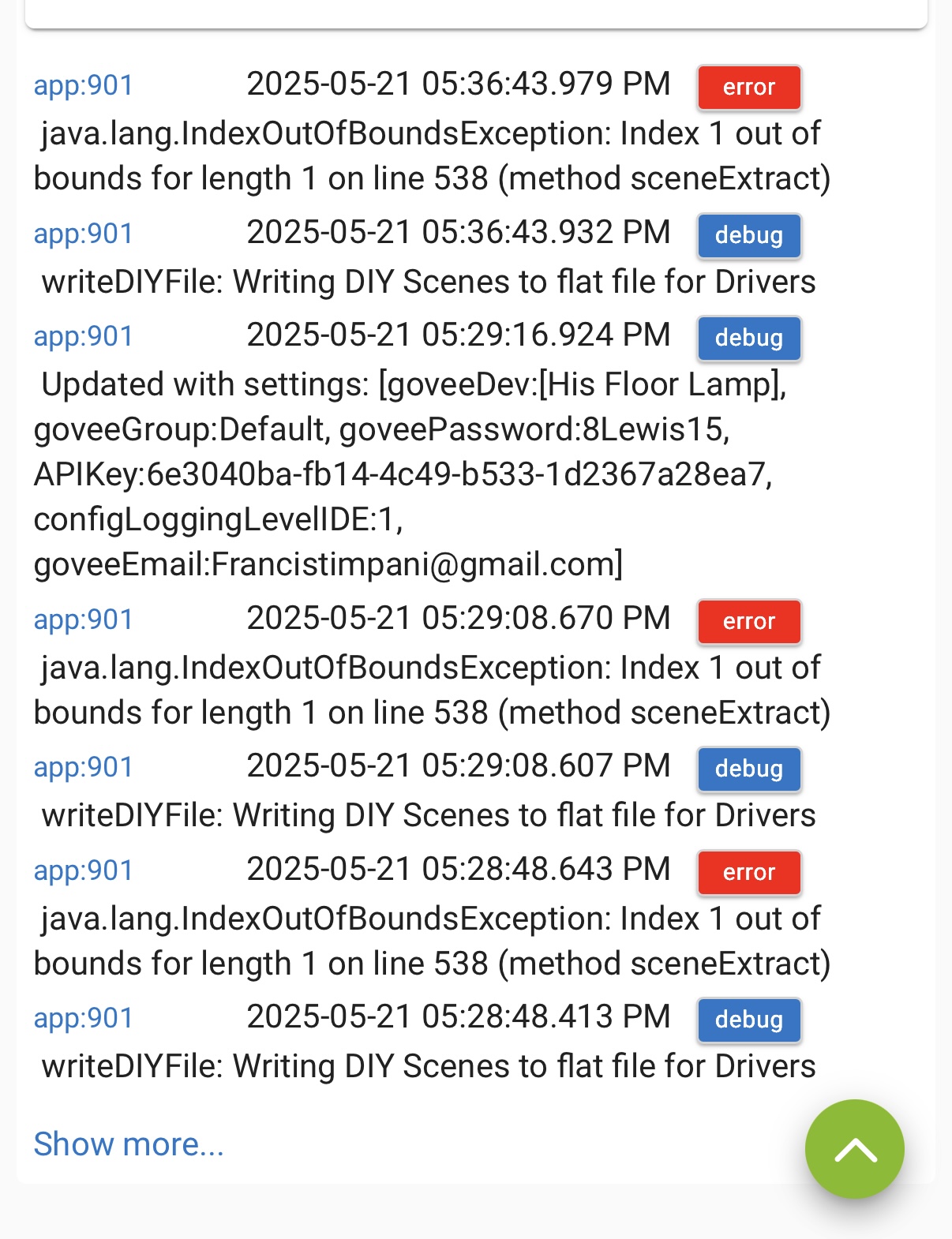
This is the log it produced when I tried to extract the scene from tap-to-run in Hubitat.

I then turned off lan scene control in Hubitat (leaving regular lan control on) and attempted to extract the scenes again, same result as above.

I thenl created a DIY in the Govee app for the H6008 bulbs.

  • In Hubitat, if the lan scene control is off it will pull the DIY right over into Hubitat, even without using the scene extraction, just a scene load command and the DIY is there.
  • if the lan scene control is on, Hubitat will not pull the DIY over at all.

So, DIY’s kind of work as long as lan scene control is turned off and it pulls the DIY from the cloud api. If lan scene control is on it won’t pull the zDIY just as it won’t set a scene while the lan scene control is on.

But nothing changes with the scenes when I set a tap-to-run to a scene and try to extract it to Hubitat, it gives that error.

I hope this helps you diag and let me know what else you need to help further.

I just noticed that I can pull DIY’s into the H6008 devices just by pressing scene load but I can’t pull DIY’s into the H6008 devices using tap-to-run. I have to use tap-to-run to get DIY’s into my Govee floor lamp H6076. Definitely not consistent between the two devices scenes and DIY’s

Update: I was able to get the Govee integration to extract a scene from tap-to-run for the H6008 bulbs but when I go to the device is in Hubitat I can’t get the tap-to-run to show anywhere. I press load scene, refresh the device but whatever tap-to-run that was just extracted doesn’t show in scenes or DIY’s.

I know I’m probably confusing you but it’s hard to explain

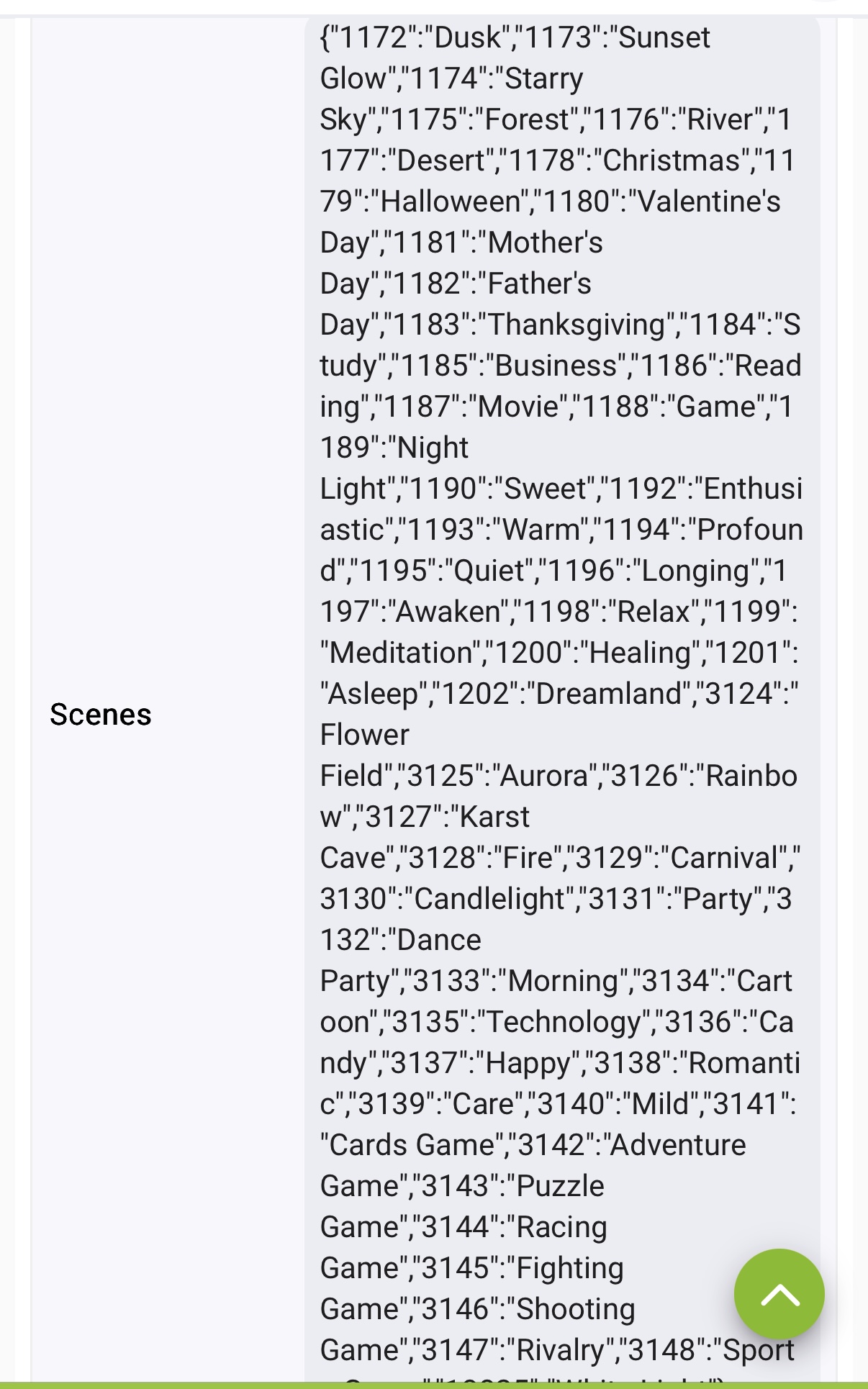
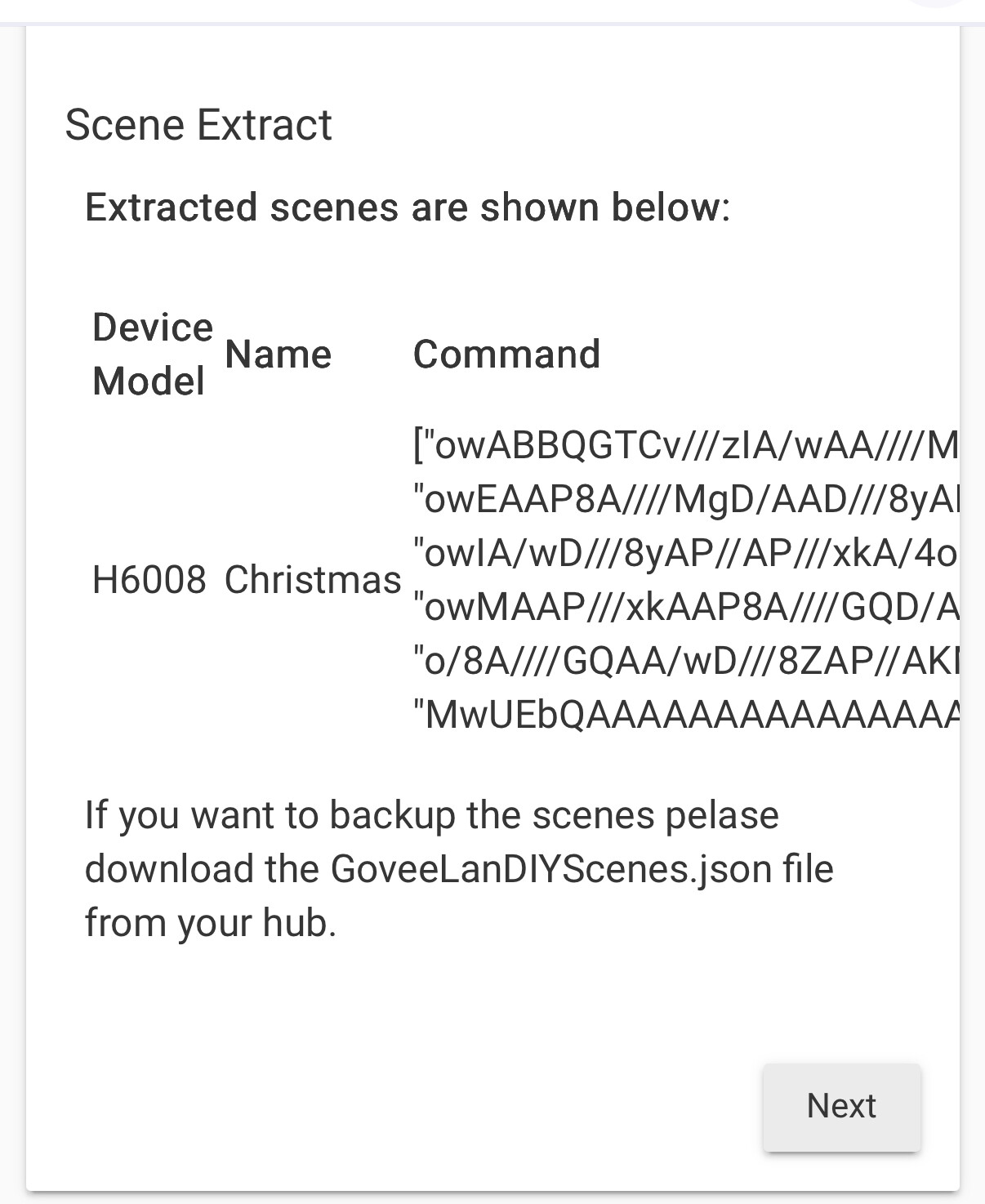
This what happens when I try to extract a tap-to-run I created in the Govee app that uses the Christmas scene. Hubitat it extracted it but I don’t see it in the state variables anywhere. The “1178 Christmas” scene is in the state variables but that has always been there and doesn’t work with lan scene control on. I’m not sure why I don’t see the tap-to-run Christmas scene under the DIY section or anywhere else.


If I use this GoveeLanScenes_null as the lan scene file name the tap-to-runs that I created show up under DIY but the Govee scenes disappear. The tap-to-runs work.