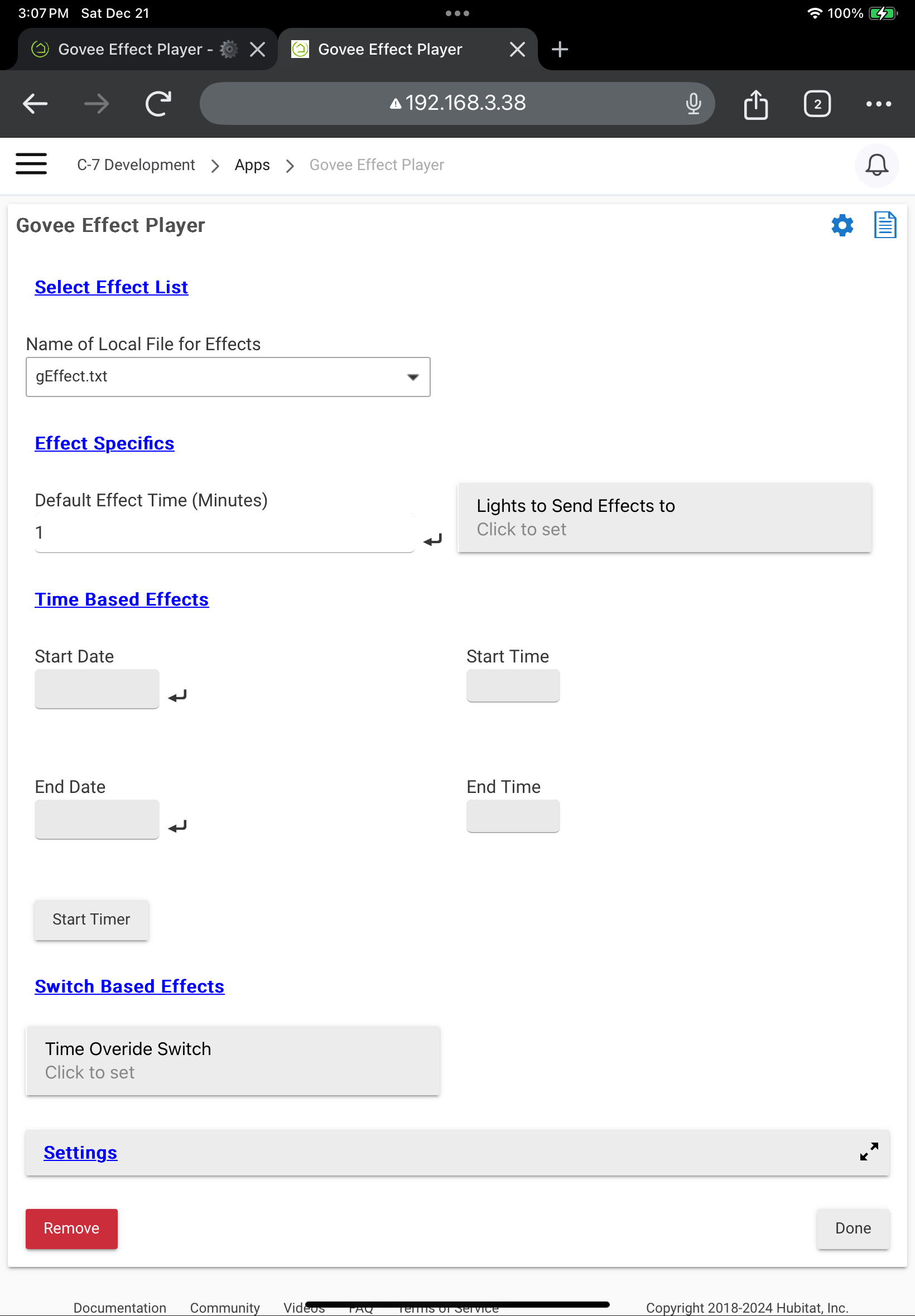
The minutes column is optional, and if not present will default to the setting in the app.
setOrAct must contain either set or act to invoke the setEffect or activateDIY commands repsectively
Two ways to run the app. Option 1
Timer based, give the app the starting time and date, and the ending time and date. App will run from start time to end time for each date in the range.
Option 2
Switch based. App will run when the switch is on. (The switch option overrides the timer option if both are attempted.)
Accepting the blame for this happily...it is a very cool app (as usual from the Bear) and has been extensively tested and determined to be A1 class! Govee-fanatics, have at it.
Just noticed this, and I haven't used this since last Christmas so please forgive my memory.
I believe Govee built-in effects and DIY (community) effects require two different commands to run:
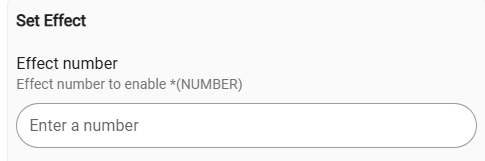
Built-in: setEffect > Number
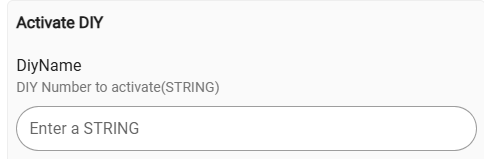
DIY/Community: activateDIY > String
Built-in scene:
DIY scene
I think this app only handles built-in scenes, tried a DIY scene and it didn't play.
Would it be possible to add the ability to handle DIY scenes as well? Mayve via two sections in the input file w/appropriate headers, or an identifier on each scene that would ID it as built-in or DIY?
When the devices are using the LAN API all of the scene numbers are stored in json files. If the devices use Cloud API the scenes are dynamically retrieved from the cloud for both regular and DIY and then the numbers and names are stored in a state value that is a map.
Let me know what you need and i will see what i can do to provide it.
I'm a huge fan of the light effects, and use them daily across multiple Govee products. Thanks for your hard work on it!
I apologize as this might be the wrong forum topic for this, but it might help in a derivative way (Govee Integration attributes/commands to assist this one). I think that more visibility into the effects' number-name relationship might help. Currently lightEffects usage can require both name and number: name to confirm/check attribute changes (since effectNum is not an official capability attribute), and number to invoke setEffect. Perhaps supporting the capability's lightEffects attribute to allow apps/rules to access/parse it for lookups. Or perhaps commands, such as getLightEffectNum(String effectName) and getLightEffectsName(int effectNum), could expose the information. Either way would allow the user to know only one (number or name) and find the other, so they can invoke and confirm.
Again, sorry if this is out-of-line for this particular topic.
You can bring it to the Govee Integration v2 support thread if you think it doesn't belong here. That said, I have looked at it before and there are a few reasons that it isn't done. I can take another look though.
Moving the information from the state value to the lightEffect attribute shouldn't behard.
Creating a command to allow a user to retrieve the given name/num is very doable. and wouldn't take much code. The question would be though what would the practicle use of that.
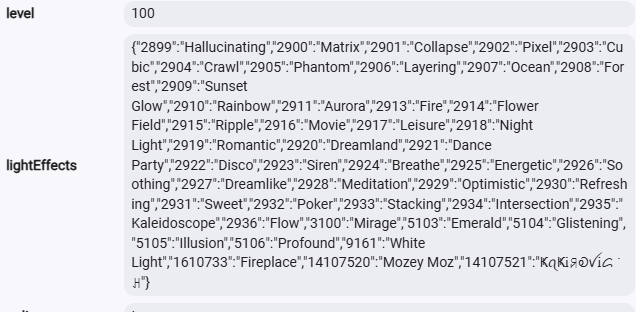
After talking with @JDC a bit more i made a few adjustments based on his input. One of which was i now have as part of the scene state value update processes a step to populate the lightEffect attribute with a json that is the combination of the DIY and provided scenes. I am not sure how much of a help that will be but it is now there. There will still be the seteffect and ActivateDIY commands, but now you can identify the name easily.
I am not clear on the requirements for the lighteffect json format. I would love to split up the DIY and the Standard scenes but not sure if that will go along with how that attribute is suppose to work.
Here is the example of it populated with Cloud API data including a few DIY Scenes.
If you want to download this update you will need to do a repair for now. I haven't updated the HPM files to send it out to everyone yet.
They are separate commands still. That is the structure of how the scenes are with Govee's API. Technically there is even a third option with Cloud API which is snapshot()
My concern with combining them is that since they are two separate API calls for the lists maybe there could be overlap. I kind of doubt it, but it certainly isn't impossible.
In theory for devices that use LAN API for device control it could be consolidated. But i don't want to have the two different api methods function differently. The integrations is already to complicated as it is.
I am up for suggestions to help your app work with them.
The libraries with the Govee Integration also have a few routines you could call to retrieve some of the info as well. They may need to be tweaked for your use, but that shouldn't be to difficult for me to do if you want to try that.
Unless I'm oversimplifying it, I think all I need to do is add a method indicator to the text file to tell me whether to use setEffect or activateDIY, and use that to determine the call to make.
Yea.. it looks like I did that. I am thinking about standardize that now that you have pointed that out. They probably should both be the same. The value to the Govee API has to be numeric. I changed a driver my dev environment to use number for the ActivateDIY command and it worked fine.
This works great for one device, but have you put any thought into a update that would allow this app to work with different device that would use different scene numbers for similar effects. Allot of strip lights use the same scene numbers, but if you have lets say a curtain light and a strip light the Numbers for the scenes would likely be different.
Should be able to run multiple instances of the app by overriding the name, which would allow a different text file to be used for another set of devices. So in theory, you could have gEffect1 using effects1.txt for a set of curtain lights and gEffect2 using effects2.txt for a set of strip lights.
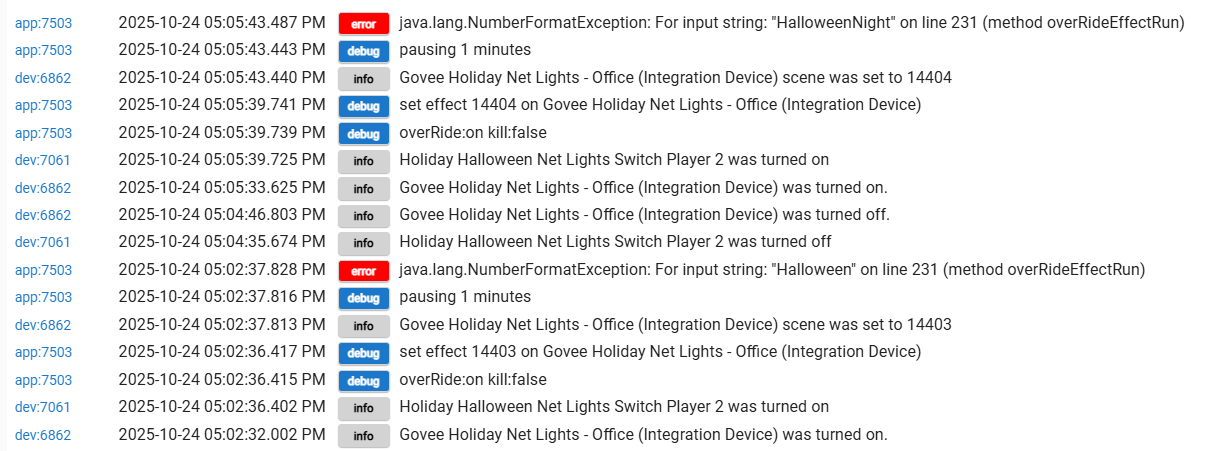
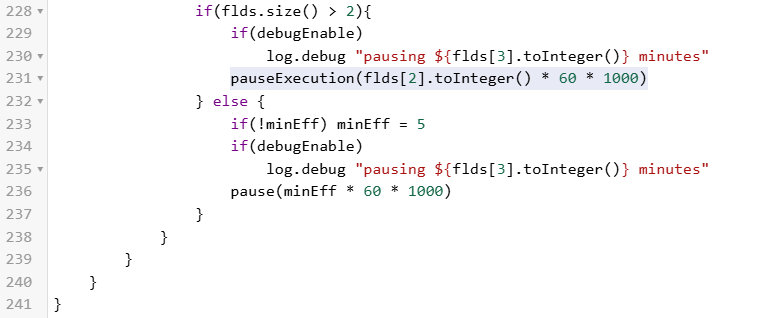
Somehow I'm having some strange errors, and also think I found a typo in the new Player app...fixing it didn't seem to help my issues.
This is the typo: activevateDIY was in the code instead of activateDIY. I assumed the correct spelling was intended. Occured in two lines that I could find, I believe 185 and 223. I corrected them to activateDIY, but didn't help...couple of runs below:
I'm using the file format below: I'm actually a little confused about whether I should use setEffect/activateDIY, or set and act in the txt file. 'Set' seems to work, but when I use 'act' the player doesn't seem to start up properly and just hangs: