Thank you Bryan!!!!
Your driver and 2.2.4.148 successfully added the GE/Jasco Embrighten 28175 (ZW3106) z-wave plus smart dimmer dual 2 plug-in + 2 USB. I was able to re-name the device labels of the left/right child devices via the "component devices" shown at bottom of parent device settings. This switch and its variants (28177, and switches 14282 14298) are very useful and warrant your efforts. AND you can currently buy them through Jasco for $27 vs $65 at Amaxon. Get some!
Thank you for the post. I was trying to rename the device and not the label. The Device label is blank and grayed out but if you click on it it allows an entry.
Can anyone help me find the new driver for this? It's been two years since the update but I can't locate/figure out how to connect this thing. FYI: First day working with my Hubitat so total noob here haha. Love it tho!
It’s a built-in driver called Jasco Z-Wave Dual Outlet.
Thank you! I actually found my issue. I was looking under outlets. It's under switches ... Then I was having issues pairing it from some reasons. Did the factory reset multiple times on the switch with no luck. Rebooted my hub and it paired right up. Thanks!
1 Like
Glad that worked out. As a tip, because Hubitat can automatically pick a driver based on the device's fingerprint during pairing, you might find it easier to use the "Zigbee" and "Z-Wave" buttons in the Add Device screen that are highlighted below. It might be easier than adding a device by its type or brand name.
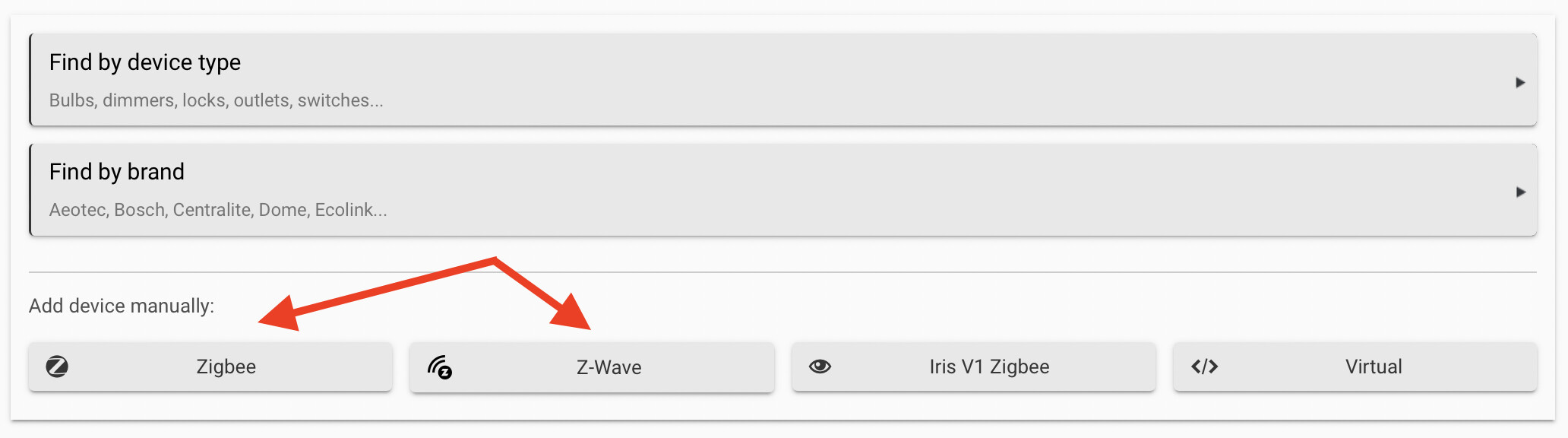
If no matching fingerprint is found, Hubitat will add the device as "Device", and you can use the community to determine the built-in driver that is most likely to work, or a community driver for that specific device.
Good luck and welcome to Hubitat!
1 Like
Awesome thank you for the advice! I have mostly GE devices and thats what I'm noticing. I think the big frustration was simply coming somehow from my hub and rebooting it solved it. Had to do the same thing with my front porch lights pulsing/flashing because I accidentally pressed the flash button while messing with them haha
1 Like

