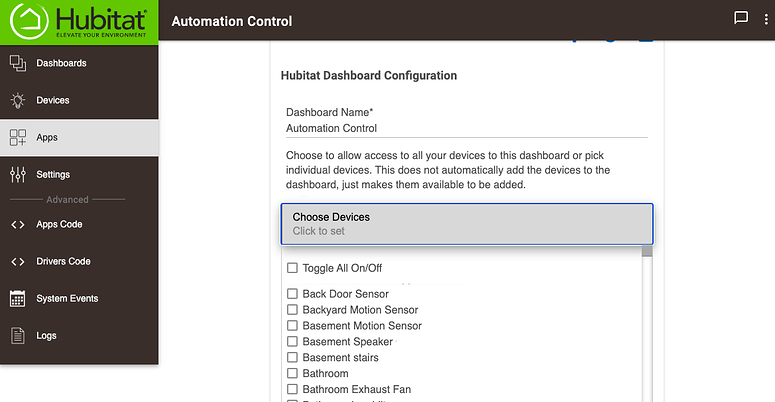
I am trying to add my garage door to the dashboard, but it does show in the list. Its a gocontrol that registers as a generic z wave. It works in my device list but doesnt show in the “add” options for the dashboard. Any suggestions would be helpful. Thanks ahead of time.
Did you go into the Hubitat Dashboard app, select the dashboard, and authorize access to that device?
Terk
June 19, 2021, 2:19am
3
Which model of garage door controller are you trying to add?
Welcome to the community!
Referencing the screenshots in this post:
Yes, that's the end goal.
But it's a little bit of a disjointed process. (For me
Is it showing up in step 2?
2: Add new device to Dashboard App. Choose Devices
Thank you all. That helped. I didnt realize that i had to re apply the dashboard app after i installed a new device. Thats all it took!! Thanks again