Why does my C8 keep freezing up. I’m on version 2.4.3.137, updating to current (2.4.3.171) now. But I don’t have high hopes for improvement after reading the change notices. It will run fine for a few days, sometimes weeks. Then locks up…can’t access through the app and the programmed automation stops working. Green light is still on. Power off/on gets it running again. Step and repeat….so unreliable it’s barely useable.
There are a few things in the link below you probably should check or perform. You also probably should submit any logs or other relevant information from this list.
I also have a C8 and after awhile i need to reboot the hub. Mine doesnt freeze up or anything like that but it will start to get slow. And what i mean by that is the automations start getting slow. Ex if i walk into a room motion turns on the lights sometimes that will have 5 or 6 seconds. But after i reboot its fine again for weeks and om talking sbout like 8 or 10 weeks so nothing to serious. Should you reboot the hub as regular maintenance ?
Normally when I hear “slow hub” I look at the available memory - usually reboot if it falls below 180MB but should be viable down to 120MB. If memory drops low enough the hub will stop responding, i.e “freeze”.
Change of IP address when the DHCP lease expires will also cause a loss of the ability to manually control the hub. Normally a condition caused by the router being unavailable when needed - a router reboot usually corrects.
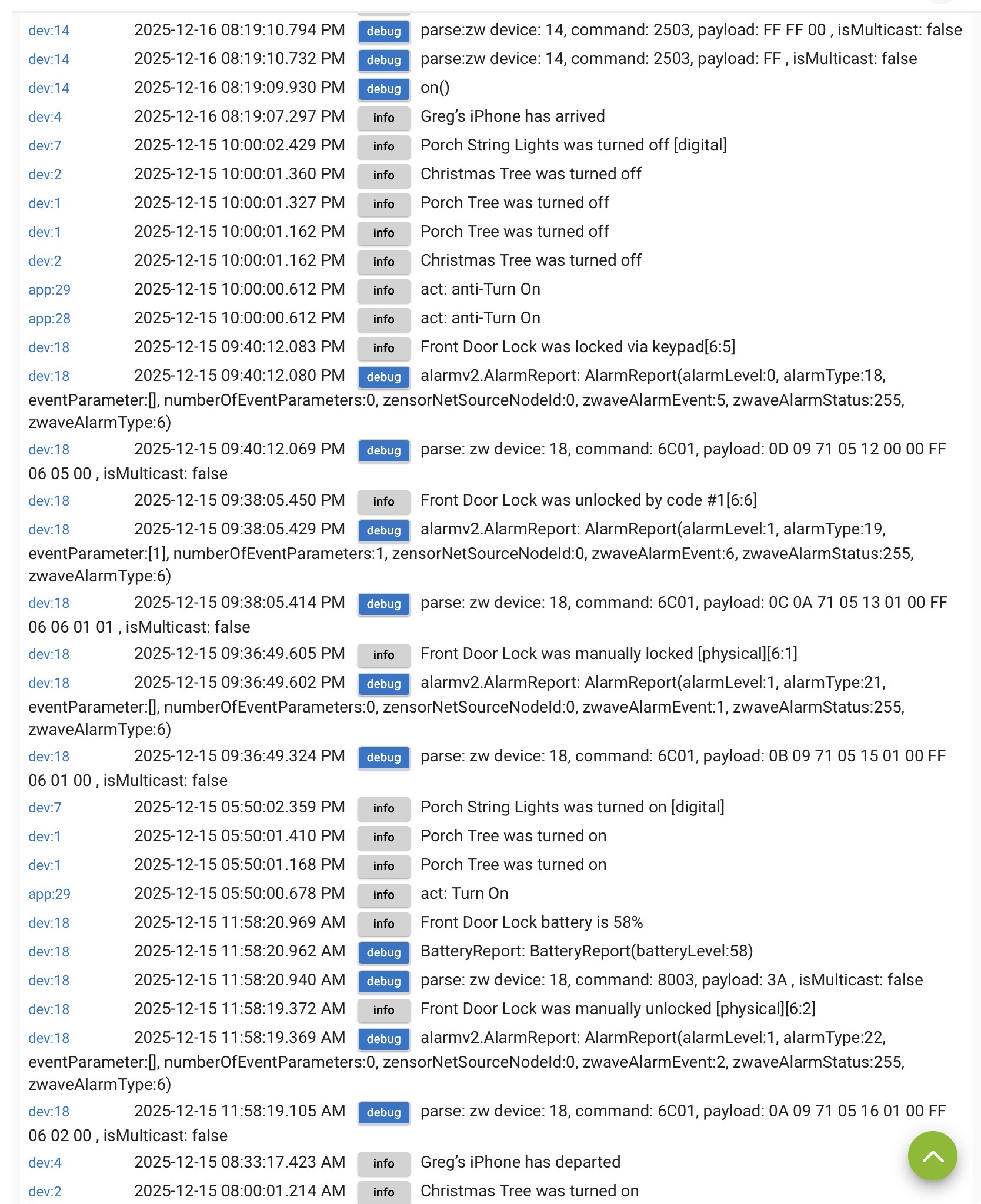
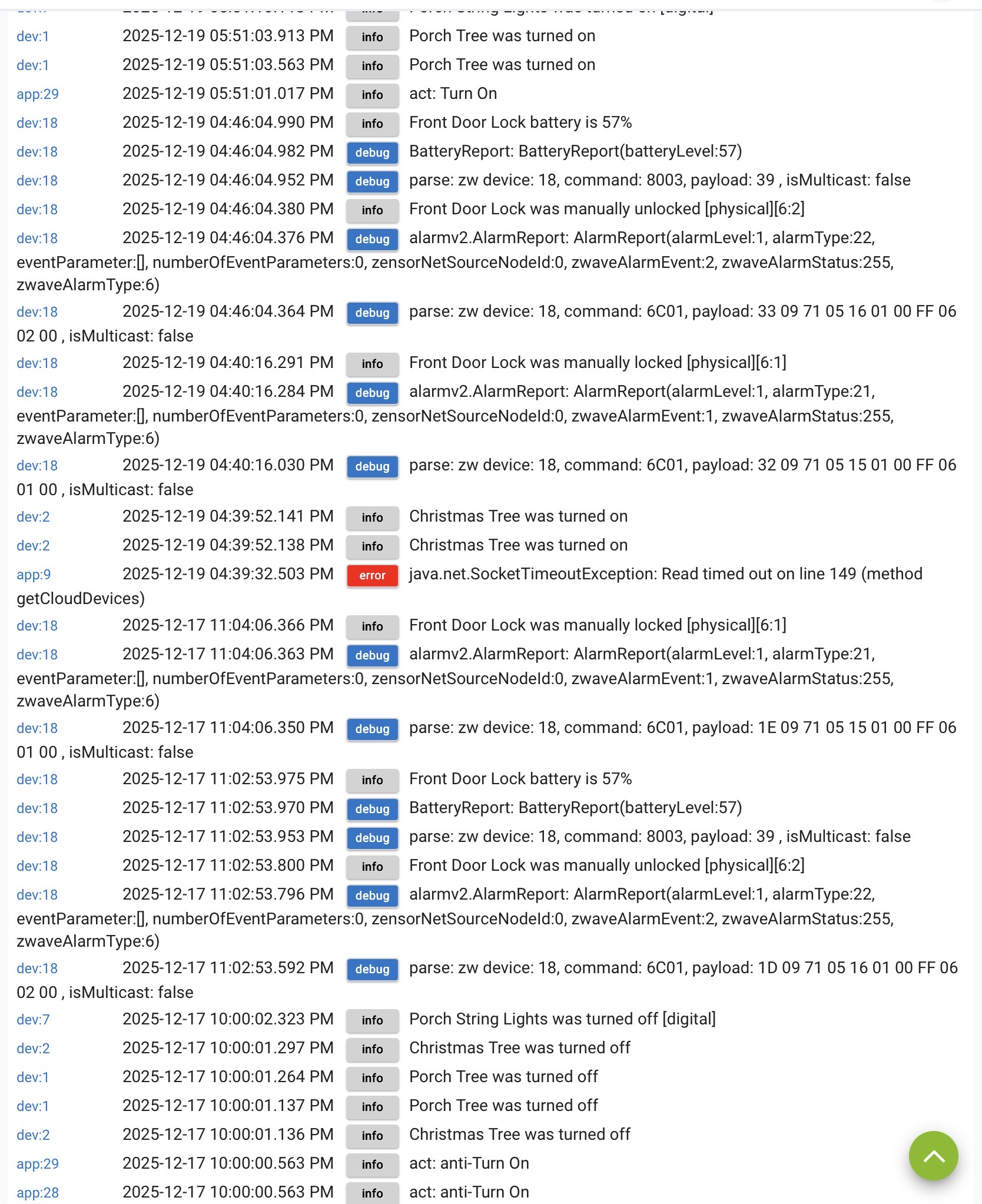
Still having issues. Got home and the automation hadn’t run….Hubitat was unreachable via the app. This was before when the log shows an error (that was about the time I power cycled the device).
Did you try any of the things from the post neonturbo linked above?
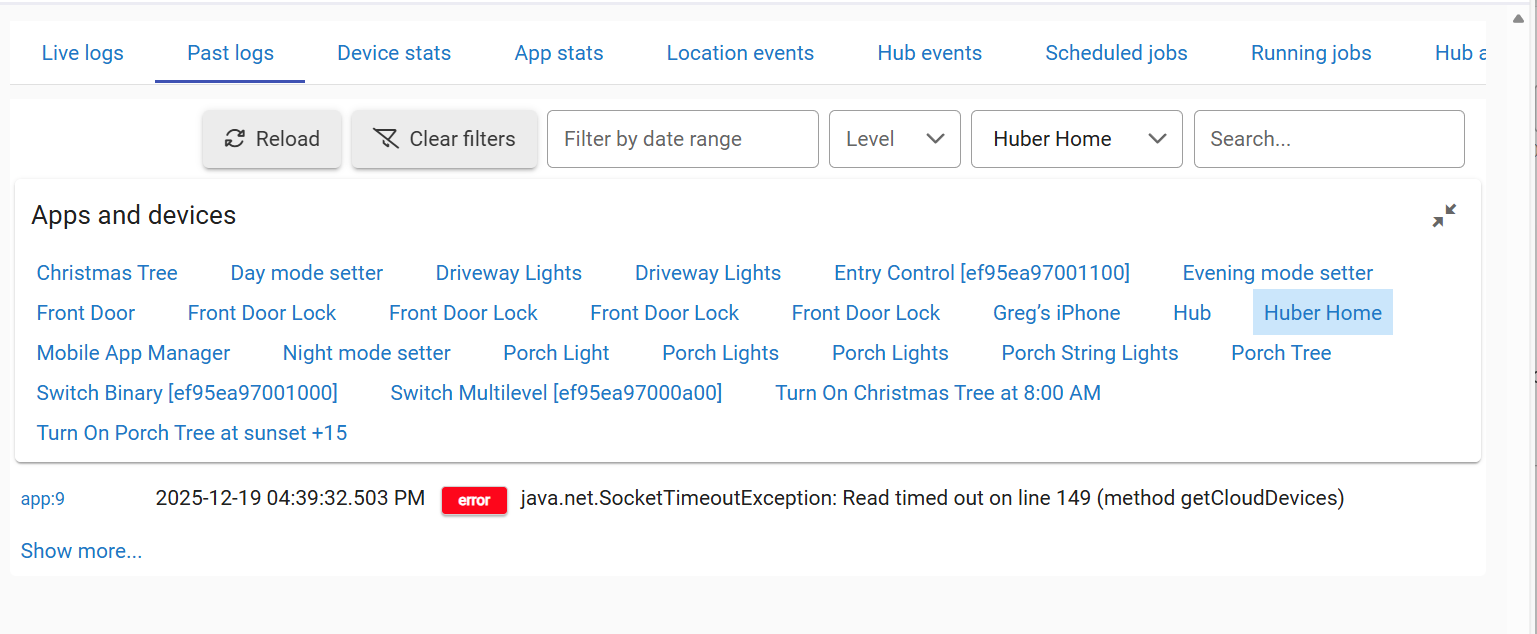
In your latest screenshot, I don't know what that error means or if it's even relevant to any of this, but one clue that may help there is identifying its source -- what app is "app:9"? You can hover over that label in the logs to see what it is.
Thanks for the responce! I did try the things linked above. The diagnostic tool didn't really have any diagnostic tools....just different resets and a check that the time was set correctly (it was/is). Maybe I should try running in safe mode?
When I hover over app:9, it's the name of my hub setup.
"Hub" is always what the hub's logging entries are under in the Logs - it doesn't use any custom name there. Plus, it's "Huber Home" with a space in the logs, but your custom hub name (HuberHome) doesn't have a space.
sys:1 Hub is always going to be what the hub sends logging events under. app:9 Huber Home is some app that you installed and gave that name "Huber Home" to.
Good point. Huber Home is the name of my Easy Dashboard. I'll disable it for now. The only thing enabled now are my Simple Automation Rules for turning various lights on and off.
I doubt that is what is causing it, just judging from what the error message states. It would appear to be some type of cloud integration causing this error.
Did you click on the red Error button for App 9? Where did it take you?
In addition,
Did you do the following from that post I linked?
Run a database rebuild. This will clear out any database issues from an improper shut-down or other system issues. Instructions will vary for older platforms.
Go to Settings
Click on Reboot
Click on Show advanced options
Selection option to Rebuild database and click the Yes button.
Also,
How is Hub being powered? Supplied power block or other (explain)
What user / custom integrations are you using for LAN/IP/Cloud based connections?
The red button takes me to my dashboard display. No error messages or anything there. Looking at my log history, this is the only instance that error appears, and it is around the time I unplugged the hub.
Yesterday I did reread what you had linked and followed the instructions to rebuild the database. You mentioned improper shut-down.....when my hub does what I call locking up (can't access through the app, isn't following the automation) I unplug it and plug it back in. Could this corrupt the database?
Power is being supplied by the supplied power block, plugged into a surge suppressing power strip.
For lan connections, it used to plug directly into my router. When I was having lock up problems I switched to wifi with the hub sitting next to the router. I don't have any cloud subscriptions. Is this what you're asking?
Unfortunately, yes --abrupt power pulls (aka dirty shutdowns) very commonly lead to a corrupted database... Maybe not on the first one, but it's never a good thing to do if it can be avoided.
When possible, the hub should be shutdown via the Shutdown option in Settings, then wait for UI to say the shutdown is complete, next check for a red light on the hub, and then its power can be removed. It's best to unplug the plug wall-wart itself, since the micro-usb power connection on the hub tends to be more fragile.
Soft Resets are often the elixir that solves many different hub ailments -- they shouldn't be necessary to do on a regular basis or anything like that, but they are typically very effective re-caging the hub back to normal behavior.
Resets to fix code deficiencies has been around since at least the invention of the PC. Maybe AI can help improve defenses on exception handling, etc in the future.
Your problems were almost certainly not caused by your hub's LAN connection to your network. Hubitat recommends LAN connection preferred to Wi-Fi for the hub (and we agree). LAN connections are just drop-dead reliable, Wi-Fi not so much.
Also, you don't want the hub right next to a router...increases chances of RF interference. To reduce chances of problems I would reconnect your hub via ethernet to your network, and move the hub at least several feet away from your router and any APs.
Note - I'm sure you're aware of this since you've changed the network connection yourself, but note that your hub's IP address will change when you go back to a LAN connection. Ideally, you'd set an IP reservation on your router for your hub (preferred over using the Hub's Fixed IP option in Network settings on the hub).
Yea, I will move it back to direct connection after I see if it’s running reliably after the database corruption fix.
The reason I moved to WiFi in the first place is my desktop was showing slower internet with the cable connection vs WiFi. Not sure if that was the wiring, or an issue with the router, or just a coincidence when I was doing my speed testing.

 -- they shouldn't be necessary to do on a regular basis or anything like that, but they are typically very effective re-caging the hub back to normal behavior.
 LAN connections are just drop-dead reliable, Wi-Fi not so much.
