Final Update: Service Migration Cleanup & New Subscription Safeguards

I'd like to share a final update regarding the service migration that took place a few months ago. I am happy to announce that today, we have officially completed the backend cleanup process.

While the vast majority of accounts migrated smoothly, the post-migration cleanup revealed a specific issue affecting a small subset of our subscribers. During the migration, some accounts accidentally had their payment methods detached.

We have individually notified these customers and gave everyone a window of at least 60 days to reconnect their payment method.

Because that grace period has now closed, any accounts that missed the notifications and still had detached payment methods have now been automatically canceled.

We understand that automatic cancellation is not the ideal outcome, however in these specific cases it was the only practical way to clear the stuck legacy data and fully resolve these accounts.

Customers impacted by this situation are welcome to resubscribe. By doing so during our current promotional period, you can lock right back into your original pricing.

Going forward, we have implemented a significantly improved failed-payment handling process designed to provide customers with more time, reminders, and recovery options before a subscription is canceled.

Under the new process:

• Service remains fully active while up to 5 automatic payment retries are made over a 6-day period.
• Customers will receive 3 separate email notifications alerting them that their payment method needs attention.
• After the 5th failed retry attempt, the subscription will enter a final grace period, allowing an additional 30 days for the payment method to be manually updated before cancellation occurs.

These improvements are intended to greatly reduce unintended service cancellations while giving customers more flexibility and visibility when billing issues occur.

We appreciate everyone’s patience and understanding throughout the migration and cleanup process as we continue improving the subscriptions platform and overall customer experience.
Bobby,

Out of pure coincidence, before I saw this, I went in to update my subscription payment preferences today (new card). Looks like what is also new is that in addition to the card info, you must accept terms for a ‘Link’ ™ Account enroll and terms (click thru, and cell phone required). I know this wasn’t required when I first added a payment method (and I dont have a Link account), and I guess you’ve upgraded/changed payment handling with this new provider. I know I’m also in the minority for actually reading the click thru terms before I click.

I tried different l ways to just enter card info but doesn’t seem to be possible. May be sign of the times but I’m not thrilled with the proliferation of the auto easy payment account services that then are constantly attempting to cookie link (and even more deviously cellphone link) you back to them for suggested payment (just Like Shop/Shopify) anytime you’re in a purchase view.

Yeah, there’s a bank account payment option and I may have to go that route; i have a semi-isolated account for a limited amount of other auto pays that either require bank or only offer additional payer service with unfavorable terms (for me).

Just my 2 cents on my 2 cents…

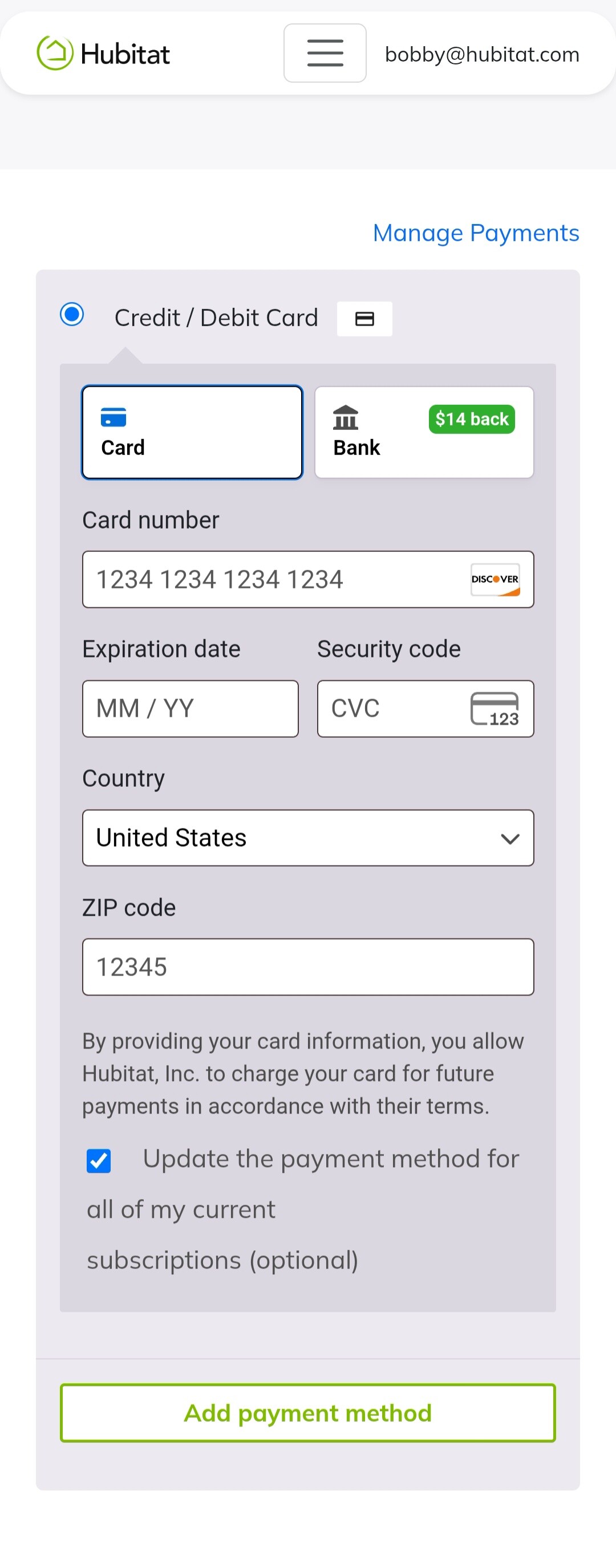
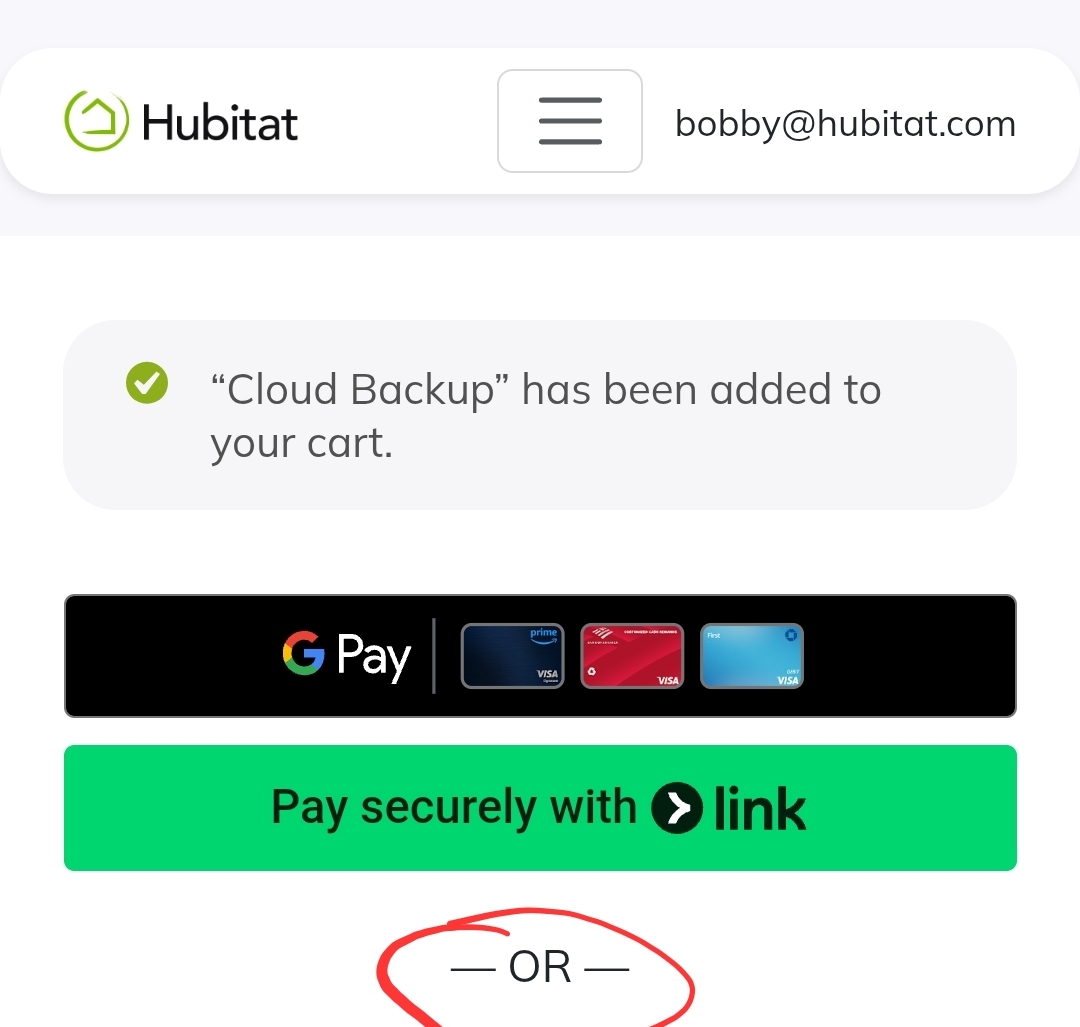
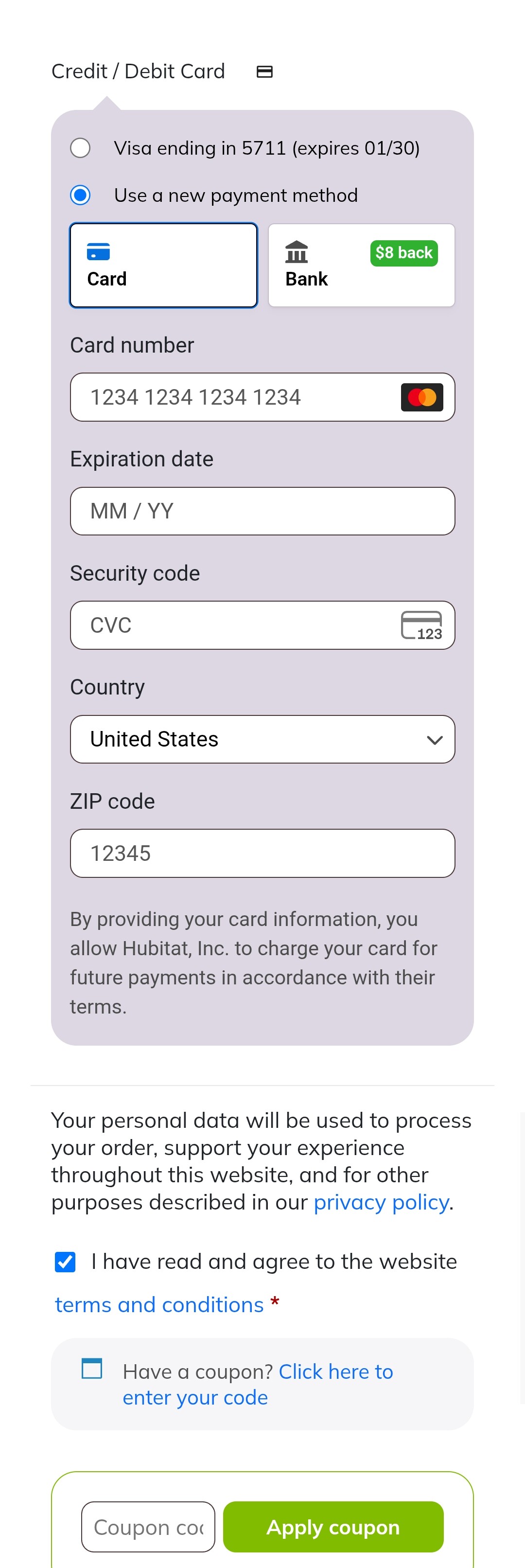
Thanks for your feedback. The additional payment links have been added for convenience, as they have been requested, however, they are optional. Scroll down to use a regular credit card if you don't want to use a third party service like Google Pay or Shopify.

The terms and conditions agreement has always been required, so nothing changed on the bottom part, other than minimal user interface updates:

We do not require a cell phone. Perhaps that is a requirement if using one of the third party services?

Bobby,

Please try this again, going thru an account that has an existing CC card (no service attached to it). then try to edit payment or change payment/add payment. Add new CC info, and cell phone field is non-avoidable and mandatory… unless ycan show me how you can add a CC without adding your phone number and ‘Link’ Account

I tested many times trying to replicate. If you notice in your screenshot, the phone is required by the "Link" service as if you are logged into Shopify account, somehow. If you don't log in to use Shopify Link, Hubitat doesn't ask for a phone number. This is what you should see (this is when I try to add an additional credit card to my account):

I suspect you clicked on "Pay securely with > Link" and now that's the only option you have.

Bobby,

I assure you, I did not click on that link.

And I see exactly the screen that you do to start… until I fill in the info full from my new card. And then once I do that. I get the phone number prompt below the screen and click thru.

The phone number only shows up after you add all the pertinent new card information. Its one more screen past where you screen shot

As a test, I wiped out all my.hubitat site browsing info/data/cookies and tried again.

Now after I added my card info, The option to ‘pay faster with link’ checkbox came up; optional, and not ‘pre-checked’ , and I was able to skip past it and process the change.

But I had not ever seen this prompt before, it proceeded immediately to phone number prompt without the initial prompt.

As this is a new screenflow /payment option, i guess its possible my preceding site cookie data was stale/misinterpreted/corrupted.

Likely, we have deployed successive updates, and you were likely caught between two updates without refreshing the page.