sure, let me try
1 Like
Well you could develop and app called Application Manager and short AM! DOH! 
So you have HD,FM and AM... 
NOW for Long Wave or LW! 
1 Like
When I open the File Manager Dashboard from the File Manager item in Settings I'm prompted for the App Id and access token. What values to enter? Is this something common to all dashboards?
If you open the link that's listed in the app you won't have to enter anything. The URL will look like this:
http://192.168.0.200/apps/api/1020/dashboard?access_token=XYZ
Alternatively, if you open the .html page directly from the Hubitat File Manager you have to manually enter the app ID and access token. Both values are listed in the app
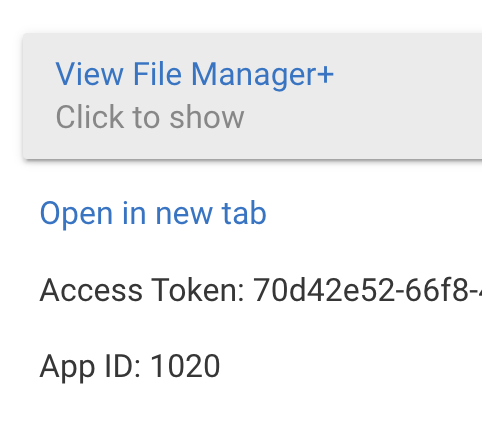
Perhaps I did something wrong. Are you telling me I should have a File Manager app listed in the Apps tab? I created a virtual device based on the File Manager.
I don't see a button like you've shown anywhere.
I added both - hope it works! I'll keep tweaking the UI but it seems better to me
1 Like
BRAVO!! This looks great. File Manager+ will be my new file management system for HE. Thank you sir!
OK I deleted my original FM+ device and created the FM+ app. Successfully created a folder. Failing to upload files "Upload error: invalid JSON response".
Looks fantastic. Thanks again for this work.
Wonder if other developers (e.g. @dandanache) would see value in adhering to this convention. I happen to have a LOT of files in the "root" directory.
Originally I was excited to see this app posted. Definitely fills a void, until/if Hubitat ever gives the File Manager a face lift. But once I tried it, I knew this app wasn't for me (or my apps). Unfortunately, changing the name of my files is a showstopper. It simply would break them.
In my opinion, all of this should be done virtually. It would be much better to have the app, load, sort and place the file names into the correct folders without ever touching the real file names. Of course, things like add/delete/rename would indeed touch the file but that could have an additional warning before it actually happened.
The look and feel of this app is great but changing the file names is a big no-no.
Sorry.
You mean storing the "folder" mappings in a file, managed by this app, essentially?
1 Like
that's one way to do it. Everything could be handled in a json file or even better... it could be handled internally. For example my Flow Engine handles all variables (local and global) all internally, no need for an external file. Passes everything smoothly between the app and the html/js file.
1 Like
I think the only great solution would be to have Hubitat support folders. That way every app that wanted to use folders could rely on it.
But, that doesn't really help 'organize' the actual files saved on the Hub. It would just be for display in FM+ which is fine but doesn't really offer any use outside of the app.
Here's an example how I use FM+ folders today. I wrote an app that rotates through a bunch of images for my dashboard. Since Hubitat doesn't support folders today I have to prefix the filenames of all the images with something ("DASH-") so my app knows which images to display.
Now, with FM+ I can create a 'folder' called "DASH" and upload any images I want there -- doesn't matter what the filenames are. Here's an example:
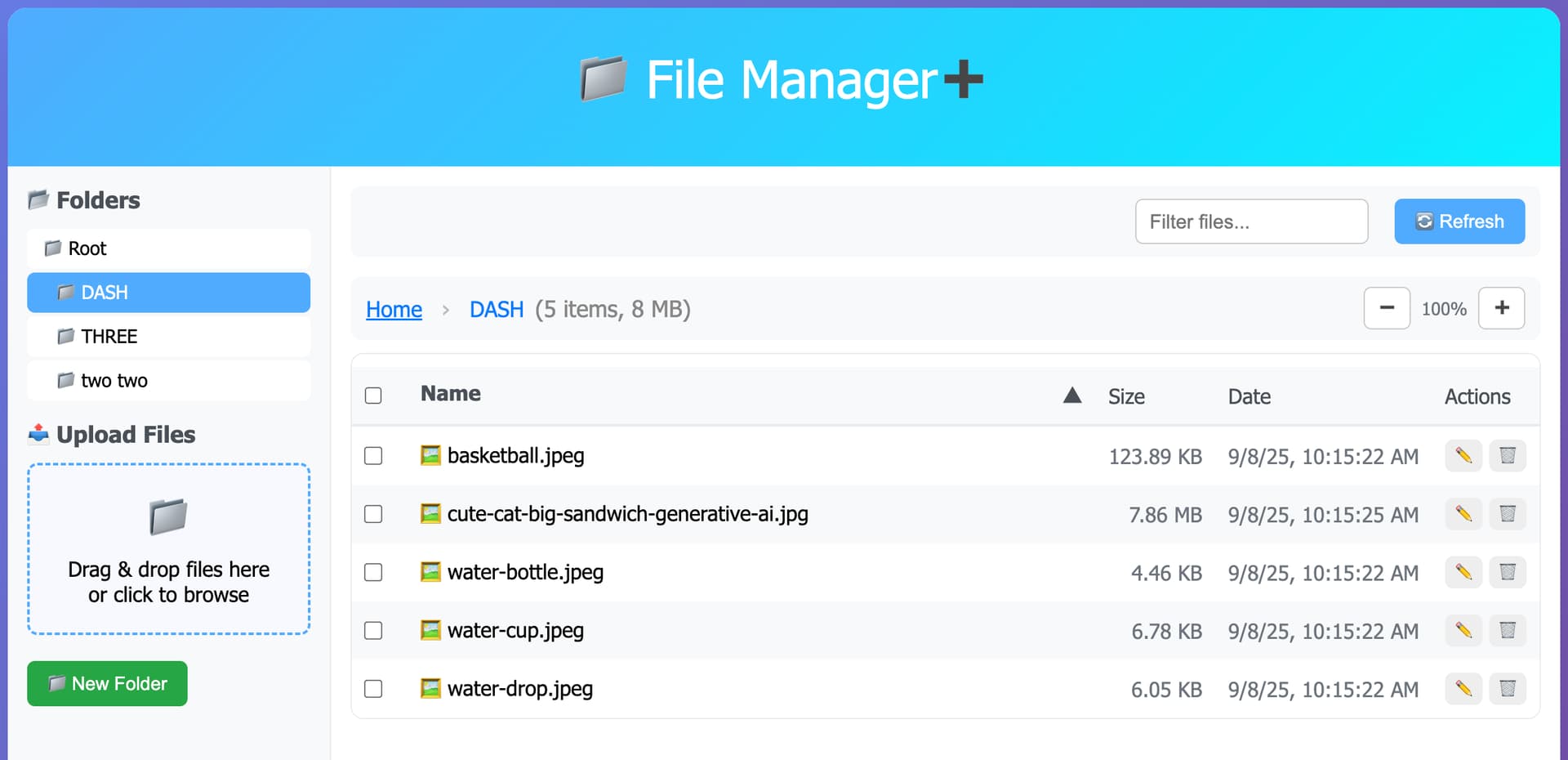
If I want to add new images, I upload them to this 'folder' in FM+. I can easily delete all of them too.
But, since Hubitat File Manager ultimately doesn't support folders - here's what my files look like on the Hub:
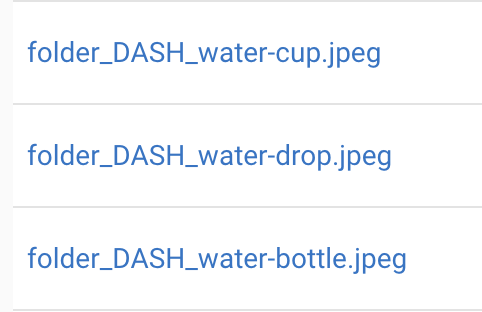
So, my photo app will still work -- I just tell it to display every image with the prefix "folder_DASH_"
Ultimately, there's a lot of different ways to do this but I felt like this one would work best with what the Hub is already doing today.
I should also say FM+ doesn't force anyone to use folders at all.. it's just a nice to have feature (IMO) for trying to organize things. You can still use all of the other features (sorting, searching, multiple uploads, multiple deleting, etc) without ever needing to create or use a 'folder'
4 Likes
This!
2 Likes
Still getting this error when attempting to upload files using FM+
Also, I used FileManager to upload files and it it shows them as uploaded. They are not visible from FileManager+. Shouldn't they be?
OK, it seems that FM+ ignores files that are empty?
Sorry I must have missed your earlier post. You should have an app called "File Manager+" in the Hub's apps list. If not you need to add a new 'user app' -> File Manager+

You don't need to create a virtual device - just the app is all. That provides all of the API endpoints that the webpage needs to function.
1 Like
Yes, I had removed that virtual device and used the app instead and that is giving me the error message when uploading files.
Can you send logs? There's a log entry for every delete so maybe there's an error in there
On a related note I have been working on testing uploadings and deleting lots of files at a time and see a possible problem. The way it works today it's going to make all of the /delete and /upload calls asynchronously. I'll change it so files will be uploaded or deleted 1 at a time which should fix this. Look for something tonight
1 Like
What I have discovered is that empty files cannot be uploaded. Attempting that yields the error I reported. If I add one character to the file it is uploaded successfully.
good to know - I'll try to handle that in a future version

