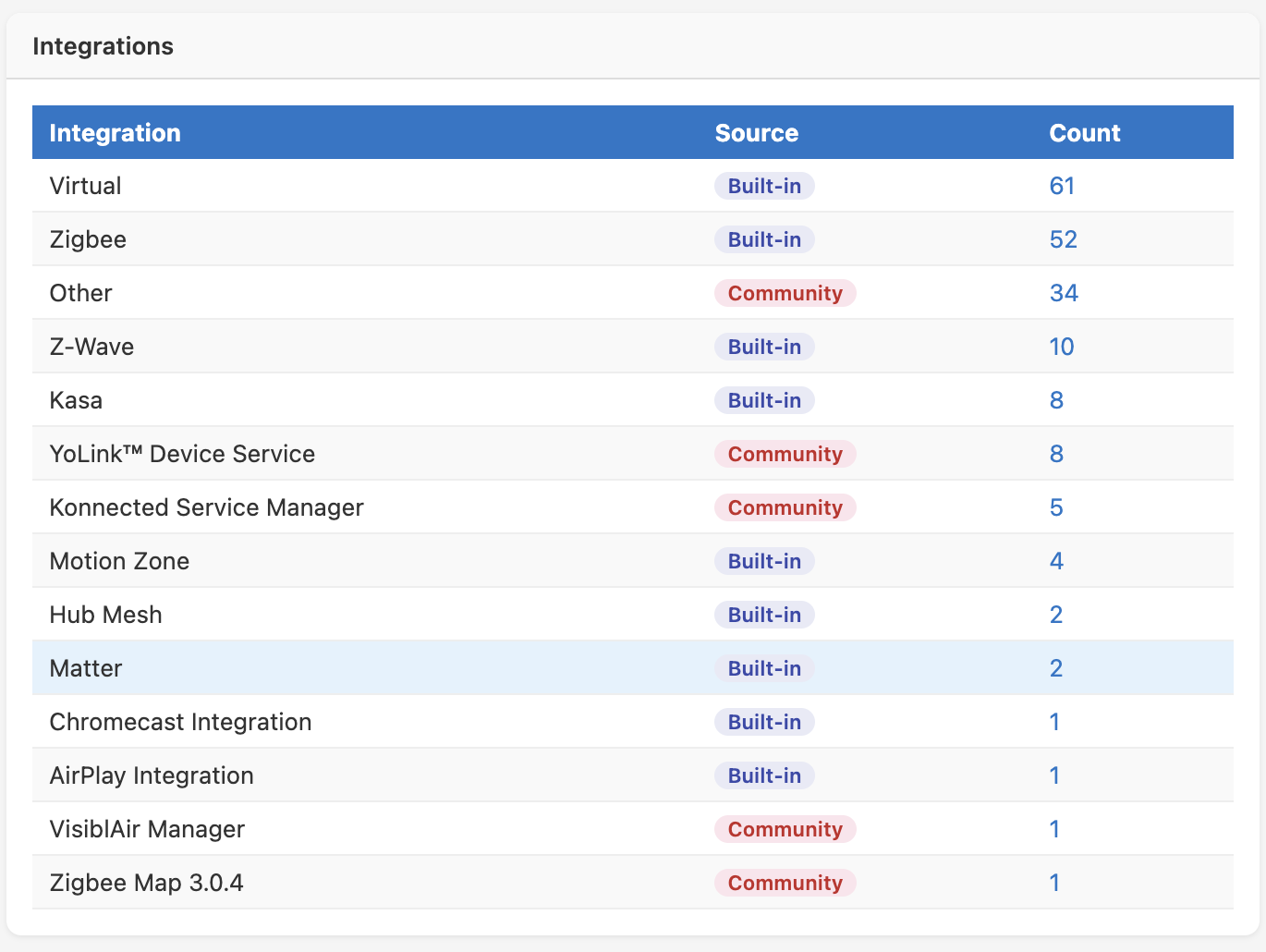
@hubitrep I had Copilot review your app for potential use in what I am trying to solve. It loves your (Claude's) work thus far, lol. But here's what "we" are thinking.
Hi — first off, thank you for putting this together. This is one of the most comprehensive and well-structured Hubitat utilities I’ve seen. The audit system in particular (using /device/fullJson with async batching) is extremely well thought out.
I’ve been digging into the code pretty deeply, specifically around the Device Usage Audit and extractAuditFields()—and wanted to run an idea by you to see if it aligns with your vision or if you’ve already thought about this.
What I’m trying to do
I’m running a multi-hub (4 hub) setup using Hub Mesh, with devices distributed across hubs for radio load and range.
My goal is to build a true device inventory + lifecycle management view, specifically:
- Accurate manufacturer / model / firmware per device
- Grouping by actual device identity (not just driver type)
- Detecting firmware drift within the same model
- Identifying devices that may need firmware updates
What your app already does (and does really well)
From what I can see, your audit pipeline already:
- Pulls
/device/fullJson/<id> for every device
- Extracts
dataJson
- Normalizes key fields across protocols (e.g., firmwareVersion vs softwareBuild)
- Builds a clean per-device dataset
That effectively solves the hardest part:
Getting reliable make/model/firmware at scale without scraping UI pages
Where I’m extending the idea
Right now, the audit output is device-centric.
What I’m exploring is adding a second layer of aggregation, something like:
1. Model-level grouping
Group devices by:
manufacturer + model
2. Firmware distribution within each model
For example:
Zooz | ZEN15
  - 1.10 : 10 devices
  - 1.12 : 8 devices
3. Firmware drift detection
Flag models where:
firmware versions > 1
These become:
- update candidates
- consistency issues
Multi-hub angle
Because the app runs per hub, the current approach would be:
- Install/run on each hub independently
- Pull
/api/audit/data from each hub
- Aggregate externally (Python/Excel/etc.)
That works fine—but I wanted to ask:
Have you considered (or would you be open to) a lightweight aggregation layer or export enhancement to better support multi-hub environments?
Not necessarily pulling remote hubs directly (which would add complexity), but maybe:
- Clear per-hub export structure
- Optional metadata like
hub name in audit output
- Or even just making the audit output explicitly “merge-friendly”
Possible enhancement ideas (minimal impact)
These are intentionally small and non-invasive:
 Add device inventory fields to audit output
You’re already extracting them—just ensuring they’re surfaced in allDevices:
- manufacturer
- model
- firmware
Add optional aggregation in finalizeAudit()
Something like:
(keeping it optional if you want to preserve current behavior)
Add a clean export endpoint
For example:
/api/audit/export
Returning:
- flattened device list (CSV or JSON)
- possibly grouped data
Why I think this fits well
This doesn’t change the app’s core purpose (diagnostics), but adds:
A device inventory + maintenance dimension
Which seems adjacent to what you’re already doing with:
- performance analysis
- network health
- device classification
Final thought
Honestly, the biggest thing you’ve already nailed is:
Using /device/fullJson + dataJson as a structured extraction layer
That’s something a lot of people (myself included) hadn’t realized was viable at scale.
If this direction is interesting, I’d be happy to:
- test changes across multi-hub setups
- help validate firmware extraction across device types
- or share what the aggregated datasets look like
Either way — great work on this app, it’s incredibly well engineered.
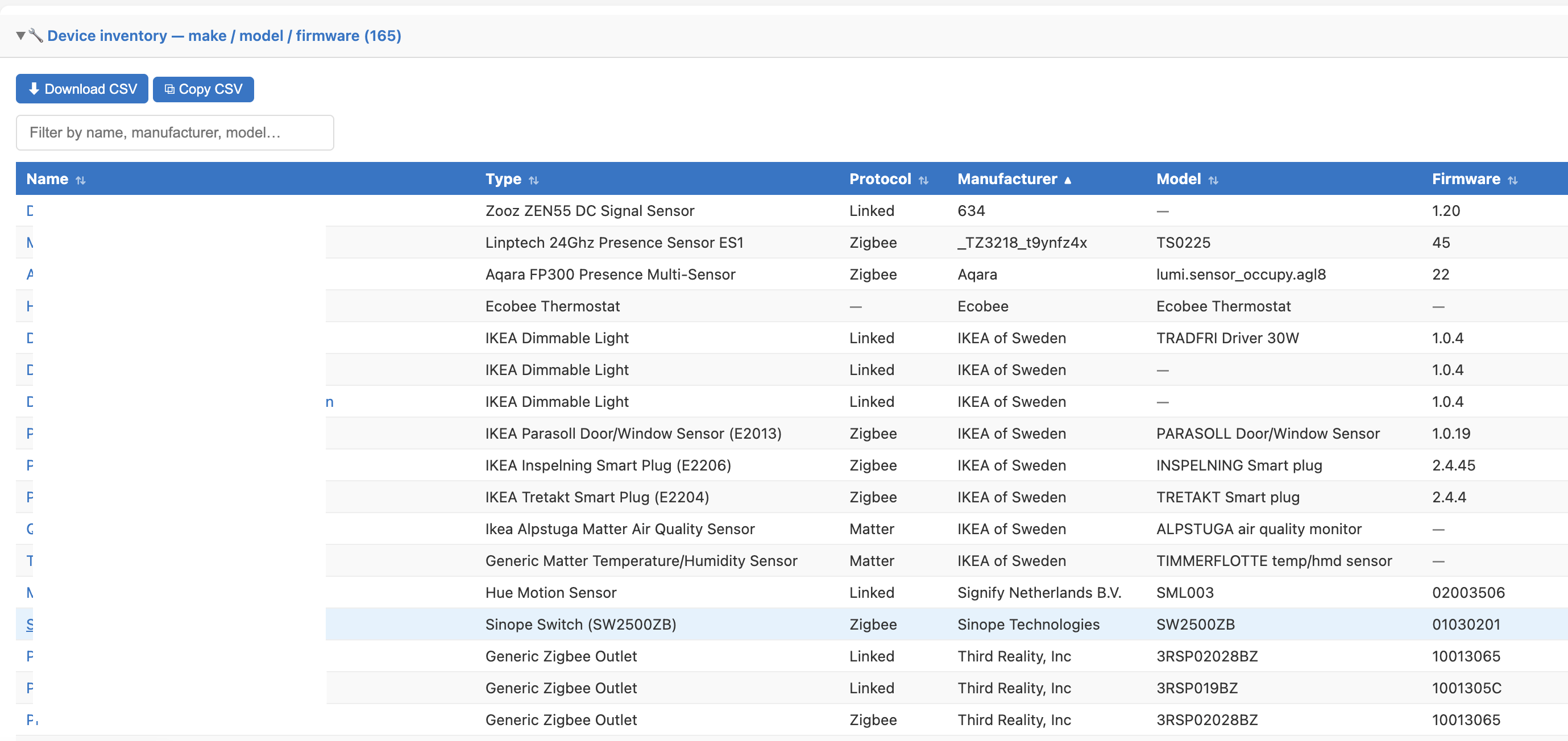
 , although quite a bit of time was invested in building up the necessary Markdown documentation, skills and memory scaffolding to guide its work.

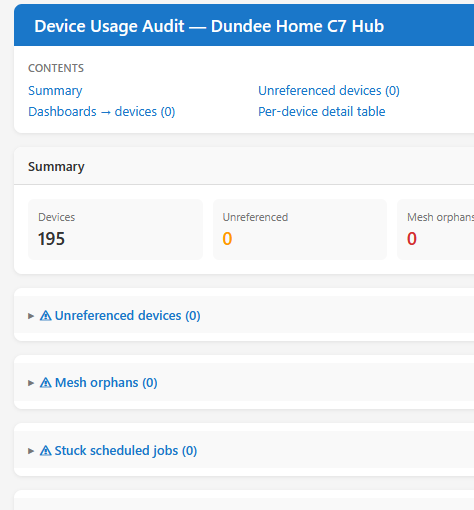
 Device hardware and firmware table with