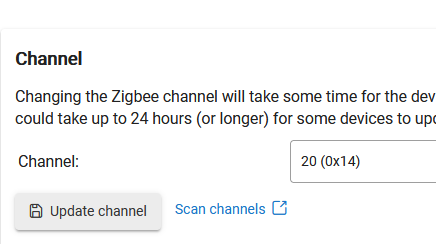
I go through the pairing process but it never completes on the Hub so no device created.
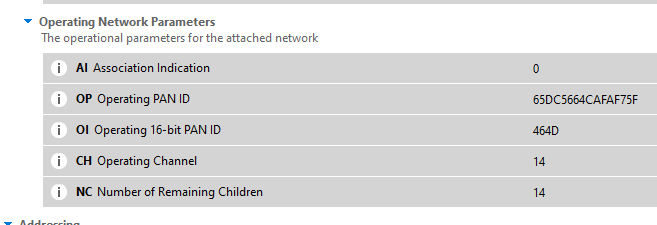
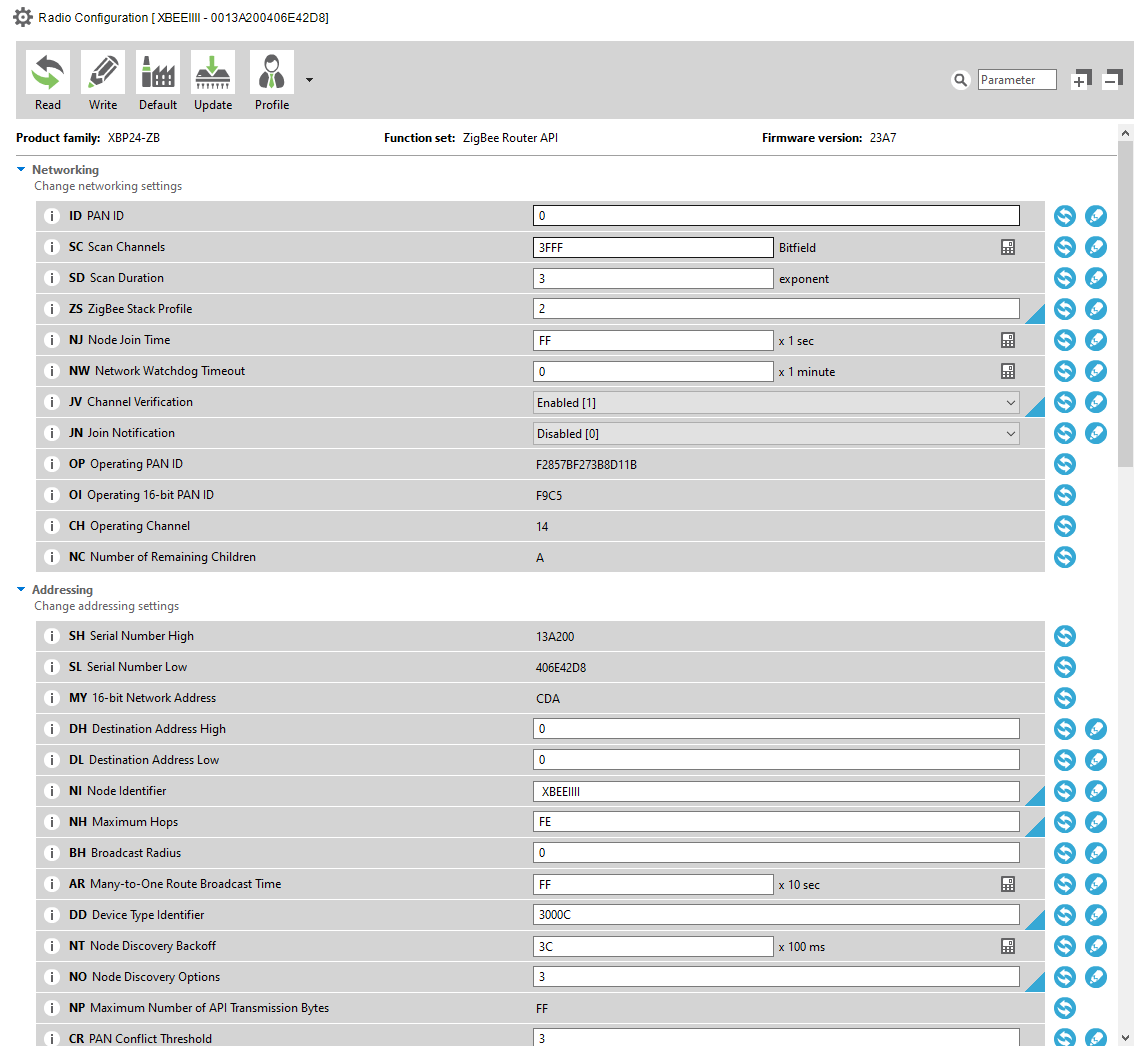
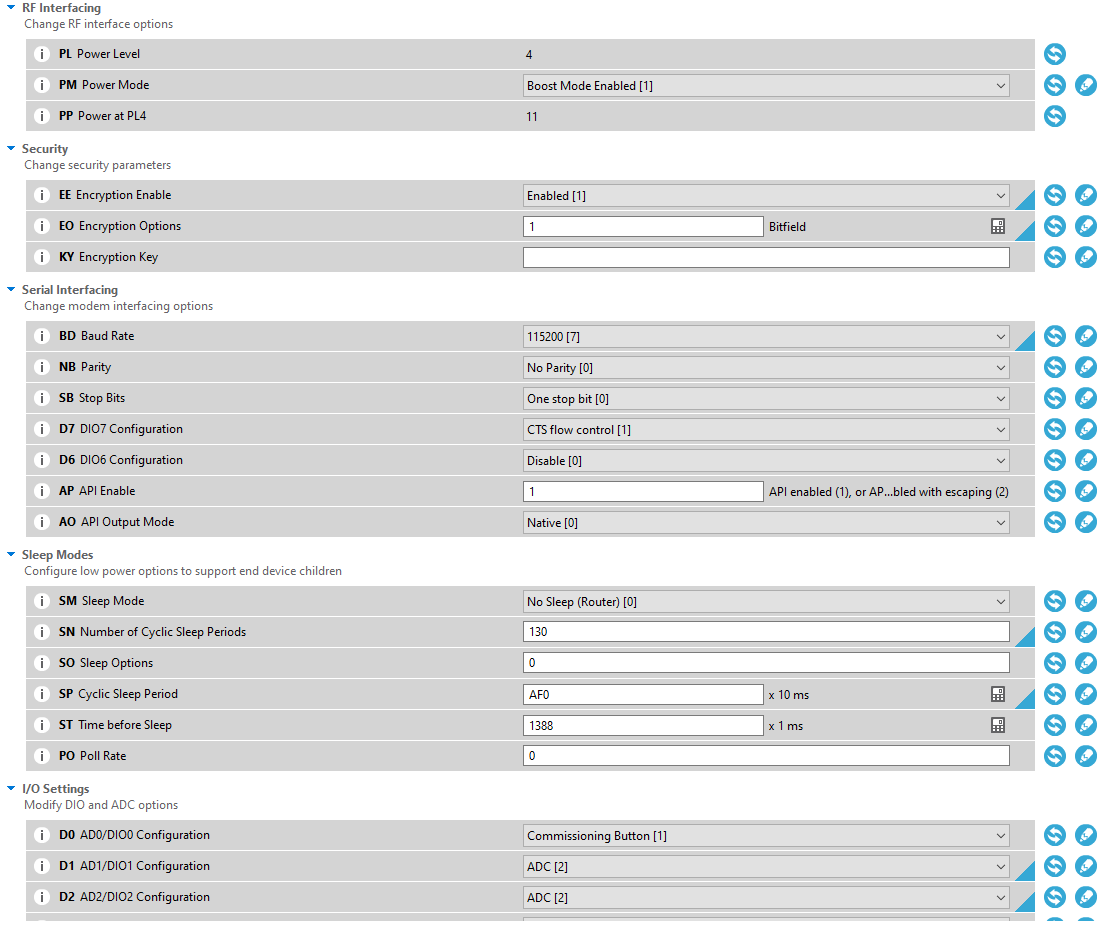
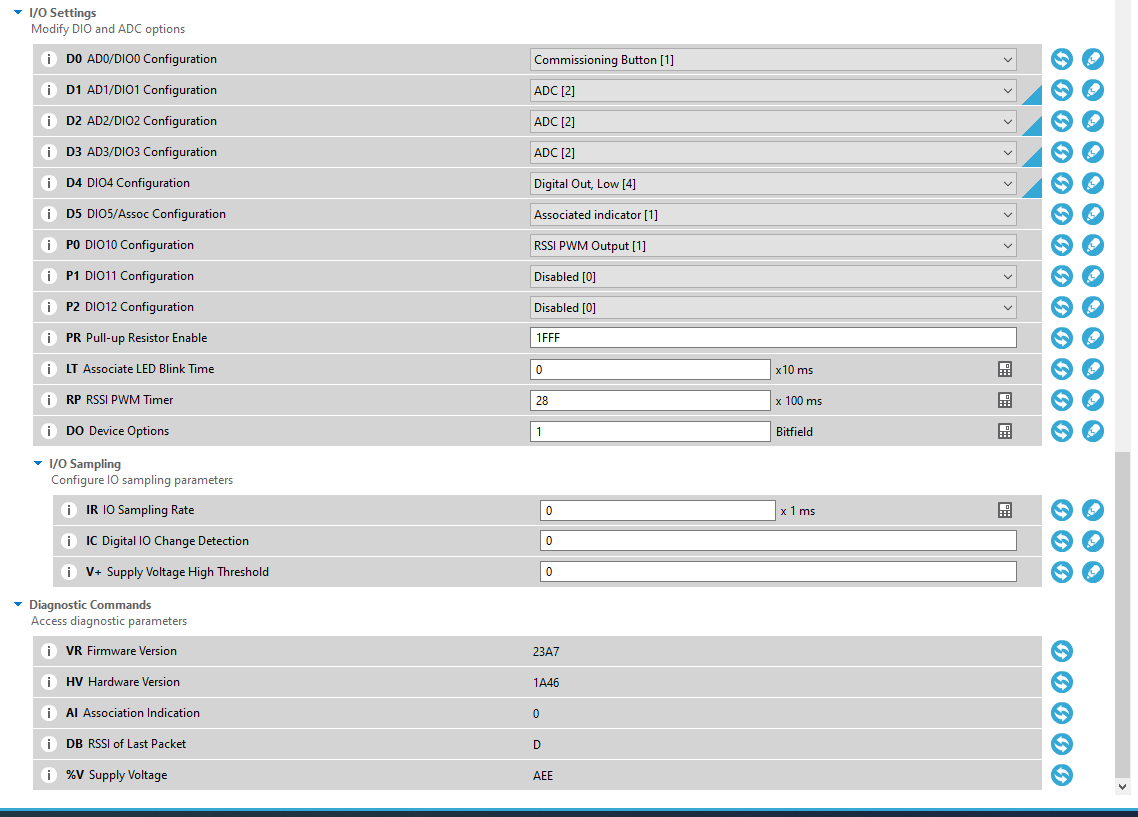
XCTU shows this and it finds the new channel the XBEE appears to see the Hub, but the Hub does not recognize the XBEE as far as I can tell.
And just in case people ask I have tried these different tests without success.
Rebooted the Zigbee Radio.
Rebooted the Hub.
Powered off ALL Zigbee repeaters on the network.
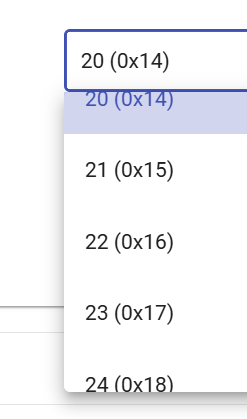
Change Zigbee network to channel 24.
To summarize. I can connect me XBEE easily to a C-7 where it worked for several years. However I cannot connect it to a C-8 Pro.
don't forget to set the KY 5a6967426565416c6c69616e63653039
also look in your ZigBee detail page after a failed pairing. Might have to reboot the hub after multiple pairing attempts with ghost devices.
I noticed your NC is showing A it should be zero if it's an end device.
Also if it's an end device make sure the firmware is version 100D or lower.
Only other thing to check is in file system manager open it and make sure main.py is in the right hand column. If you have applied a new configuation profile it will get erased.
I know you are trying to pair as an end device and this might not of any use but here's my setting for a router. Firmware is also a little old but I paired them recently and they are flawless.
Thanks for taking the time to share your settings. I did try your settings although my device and firmware are a little different, however it still did not work.
I had this running a few years ago and I saved the configuration files from last time so it should have been easy. It connected to the C-7 first time but never on the C-8 Pro.
BTW. I am trying to use it as a repeater and planning to use my Zigbee Monitor Driver to give me some insights instead of the PY scripts.
I do want it to be a repeater and my firmware version is 100D.
I skip over the py scripts as I don't plan to use that driver but that should not cause. It works doing it that way on the C-7.
I had trouble getting it connected when I first got it a few years ago so I saved the xpro settings once I had it working so it should have been easy.
Thanks for the help.
P.S. Just re-connected it to my C-7 with no issues.
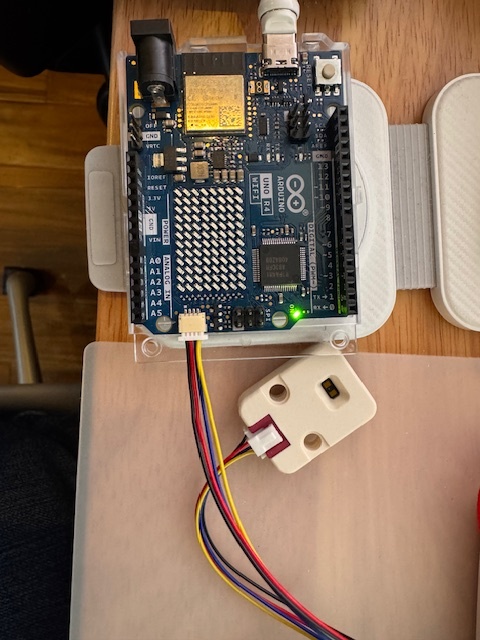
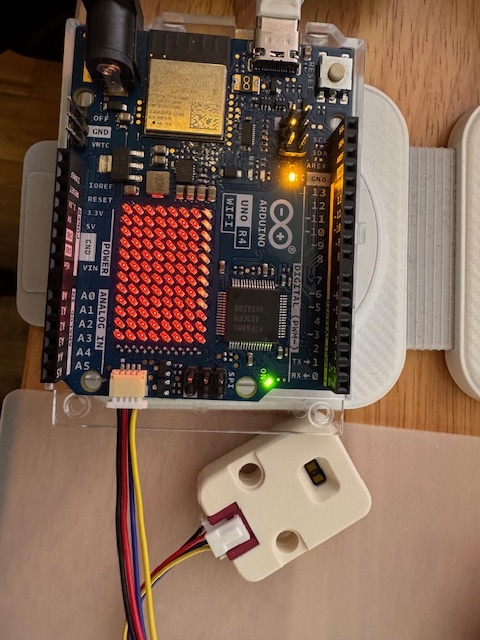
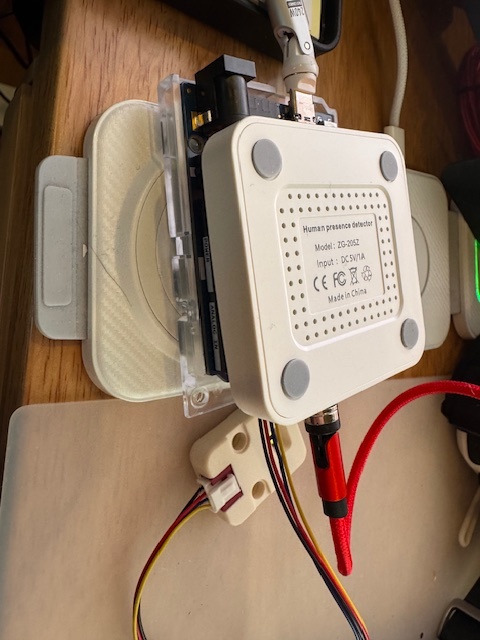
My initial notion (not being knowledgeable enough to have an actual "plan") was to combine an Arduino Uno R4 WifI with an Zigbee-enabled Xbee (via a shield) and a LIDAR module (a M5Stack Time-of-Flight Distance Unit VL53L1X)) to create a distance measuring device that could detect the presence or absence of a car in my garage.
I successfully programmed the Arduino and VL53L1X combo and all of that works well. Then I started researching the Xbee aspect and -- I'm a bit perplexed on the apparent difficulty of (1) establishing a Zigbee connection of my device, as an end-point, with Hubitat, (2) communicating a few data values from the Arduino to the Xbee to the Hubitat, and (3) getting those data values into Hubitat to be used in a Rule.
So can someone point me to a successful solution that shows how to communicate data from a sensor through an Arduino/Xbee combo to Hubitat in a useful form?
BTW, my backup solution for now has been to use an off-the-shelf Zigbee device (a Tuya mmWave presence sensor) with light sensing capability to "watch" the built-in 8x12 LED array of the Arduino Uno R4 WifI and signal to Hubitat when the distance measurement falls below a threshold value, causing the Arduino to turn the LED array ON. This works fine, but is a Rube Goldberg solution (that's an old-timers' wording for "kluge"). Pictures from before mounting in an enclosure (the white block is the LIDAR sensor):