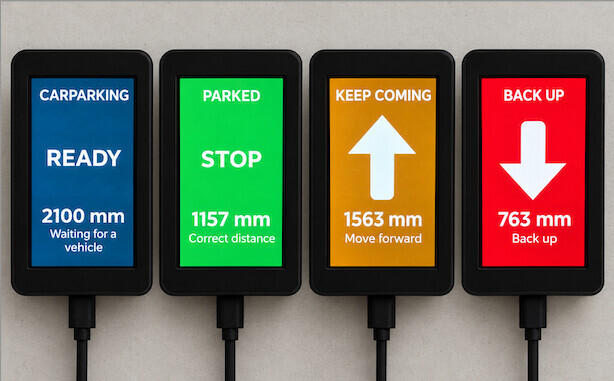
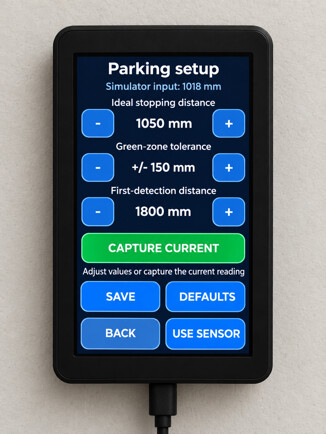
2026-04-21: SEE her DIY: ESP32-C6 based Zigbee 4 meter distance sensor UPDATED - #4 by John_Land for a link to the latest version on GITHUB.
I've been on a mission for a while to build a car presence sensor. My previous efforts:
- Zigbee ultrasonic sensors (see here: Tuya ultrasonic sensor - #13 by John_Land) -- failed because the sensors were difficult to pair and fell off the mesh frequently
- a hybrid Arduino/VL53L1X TOF sensor/Zigbee Lux sensor (see here: Everything Xbee - #1190 by John_Land) -- which works, but only gives presence, not distance, and is obviously a kluge.
I wanted to couple the Arduino Uno R4 WiFe board that I had with an Xbee with Zigbee capability, but that seemed daunting based on what little I could find on the internet. So I moved on to a more integrated (and compact) solution, the ESP32-C6 Qwiic Pocket board, which has Zigbee capability, paired with a VL53L1X TOF sensor. Using a Grove/Qwicc cable, no soldering was required.
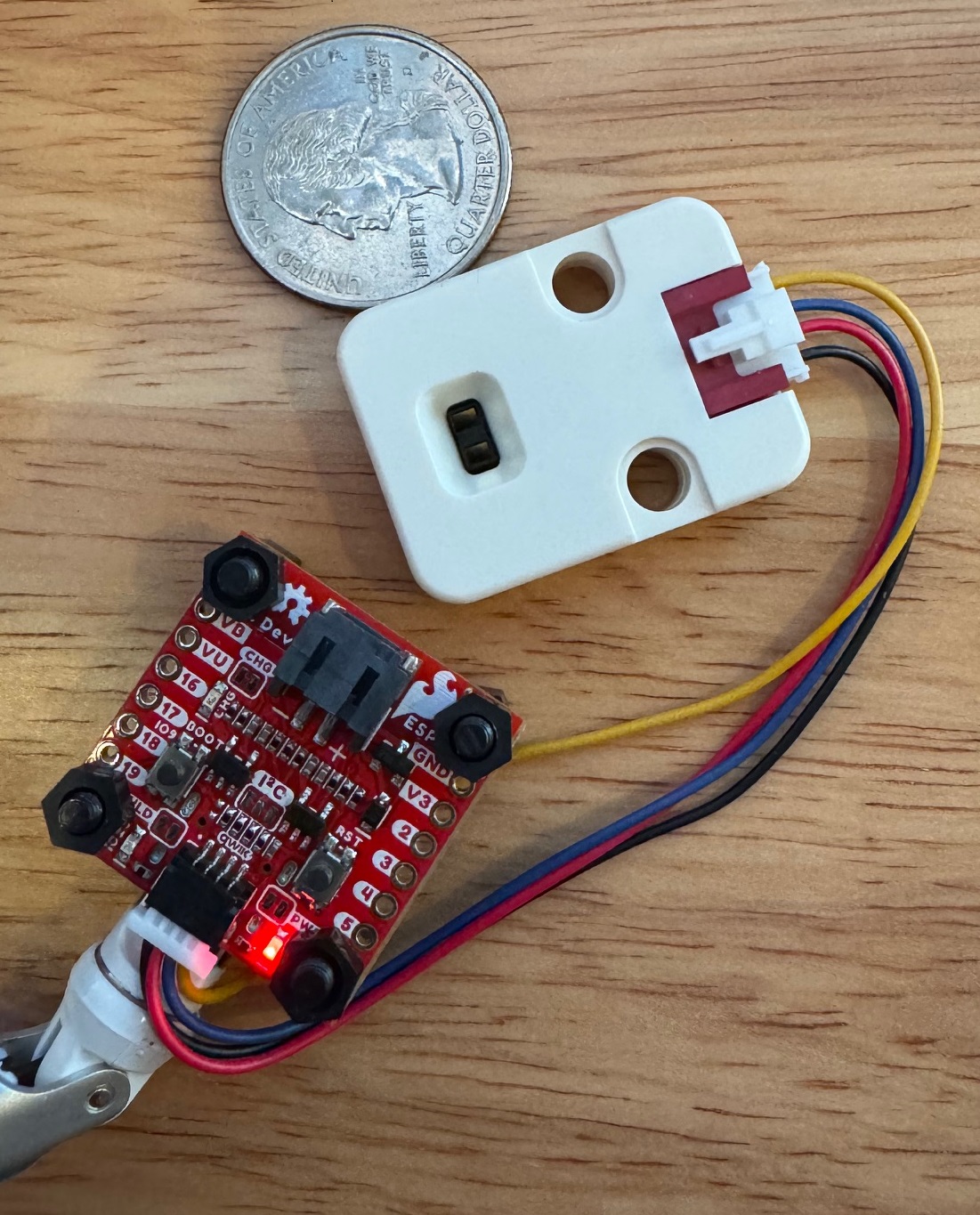
Marrying the ESP32-C6 Qwiic Pocket (EQP) and VL53L1X sensor was easy, I just ported over my distance measuring code from the Arduino hybrid. But getting Zigbee working with Hubitat still seemed a huge challenge. So I asked Claude (AI) to show me any working example of an ESP32 (of any kind) paired via Zigbee with Hubitat -- and Claude found one!
It didn't work of course.
BUT it held clues. One important finding was that no amount of effort on my part could get pairing to occur with the EQP set as an end-point device. BUT experimentation showed that with the EQP set in a coordinator/router mode AND using Double-Luck Voodoo (see here: [RELEASE] Tuya Zigbee Contact Sensor++ w/ healthStatus - #70 by John_Land), the EQP paired to Hubitat!
So over the course of a couple of late nights, Claude and I drafted (1) a Groovy driver that grafted distance measurements onto a pre-existing illuminance driver, and (2) embellished the EQP sketch to add features and robustness. I also heavily document the sketch.
Everything works great on my test setup, next steps are to find an enclosure, connect up unit #1 to my garage ceiling, and start putting together unit #2.
Below are my latest sketch and accompanying Groovy driver.
Note that I'm a total amateur programmer, having only dabbled at a hobby level over my long years, and only in C++ type coding for a couple of months, so be gentle. And use this stuff at your own risk.
EDIT: I found out a few minutes ago that the v1.0 sketch won't work if the EQP is powered by a "power only" USB-C cable. Version 1.1 fixes that, now a power-only or a power&data cable should work.
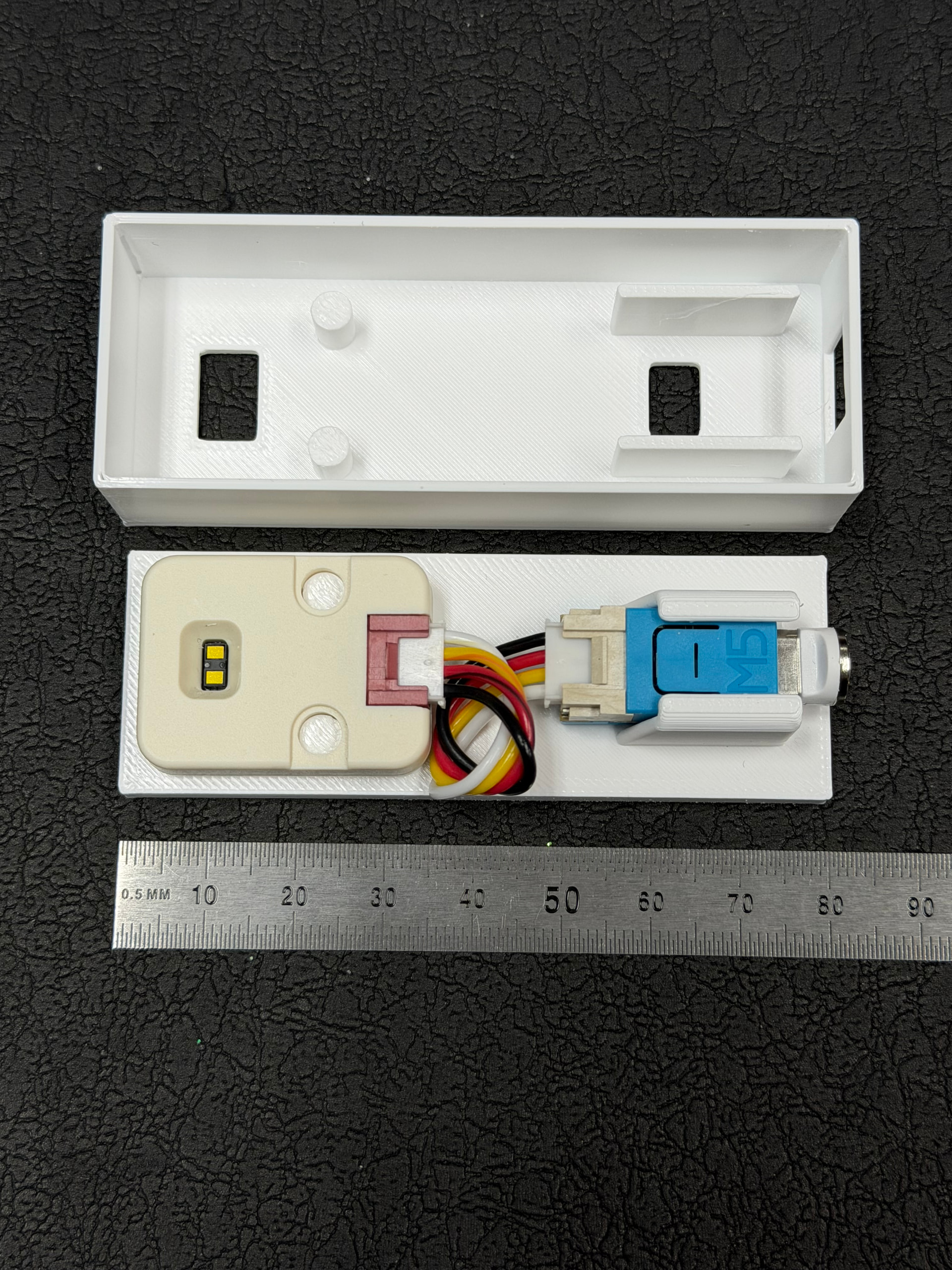
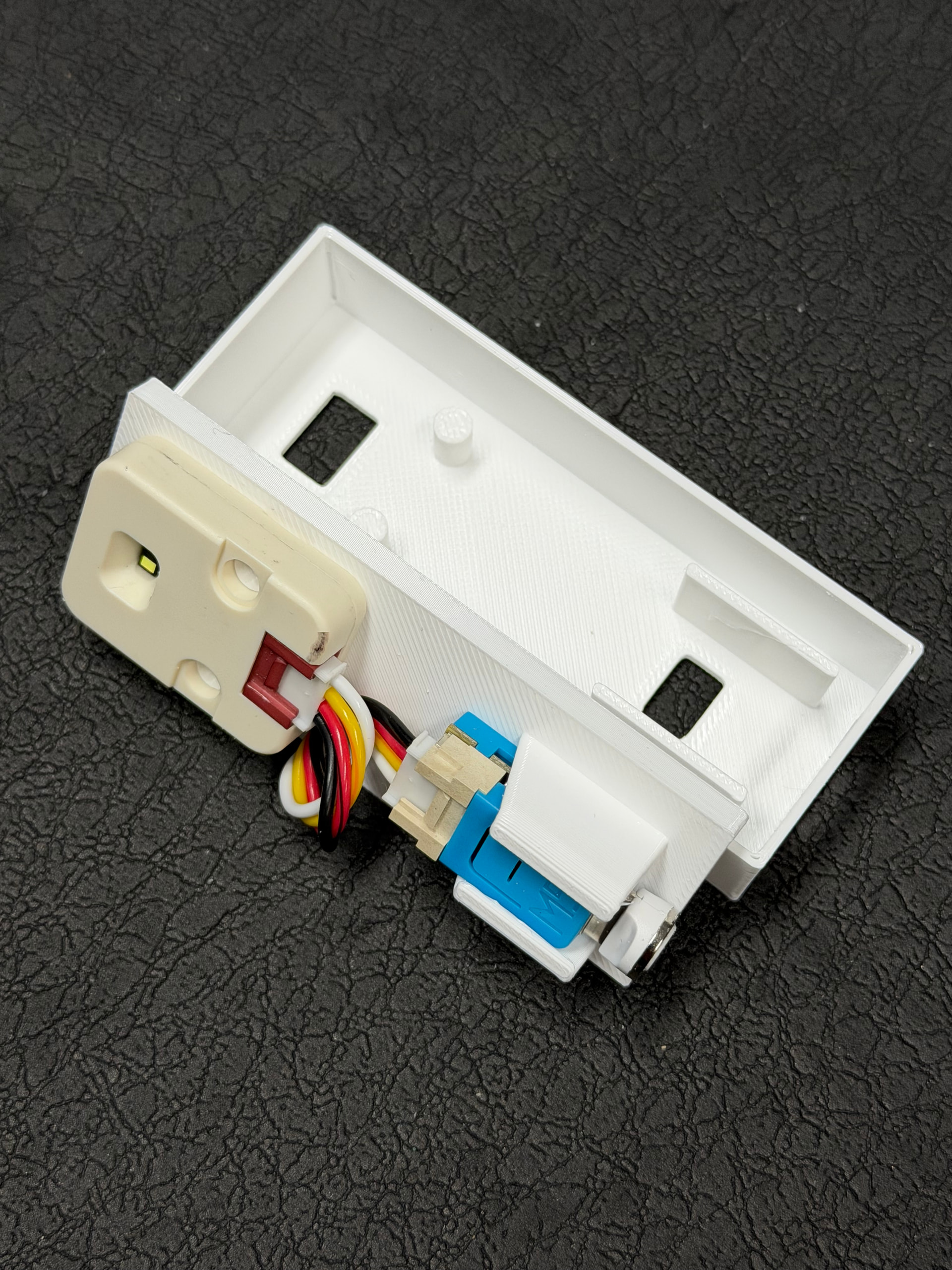
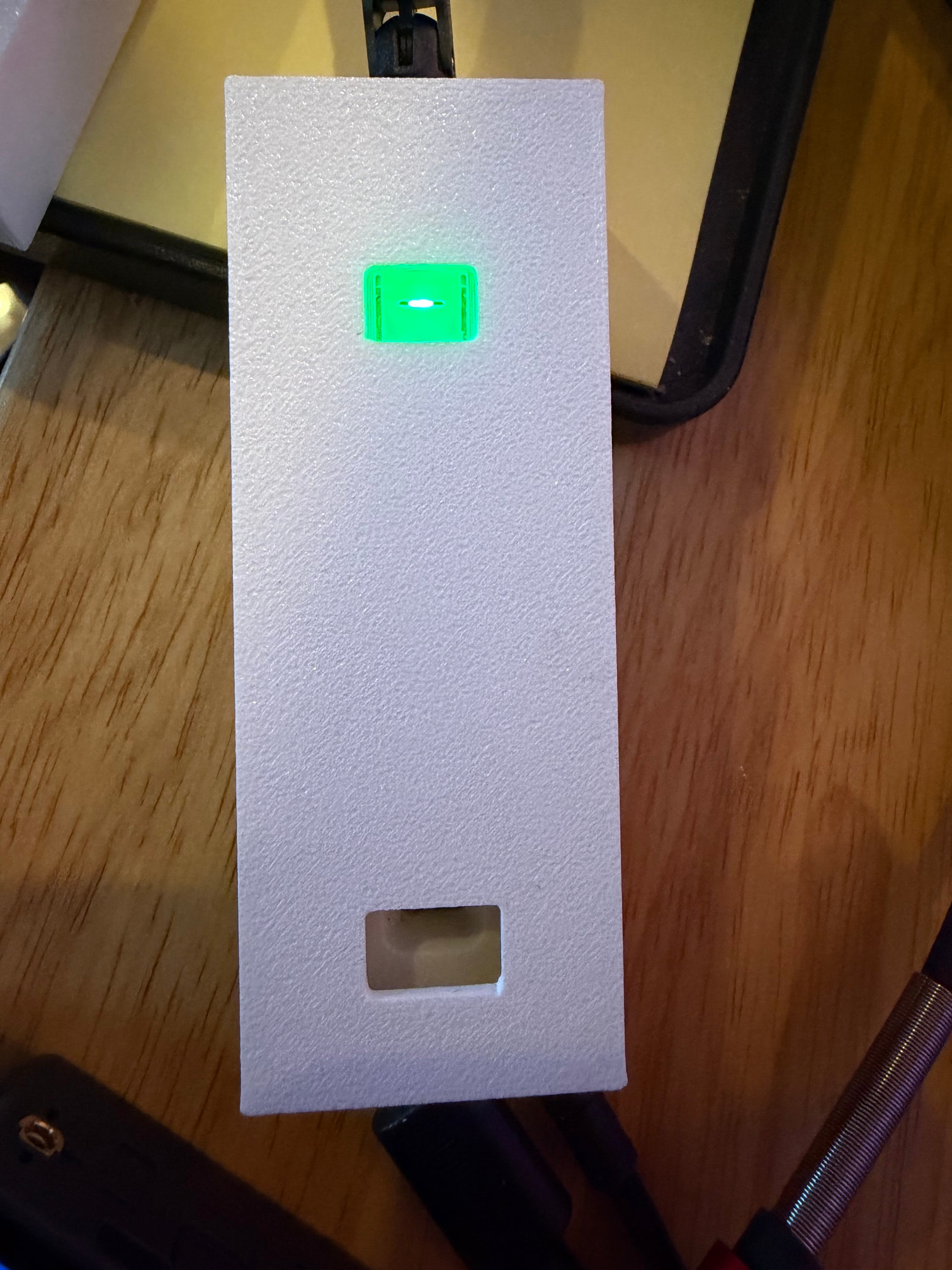
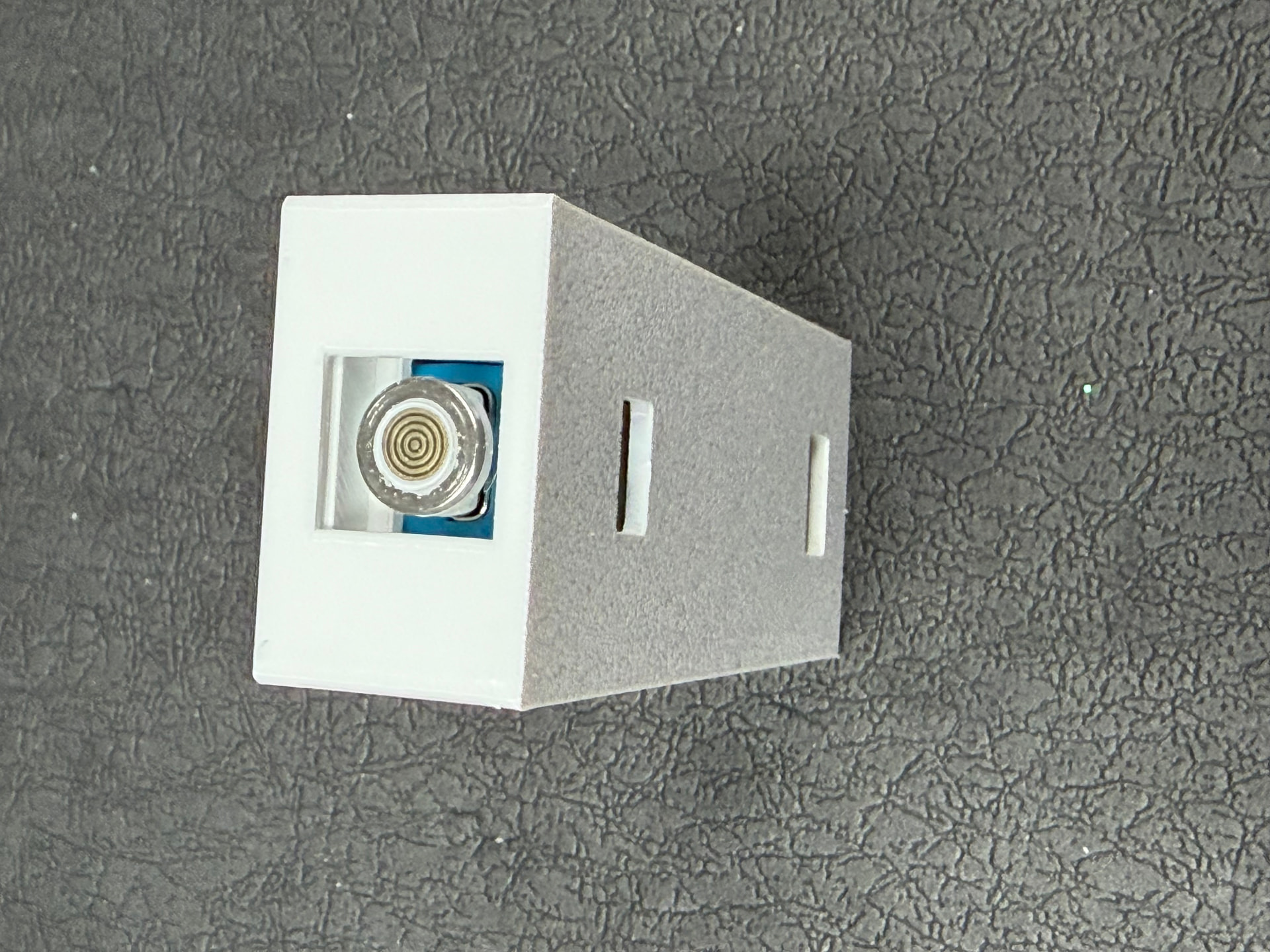
2025-10-30: Still haven't found a suitable enclosure, so I mounted the ESP32 and TOF sensor on a strip of kydex. These are ready to install on my garage ceiling, one for each car.
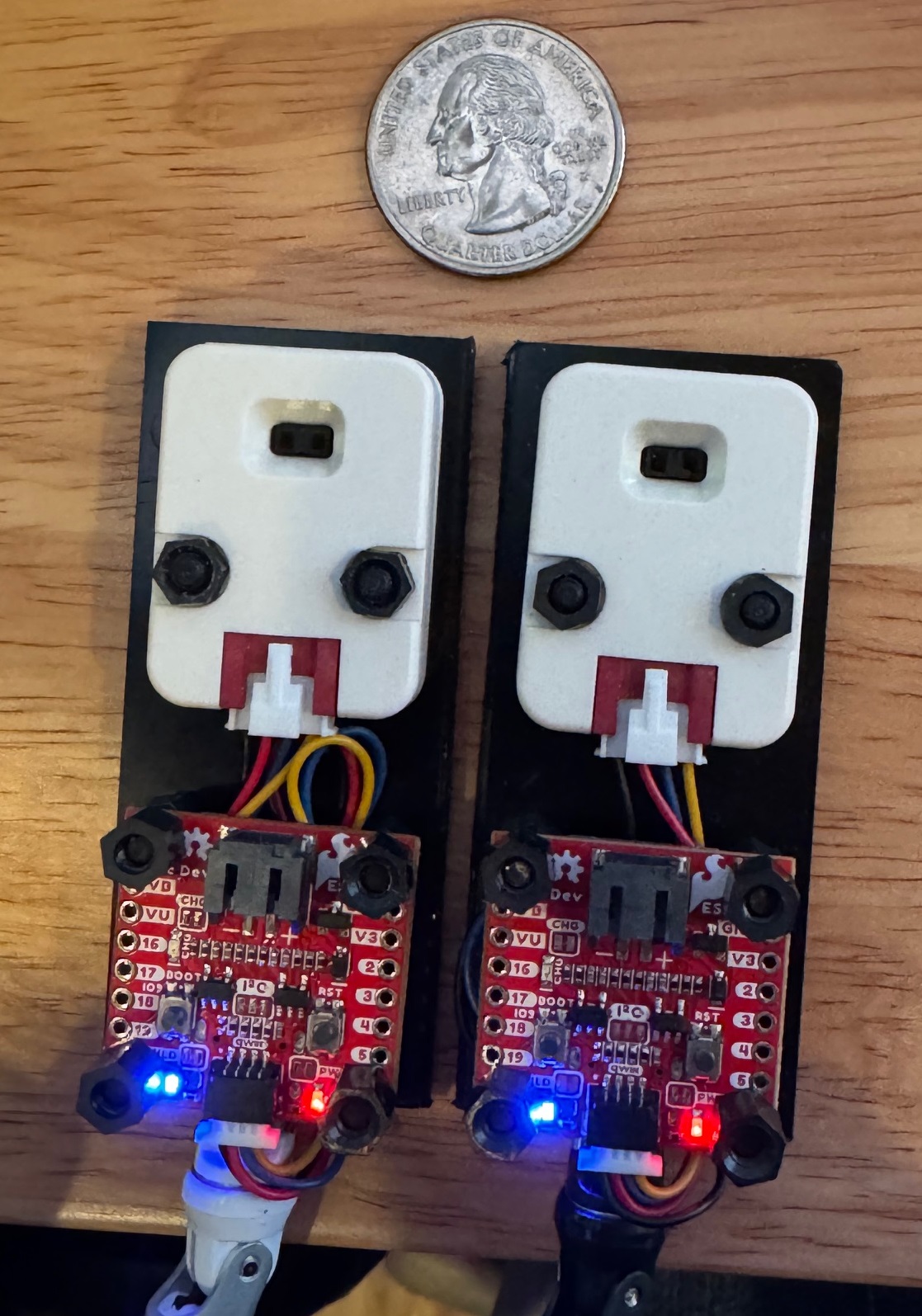
2025-10-30 v. 1.2.1 posted, mostly minor changes to the internal documentation.
2025-10-30 v. 1.3 posted, changed code slightly to make the blue LED stay ON after connecting via Zigbee, even if the reset button is pushed.
2025-11-01 v. 1.4 sketch, v. 1.1 driver:
- Updated the sketch to try to more easily pair with a C-8 Pro hub and add a device ID output to the serial monitor. Note that line 206 disables Link key exchange.
- The driver now allows distance to be reported in yards, and "sorts" the metric and English distance units in order of size by adding a numeric ID to each parameter.
Arduino IDE Sketch:
// Zigbee Distance Sensor using VL53L1X + ESP32-C6 Qwiic Pocket (Router Mode)
// Author:  John Land
// Date:    2025-11-01
#define VERSION "1.4"

/* Designed for Zigbee integration with Hubitat
 *
 * This sketch is configured to use the VL53L1X Time-of-Flight (TOF) sensor connected to
 * an ESP32-C6 Qwiic Pocket [EQP] with Zigbee to report an average distance measurement and presence to Hubitat.
 *
 * The environment on which this code was developed and runs is:
 * - EQP with Qwiic connector, from SparkFun
 * - M5Stack Time-of-Flight Distance Unit (VL53L1X) with Qwiic connector, from RobotShop.com
 * - Grove to Qwiic Cable Adapter (100mm), from Sparkfun Electronics
 * - Arduino IDE 2.3.6 -- Tool settings:
 *    -- Erase All Flash Before Sketch Upload: ENABLED
 *    -- Partition Scheme: ZigBee ZCZR 4MB with spiffs
 *    -- Zigbee Mode: Zigbee ZCZR (coordinator/router)
 *
 * Hardware connections for VL53L1X:
 * - Physical connection to EQP: Grove to Qwiic Cable Adapter
 * - Connected to EQP I2C via Qwiic connector (Wire1) -- IMPORTANT: non-Qwiic connections use "Wire"
 * - SDA -> GPIO 6 (EQP Qwiic SDA)
 * - SCL -> GPIO 7 (EQP Qwiic SCL)
 *
 * VL53L1X Specifications:
 * - Range: 40mm to 4000mm (4 meters)
 * - Accuracy: ±5% (±200mm at 4 meters distance) at best
 * - Field of View: 27° (almost a 2 meter circle at 4 meters distance)
 *
 * Required third-party libraries:
 * - "SparkFun VL53L1X 4m Laser Distance Sensor" by SparkFun Electronics
 * - "Zigbee.h", included with the ESP32 Arduino core package for Arduino IDE
 * - "esp_zigbee_core.h", included with the ESP32 Arduino core package for Arduino IDE
 *
 * Special features:
 * - Pressing the BOOT button down for BUTTON_HOLD_TIME seconds causes the EQP to factory reset.
 *
 * Pairing with Hubitat seems to REQUIRE the "Double Luck Voodoo" process (search the Hubitat forums).
 *
 * Dedicated to the public domain in 2025.
 *
 * Unless required by applicable law or agreed to in writing, this software is distributed
 * on an "AS IS" BASIS, WITHOUT WARRANTIES OR CONDITIONS OF ANY KIND, either express or implied.
 */

//***********************************************
//DEFINITIONS OF LIBRARIES & PINS
//***********************************************
#include <Wire.h>                           //Used to access the I2C attached sensor for output to the Arduino IDE Serial Monitor
#include <stdbool.h>                        //Needed for 'bool' type, 'true', 'false'
#include "SparkFun_VL53L1X.h"               //Use the Arduino IDE library function to get this library for the VL53L1X sensor
#include "Zigbee.h"                         //Used for Zigbee communications to Hubitat
#include "esp_zigbee_core.h"                //Used for lower-level Zigbee commands; added to try to improve pairing to Hubitat
#include "esp_efuse.h"                      //Used to ID the particular EQP running this sketch

#define OUTPUT_PIN 8                        //Optional: EQP digital output pin to signal some other device; "8" is arbitrary
#define LED_PIN LED_BUILTIN                 //Status LED (onboard LED on many EQP boards)
#define SENSOR_SDA 6                        //EQP Qwiic SDA pin value (adjust only if needed)
#define SENSOR_SCL 7                        //EQP Qwiic SCL pin value (adjust only if needed)
#define BUTTON_PIN BOOT_PIN                 //EQP pairing/reset button
#define BUTTON_HOLD_TIME 3000               //Hold BOOT button for 3 seconds to trigger factory reset & pairing

//*******************************************************
//DEFINITIONS OF GLOBAL VARIABLES & DEVICE INSTANCES
//*******************************************************
#define SENSOR_READ_INTERVAL_MS 5000        //Distance sensor read interval in milliseconds; 5 seconds is arbitrary
#define EMA_ALPHA 0.5                       //Exponential moving average (EMA) smoothing fraction: 0 < alpha < 1

#define USE_SMOOTHING true                  //COMPILE-TIME only: TRUE = send smoothed distance values, FALSE = send raw distance values
   /*
    * Examples of when to use SMOOTHED data:
    * - Monitoring parking spaces (slow-changing)
    * - Tank level monitoring (slow-changing)
    * - Dashboard display (want clean values)
    * - Don't need instant response
    * - Want to avoid false triggers from noise
    * - Prefer fewer Zigbee messages
    *
    * Examples of when to use RAW data:
    * - Detecting hand gestures or quick movements
    * - Triggering immediate actions (e.g., turn on light when approaching)
    * - Need instant response
    * - Can tolerate some value jitter
    * - Using short presence threshold timeouts
    */

#define QWIIC_CONNECTED true                //Indicates whether the sensor is coupled to the Qwiic connector (CRITICAL to know)
#define DISTANCE_ENDPOINT_NUMBER 10         //Define a Zigbee endpoint for use by Hubitat
#define DISTANCE_LONG_MODE true             //Sets the Long range or Short range mode of the sensor
#define INTERMEASUREMENT_PERIOD 1000        //The time between measurements, in milliseconds; must be >= TIMING_BUDGET
#define TIMING_BUDGET 200                   //The time over which a measurement is taken, in milliseconds, from 20 ms to 1000 ms

  /*
    The VL53L1X timing budget can be set from 20 ms up to 1000 ms. Increasing the timing budget increases the
    maximum distance the device can range and improves the repeatability error; however, average power consumption increases.
      * 20 ms is the minimum timing budget and can be used ONLY in Short distance mode.
      * 33 ms is the minimum timing budget which can work for all distance modes.
      * 140 ms is the timing budget which allows the maximum distance of 4m to be reached in the Long distance mode.
      HOWEVER, the Sparkfun library allows *ONLY* these values for the timing budget: 15, 20, 33, 50, 100 (default), 200, 500.
      The max value for the intermeasurement period *may be* 1000ms; larger numbers give whacky values in some tests.
  */

ZigbeeIlluminanceSensor zbDistance(DISTANCE_ENDPOINT_NUMBER); //Create a Zigbee endpoint by spoofing a Zigbee illuminance sensor

SFEVL53L1X distanceSensor;                  //Lidar sensor instance - "distanceSensor" = a name for the VL53L1X TOF sensor

//***********************************************
//STATE VARIABLES
//***********************************************
float averageDistance = 0.0;                //For EMA smoothing algorithm
bool emaInitialized = false;                //For EMA smoothing algorithm

uint32_t lastRead = 0;                      //For determining sensor read interval

static uint32_t goodReadings = 0;           //For counting range status good readings
static uint32_t badReadings = 0;            //For counting range status bad readings

const unsigned long TIMEOUT_MS = 1000;      //1 second timeout for tracking whether there is data output from the distance sensor

//***********************************************
//SETUP
//***********************************************
void setup()
{
  //*****************************************
  //ESP32 & I2C setup
  //*****************************************
  TwoWire &I2C_bus = QWIIC_CONNECTED ? Wire1 : Wire; //Declare the I2C bus type; CRITICAL: Wire1 if plugged in the Qwiic connector, else Wire

  Serial.begin(115200);                              //Initialize the UART serial port; MUST conform to the rate set in the Arduino IDE Serial Monitor
  unsigned long serialStart = millis();              //Wait for the serial connection to settle; works with both USB data & power-only cables
  while (!Serial && (millis() - serialStart) < 2000) {
    delay(10);
  }
  delay(1000);                                       //Extra settling time

  Serial.println("\n\n=== Zigbee Lidar Distance Sensor v. " VERSION " ===");

  uint64_t chipid = ESP.getEfuseMac();               //Identify *this* EQP by its chip ID (same as MAC, but without the colons)
  Serial.printf("ESP32 Qwiic Pocket device ID: %04X%08X\n", (uint16_t)(chipid>>32), (uint32_t)chipid);

  // ---- I2C setup ----
  Serial.println("Initializing I2C...");
  I2C_bus.begin(SENSOR_SDA, SENSOR_SCL);             //Initialize the I2C bus; pins 6 & 7 seem to be required for an EQP
  I2C_bus.setClock(400000);                          //Set the I2C to 400 kHz
  delay(500);                                        //Delay to let the I2C bus settle

  pinMode(LED_PIN, OUTPUT);                          //Initialize the LED pin as an output
  digitalWrite(LED_PIN, LOW);                        //Start the LED LOW (off)
  pinMode(OUTPUT_PIN, OUTPUT);                       //Initialize a digital pin OUTPUT_PIN as an optional output
  digitalWrite(OUTPUT_PIN, LOW);                     //Start the selected digital pin OUTPUT_PIN LOW (off)

  //*****************************************
  //Distance sensor sensor setup
  //*****************************************
  //CRITICAL: must use "Wire1" when using the Qwiic connector on an EQP, otherwise use "Wire"
  Serial.println("Initializing distance sensor...");
  if (distanceSensor.begin(I2C_bus) == 0) {          //Check to see if the sensor is responding; Begin returns 0 on a good init
    Serial.println("Distance sensor sensor detected!");
  } else {
    Serial.println("Distance sensor not found. Check wiring and relevant parameter values!");
    while (1) delay(1000);
  }

  Serial.println("Configuring sensor...");
  if (DISTANCE_LONG_MODE)
    distanceSensor.setDistanceModeLong();            //Set the distance mode of the distance sensor to the Long 4m range
  else {
    distanceSensor.setDistanceModeShort();           //Set the distance mode of the distance sensor to the Short 1.3m range
  }

  int mode = distanceSensor.getDistanceMode();       //Output the actual distance mode in human readable form
  if (mode == 1)      Serial.println("Sensor set to Short range mode");
  else if (mode == 2) Serial.println("Sensor set to Long range mode");
  else                Serial.println("Unknown mode");

  distanceSensor.setTimingBudgetInMs(TIMING_BUDGET);                  //Set the timing budget for a measurement, in milliseconds
  Serial.print("Timing budget expected value: ");
  Serial.println(TIMING_BUDGET);
  Serial.print("Timing budget as set (ms): ");
  Serial.println(distanceSensor.getTimingBudgetInMs());

  //INTERMEASUREMENT_PERIOD *MUST* be >= TIMING_BUDGET *AND* be set AFTER the TIMING_BUDGET is set
  distanceSensor.setIntermeasurementPeriod(INTERMEASUREMENT_PERIOD);  //Set the time between measurements, in milliseconds
  Serial.print("Intermeasurement period expected value: ");
  Serial.println(INTERMEASUREMENT_PERIOD);
  Serial.print("Intermeasurement period as set (ms): ");
  Serial.println(distanceSensor.getIntermeasurementPeriod());

  distanceSensor.startRanging();                                      //Begin taking measurements from the distance sensor

  //*****************************************
  //Zigbee setup
  //*****************************************
  Serial.println("Configuring Zigbee endpoint...");
  zbDistance.setManufacturerAndModel("Espressif", "ZigbeeDistanceSensor");

  zbDistance.setMinMaxValue(0, 4000);               //Set min/max values (0 to 4000 mm)
  zbDistance.setTolerance(10);                      //Set tolerance

  Serial.println("Adding Zigbee endpoint...");
  Zigbee.addEndpoint(&zbDistance);                  //Add the endpoint

  Serial.println("Link key exchange disabled for better C-8 Pro pairing compatibility");
  esp_zb_secur_link_key_exchange_required_set(false);

  Serial.println("Starting Zigbee (Router mode)...");
  Zigbee.begin();
  for (int i = 0; i < 50; i++) {                    //Give Zigbee time to initialize without triggering the watchdog
    delay(100);
    yield();                                        //Feed the watchdog
  }
  Serial.println("Zigbee started successfully!");
  Serial.println("Put Hubitat in Zigbee pairing mode now!\n");
}

//***********************************************
//LOOP
//***********************************************
void loop()
{
  bool isConnected = updateZigbeeLED();         //Get the Zigbee connection status & signal with the built-in LED

  //*****************************************
  //Main distance reading and reporting loop
  //*****************************************
  if (millis() - lastRead >= SENSOR_READ_INTERVAL_MS) {               //Do periodic sensor reading
    lastRead = millis();                                              //Update when last reading occured

    unsigned long startWait = millis();                               //Wait for data from the distance sensor
    while (!distanceSensor.checkForDataReady() && millis() - startWait < TIMEOUT_MS) {
      delay(10);
    }
    if (millis() - startWait >= TIMEOUT_MS) {
      Serial.println("Error: distance sensor timed out waiting for data ready");
      return;
    }

    uint16_t distance = distanceSensor.getDistance();                 //Get the distance in millimeters
    distanceSensor.clearInterrupt();                                  //MUST clear the interrupt flag to enable a next measurement by the sensor

    byte rangeStatus = distanceSensor.getRangeStatus();               //Get the sensor range status (measures the signal quality)
    //Range status values and their meaning:
        //   0: Valid - out of range
        //   1: Sigma fail
        //   2: Signal fail
        //   4: Phase out of valid limits
        //   5: Hardware fail
        //   7: Wraparound (ambiguous reading)
        //   other: Unknown

    /*
     * Exponential Moving Average (EMA) calculation
     * NOTE: The EMA method takes several readings to change value enough to trigger an output
     * A smaller alpha creates a smoother, slower-reacting line that gives more weight to historical data
     * A larger alpha makes the EMA more responsive by placing more weight on more recent data
    */
    if (distance > 0 && distance < 8000 && rangeStatus == 0) {        //Apply EMA smoothing to valid readings with good status
      goodReadings++;                                                 //Increment the good readings counter

      if (!emaInitialized) {
        averageDistance = distance;
        emaInitialized = true;
      } else {
        averageDistance = EMA_ALPHA * distance + (1.0 - EMA_ALPHA) * averageDistance;
      }

      uint16_t roundedAverage = (uint16_t)round(averageDistance);     //Rounding to not show meaningless fractional millimeters

      Serial.printf("Raw: %u mm | Smoothed: %u mm | Status: %d",      //Output data to serial monitor
              distance, roundedAverage, rangeStatus);

      if (isConnected) {                                                      //If connected, report via Zigbee
        uint16_t valueToSend = USE_SMOOTHING ? roundedAverage : distance;     //Choose smoothed or raw distance data when compiling
        zbDistance.setIlluminance(valueToSend);                               //Report illuminance value representing millimeters
        Serial.println(" | Reported to Hubitat");
      } else {                                                                //If not connected via Zigbee, print info message
        Serial.println(" | Not connected");
      }
    } else {
      badReadings++;                                                 //Increment the bad readings counter
      Serial.printf("Invalid reading: %u mm, Status: %d | Good: %lu, Bad: %lu (%.1f%% success)\n",
                distance, rangeStatus, goodReadings, badReadings,
                100.0 * goodReadings / (goodReadings + badReadings));
    }
  }

  checkButtonPress();                           //Check if the BOOT button is held long enough for a trigger reset & pairing

  delay(50);                                    //Short non-conditional delay to prevent CPU thrashing
}

//*****************************************
//HELPER FUNCTIONS
//*****************************************
bool updateZigbeeLED() {                        //Use the EQP built-in LED to signal the Zigbee connection status
  static unsigned long lastBlink = 0;
  static bool ledState = false;
  static bool joinedNetwork = false;

  if (!Zigbee.connected()) {                    //If not connected to Zigbee yet, blink the EQP built-in LED
    joinedNetwork = false;                      //Update the joinedNetwork flag if disconnected
    unsigned long now = millis();
    if (now - lastBlink >= 300) {
      lastBlink = now;
      ledState = !ledState;
      digitalWrite(LED_PIN, ledState);
    }
  } else {
    if (!joinedNetwork) {
      joinedNetwork = true;
      Serial.println("\n*** CONNECTED TO ZIGBEE NETWORK! ***\n");
      digitalWrite(LED_PIN, HIGH);
    }
  }
  return joinedNetwork;                         //Return the Zigbee connection status
}

void checkButtonPress() {                       //If the BOOT button is held long enough, then trigger reset & pairing
  if (digitalRead(BUTTON_PIN) == LOW) {         //Check for a BOOT button press
    delay(100);                                 //Button de-bounce delay
    if (digitalRead(BUTTON_PIN) == LOW) {       //Confirm the BOOT button is still pressed
      unsigned long start = millis();
      bool messageShown = false;                //Set this flag to FALSE

      while (digitalRead(BUTTON_PIN) == LOW) {                     //Loop until the button is released
        if (!messageShown && (millis() - start > 500)) {           //Show an info message after 0.5s
          Serial.print("\n\nBOOT button pushed - hold for ");
          Serial.print(BUTTON_HOLD_TIME/1000);
          Serial.println(" seconds for factory reset...");
          messageShown = true;                  //Set the flag to TRUE since the button was pressed long enough
        }

        if (millis() - start > BUTTON_HOLD_TIME) {                 //Reset the EQP if the button is held long enough
          Serial.println("\n*** FACTORY RESET ***");
          Serial.println("Resetting Zigbee and restarting...");
          Zigbee.factoryReset();                                   //Do the EQP factory reset
          delay(1000);                                             //Let the EQP settle
          ESP.restart();                                           //Do an explicit restart for a clean state
          return;                                                  //Exit after the reset
        }
        delay(50);                                                 //Some settling time
      }

      if (messageShown) {                                          //Show a cancellation message if the button was not held
        Serial.println("Button released early - reset cancelled");
      }
    }
  }
}
Groovy Driver for Hubitat:
/*
 * Zigbee Lidar Distance Sensor Driver
 *
 * Author:  Designed by John Land, but written by Claude (AI)
 * Version: 1.1
 * Date:    2025-11-01
 *
 *  Description: Driver for ESP32-C6 Zigbee connected to VL53L1X Lidar Distance Sensor
 *  Distances reported in millimeters, centimeters, meters, inches, feet.
 *
 *  NOTE: uses the Zigbee Illuminance cluster to report distance & presence.
 *
 *  Dedicated to the public domain in 2025
 *
 *  Unless required by applicable law or agreed to in writing, this software is distributed
 *  on an "AS IS" BASIS, WITHOUT WARRANTIES OR CONDITIONS OF ANY KIND, either express or implied.
 */

metadata {
    definition (name: "Zigbee Lidar Distance Sensor v1.1", namespace: "John Land", author: "John Land") {
        capability "Sensor"
        capability "IlluminanceMeasurement"  // For Zigbee compatibility, since "DistanceMeasurement" apparently isn't a thing in Hubitat's Zigbee
        capability "PresenceSensor"          // For occupancy detection

        // Custom attributes -- Hubitat forces an alphabetic display in Current States; this scheme sorts metric and English units in size order
        attribute "1 Millimeters", "number"
        attribute "2 Centimeters", "number"
        attribute "3 Meters", "number"
        attribute "4 Inches", "number"
        attribute "5 Feet", "number"
        attribute "6 Yards", "number"
        attribute "Selected Display", "number"

        // Commands
        command "refresh"
        command "setPresenceThreshold", [[name:"Threshold (mm)", type: "NUMBER", description: "Distance threshold in mm for presence detection"]]

        fingerprint profileId: "0104", inClusters: "0000,0003,0400", outClusters: "", manufacturer: "Espressif", model: "Lidar.Distance", deviceJoinName: "Zigbee Lidar Distance Sensor"
    }

    preferences {
        input name: "unitPreference", type: "enum", title: "Display Units",
            options: ["mm": "Millimeters", "cm": "Centimeters", "m": "Meters", "in": "Inches", "ft": "Feet", "yd": "Yards"],
            defaultValue: "mm", required: true
        input name: "presenceThreshold", type: "number", title: "Presence Detection Threshold (mm)",
            description: "Distance below this value triggers 'present' status",
            defaultValue: 1500, range: "0..65535"
        input name: "minReportInterval", type: "number", title: "Minimum Report Interval (seconds)",
            defaultValue: 5, range: "0..3600"
        input name: "maxReportInterval", type: "number", title: "Maximum Report Interval (seconds)",
            defaultValue: 300, range: "1..3600"
        input name: "reportDelta", type: "number", title: "Report Delta (mm)",
            description: "Minimum change to trigger report",
            defaultValue: 50, range: "1..1000"
        input name: "logEnable", type: "bool", title: "Enable debug logging", defaultValue: true
    }
}

def installed() {
    log.info "Zigbee Lidar Distance Sensor installed"
    sendEvent(name: "presence", value: "not present")
    sendEvent(name: "Selected Display", value: 0, unit: getUnitLabel())
    configure()
}

def updated() {
    log.info "Zigbee Lidar Distance Sensor updated"
    log.warn "Debug logging is: ${logEnable == true}"
    if (logEnable) runIn(1800, logsOff)
    configure()
}

def configure() {
    log.info "Configuring Zigbee Lidar Distance Sensor..."
    def cmds = []

    // Bind illuminance cluster
    cmds += zigbee.configureReporting(0x0400, 0x0000, 0x21,
        (minReportInterval ?: 5).toInteger(),
        (maxReportInterval ?: 300).toInteger(),
        (reportDelta ?: 10).toInteger())

    // Read current value
    cmds += zigbee.readAttribute(0x0400, 0x0000)
    cmds += zigbee.readAttribute(0x0400, 0x0001)  // Min value
    cmds += zigbee.readAttribute(0x0400, 0x0002)  // Max value

    return cmds
}

def refresh() {
    if (logEnable) log.debug "Refreshing distance reading..."
    def cmds = []
    cmds += zigbee.readAttribute(0x0400, 0x0000)
    return cmds
}

def parse(String description) {
    if (logEnable) log.debug "Parsing: ${description}"

    def result = zigbee.getEvent(description)
    if (result) {
        if (result.name == "illuminance") {
            // The illuminance value is actually our distance in mm
            def distanceMillimeters = result.value.toInteger()
            if (logEnable) log.debug "Distance received: ${distanceMillimeters} mm"

            processDistance(distanceMillimeters)
        }
        return result
    }

    def descMap = zigbee.parseDescriptionAsMap(description)
    if (descMap?.clusterInt == 0x0400) {
        if (descMap.attrInt == 0x0000) {
            // Measured value (distance in mm)
            def distanceMillimeters = Integer.parseInt(descMap.value, 16)
            if (logEnable) log.debug "Distance from attribute: ${distanceMillimeters} mm"
            processDistance(distanceMillimeters)
        } else if (descMap.attrInt == 0x0001) {
            // Min measured value
            def minValue = Integer.parseInt(descMap.value, 16)
            if (logEnable) log.debug "Min distance: ${minValue} mm"
        } else if (descMap.attrInt == 0x0002) {
            // Max measured value
            def maxValue = Integer.parseInt(descMap.value, 16)
            if (logEnable) log.debug "Max distance: ${maxValue} mm"
        }
    }
}

def processDistance(distanceMillimeters) {
    // Store all distance formats
    sendEvent(name: "1 Millimeters", value: distanceMillimeters, unit: "mm")
    sendEvent(name: "2 Centimeters", value: (distanceMillimeters / 10.0).setScale(1, BigDecimal.ROUND_HALF_UP), unit: "cm")
    sendEvent(name: "3 Meters", value: (distanceMillimeters / 1000.0).setScale(3, BigDecimal.ROUND_HALF_UP), unit: "m")
    sendEvent(name: "4 Inches", value: (distanceMillimeters / 25.4).setScale(2, BigDecimal.ROUND_HALF_UP), unit: "in")
    sendEvent(name: "5 Feet", value: (distanceMillimeters / 304.8).setScale(2, BigDecimal.ROUND_HALF_UP), unit: "ft")
    sendEvent(name: "6 Yards", value: (distanceMillimeters / 914.4).setScale(2, BigDecimal.ROUND_HALF_UP), unit: "yd")

    // Send primary distance event with preferred units
    def displayValue
    def displayUnit = getUnitLabel()

    switch(unitPreference) {
        case "cm":
            displayValue = (distanceMillimeters / 10.0).setScale(1, BigDecimal.ROUND_HALF_UP)
            break
        case "m":
            displayValue = (distanceMillimeters / 1000.0).setScale(3, BigDecimal.ROUND_HALF_UP)
            break
        case "in":
            displayValue = (distanceMillimeters / 25.4).setScale(2, BigDecimal.ROUND_HALF_UP)
            break
        case "ft":
            displayValue = (distanceMillimeters / 304.8).setScale(2, BigDecimal.ROUND_HALF_UP)
            break
        case "yd":
            displayValue = (distanceMillimeters / 914.4).setScale(2, BigDecimal.ROUND_HALF_UP)
            break
        default:  // mm
            displayValue = distanceMillimeters
            break
    }

    sendEvent(name: "Selected Display", value: displayValue, unit: displayUnit)

    // Check presence threshold
    def threshold = presenceThreshold ?: 1500
    def newPresence = (distanceMillimeters < threshold) ? "present" : "not present"

    if (device.currentValue("presence") != newPresence) {
        sendEvent(name: "presence", value: newPresence)
        log.info "Presence changed to: ${newPresence} (distance: ${distanceMillimeters}mm, threshold: ${threshold}mm)"
    }
}

def setPresenceThreshold(threshold) {
    if (logEnable) log.debug "Setting presence threshold to ${threshold}mm"
    device.updateSetting("presenceThreshold", [value: threshold, type: "number"])
    // Re-evaluate presence with new threshold
    if (device.currentValue("1 Millimeters")) {
        processDistance(device.currentValue("1 Millimeters").toInteger())
    }
}

def getUnitLabel() {
    switch(unitPreference) {
        case "cm": return "centimeters"
        case "m": return "meters"
        case "in": return "inches"
        case "ft": return "feet"
        case "yd": return "yards"
        default: return "millimeters"
    }
}

def logsOff() {
    log.warn "Debug logging disabled..."
    device.updateSetting("logEnable", [value: "false", type: "bool"])
}