Has anyone been successful in controlling the Sonoff TX Ultimate with this?
Successfully setup my Ratgdo yesterday, using the current esphome drivers, however I noticed that there are several attributes/capabilities that could be added. (I have the Disco Version) before I start adding them, wondering if anyone else has already done the work.
FWIW I did it all within Hubitat, no need for MQTT or HA to be in the mix.
Thanks!
2 Likes
So I have been using a ratgdo 2.5i mostly flawlessly for about 6 months with ESPHome drivers. For some reason over the last month or so it has begun being unresponsive. Some days it works, and for the most part it will go a couple of days not responding to commands. Then it will respond to commands again.
Is anyone else having similar issues as of late? Firmware on the ratgdo is the October 2024 firmware for ESPHome.
Sorry for your troubles. I have had mine up and running since April 2024 and have had no issues. I haven’t updated the firmware since that time either given it has been working.
How is your wireless connectivity in your garage? A weak signal might be causing your troubles.
Wireless is good, I have a backhauled mesh router in the garage connected via Ethernet. Signal is strong.
The odd thing is it just started happening out of the blue? Everything has been fine for months and then suddenly it just starts dropping off. And I should add that I can still access the ratgdo via browser&its IP address when it becomes unresponsive in Hubitat.
Might just have to integrate it to HA and bring it over to Hubitat for more reliability.
Strange. You might try a continuous ping from a computer to see if you get a no response at the same time it falls off your HE hub.
With your mesh do you use the same SSID for both 2.4 and 5ghz? I have a separate dedicated 2.4 SSID for my IoT devices such at RATGDO.
Huh I didn’t think about the ping, I’ll try that.
And just like you, it’s a separate dedicated 2.4ghz for all my iot devices.
1 Like
Try re-booting the devices. I found them to be sensitive to issues in my own environment. To the extent I added a controllable plug and re-cycle them nightly.
1 Like
I have an Eero mesh and find that it needs to be rebooted occasionally as devices start dropping if I don’t. I suspect a similar issue here.
Rebooted ratgdo, WiFi, and it fell off again tonight. Unfortunately when I opened it I didn’t have debugging enabled so the photo is all I got. Opening the garage door did wake the device and its rules attached (garage lights turning on when opening and off when closing) worked flawlessly.

And in events I see it attempting to connect and not doing so until I opened the garage door.


@wyn.carlton thanks for posting your logs, seeing this rings a bell:

Look at your past logs to and click dev:37 to filter on your GDO device. Do you see this error happening daily? I recall modifying my driver to get past that error and to successfully reconnect.
After researching the primary reason mine was failing was because of a nighttime routine of mine where I was invoking a close on the garage door when it was already closed. The RATGDO or driver didn't handle that very well and errored out and thus disconnected.
1 Like
I am seeing a HealthCheck, and it has passed/not lost connection so far this morning.
My past logs do show that error happening daily. Do you remember what you modified in the driver to get past the error?
And I'll have to take a look at what routines I have that might be causing the error like you mentioned, but I believe the only thing I have setup for my garage door is nfc tags for open/close.
I just posted my version to Github here. Changed from @ady624's version he posted here:
- Disabled the dry contacts since I don't use them
- Disabled processing the position attribute until the door stops moving - when the door is opening or closing that hammers the hub with events which I personally don't find useful
- Changed obstruction to use the motion attribute instead - believe it originally was based on the wall controller and its motion which again I don't find useful. I am using the obstruction sensor via motion for another automation.
- Put in some additional handling to not invoke the close if the door is already closed
- Added a setPosition function which allows you to close to the door to a certain value
Hopefully this solves your issue. If there is a feature above you want reverted I can help with that too.
Just a heads up, I was running into connection issues daily. I noticed that the driver install via HPM referenced the ApiLibrary Bundle Zip file. That file had not been updated in awhile. Its just a zip of the groovy file.
I opened a PR and moving forward that zip file will be automatically updated if/when there are changes to the groovy file. I don't think the version was bumped so HPM may not be aware of the change.
All that to say, if you have an old copy of espHomeApiHelper in your "libraries code", you should update it and see if it helps.
3 Likes
Thank you! This worked like a charm, and so far I’m going on almost 24 hours (previously it was maybe 8-10 hours max) of it staying connected.
What became of this. I just got a Midea AC and was able to pair it via Matter. I found a driver package, but it requires some API key/token I cant seem to retrieve. Does replacing the dongle sidestep my issue?
I use it for my Midea mini-split.
Do you progress with your project?
I finally managed to get the Follow Me function working on my Midea heat pump connected to a SMARTLIGHT SLWF-01pro and modified ESPHome firmware. My problem is that I have to go through Home Assistant...
So, in short, I send data from my living room thermostat to HA, then HA sends the temperature from my thermostat to my heat pump every minute using the Follow Me function.
My ultimate goal would be to be able to communicate directly with my heat pump without going through HA... If anyone has a solution, I'd love to hear it!
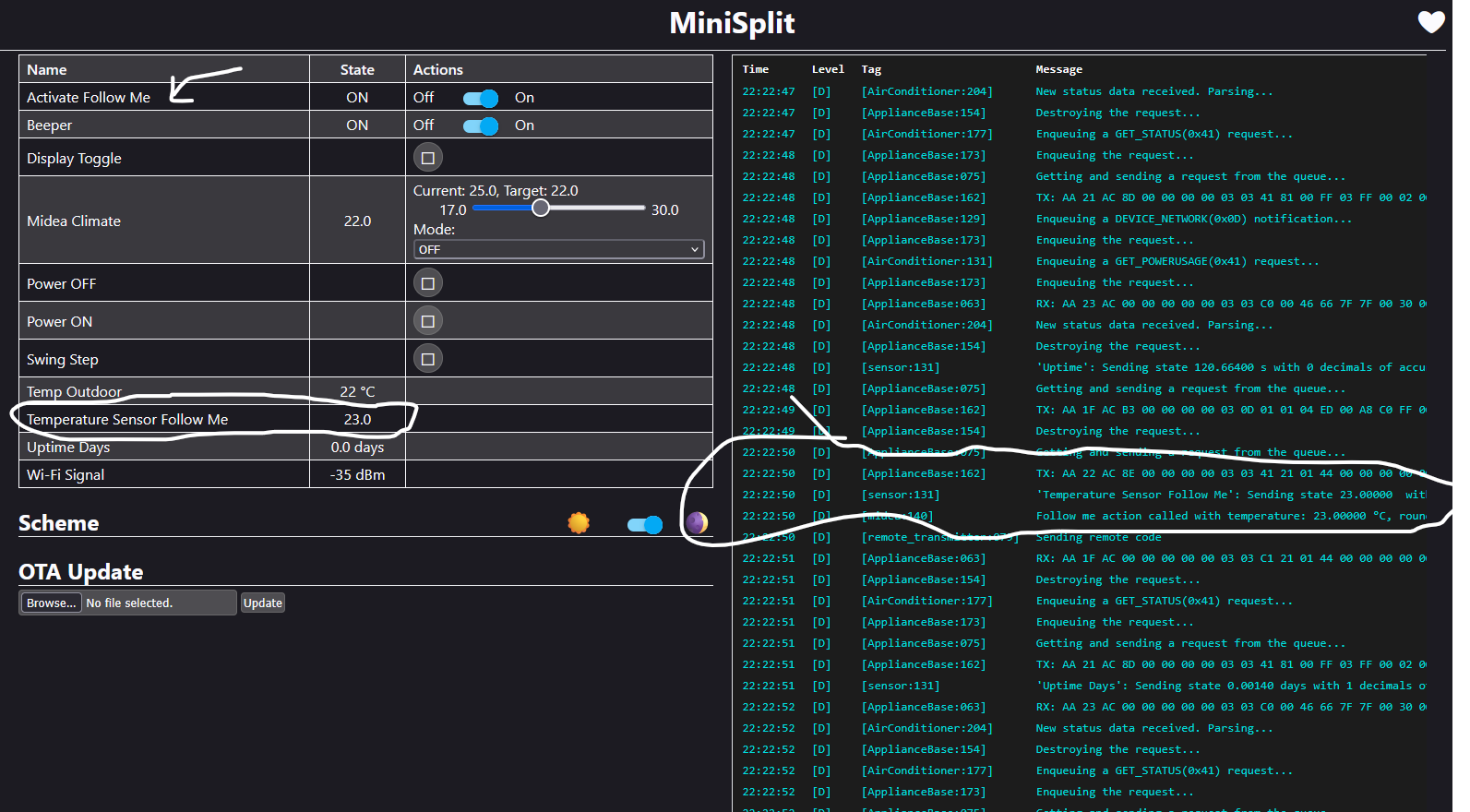
esphome:
  name: minisplit
  friendly_name: MiniSplit

esp8266:
  board: esp01_1m

# Enable logging
logger:

# Enable Home Assistant API
api:
  encryption:
    key: "qO3CWz6CQdbmi6IkK47TRiLkiNNHjszGAtEQCDng4+A="

ota:
  - platform: esphome
    password: "6a26703f002001f77303b20cdd61b647"

wifi:
  ssid: !secret wifi_ssid
  password: !secret wifi_password

  # Enable fallback hotspot (captive portal) in case wifi connection fails
  ap:
    ssid: "Minisplit Fallback Hotspot"
    password: "qqEdOL7zJzpE"

captive_portal:

uart:
  tx_pin: 12
  rx_pin: 14
  baud_rate: 9600

web_server:
  port: 80

# Main settings
climate:
  - platform: midea
    name: Midea Climate         # Use a unique name.
    # Il est préférable de donner un ID explicite pour y faire référence plus facilement
    id: midea_ac
    period: 1s                  # Optional
    timeout: 2s                 # Optional
    num_attempts: 3             # Optional
    autoconf: true              # Autoconfigure most options.
    beeper: true                # Beep on commands.
    visual:                     # Optional. Example of visual settings override.
      min_temperature: 17 °C    # min: 17
      max_temperature: 30 °C    # max: 30
      temperature_step: 0.5 °C  # min: 0.5
    supported_modes:            # Optional. All capabilities in this section may be detected by autoconf.
      - FAN_ONLY
      - HEAT_COOL
      - COOL
      - HEAT
      - DRY
    custom_fan_modes:           # Optional
      - SILENT
      - TURBO
    supported_presets:          # Optional. All capabilities in this section may be detected by autoconf.
      - ECO
      - BOOST
      - SLEEP
    custom_presets:             # Optional. All capabilities in this section may be detected by autoconf.
      - FREEZE_PROTECTION
    supported_swing_modes:      # Optional
      - VERTICAL
    outdoor_temperature:        # Optional. Outdoor temperature sensor (may display incorrect values after long inactivity).
      name: Temp Outdoor

# Template buttons for sending display control command and swing step actions
button:
  - platform: template
    name: Display Toggle
    id: midea_display_toggle
    icon: mdi:theme-light-dark
    on_press:
      - midea_ac.display_toggle:
  - platform: template
    name: Swing Step
    id: midea_swing_step
    icon: mdi:tailwind
    on_press:
      - midea_ac.swing_step:
  - platform: template
    name: Power ON
    icon: mdi:power
    on_press:
      - midea_ac.power_on:
  - platform: template
    name: Power OFF
    icon: mdi:power-off
    on_press:
      - midea_ac.power_off:

sensor:
  - platform: homeassistant
    name: "Temperature Sensor Follow Me"
    entity_id: sensor.thermostat_salon_temperature   # Sensor from HASS
    internal: false
    filters:
      - throttle: 10s
      - heartbeat: 1min             # Maximum interval between updates.
      - debounce: 1s
    on_value:
      # On envoie la température seulement si le sélecteur est activé
      - if:
          condition:
            switch.is_on: follow_me_switch
          then:
            - midea_ac.follow_me:
                temperature: !lambda "return x;"
                beeper: false               # Optional. Beep on update.
  - platform: wifi_signal
    name: "Wi-Fi Signal"
    update_interval: 60s
  - platform: uptime
    name: "Uptime"
    id: uptime_sec
    internal: true
  - platform: template
    name: "Uptime Days"
    lambda: |-
      return (id(uptime_sec).state/60)/60/24;
    icon: mdi:clock-start
    unit_of_measurement: days
    update_interval: 60s

switch:
  - platform: template
    name: Beeper
    icon: mdi:volume-source
    optimistic: true
    restore_mode: RESTORE_DEFAULT_ON
    turn_on_action:
      - midea_ac.beeper_on:
    turn_off_action:
      - midea_ac.beeper_off:

  # Ajout du sélecteur pour la fonction "Follow Me"
  - platform: template
    name: "Activate Follow Me"
    id: follow_me_switch
    icon: mdi:map-marker-account
    optimistic: true
    # L'état sera restauré au redémarrage, par défaut à ON
    restore_mode: RESTORE_DEFAULT_ON

remote_transmitter:
  pin: GPIO13                       # For iot-uni-stick.
  carrier_duty_percent: 100%        # 50% for IR LED, 100% for direct connect to TSOP IR receiver output.
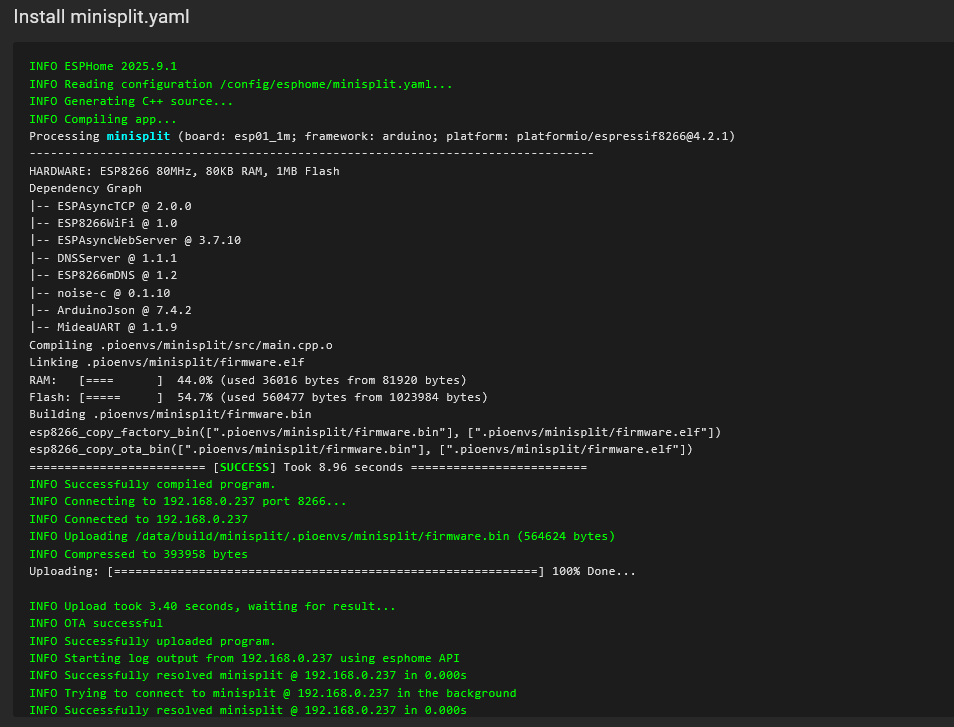
2 Likes
@marcmale nice that you now have it working in HA, I've started looking into this also but don't have HA installed anymore, so I'm working with the SLWF-01pro with the what was on it when I bought it (ver 2.1 on ESPHome 2024.4.2 as reported to the driver I'm working on).
One thing I noticed from your YAML file, is that to make it work in HE you will need to remove the following lines in the "api:" section and recompile/upload to device so that it doesn't use encryption

When doing this, you will have remove/add back the ESP node in HA or else it won't work anymore in HA.
For now I'm just trying to wrap my head around everything and the commands used to do things. Everything I receive from the mini-split is gibberish at the moment and I'm wondering if the ESPHome key I have has been flashed with encryption or not. I'll let you know when I have things figured out.
Might have to install HA again (I just so love working in that mess of a software, NOT).
Update: I now see info in a readable format for the most part in the logs, not sure what was going on.

