No reason it shouldn't work. I've used Pi Zeros for much heavier NodeJS apps.
Does not look like the Pico has Wifi and only 2mb of memory with no SD slot.
I think you would want at least a Zero.
2 Likes
Wow - I missed that it was a Pico entirely! Just assumed it was Pi Zero, like the ones I've used.
wow I also didnt realize it didn't have wifi.... sure liked the price but without wifi wouldn't make a good server!
Thanks for catching that !
Tim
FWIW, I have used the Pi Zero 2w for a couple projects:
https://www.raspberrypi.com/products/raspberry-pi-zero-2-w/
About $15-20. So, close to the price of the Pi Pico. This would be sufficiently adequate to run an Echo Speaks server on.
Hello. I am havng the same symtoms you describe with the latest Echo Speaks package (4.3.0.1). I am able to to logon to Amazom and set my cookie successfully via the Heroku Host URL you have suggested needs modifying. I am unable to find the 'Server Host Override' URL within the app settings on Hubitat. As a result I am seeing the purple screen shown. My Hubitat logs tell me that I need to re-authenticate. Any suggestions would be appreciated.
I just pulled the current official code and the Host Override is exactly as described in my directions, nothing has changed. It only shows up if you have the App on Hubitat set to Heroku

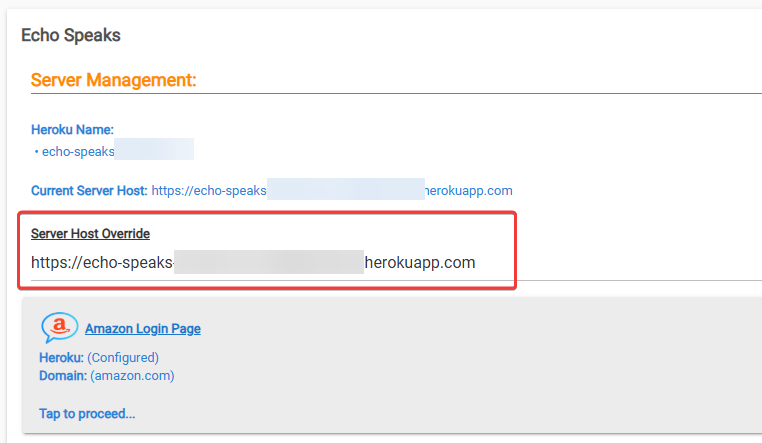
Thank you for the pointer. I won't be able to access my hub for a few days so will revert back to you then. Note that my use case is that I am accessing the cookie setting for the first time after a new Heroku deployment. (i.e. after having 'Reset Service Status'). If memory serves the 'Manage Cookie Login Service' prompt does not offer those settings at this stage of the process. I will confirm that when I can.
@jtp10181 , Here is my experience trying to logon to Amazon with my new deployment....
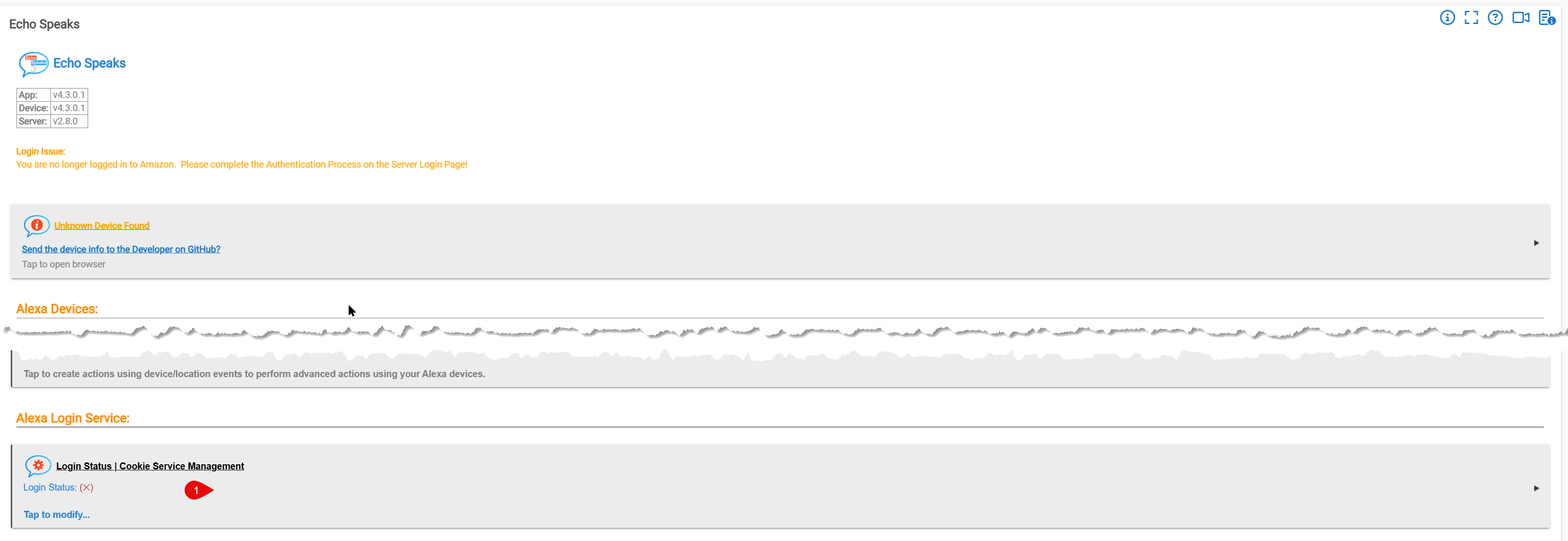

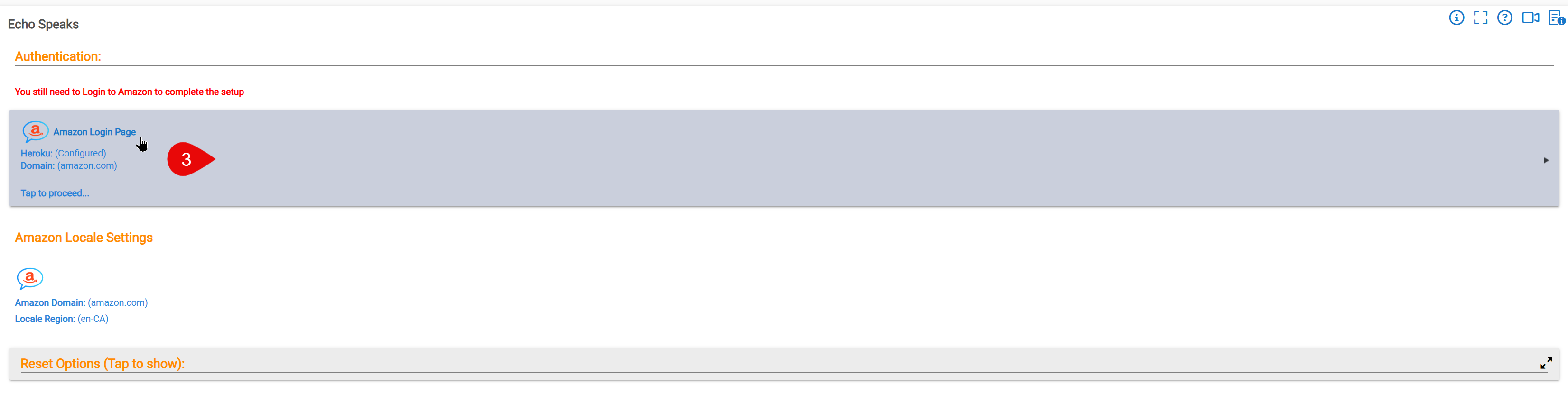
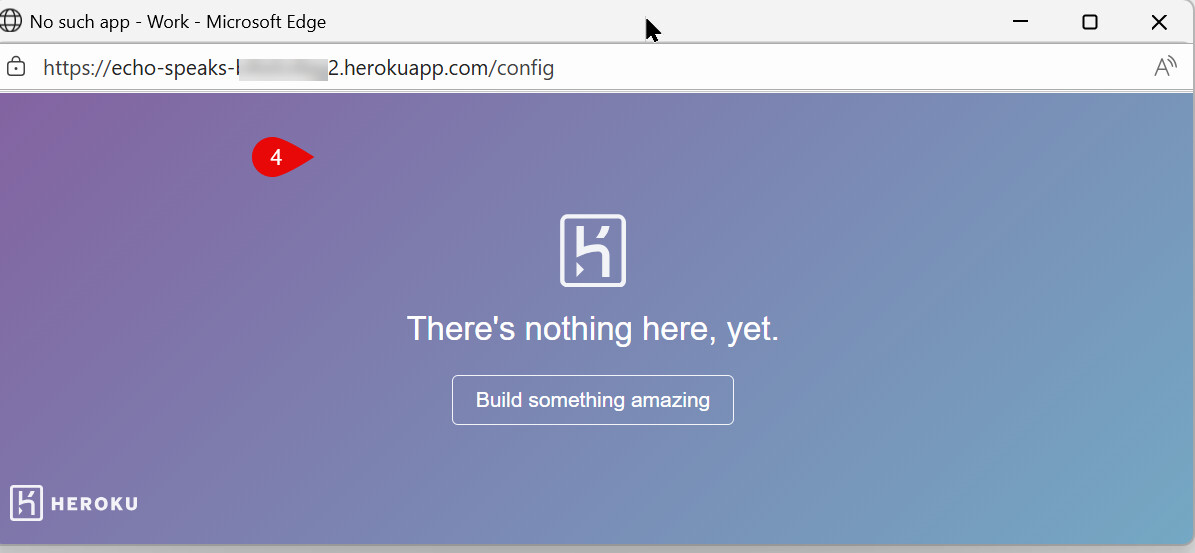
I don't see a path to the Server Management prompt you display. Thanks in advance.
New deployments of ES is currently broken due to changes made by Amazon.
Look here:
Thanks. The app has had a good run. On the bright side now I can stop paying Heroku $5 / mth.
This isn't exactly true. The server still works if you don’t enable 2FA. I published a patch for the groovy app that fixes the token status check in the echo speaks thread.
1 Like
Thanks for the pointer. I disabled 2FA on my amazon account and then preformed a fresh Heroku deployment via the Echo Speaks app. I am not sure the issue you mention is the one at play for me as I can't get the Amazon logon screen within my Heroku app. As noted above I am blocked by the purple screen. Has your update made it's way to the Hubitat Package Manager, if applicable?
I dont think you are actually following the directions. Did you use the link in the second step or are you trying to click on the link within Echo Speaks?
Yes. I am able to get the Config Vars step within Heroku. I must be misunderstanding what this step means:
- On Hubitat Paste the link into the Server Host Override settings box, and press enter
as I am attempting to do this from Echo Speaks in Hubitat. As noted the window that pops up in Echo Speaks does not have URL that I updated in the HostURL var within Config Vars in Heroku.
That is a manual change you’ll have to make to the code. @Bloodtick_Jones is not the app developer.
Here the link in the ES thread.
@Bloodtick_Jones
I have had 2FA enabled on my account for some time now, and my ES still works as expected. I probably just jinxed myself 
1 Like
While Amazon tells me I disabled 2FA I still get prompts for it when attempting to logon to Amazon. Excerpt for dyno's log in Heroku:
2025-11-30T00:47:22.856375+00:00 app[web.1]: 11-30-2025 - 12:47:22am error: generateAlexaCookie: You can try to get the cookie manually by opening https://echo-speaks-49srozk0w-XXXXXXXXXXX.herokuapp.com/ with your browser.
2025-11-30T00:47:22.856571+00:00 app[web.1]: 11-30-2025 - 12:47:22am debug: Alexa Login Status: There was an error
2025-11-30T00:47:22.943161+00:00 heroku[router]: at=info method=GET path="/" host=echo-speaks-49srozk0w-XXXXXXXXX.herokuapp.com request_id=6023d663-bf70-de9b-c5f6-039057118a4c fwd="128.90.0.32" dyno=web.1 connect=0ms service=4ms status=200 bytes=21650 protocol=http1.1 tls=true tls_version=unknown.
Will come back to this later.....
This has been my experience as well. I know that if one attempts to enable Passkeys for the Amazon account that will not work with Login for the Cookie. SMS and Google Authenticator generated codes have worked for me in the past.