Yeah it should work for any plug. Due to the large number of different brands and requests from people I built it in a way so it doubles as a generic driver for any smart plug with or without power metering. It would even work for any multi-channel non-metering device. You will get a warning that it is an unknown device but just ignore that.
I really need to hunker down and get some stuff cranked out. Adding a plug driver was next on my todo list for the Universal set.
Yeah I reviewed these a while back. They are the same as some drivers you can find on GitHub so not sure if they were commissioned by Minoston or they just borrowed them from github to slap on their web site. They looked like a messy port from old ST code, I was not impressed.
Ha, yes, a hacky port of an older ST stuff is exactly what I suspected too... It's obvious that effort was put into those builds at some point, but equally obvious it wasn't specifically designed for Hubitat, so it being older code from ST made the most sense to me.
Thanks for confirming I'm (probably) not going crazy.
I changed to this driver (Zooz Xen Plugs Advanced) and was unable to control the plug - both automations and control from Device page failed for some reason.
Change driver/save.
Configure, Refresh, sync status showed syncing and then completed
Ran my normal RL automation that uses this plug, plug didn't come on
Turned on from Device page, plug didn't turn on
Reverted to EvaLogik driver, and plug works normally again from RL and from Device page
I've never tried Jeff's driver with my Minostons -- IIRC, I knew they'd come in as an unknown device, so I just decided to go straight to using the Basic ZW Tool and the Generic Outlet driver.
Oh I just realized that MP21ZD is a dimmer module, this plug driver is for on/off plugs not dimmers.
I have a Leviton dimmer plug driver but I don't think it would gain you anything over the system one.
Or you could also try my Universal Dimmer driver. Also the Universal Switch driver should work for non-metering on/off plugs and may be able to give you all the settings exposed.
Just assigned this driver. Lights are being controlled normally, no issues so far. I did get a couple error logs during setup (believe related to the plug not being configured w/S2. Posted details in the appropriate topic.

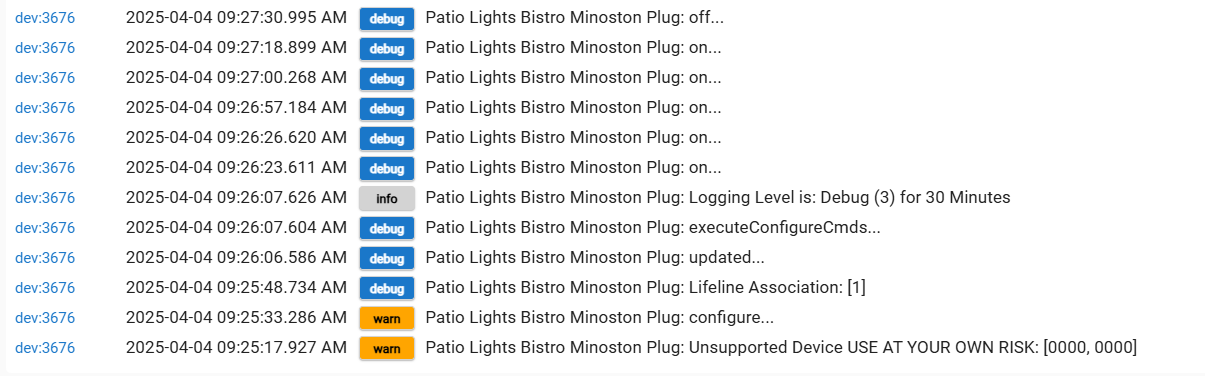

 I did get a couple error logs during setup (believe related to the plug not being configured w/S2.
