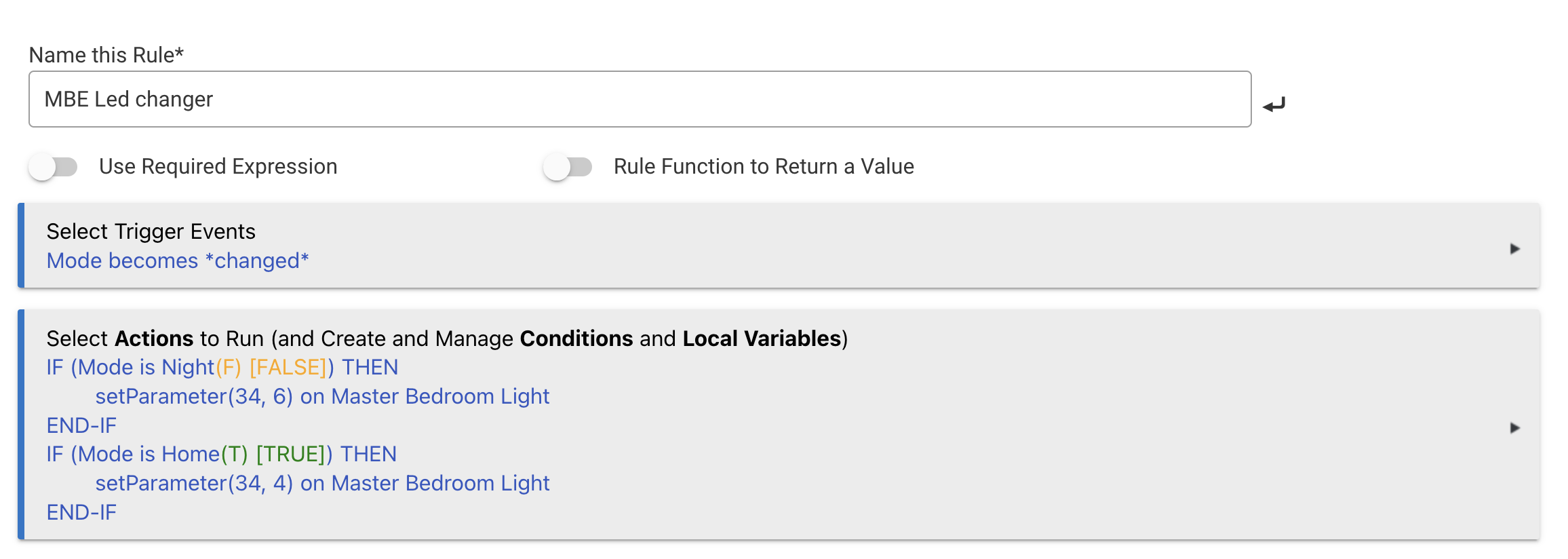
The driver works with Ultra Pro Smart Dimmer #59350. I was able to change the LED color on the switch with mode change.
1 Like
Were you able to change color or the brightness level? I thought the dimmers only supported the standard "blue" light. If you were able to change the color, can you post the command (and color values) you used? Thanks!
The parameter options are available in the device manual -- I found a link to it on this z-wave alliance page.
Then you can use Rule Machine's Run Custom Action option to access the 'setParameter' capability of this driver to set the desired LED color (and brightness) via parameters.
1 Like
Thanks so much. Found the valid parameter values in the manual (https://products.z-wavealliance.org/ProductManual/File?folder=&filename=cert_portal/certs/677/59350QSG_1.pdf) in case anyone else needs it.
Does anyone know if this driver, with the Leviton ZW15S switch, will differentiate between a physical switch off vs a digital off. I want to automate this switch but the rule I have in mind needs to only run when the switch is manually turned off.
The generic z-wave dt binary switch driver or the generic z-wave plus switch driver don't differentiate with this switch.
Amazing! Thanks you for confirming and creating this driver!
1 Like
In regards to the Leviton ZW15S, does this driver
- enable any double-tap options?
- report a physical off if the switch is manually turned off while already off?
I would like to use a switch press to temporarily disable a motion sensor.
Thanks.
No for either, the Leviton devices do not support the button (central scene) command classes. Events that are not a state change are sent to the hub but it will filter them out.
Could patch it pretty easy and add isStateChange: true to the switch events to force them through, or could also add a fake button event when the switch is pressed.
If it is easy, I'd be for it to make press off when off to turn off other lights in the room and vice versa for on.
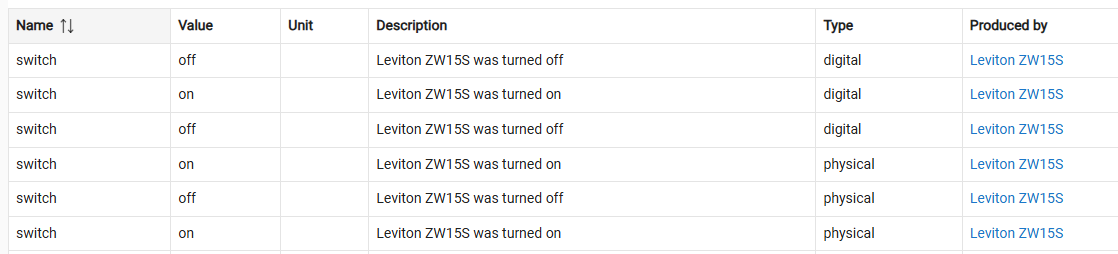
Thanks for the reply and the direction to isStateChange. Using that tip, I found the Event Senders section of your driver and noticed it will log Debug information for events that are not a state change. I turned on debug logging and captured the following with two physical on presses followed by two physical off presses (the initial state of the switch was off):

The physical off press was not reported when the state of the switch was already off. It seems like this is a result of the switch itself not generating a physical off event when the switch is already off.
I am learning so please correct me if I am wrong.
Yeah I just tested it on mine also, it looks like the device does not even send an event for the off if the device is already off. That is unfortunate. Its a shame Leviton put out these devices with such bare bones features.
1 Like
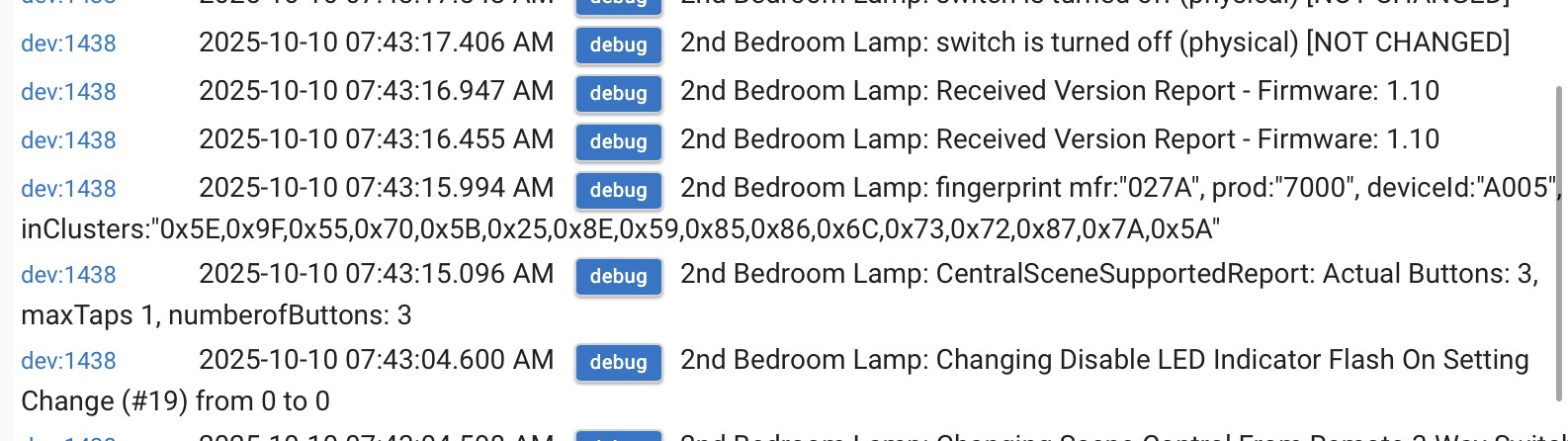
Is it causing any issues? Zooz started adding a feature where if you have a momentary switch connected as a 3way it reports those button events on another button number. Guessing that’s what it is.
Not sure why it says max taps in 1. I would have to pair mine to Hubitat and try it.
This is not in a 3/4 way setup. Just direct control.
Turning on scene control just now to add some extra functionality and saw it. Didn’t know (haven’t tried) which button presses would work once I saw the “3”.
Have to run but will test in an hour or so. Thanks.
Jeff, scene control works, however rather than ON being 1,3,5,7,9 for 1,2,3,4,5 taps it increments by 3, i.e., 1,4,7,10,13.
Ah yes, thats going to be due to the button 3, it is leaving room for it. The device I think will always report the max buttons even if you dont have it configure to where it would get used.
Its a side effect of a generic universal driver. This shows how universal my design is. It asks he device for all this info and then adapts everything based on the exact device.
Most of your automations you should be able to just use the butons 1 and 2 with pushed or doubleTapped events. I think I have the driver sending the button AND a doubleTapped event for those anyway? How many people are really using 3-5x regularly? I know I do not use them very often.
I added a Ultra Pro 59350 switch using Zwave SmartStart and it added the switch as a Generic Z Wave Dimmer.
I then changed the device type to the Universal Zwave Dimmer driver.
Then something happened that I've never seen happen before. Instead of changing the existing device type, it created a completely new device.

Why did it do that? Can I remove the old Generic device?
Thats not something the driver could even do. Check your z-wave details to see if the device is in there twice. If it is, then check to see which node is actually functional. Then you can go the non function device and remove it (do not exclude). Hopefully the force remove will take the node along with it, so you dont end up with a ghost node.