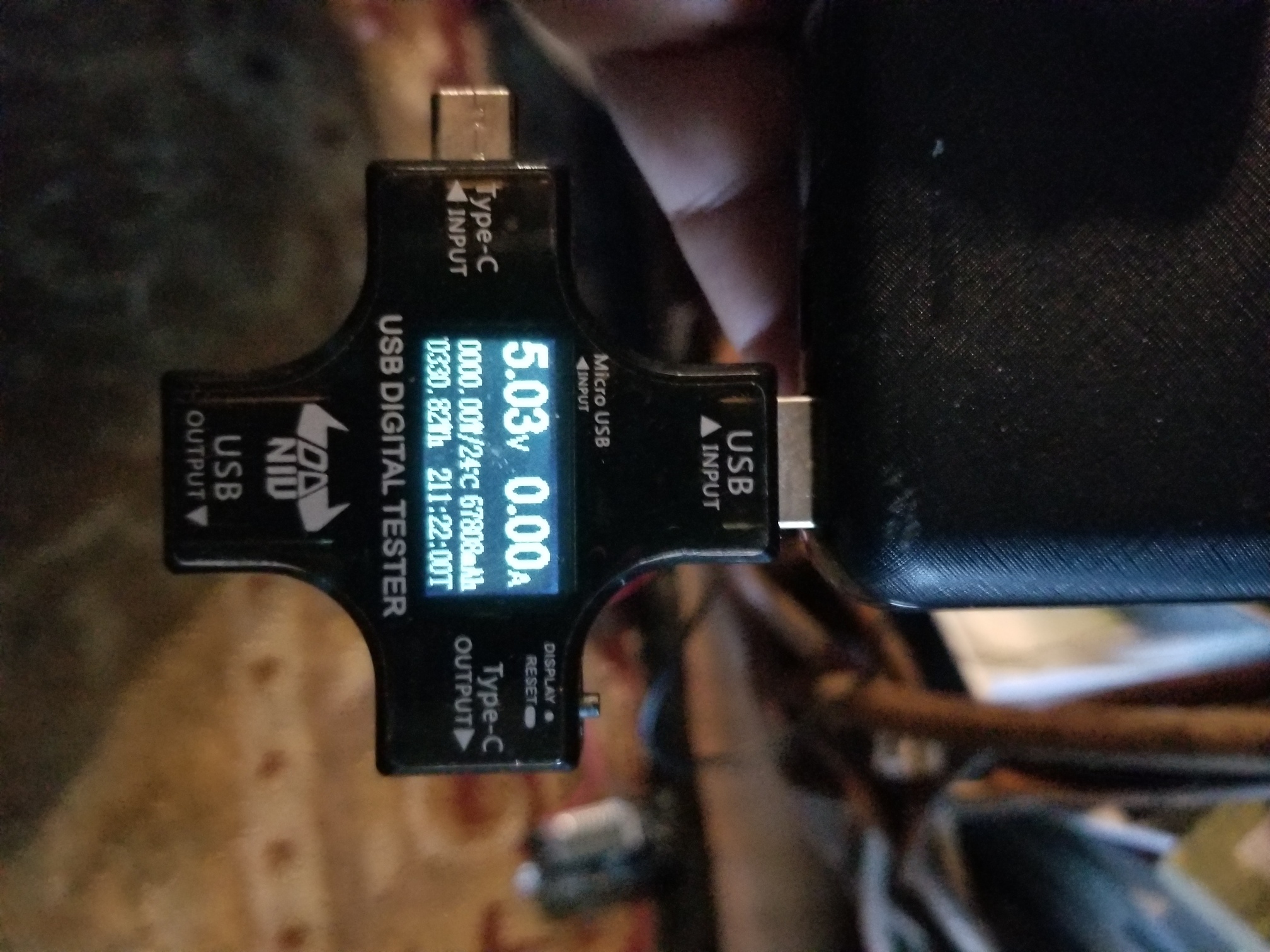
I don't have any fancy graphs, but I did a longer test. Over a period of 211.2 hours I ran my hub, as normal (HSM, hub updates, building rules, automations, adding/removing devices, etc) and monitored the total power consumed. The total consumed over that 211.2 hours was 67808mAh, which gives an average of 321 mA per hour. So my previous observation of the hub running in excess of 8 hours on a single panasonic 18650(~3400mAh) battery seems reasonable.
I'd expect as the battery ages for that runtime to be decreased.
6 Likes
I thought I'd share my completed mini-UPS project (with inspiration from @JohnRob work). My plan was to use this mini-UPS for my new C-7 Hubitat hub to keep it powered in the event of a home power outage, and have the hub do a self shutdown after a preset amount of time had passed. I ordered a Wemos board from Banggood.com which arrived several weeks early from the estimated delivery date from China to the US. I also ordered a three 5V Panasonic batteries from LIION which worked perfectly in the Wemos board.
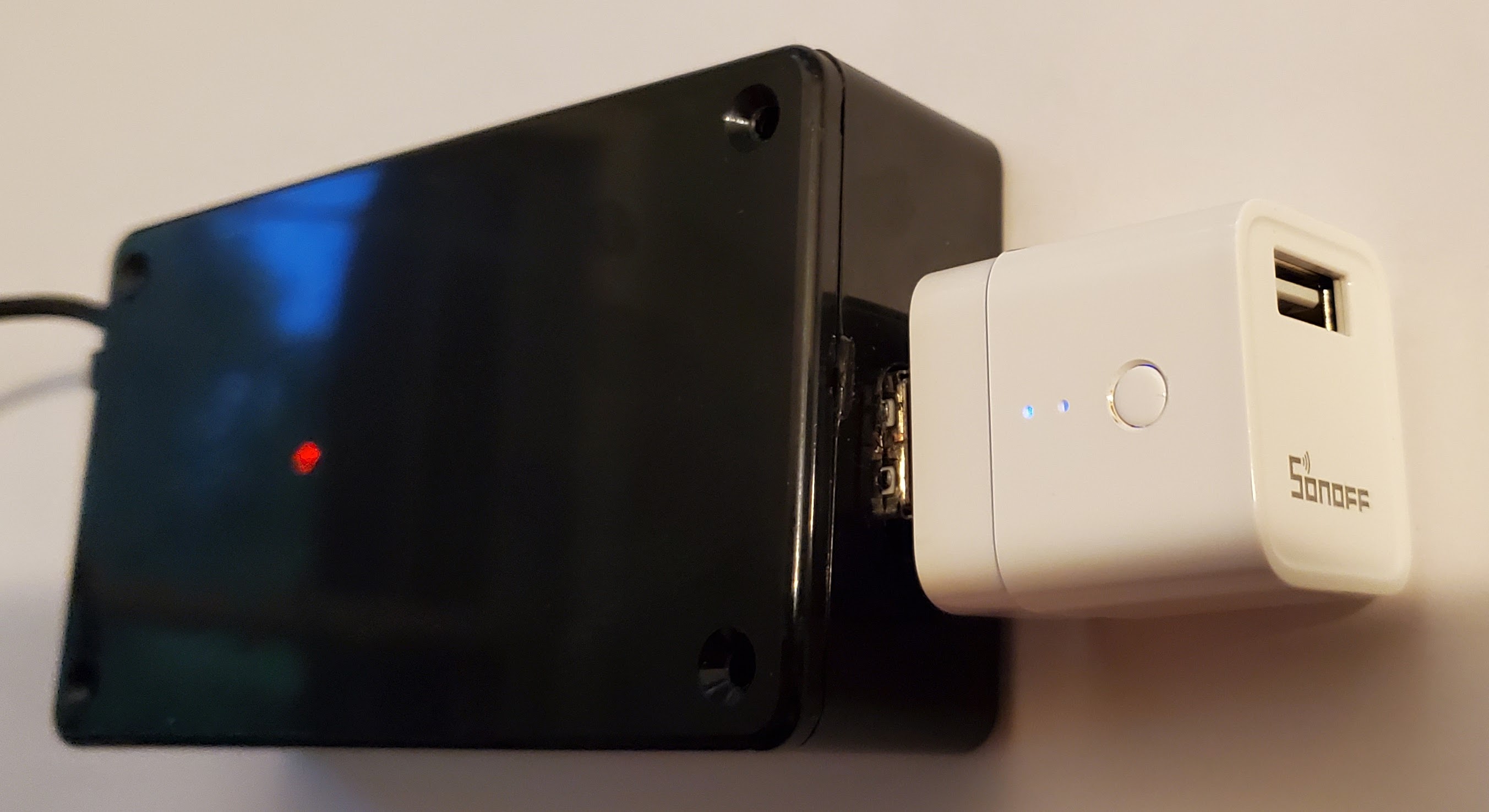
I first tried to avoid soldering by using a micro USB cable to power the board, however, the micro USB connector on the board broke off way too easily. So to continue on, I did have to solder two wires to the board at the location of the micro USB connector. I then used a SONOFF USB WiFi switch connected to the USB-A port on the Wemos Board which gave me the ability to turn the power off and back on to the HE hub to restart it after a shutdown. Finally, I connected a cable between the HE Hub and the SONOFF switch.
Below are some pictures of the completed project. The picture below shows the board inside a plastic project box that I ordered from Amazon. It's a snug fit, but it seems to work ok. For the strain relief on the cable I just used two zip ties and hot glued the area. I also hot glued the wires soldered to the board so these wires wouldn't break the soldered connection.
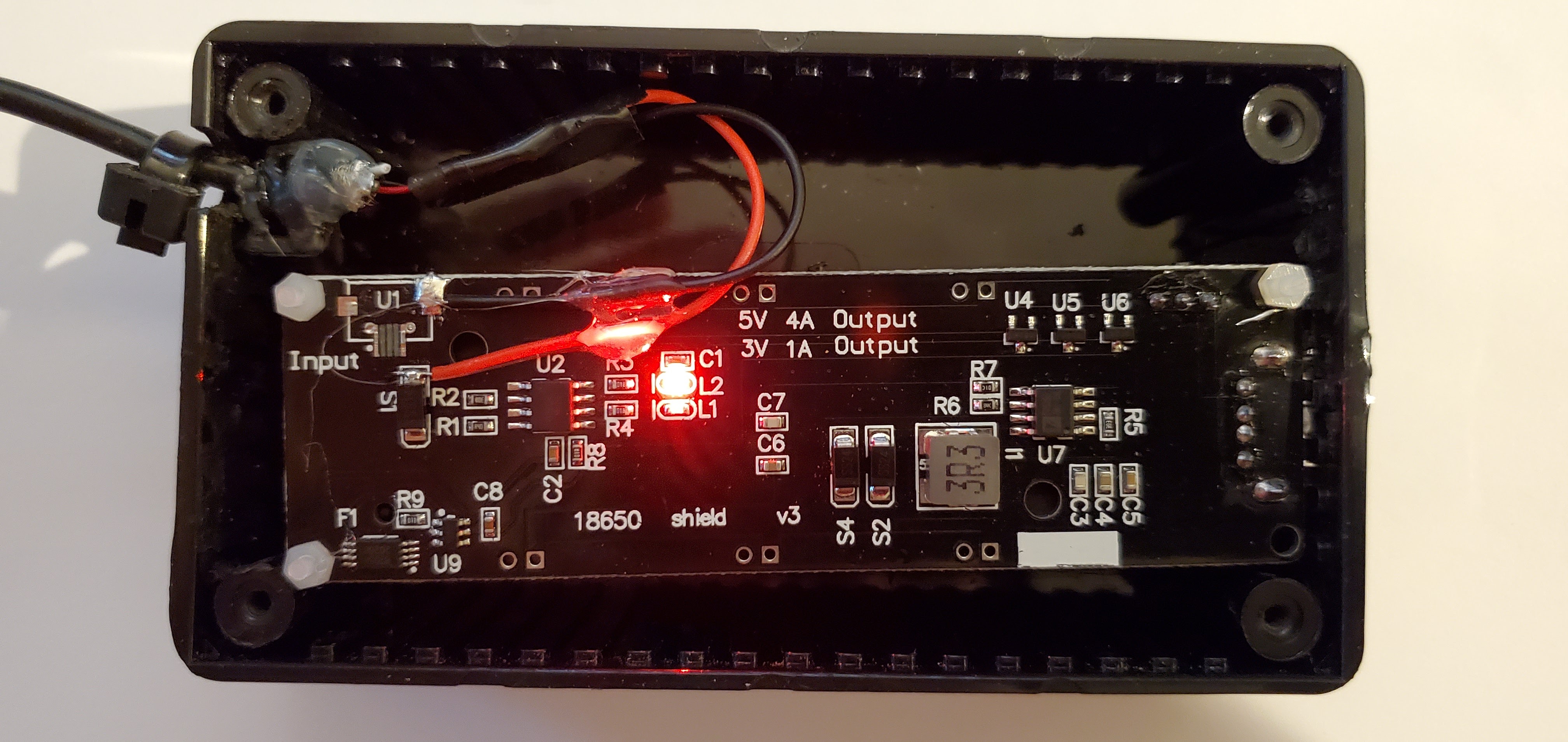
Here's the USB-A connector on the board protruding from the plastic box,

I drilled a hole in the cover of the box so the LED light on the board was visible.

Here's an angled view were you can see the SONOFF WiFi switch connected to the USB-A port on the Wemos Board.
Some final comments:
The Wemos Board was shipped from Banggood.com not in a box, but just in a plastic bag. I was disppointed in that the board could have been damaged or crushed during delivery from China. Luckily, it seemed to have survived and is working ok. The same was true for the two SONOFF USB switches, both being shipped not in a box but in a plastic bag. In hindsight, I will not order from Banggood again.
I'd probably try using a longer and taller plastic electronic box as the one I got from Amazon was a tight fit. They can be relatively expensive, so I'd search harder on eBay or maybe visit a local hobby shop for a larger box.
3 Likes
Nice setup. I do suspect the sonoff will lower your runtime. Can you report the power consumption listed for the Sonoff device?
Unfortunately, the literature that came withthe SONOFF device didn't mention power consumption.
Interesting. So it's not tattooed on the outer shell of device either? Ya know in 2 point font...
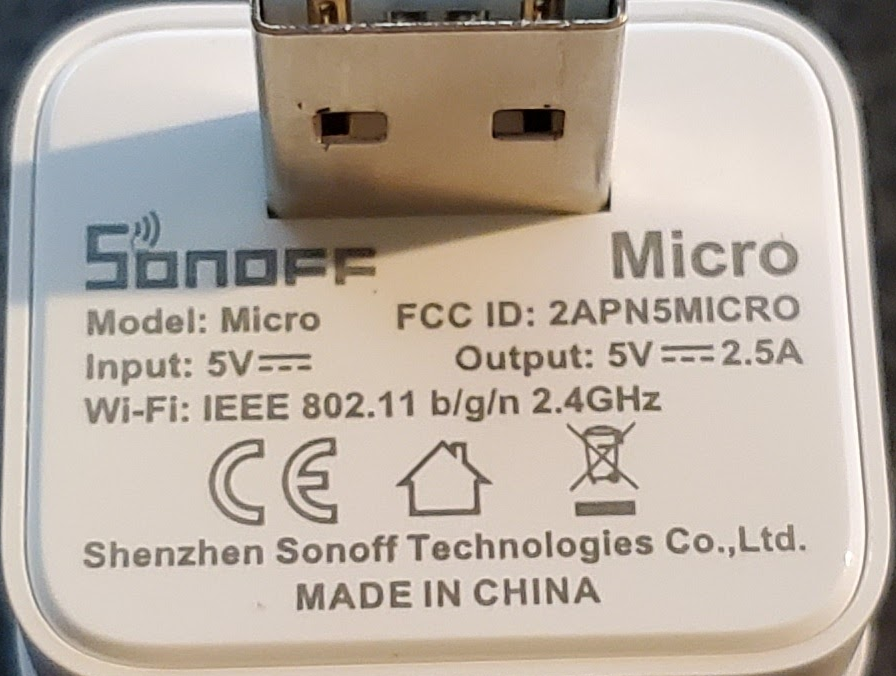
So...basically we don't know how much it pulls when nothing is plugged into it, but it could pull 12.5 Watts....+internal load.
If anything was plugged into it, it would probably eat your lunch in terms of battery consumption.
You'd need a meter like @Rxich's to measure its internal use when connected to WiFi.
Be interesting to see what it pulls.
S
May be it is off topics (it cost >>10 bucks), but here following please have a look at my solution. It in on the back of my printer shelve and it is invisible.
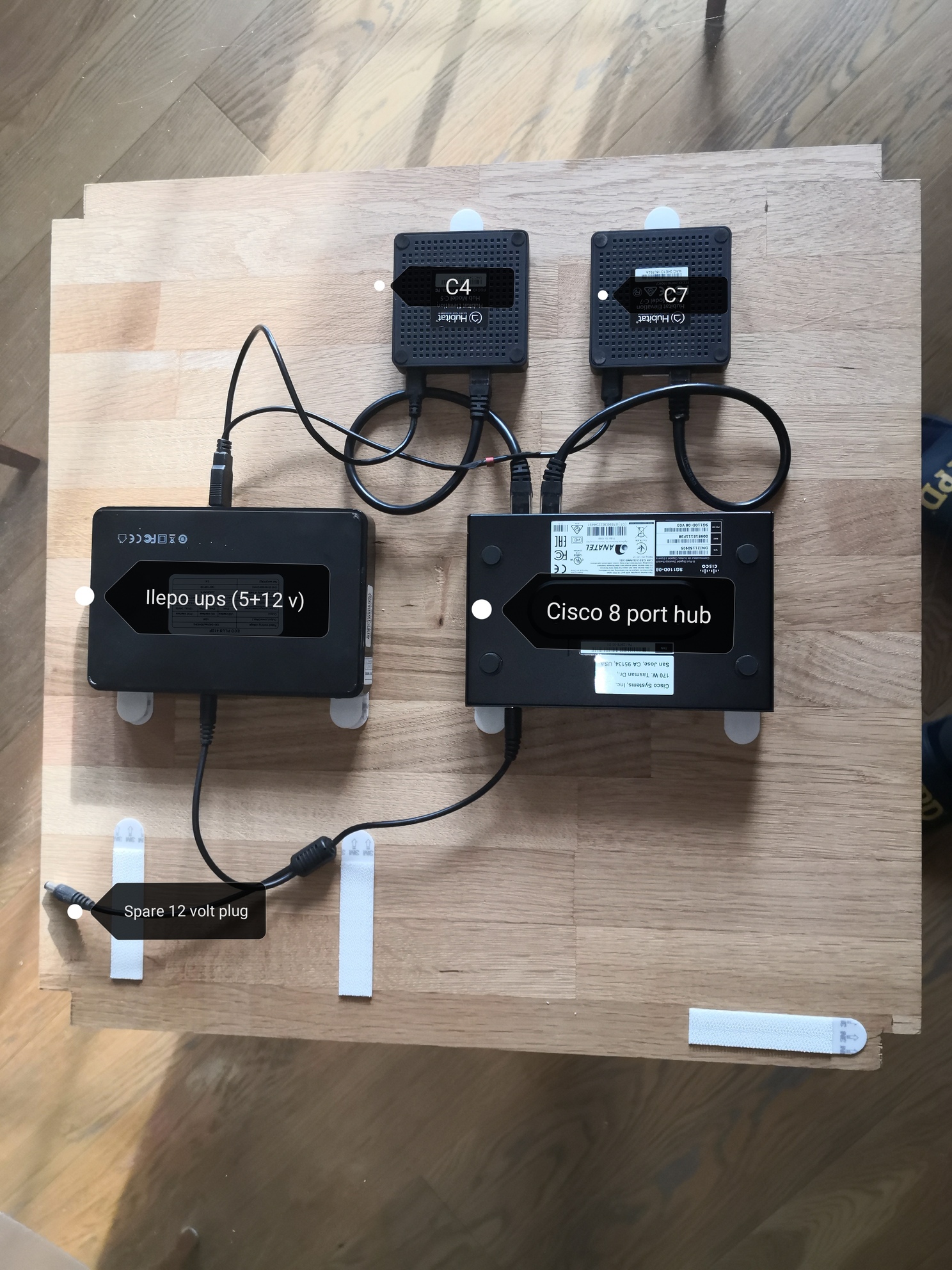
I use the hub also for a couple of other devices (cables are not connected in the picture).
The Ilepo is the only powered device
3 Likes
Nice setup, showoff. 
That appears to be at least 10 x $10.00
Still on topic, I just ordered a dual 18650 version of my board in OP, and it's still under 10 bucks, with double the runtime !
Hey where's your ethernet LAN in cable?
I have a cisco 2960S switch they were throwing out at work, I love the thing and am going all enterprise gear from here out. Their garbage is my treasure
1 Like
It is disconnected in the picture. It is connected to the Cisco sg129d (it hold also printer and raspberrypi cables) that is connected to the main switch (Cisco sg300-28) via a wall ethernet plug. I would like to backup also my raspberrypi (VPN server) but I should replace the ups with a bigger one (e. g. Talentcell 5/12 v)
Pretty neat! Thanks for sharing your setup.
This looks interesting.
What driver do you use for this?
Is that sonoff device just a USB switch or what else?
The SONOFF USB switch that I'm using is WiFi, and I use an app on my phone to turn it on and off. The purpose of this WiFi switch is to allow me to turn the HE hub off and back on after I do an auto-shutdown after a power outage. So the scenario is this:
- Power outage occurs at my house. My HE Hub continues to run because it's on a backup battery.
- My Ring Extender device notifies my HE Hub that it is on battery power, so my Rule Machine app then gets triggered and will auto-shutdown my hub after 2 hours have passed.
- My hub is shutdown now. Later, the house power turns back on.
- The only way to restart my hub is to unplug it, and plug it back in (effectively, turn it off and back on). That is what I do with this USB WiFi Switch. I do this manually from the app on my phone.
The only issue I see with this plan, is that I don't get any notification that the power outage has occurred at my home while I'm away (say on vacation). I would have to check by trying to access the Hub remotely or connecting remotely to my home computer, etc.
I've seen mention in other threads about the possibility of your mesh being corrupted during a total power loss and the hub not receiving the Ring extender notification. Anyone know if this is a likely scenario?
Sorry, but I'm not willing to test it. 
I replaced all of my range extenders with the Ring Extender 2nd gen because it has the internal battery backup, just for that reason. Also, one of them is on the GFI outlet in the garage with the freezer because we’ve had one of the outdoor outlets trip, removing power from the freezer.
Tested by throwing the breakers, Hubitat on ups got the notifications, all switches on ups, Hubitat shut down cleanly.
2 Likes
Btw another possible solution I found trawling AliExpress was this 6500mah in-line USB UPS:
Capacity: 6500mAh (I assume a pair of 3,250mAh 18650's are in it)
Charging voltage: 5V
Charging current: 1-2A
Output current: 1A
I'm tempted to grab one and replace the cells with a pair of Panasonic's.
1 Like
And I gave in to temptation.  I also ordered some single 18650 boards for fun, and some Panasonic-Sharp Red 3500mAh 18650's from a local supplier.
I have all my comms and server gear on an Eaton 1500VA UPS already (which shuts down everything after 10 mins) but Im ditching my security system for HSM and want my Hubitat C7 to stay online for as long as possible to monitor all the battery powered security sensors.
We had a 14 hour power outage recently but they are quite rare.
Similar, not as advanced and cheaper

