Right now I'm using an old Belkin 350 UPS I had leftover from my desktop days. Have the router and hub plugged into it. Not sure how long it will power them but I mostly need something to prevent the frequent Florida summer thunderstorm "power blips" from corrupting my hub's database.
2 Likes
@tony3286 , did you ever get a reading on the power consumption of the Sonoff usb relay?
Sorry, I never checked power consumption.
1 Like
Found this on wish.com
(Batteries are not included. I get them from 18650batterystore.com)
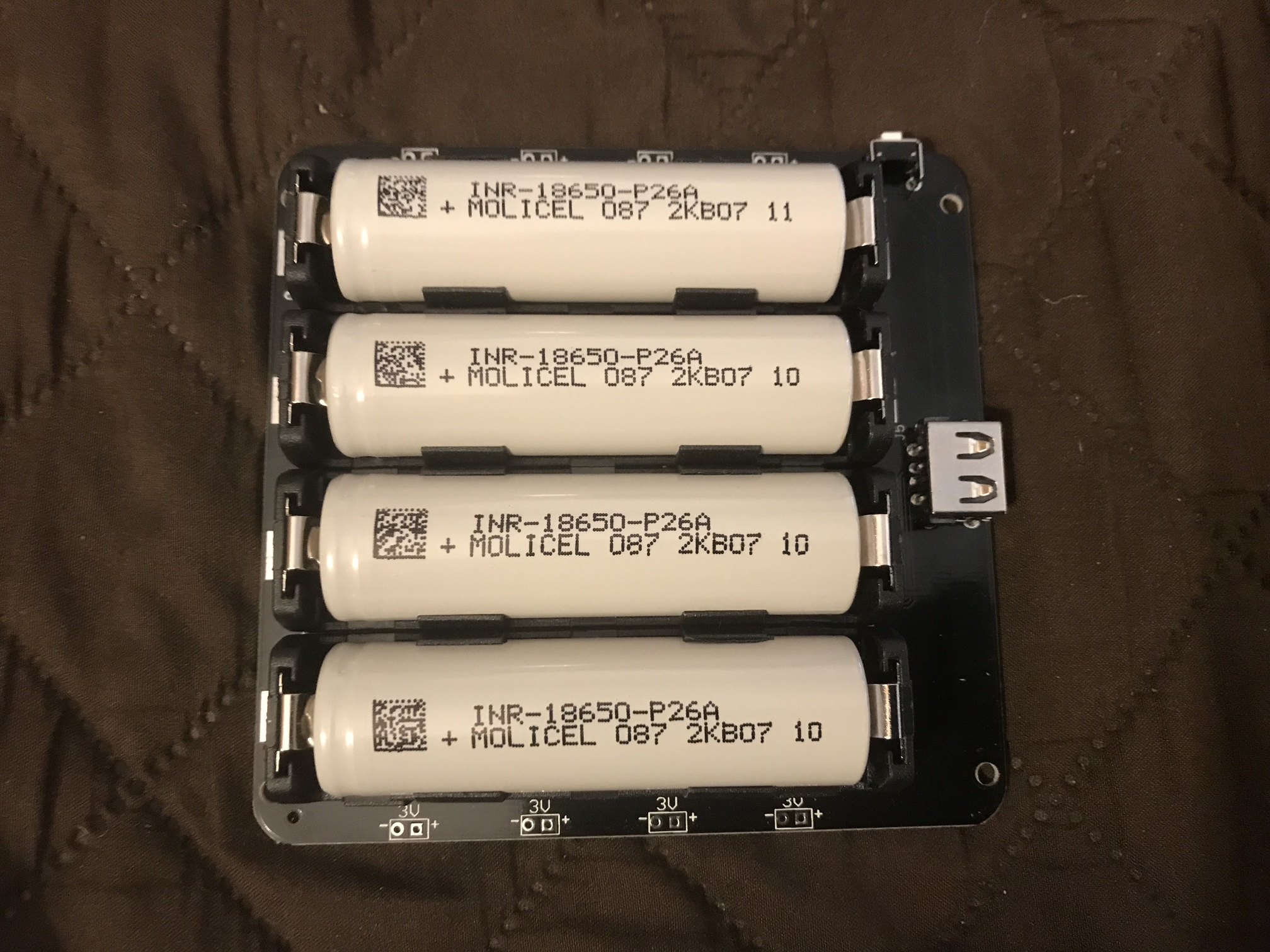
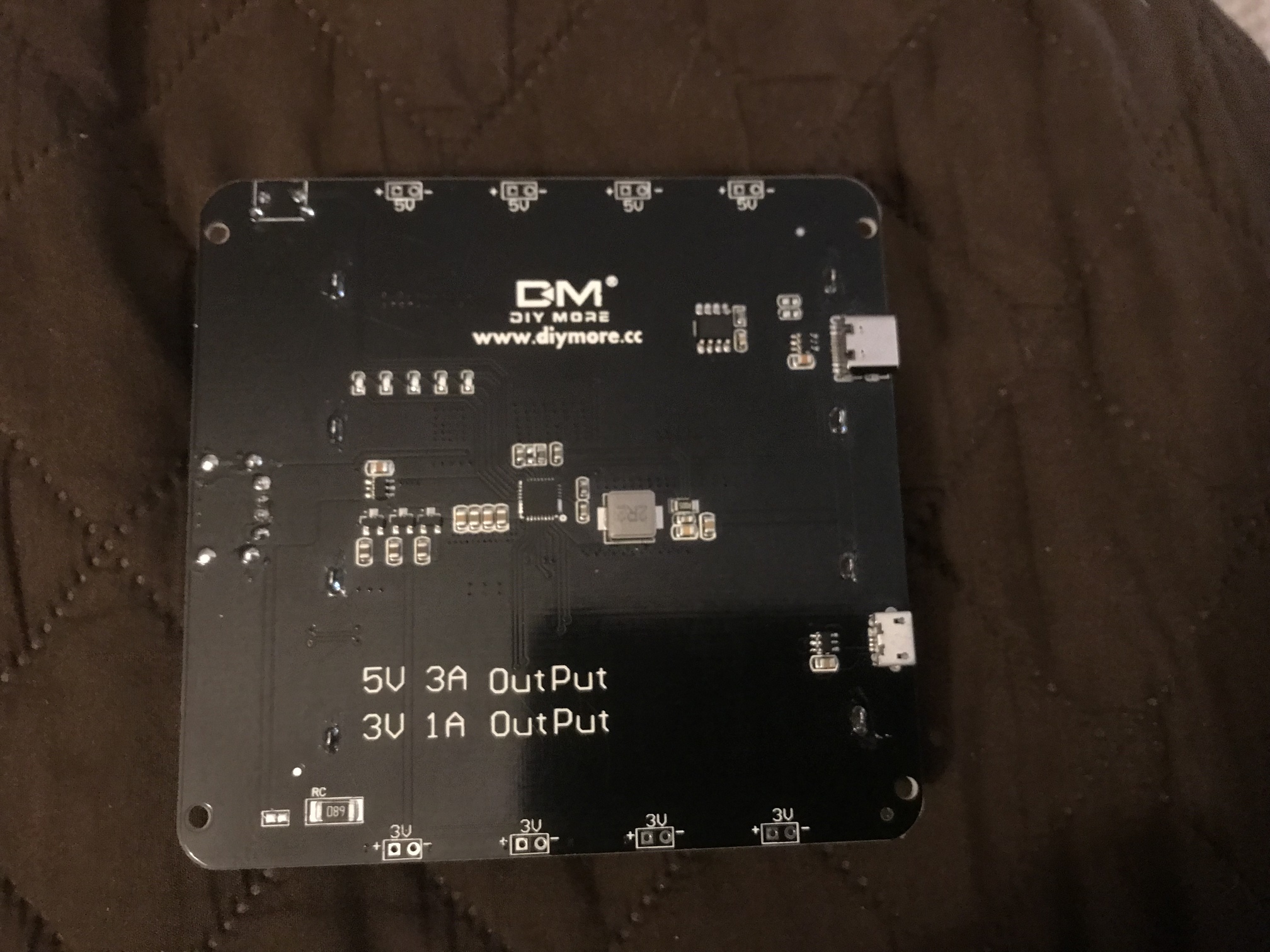

I have disconnected the power from this so the C7 ran just on this. 2 days so far.
1 Like
Nice, does it cut power at all when power is removed from the wall?
My C7 had been powered solely by this for the last 2 days if that is what you are asking, My USB tester shows the transition from wall power to battery power does cause the C7 to reboot. Power to the C7 is dropped for a split second. Not really a backup though. The database could be corrupted even with this.
It appears to be made by the same company that makes the single battery board (V1) whereas this is called the V9.
Ah that’s a deal breaker as a backup power supply then. The whole point is to prevent power loss and potential database corruption.
3 Likes
So I too had the same experience with a 2 cell version of your board. In messages above, someone advised adding a capacitor across the output to "bridge" the momentary power loss. It didn't work for me, the hub still rebooted. You could try adding a capacitor. Careful I fried mine doing this because I left the batteries in while soldering
There is a raspberry pie "UPS" version, holds 2 18650's but is over triple the price compared to the cheapy one I started this thread with.
I also have the V1 model which accepts one 18650 battery. It also drops power output momentarily when input power is lost.
Connected the V1 to power, then connected the output of the V1 to the input of the V9 hoping when power was cut to the V1 the V9 would not flip out. As Ron White would say “I was wrong”. So, I did the reverse, connected the output of the V9 to the inout of the V1. Same thing.
Seem to remember reading something about the V9 and clipping a capacitor for some reason. Will investigate that.
Found it but the translation is puzzling , if this is even what is needed
“The default power-on is always working. It needs to be manually turned off. (If you need to change to the non-working state automatic shutdown mode, just cut the middle line of the “NC” bit or remove the “ROUT” resistor. can)
It seems that any capacitor across the output would have to be large unless the switchover time is truly minuscule. There are a lot of coulombs being consumed by the hub.
The correct way to solve this would seem to be a low pass filter on the output of the power supply. So, a low value resistor (1/2 ohm or so) between the output and the capacitor. Depends on how much current the hub draws.
This video has a comparison of 10 of these board types. Andreas doesn't like any of them ! I actually got the idea for the original single cell version above from him. Both of mine have been running fine for over a year

1 Like
Remembered I had a RAVPower 32000mAh USB power bank. Connected a load (Fire HD10 tablet) with my USB tester, and connected the power bank to a wall charger. Amazingly, the power bank does not power down when both a load is connected and it is connected to power. Really don’t like using the C7 for testing, because the WAF is zero while everything is reconnecting.
This was originally to be used for a 5v fountain too far away from power that never happened.
I was under the assumption that most power banks don’t charge and supply voltage at the same time.
Testing will continue but it definitely keeps the output voltage on when there is input voltage. Not even a glitch on the waveform on the USB tester.
Bought it on Amazon a while back, but RAVPower is not an Amazon seller anymore because of shady reviews (rewarding for positive reviews)
2 Likes
Has been almost 2 weeks with the RavPower connected. Have disconnected the power bank input and the hub didn’t reboot. This appears to work. We haven’t lost power in years, so real world testing most likely won’t happen.
1 Like
Interesting... but not quite sub $10.
Does the RAVPower information suggest charging and discharging at the same time is supported?
I guess I'm wondering if there isn't a power glitch when loosing input power or there is a small glitch that doesn't reset the Hub.
We lose power so often I’ve ordered a Tesla power wall and all my comms gear and IT gear are on ups power.
It has been proven the sub $10.00 solution does not work.
Check an earlier post from me where I had a USB tester in series with the hub. I removed the input voltage from the power bank while graphing the output. The output didn’t change a bit when the input was removed
Actually that is not 100% correct. I believe there are two <$10 solutions, one works and the other doesn't.
I would have liked to test the other board but never got the time.
The below is the one that works. It's been in service since August 2020 with out a kickup.
Full disclosure, I did choose to solder wires instead of using the original connectors but that was a personal choice not a functional requirement.
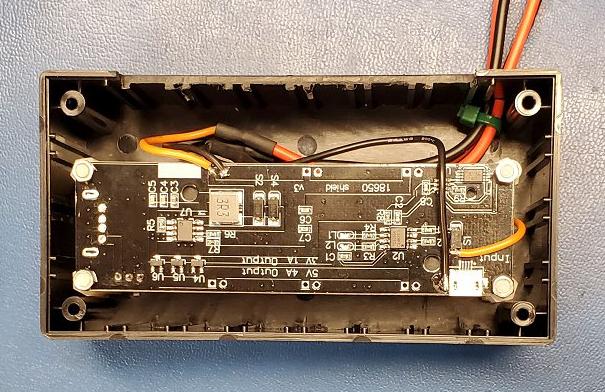
Here is a current link to the board I have found to be fully functional as a UPS
4 Likes
Mine both work perfectly! You just need the correct parts. I even documented the end to end solution to make it easier for folks.
3 Likes
Mine also works fine.
1 Like
Duly noted. Thanks for teaching this old man.