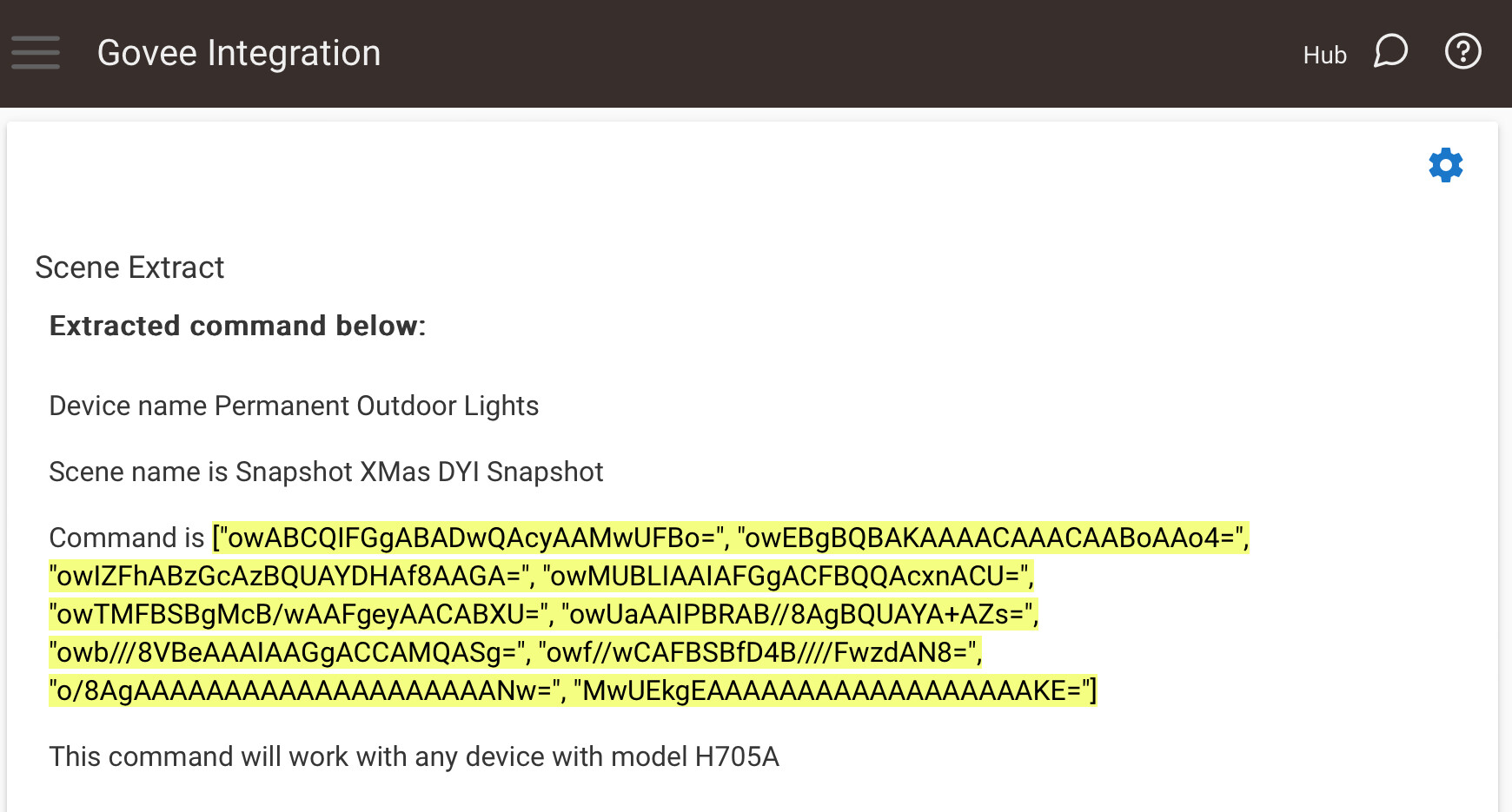
Okay, it took me a while to get this one snapshotted, but after maybe a dozen tries, I got a snapshot! I tried adding it to the device, but no go again.
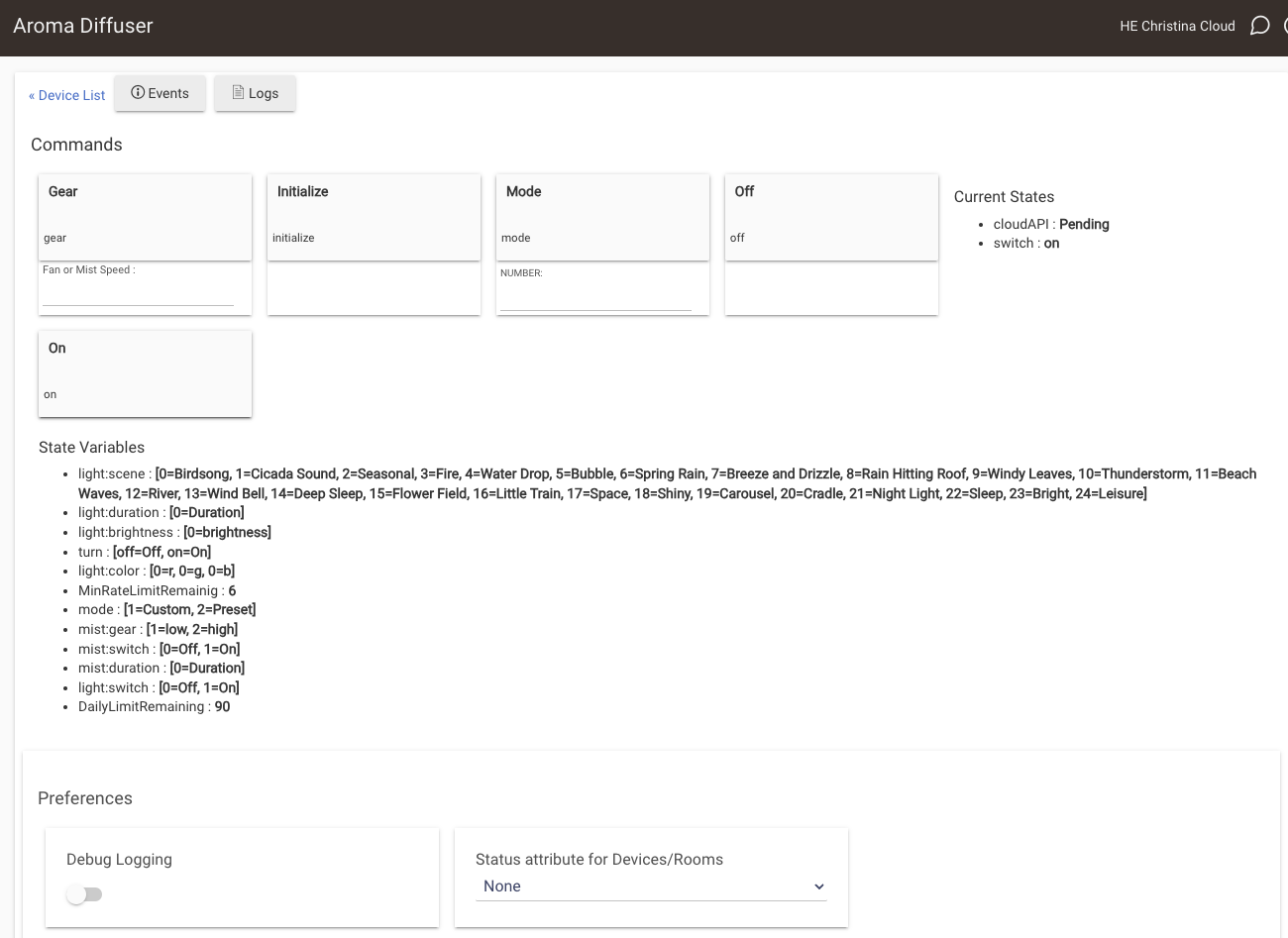
Hmm maybe I'm mistaken. After adding the diffuser to HE, the device details page looks like the below. I have on/off, mode, and fan speed commands, which is great as far they go. But I don't believe any of the State variables below the commands are controllable, whether from this screen or RM, for example.
Also, what are the valid values for "Gear"? It appears to be a number, but everything I try returns a Bad Request error to the log.
Ok i just took your command and added it myself to my dev hub. So there isn't anything in the command that would have prevented it from working. Can you go to your apps page and click on the gear next to the Govee Integration app and then scroll down to the application states section. There should be a object named "diyEffects". Can you copy the entire value for that and send it to me. I have a few ideas what may be causing it. I suspect though that it is working and something is causing a mismatch. All the fields used to do a DIY Manual add are free form so it is possible bad data is getting in causing it not to match.
I think I may see what caused the problem you are seeing. There is no doubt it is using the wrong driver. It is using the standard Govee Appliance driver instead of the one made for the Aroma diffuser. I have made a tweak to the app. Please do a repair through HPM so it can refresh the app on your install. Thengo to the Aroma Deffuser device page and click on remove at the bottom right of the page. Once it is removed go back into the Govee Integration app and click done to reinstall it. Then check the device. Please let me know the outcome.
I apologize for the inconvenience as this was working and I must of borked it at some point with some of the changes. The Aroma devices are very unique devices right now when it comes to the Govee Life products and how the interact with the Cloud API.
Please do the procedure above to repair your Govee Integration install via HPM and then remove and recreate the Aroma Diffuser device. I suspect it will setup correctly after the code is refreshed.
Oh man, no worries at all. I'm the beggar here (and you know what they say about beggars and choosing)....
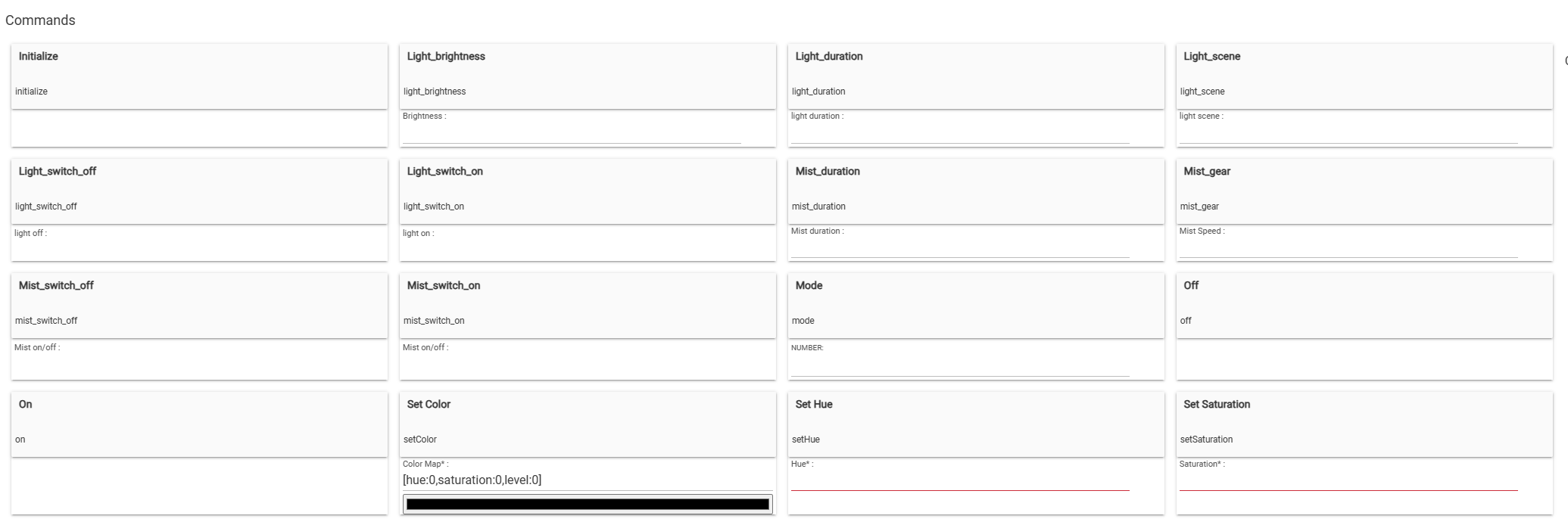
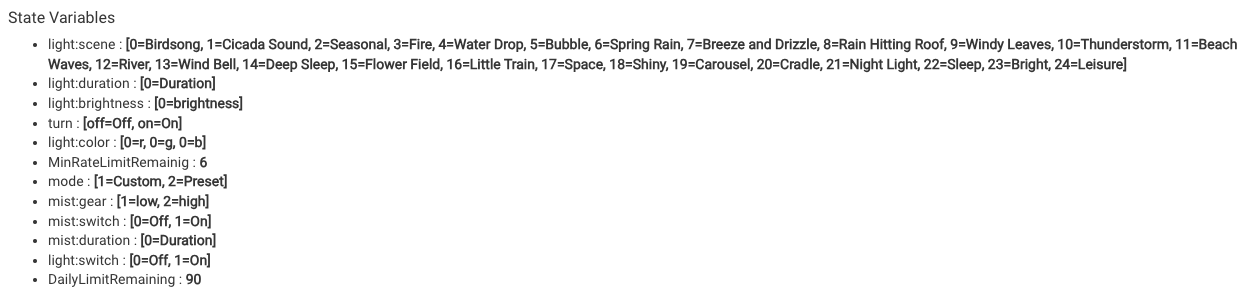
I did as instructed and it (re-)added as a "Govee Appliance Driver with Lights". All the commands on the device details page look relevant and no important ones appear missing, so I'm guessing this is the correct driver. Sound right?
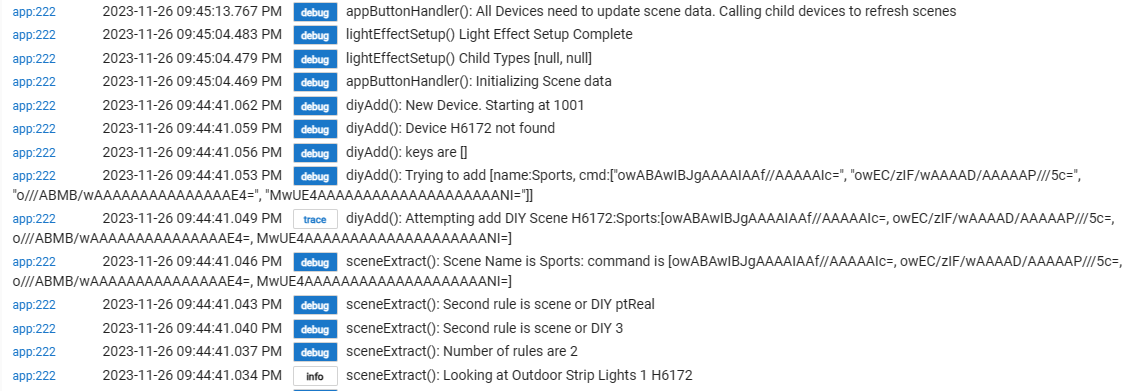
I'm seeing something odd. A device that was successfully recognized and added to (H6172) does not associate with the default scenes.
I've tried everything - uninstall from HPM, all combinations of Scene Management button presses; initialize device etc. I also created a tap-to-run with just a default scene "Sports".
I don't see the scene data.
I did see a log entry that said "Device H6172 not found". Could that be related?
Unfortunately the document for their Cloud API hasn't been updated for over a year. I would be surprised if it isn't, but govee has suprised me before. Do you already have it and it isn't coming in, or is this a question before you buy it.
Okay unless someone here has one and can respond otherwise I would assume it does support it. Govee has been very good with fan, air purifier and heaters support for the Cloud API. In general the device if it can be controlled via Alexa, Google it will be available via the Cloud API. That doesn't mean the cheapest options will support it always, but most certainly the higher end models. I think I remember a post above where someone had a issue with a Portable space heater lite I believe.
The best way to validate this would be from the Govee Home app. If you click on the little person icon in the lower right corner there should be a option for "Pre-sales consultation". Open a ticket with that and ask if the device supports Cloud API. I would be extremely surprised if you got a negative response from them though. Amazon also has a great return policy too so if you get it and it doesn't support it it should be returnable as well.
The answer is maybe. Scroll down to the bottom of the device page and capture the Data section. There should be a data object called commands. Can you tell me what the values are for it. I suspect the values will be turn, mode and maybe gear. It would be interesting to find out what the values are for mode. It is also possible another command was added to allow the oscillating option.
If new commands are included that info can give me what i need to create a enhanced driver for the fan device.

 Is it possible to add the option to start/stop oscillation?