Gotcha. Then no, I don’t have the issue. Sorry I can’t be of more testing help.
If you know a forum on this site I could get more people to test, let me know.
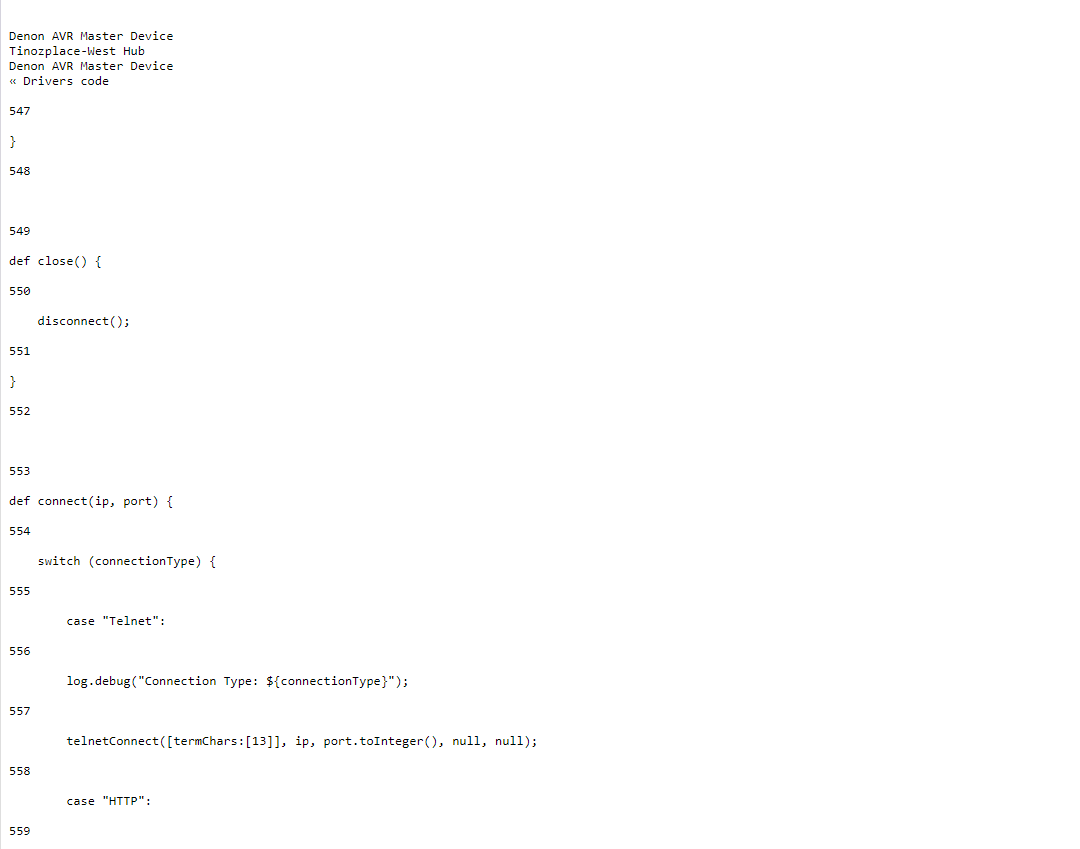
Just to let everyone know, I'll be making a new driver that uses HTTP instead of Telnet.
Because it's going to be so different, I'll be making a new thread. The light work is going to be done fast, the status updates will take lots of extra work.
It will poll your receiver every __seconds and should be even more reliable than the built in because it doesn't use telnet, a protocol that seems to be the root cause of ALL Denon driver problems across all platforms.
More than likely, people will steal this code from me. In light of that, I'll be including a PayPal link on the next thread.
It should function very closely to this one so you won't have to rebuild your rules/pistons.
Back to coding.
3 Likes
Sorry about the wait, I got sidelined with a different project.
I also forgot to mention, restarting your switch or router (whichever you have the Denon plugged into) helps.
Two ways to cure while you wait for the HTTP driver:
Power cycle your switch/router
Unplug the Denon for a solid 2 hours when it starts back with these disconnecting errors.
I've had to to both.
Temporary solution.
Buy this:
DTech DB9 RS232 Serial Cable Male to Male Null Modem Cord Full Handshaking 7 Wire Crossover for Data Communication (1.5 Feet, Black)
This is a Null modem cable, male to male. Important.
Then, buy this:
USR-TCP232-302 Tiny Size RS232 to TCP IP Converter Serial RS232 to Ethernet Server Module Ethernet Converter Support DHCP/DNS
https://a.co/d/82Q1exy
Tune it to your IP address (or just use DHCP) then in Serial Port options, make it look like this:
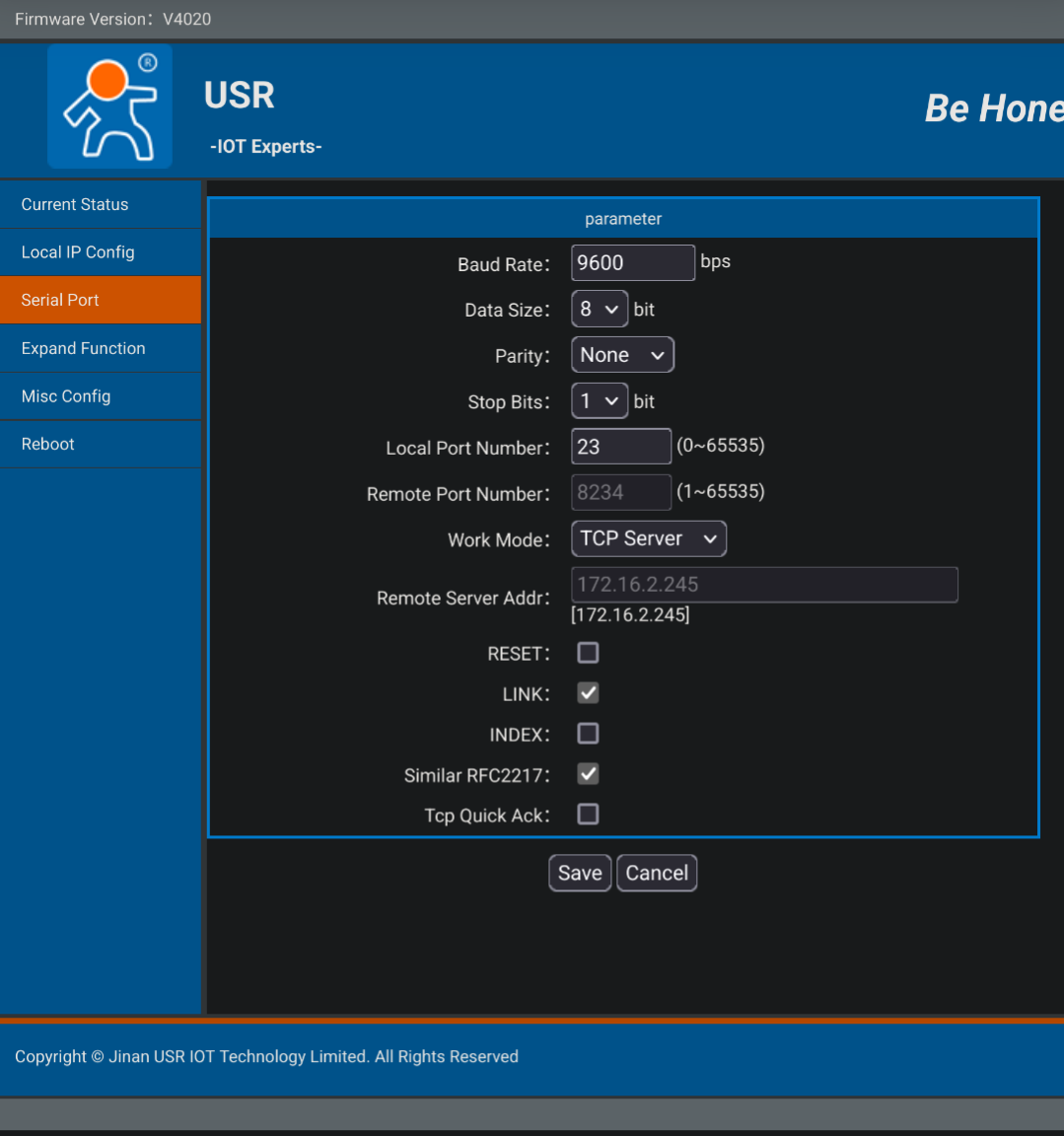
Change the IP on the Hubitat driver to the adapter's IP and press save. This works with both my driver and the built in driver.
It's been a very busy end-of-year for me, this will get you up and running in the time it takes Amazon to deliver. If you still want the HTTP driver, I'll be able to work on it after the New Year.
Minor driver change:
Add: DTS:X MA (somehow I forgot that)
Fix: Dolby Surround
I figure since people want to listen to the Playoffs and The Superbowl everywhere (on all zones), I would add this...
Added All-Zone Stereo
hello - i am installing this driver for the first time since i just purchased a denon avr. is it just me, or is this code duplicated in the link? it seems like from line 686 to end, it is a copy of the first half of the file. or what am i doing wrong? i am getting an error in hubitat saving the code saying variables NAME, NAME_SPACE, etc. already exist.
This link is a duplicate of the one on top, I just gave it so you didn't have to scroll up
ok, i get the link is duplicate.
but are lines 1-684 the same as lines 686-1365?
Are you saying I pasted it incorrectly?
that what it looks like to me. how many lines should your code be? 680+ or 1360+
1 Like
Fixed.
Not sure how that happened.
If you have any requests for the main zone, let me know, I'm usually around to add stuff.
If you need the latest telnet commands in pdf form, let me know.
is there a way to enable/disable debug level logging? i have an AVR X1800H and it is producing a lot of debug level logs that i dont necessarily need on all the time.
There currently isn't.
I got the original driver from another post here and improved the hell out of it.
I have never noticed a single issue with the Hubitat using this driver.
Logging shouldn't be that difficult to take care of but I won't put a timeline on it. I promised HTTP control because of the issues that myself and others had with the IP Telnet.
Better question is, what do you not want logged if 'log debug = off'? Nothing at all?
i am not really sure. there are just a log of debug messages passing through and i am used to only turning on detailed logging when i need to troubleshoot automation. maybe someone else more familiar with log message types can provide input better than i can. and it is really not that big a deal. i just like to keep transactions on the HE as lean as possible, i am probably just OCD about it.
Usually in drivers there are separate options to enable description text/info logging and/or debug logging. Description Text logging normally shows basic commands received, while debug might show detailed information (irrelevant to an average user). with both turned off I wouldn't expect to see much at all other than warnings ad errors.
I understand that but ia am just taking over an abandoned driver.
So, if someone wants the toggle, they have to tell me what they don't want.