I've reached out to the Tessie support, and they informed me that opening vehicle doors can only be completed via a Bluetooth connection, as this limitation stems from the Tesla API, which also does not expose door unlatch commands.
2 Likes
I have recently changed over the Tessie and the Hubitat implementation.
I’m having issue getting the car to update as present white at home.
I have changed the longitude and latitude to match the home location
2021 model 3 (intel)
need to see all your settings and the debug logs when at home or approaching home.. you have not provided near enough info to figure out what you are doing wrong.
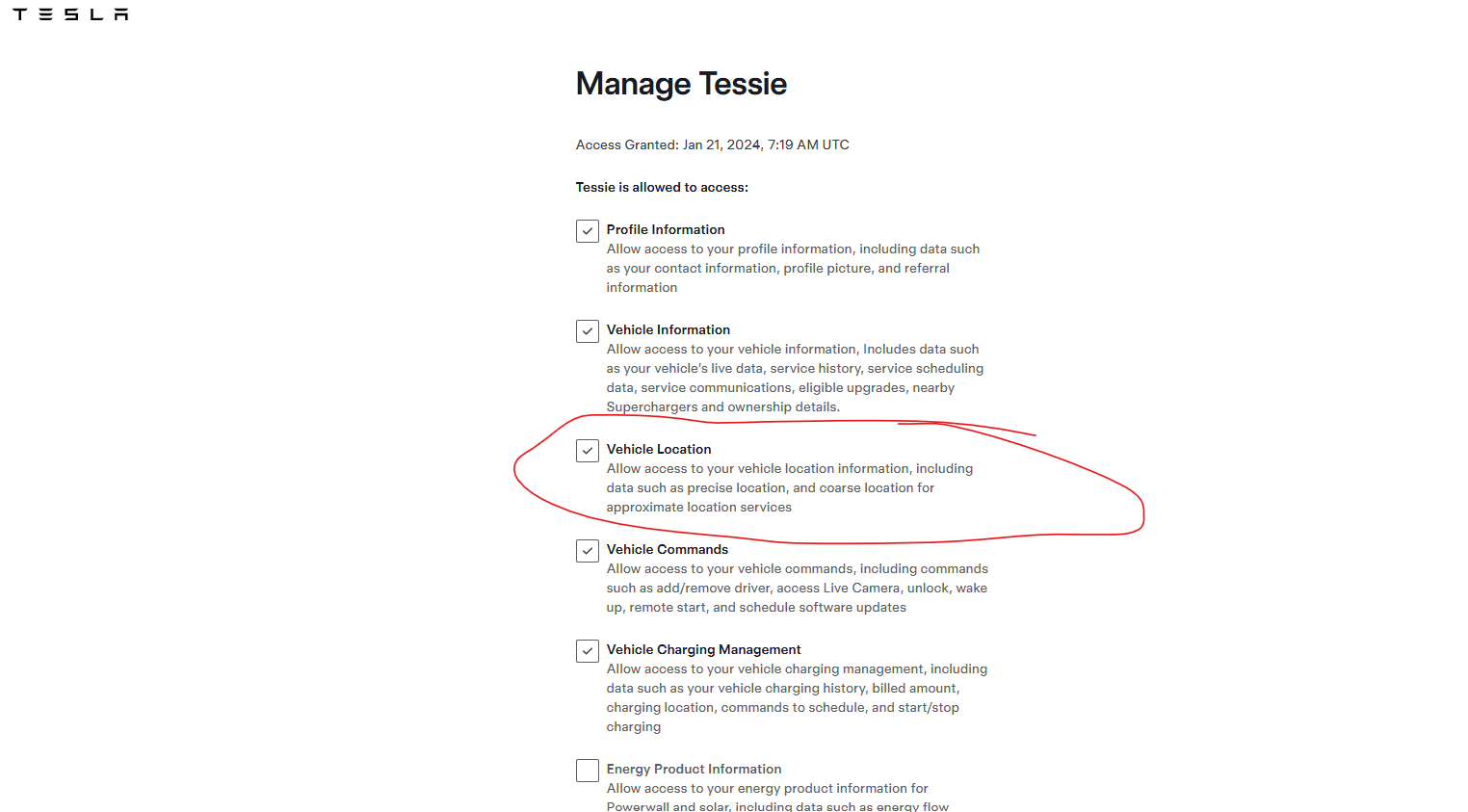
@kahn-hubitat Sorry about that.
- Car is currently at home.
- Have address set in Tessie for home.
- Also set Lat/Long in Tessie integration in HE.
- Pro Tessie Account ( Was not sure if I needed PRO versus the basic package)
@gomce62.web - Those are all checked
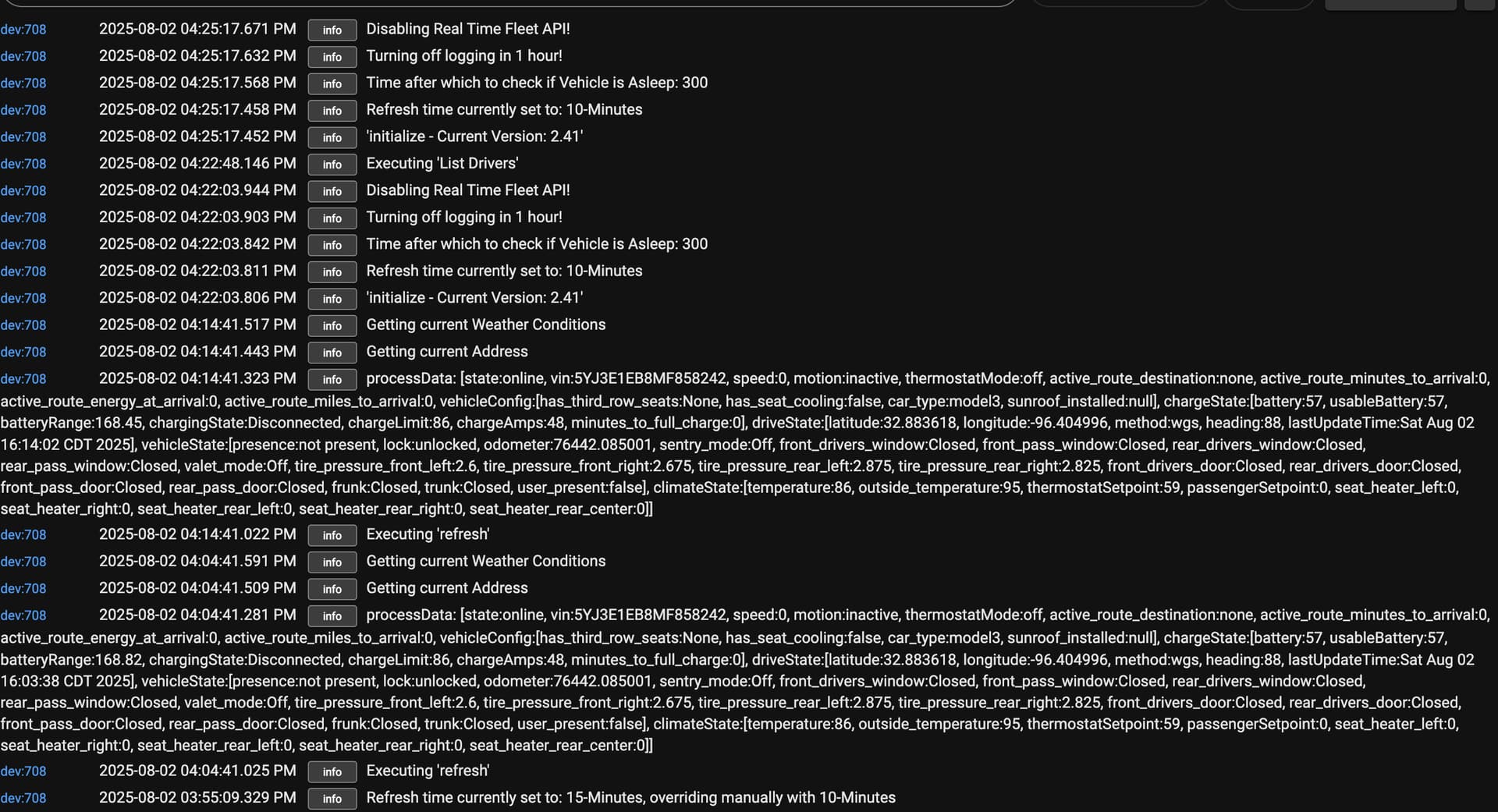
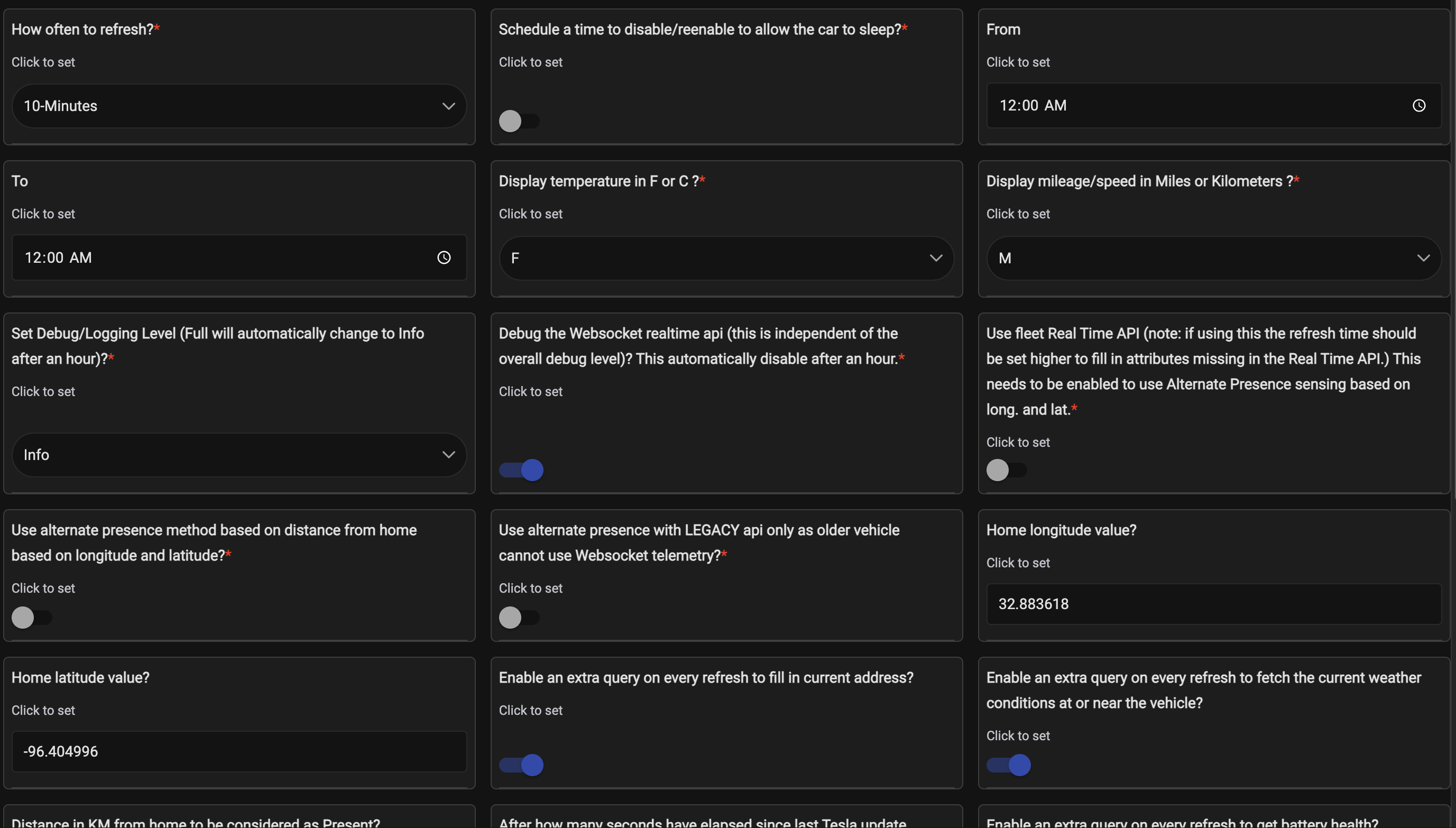
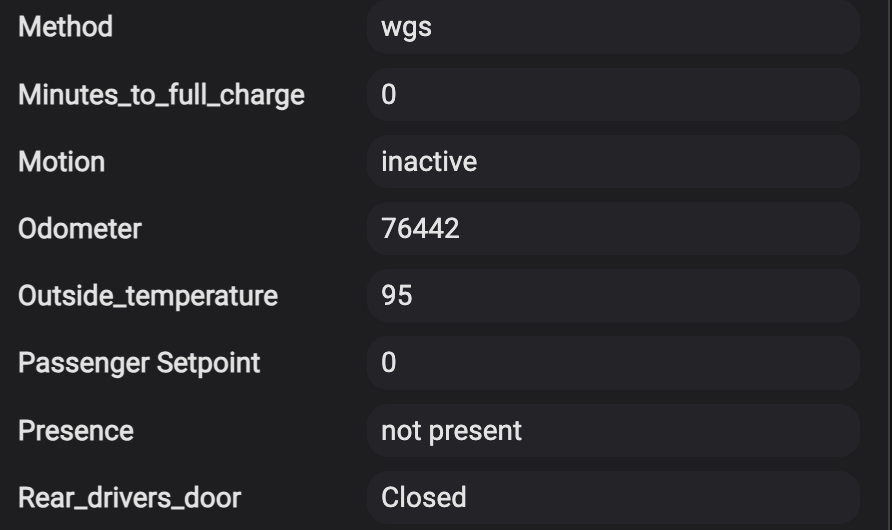
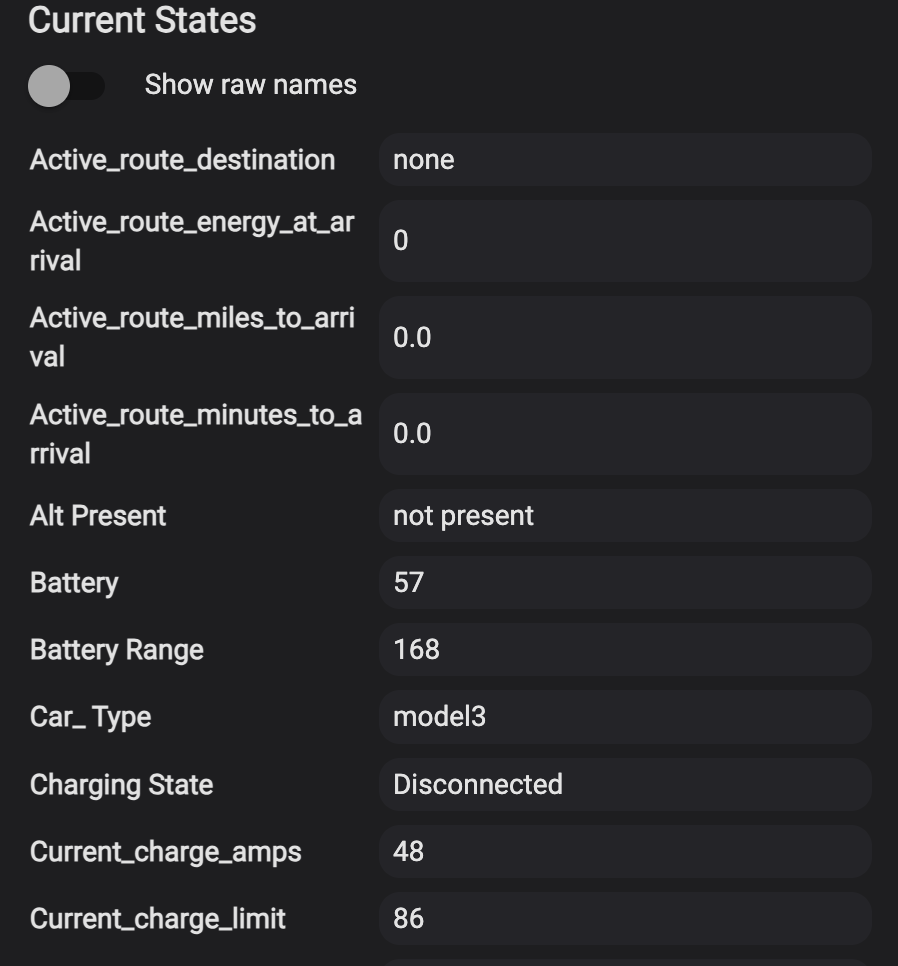
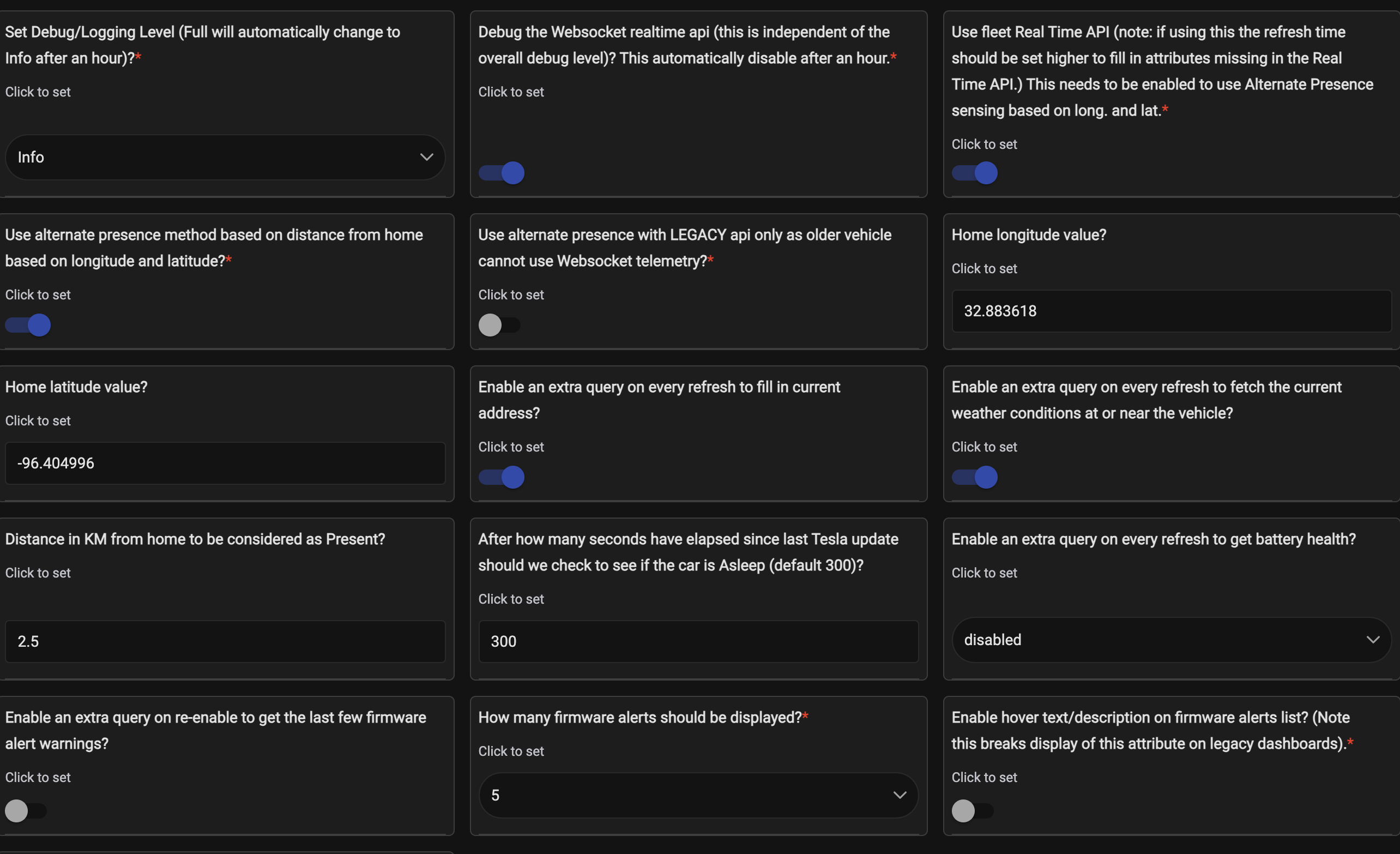
if u don't have home link u need to enable the fleet API and the use alt presence. otherwise lat and long are not used. this is explained in the thread and notes.. and right in the descriptions of the options .
u will also need to set the distance from home option. cannot see if u set it in your post above.
@kahn-hubitat - I have been messing with it to see if it responds. I have the distance set and Fleet API checked in preferences.
u have to leave the house. fleet API only reports long latitude when moving.
OK, I will do that..... 
Went for a drive ( 3 miles out)
Came home, car registered at the home address but logs show "Not Present"
your permissions or setting are not correct in tessies site you are getting data but not location data.
I checked the Tesla Account- I have all boxes checked for data from Tesla to Tessie.
I checked settings for HOME in Tessie, It was correct for the Home Address.
I checked the logs in hubitat and the logs show the car registered at the correct address.
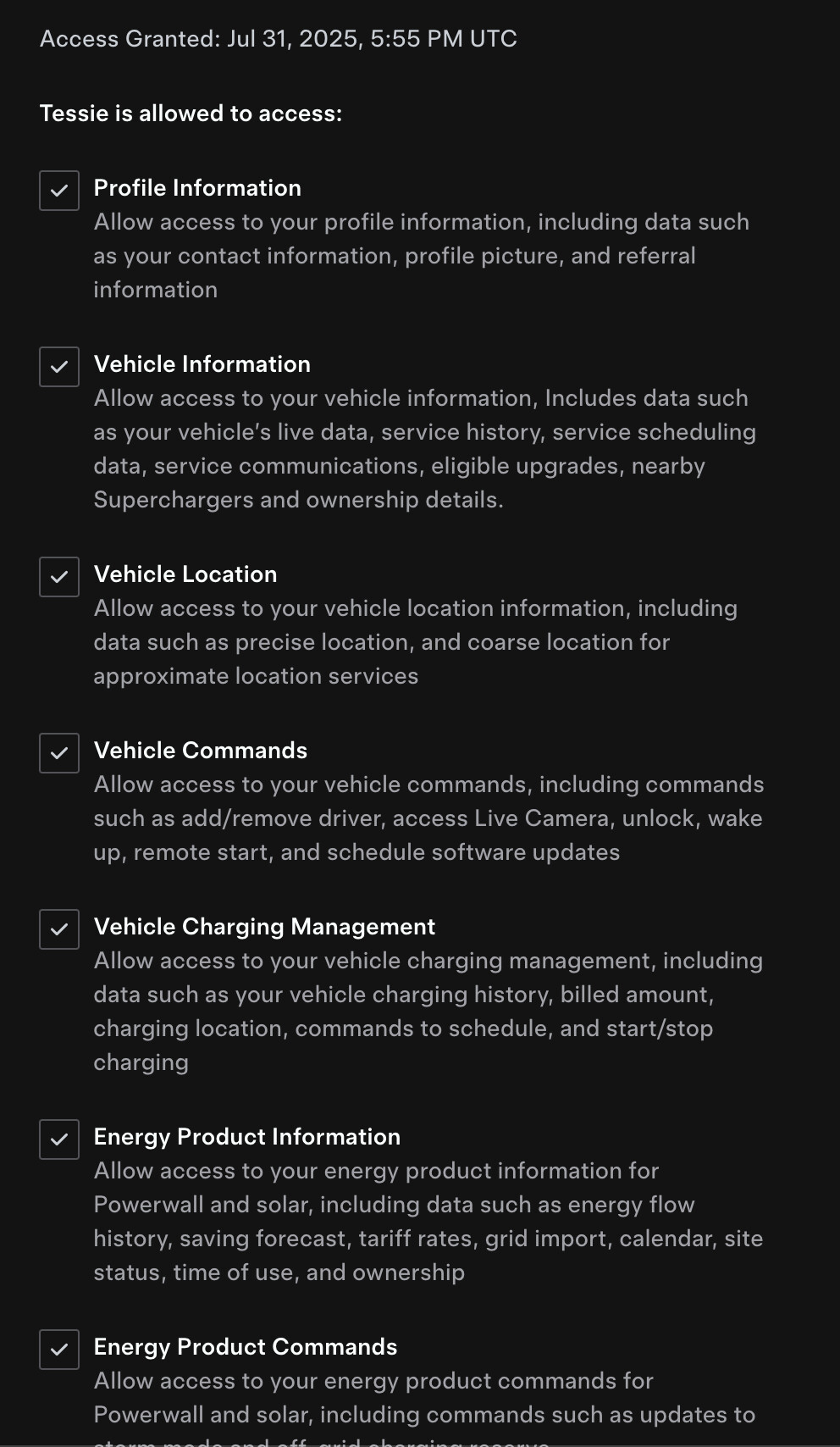
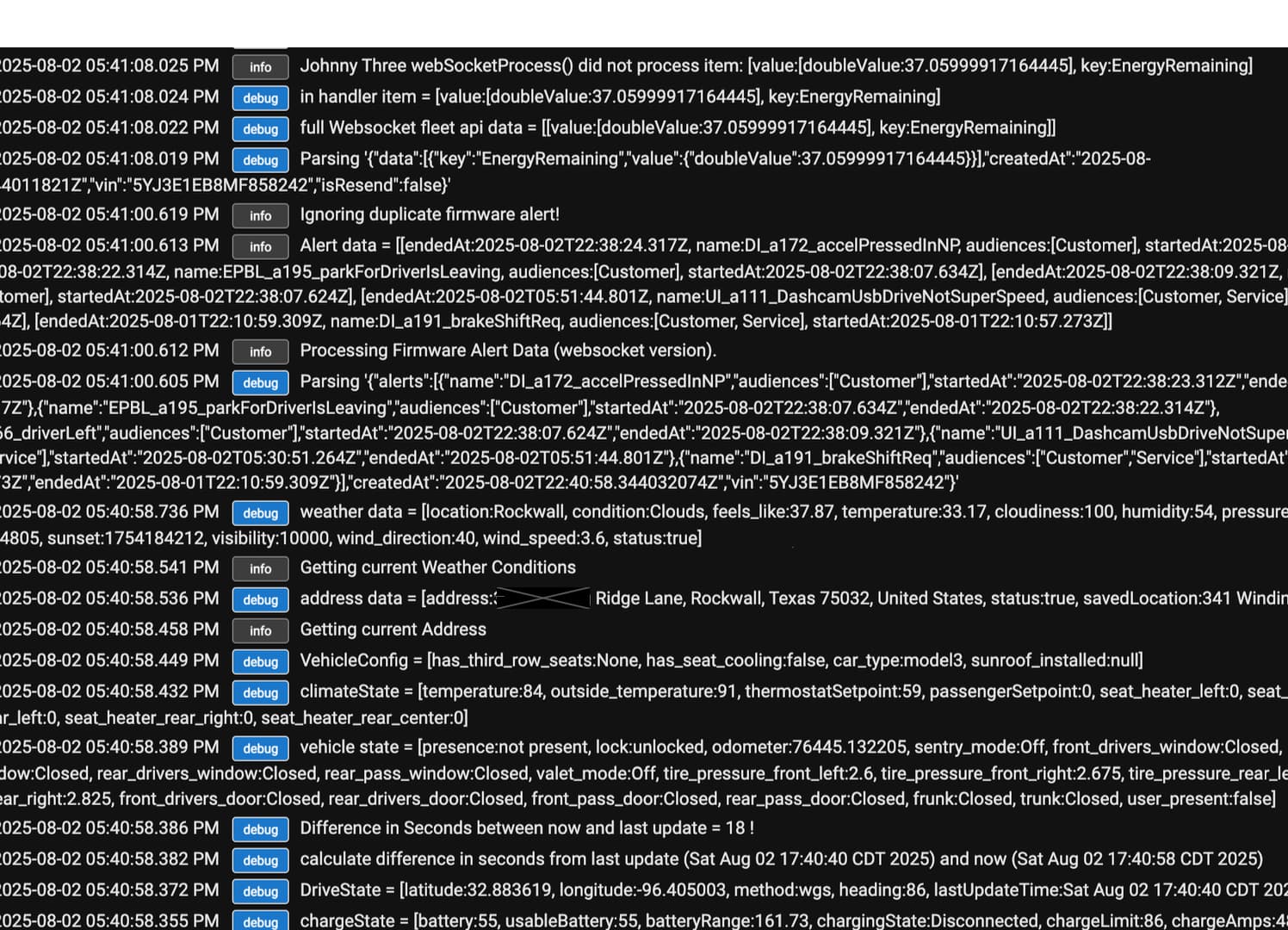
there are also permissions that need to be set in Tesla description earlier in the thread . u can contact tessie for help.
see below
I wonder if the issue is --------- Its my wife's car and I am set up as a driver so. i can load my preferences in the car.... I will contact Tessie though.
What I do not get is that Hubitat is seeing it at the correct location with Lat/ Long but Hubitat is failing to recognize that the vehicle is home per the saved data.
not according to the logs u posted there is no lat or long coming across. which means u have not followed the steps I posted to enable encryption and telemetry.
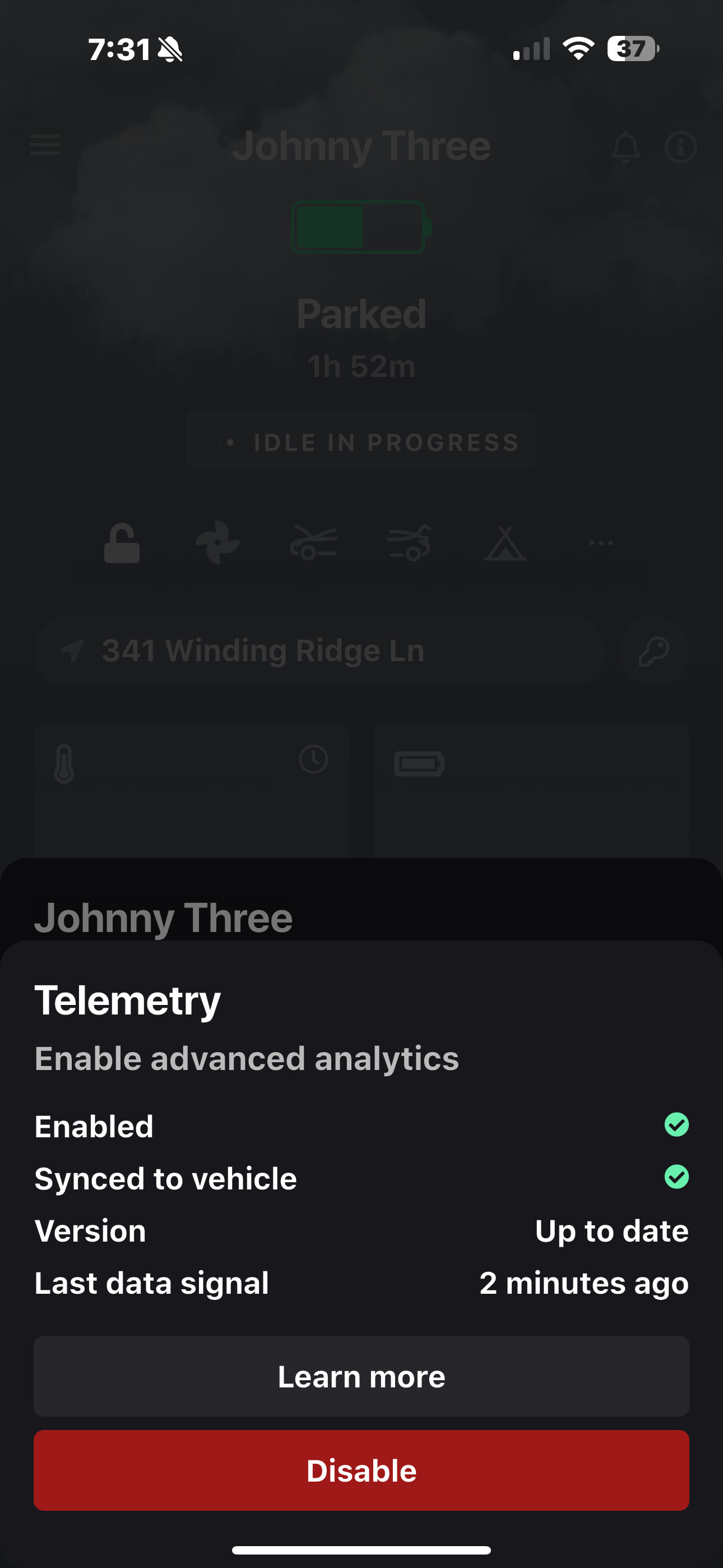
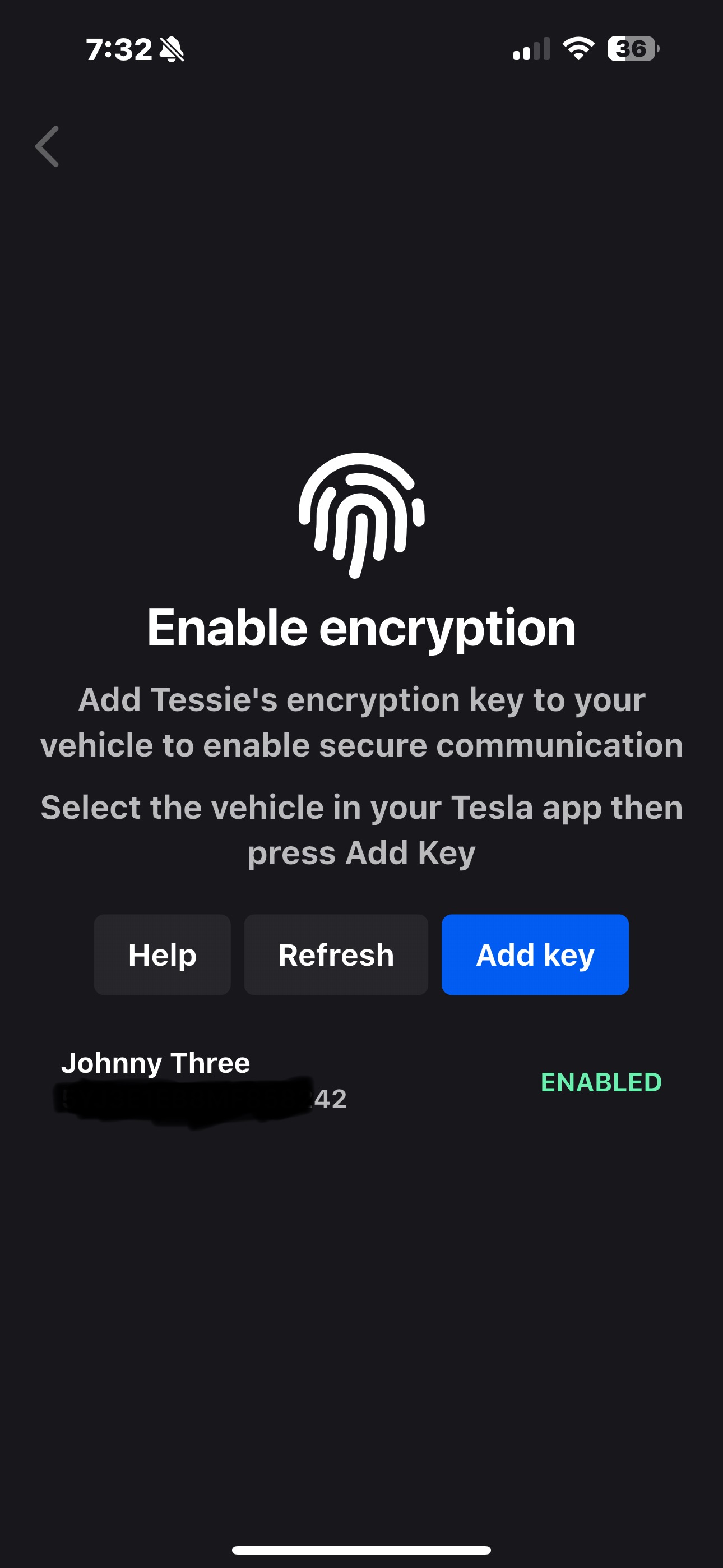
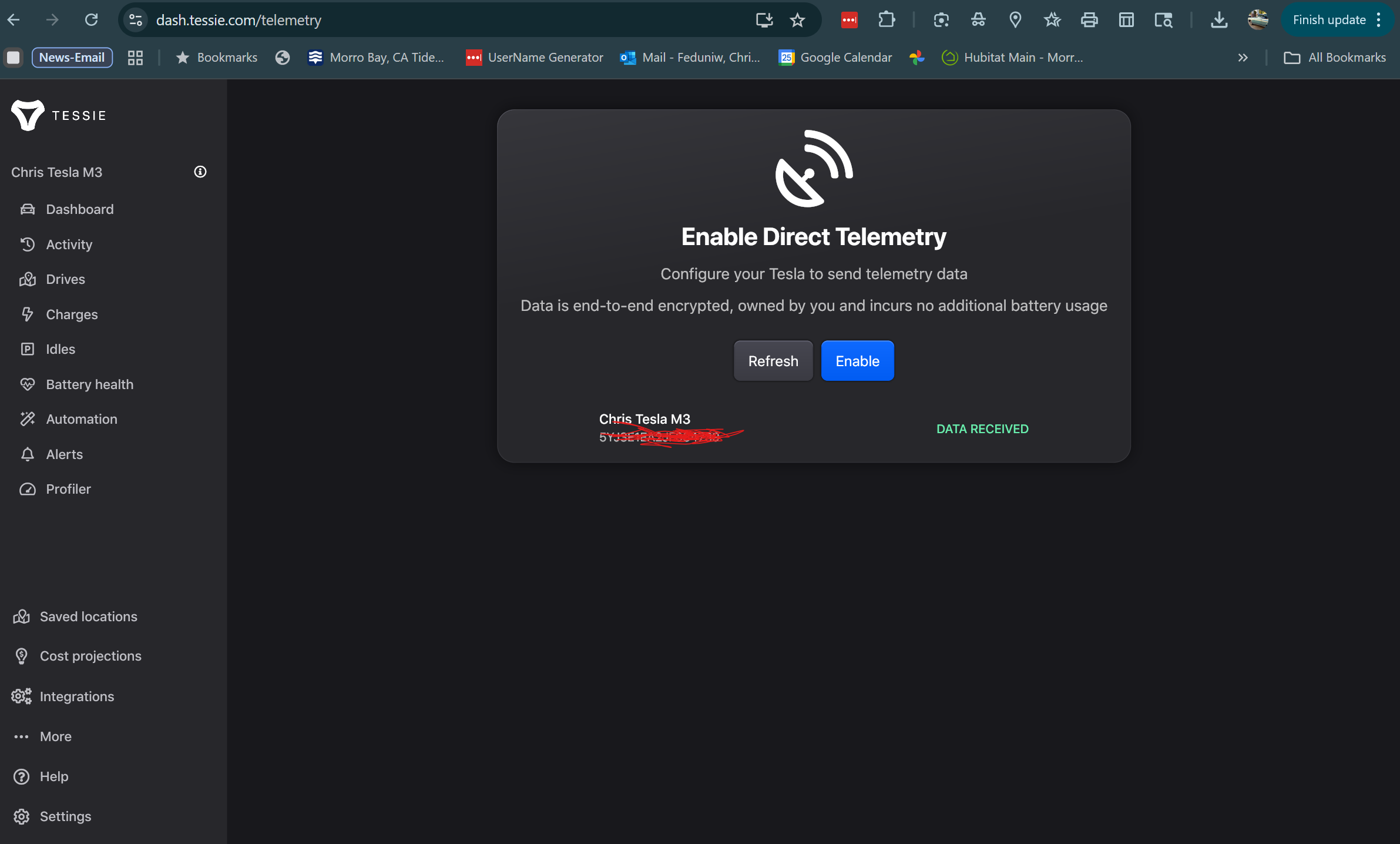

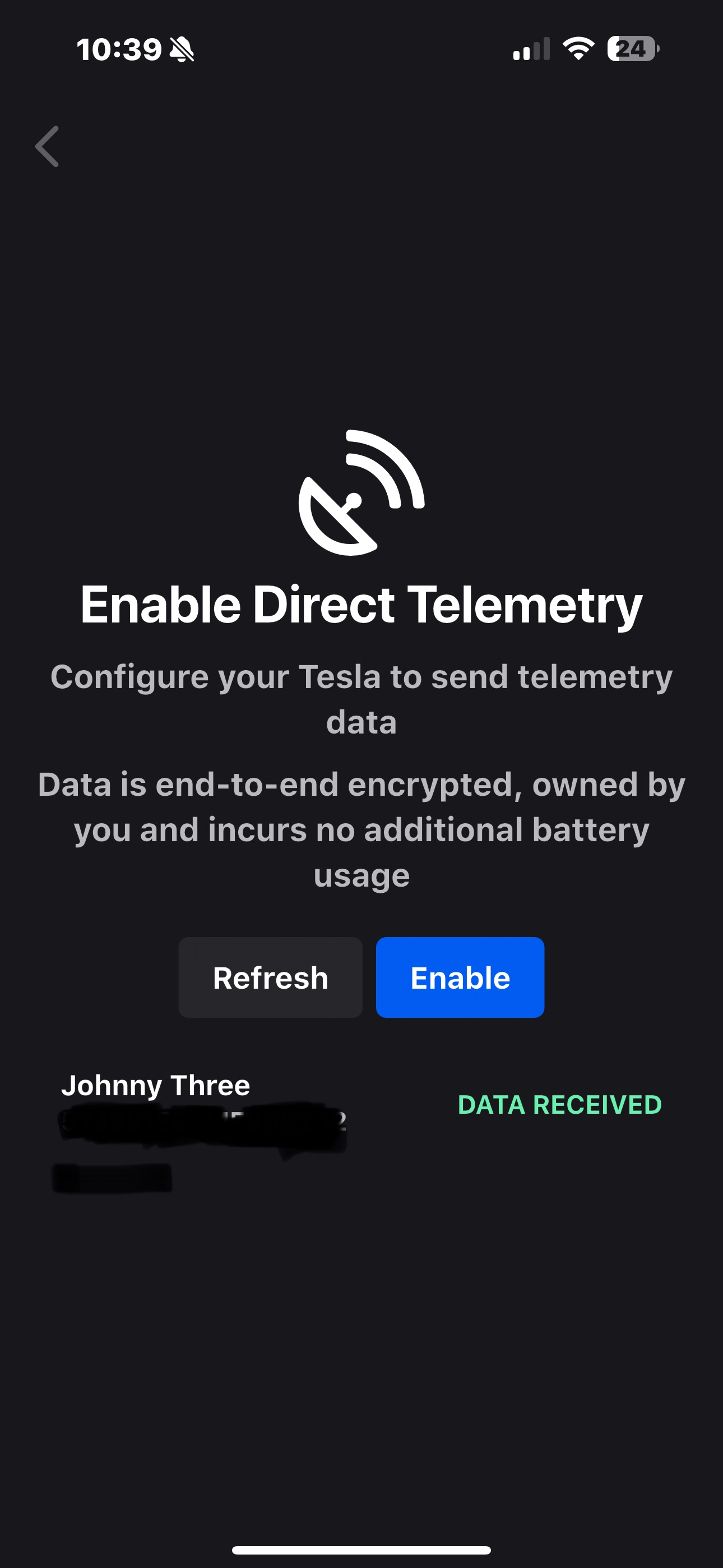
Tessie emailed back and stated they do not “officially” have an integration for Hubitat. They are not able to help
My next step is to remove integration and start over and hope that will fix the issue.
no you need to talk to tessie and ask why u are not seeing any long latitude come over. are you sure it's not getting set. you didn't post a long log listing. it could be u have the wrong distance and it is coming over then getting toggled back to not present

