Question: How do I set up multiple conditions for one trigger? I.e. "Fire the rule at 12:00, ONLY-IF something AND something is TRUE"
Reason: In some of my intricate rules, every possible place where a condition can be introduced (1. required expression, 2. conditional trigger, 3. conditional action) has its purpose, therefore sometimes I am limited to, for example, a conditional trigger. Alas, sometimes I need more than one condition for a single trigger, which brings me to this post
Unfortunately, you can’t have two different conditions in a conditional trigger unless they are of the same type. So, you can have two motion sensors, but not a motion and contact sensor as conditionals.
You could, however, have a second rule that is triggered at the time, with a complex conditional that would trigger the first rule, perhaps by changing a hub variable or by run actions on the first rule.
No disagreement as there are definitely ways to work around it. Depending on the devices the OP wants to use, something like a sensor group with a virtual device could work as well. If @user4120 posts what they are trying to accomplish, I’m sure the community can give some help.
We have all been there. I waited until finishing my first cup of coffee before responding just to be more awake.
I didn't try this myself but it could be possible to create a multiple entries for the same trigger but gated with different conditions. This may or maynot work. Frankly after experimenting with different approaches now I am converting my big complex rules into sets of smaller simple rules. This works far more stable but sure, creats a headache for maintaining bunch of rules instead of just one. Stability however takes over.
Conditional triggers or not, multiple triggers for the same attribute have historically not worked in Rule Machine (and it is documented as such). It's possible something has changed recently, but I do not recall any such changes.
More, smaller rules are almost always better than fewer, larger, more complex rules. I am happy to hear you are trying this approach.
The best automation logic is a State Machine.
Unfortunately RM doesn't natively support SMs but SM definitely could be created by using number of simple rules (basically one simple rule for each state). At the beginning I was resistive to use number of simple rules for maintainability reason but complex rules in RM are very unstable (BIG Thanks for multythreading which makes all timing absolutely unpredictable). For the same reason using Private Boolean and Required Expression also is not relible solution for preventing multiple triggers. For this reason I am using Virtual Switch goes On as a Trigger and reseting it to Off in a very last action in the rule. This way single Trigger is 100% guaranteed (verified over time in multiple rules). Unfortunately the Required Expression cannot be used because triggered rule absolutely must run in order to reset a Trigger. This is not really a big deal. The very first IF substitute the Required Expression. By using this technique my converted rules became very stable. Furthermore now I can synchronize multiple rules very reliably.
All this not obvious tricks are necessary only because timing is not guaranteed.
Thank you for all your answers. I am aware of the possible workarounds.
Two follow-up questions, please:
@bertabcd1234 It is interesting (and frightening) what you said, that one should strive towards a greater number of simple rules, rather than a smaller number of complex rules. I must confess, I went from many, but simple to few, but complex... It felt like it brought me closer to perfection, when I looked at them in Hubitat. How big a rule would be, for you to perceive it as complex?
@Dangerous_EE I am very curious, since I see the additional step of adding a Virtual Switch for the sole purpose of preventing another trigger to fire an already running rule as redundant, overcomplicated or orderless. Would you mind to explain, in layman terms, how is your Virtual Switch method superior to Private Boolean? I am afraid you lost me in your post when you wrote something about 'multythreading'. I am quite new to Hubitat and automation in general.
The guiding principal for most is KISS... (Keep it simple stupid)... You can have few simple and few complex rules. Personally I think that's fine. Where people get bogged down by is combining 50 rules into 1. So much time is spent debugging because either there is a statement in the rule that's incorrect or a device doesn't work as they think it should. Again, that's JMO...
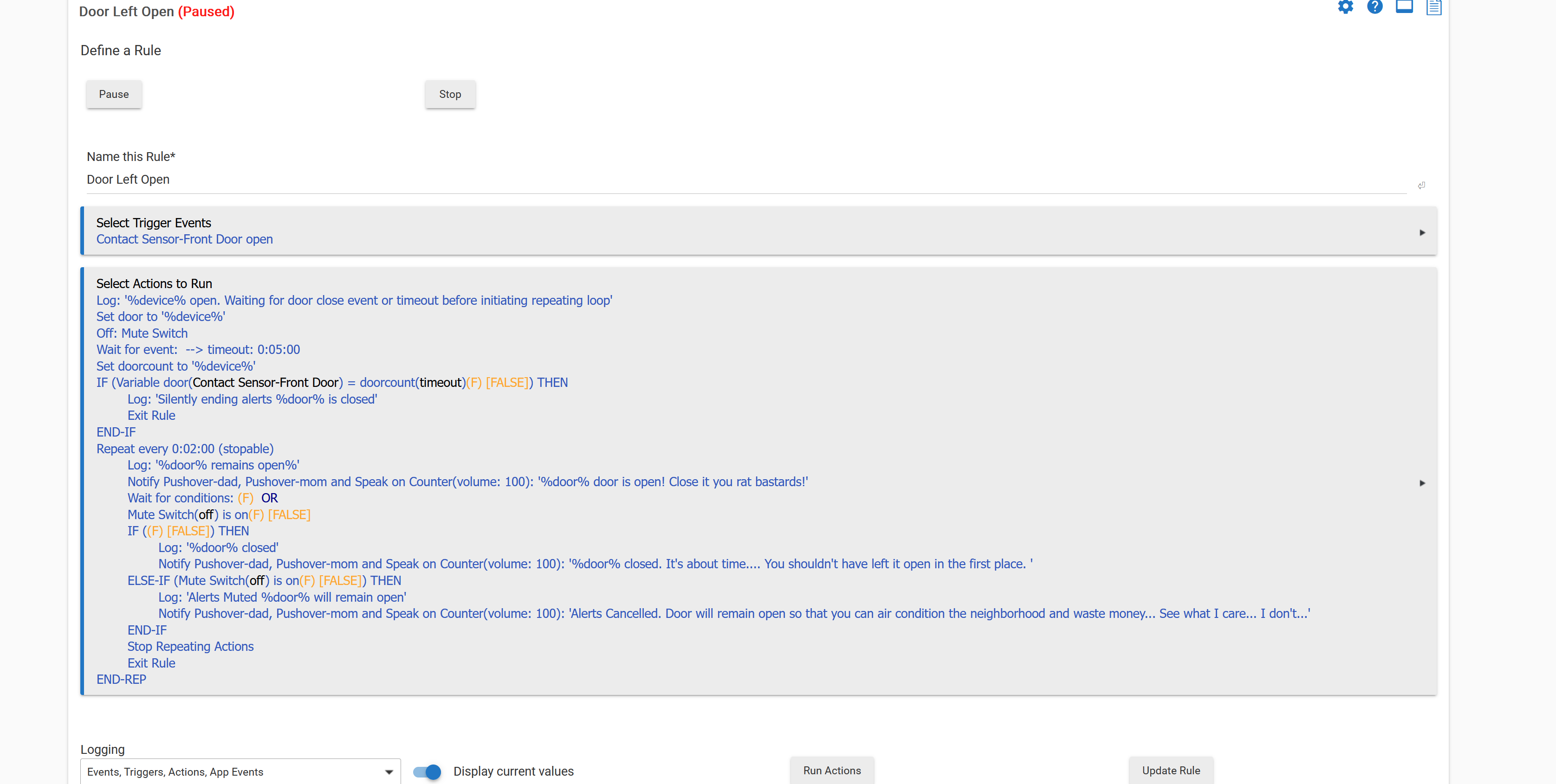
I use them to interrupt rules. Here is an example of a virtual switch to interrupt a rule...
I am curious as well. @Dangerous_EE had some issues with extracting a value from a variable immediately after it was set, and I think he went to using Virtual Switches instead. But I can't think of a single reason this would work where a Hub Variable would not (or Private Boolean). That is, I agree with you that either Hub Variable or Private Boolean would work for this.
All this related to RM (rather HE) Timing Relationship.
When you use PB (or anything else in the Required Expression) to prevent Multiple Triggering the natural assumption is this will take effect near instantly. In reality the delay is usually 0.5-1 second (or occasionally even longer). For the fast reporting sensors or multiple Motion Sensors in the same area this delay does not prevent Multiple Triggering. In some cases this is not a problem but in many cases creates instability in RM behavior.
Using "Virtual Switch On" as a Trigger and resetting it at the very end (last action) to the "Off" 100% guaranteed single triggering because VS cannot be set to ON if it is already ON (i.e. the Event will not be re-generated). Also this makes rule's synchronization much easier and stable.
Talking about "one single complex rule" vs "multiple simple rules".
Using "State Machine" (SM) is an ideal approach for creating complex, stable and easy maintainable Automations (logic). (I am EE and and I am using SMs for designing very complex controllers.) Unfortunately the RM does not have native tools for designing SM. However SM could be created by using multiple simple rules. Basically one simple rule covers a State in SM. Initially I tried to avoid using multiple simple rules for creating one Automation. The reason was more difficult maintainability. However Automations Stability took over. Not I am rewriting basically everything using SM style Automations. For the maintainability I am using very descriptive prefixing and suffixing for Device and Rule names. Unfortunately this way names are getting longer.
It is what it is. Now knowing many "little details" (not obvious and not logical) about RM behavior I can create very stable automations.
Another way for creating very stable automations will be writing Custom Apps in Groove. But I am not a SW engineer and trying not to dive in the programming area.
No, I just explained why I started to use VS (in a fancy way) for 100% guaranteed prevention of multiple triggering. Unfraternally the PB does not work reliably. In a logs I was seeing "The Required Expression now false" entry near the end of running (and not very complex) rules. Sure, this way the rule could be (and it was) re-triggered many times.
The main reason why this is not working as intended - is unpredictable timing.
I think you are wrong about this. Private Boolean has very predictable timing. Your examples all entailed using PB in a Required Expression, and your comments about timing pertain to the Required Expression changing state, not to Private Boolean changing state.
However, testing Private Boolean as the first action will work 100% reliably, because Private Boolean is set instantly within a rule (faster than turning on a switch).
For Required Expression timing it is important to note that Required Expression is evaluated separately from the rule (it has its own Event Subscriptions). So, there will be multiple instances of the rule, and your experiences had to do with the relative timing of those instances, which cannot be guaranteed by the hub.
And last action is Set Private Boolean true. There won't be any timing issues at all, as there is only a single instance. If a second trigger event happens before setting PB false, then obviously a second instance will run from that (and the best laid plans fail). But this would be equally true for using a virtual switch.
First of all - VERY BIG THANK YOU for the inventing HE and RM.
I REALLY like HE and recommending it to whoever has an interest in Home Automation area.
Also the RM is my main/primary engine for virtually all Automations I already created.
As of today near everything is already automated (hands/voice free automations) and WAF is very high.
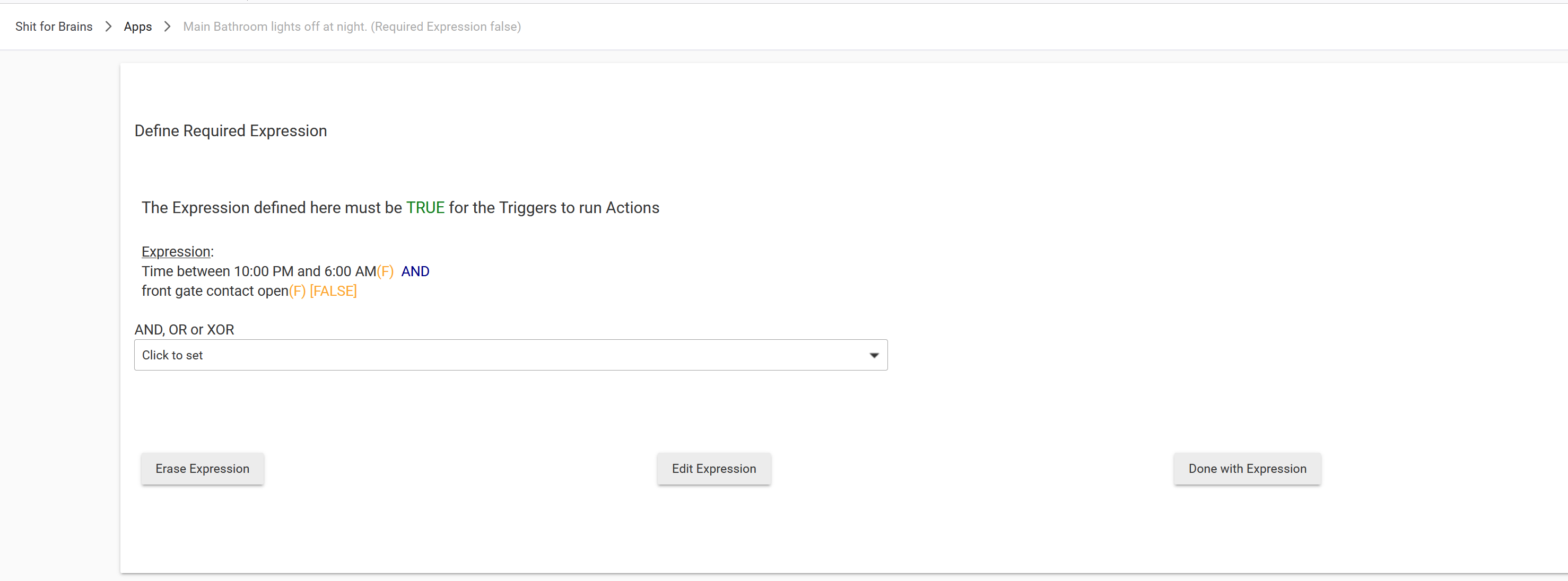
In all my previous rules the PB=false was part of the Required Expression. Unfortunately this was not a reliable solution for preventing unwanted re-triggering. (If I am not mistaken many different users reported the same/similar problem).
I may miss something but I have never seen before suggestion use
IF(PrivateBoolean false) Exit Rule
as a very first line in the actions. This looks very attractive solution and I will try this advice.
No. When VT is set to ON the Event is generated and triggers a rule. Since the VT at this time is already ON there is no way (I hope, I am correct?) to generate another Trigger Event which will re-trigger already running rule. And at the end the rule resets VT to the OFF allowing next Trigger Event to be generated. My intensive testing (unless I missed something) was 100% reliable. As a side effect the VT State is also very good "running rule" indicator. This still may not be 100% reliable for the asynchronous event and should be used very carefully.
I am sorry for the noise but I am thinking about this advice:
I am a bit confused how this will work.
So, the rule is actually re-triggered. Right?
Does this actually create a second instance which will immediately exit?
And what happens to the already running instance?
Will it continue to run and finish or it will be killed?
Using a Hub Variable would work the same way as a Virtual Switch. That is, setting a Hub Variable to the value it already has does not generate a new event that would trigger the rule.
Currently, this is not the case for Private Boolean used as a Trigger. I've never seen anyone use PB as a Trigger, but it is possible. Setting Private Boolean does not use the hub's Events and Event Queue, so the hub is not suppressing an event that does not represent a change of state. Hence, PB true as a trigger will trigger irrespective of PB's prior value (unlike Virtual Switch or Hub Variable).
So, if you need the gating logic of Event processing (no event unless state changed), use a Hub Variable. You can use Private Boolean as long as you aren't using it to Trigger the rule.
This is how it was done before Required Expressions came along.