Hello. i'm just received my C8 pro and am ready to upgrade it from a C8 but in my setting it wont let me do a cloud backup it seems there is an older C7 backup in the cloud is there a way to delete that backup my understanding I can only do one backup.
I don't want to just paste everything here in case the info is wrong, but Gemini has some suggestions:
AI SUGGESTIONS:
It suggests maybe the hubs have the same names and that is causing an issue, so change the name of the c8? Seems unlikely to me.
Make sure you have already registered the pro hub. - makes sense, but I assume you have registered your new hub to the same account as the C8 before migration?
It says you can use the migration backup endpoint instead -> type /hub/couldBackupMigration into the url bar of a browser. I've never tried it, I'm not sure that endpoint even exists.
Try clicking "reload entitlements" -> seems maybe that could help, worth a try.
Go to the my.hubitat.com and deregister the old C7 - Makes sense that might get rid of the old backup.
The old c7 is in use in my garage i believe at some point i did a c7 cloud backup back when i was new to hubitat. I run the c8 for the bulk of my devices now. At this point I really dont want to mess with the new C8 pro until i do a back up of the existing C8. All older hubs are registered since new a few years now. I'm not sure of what the end point backup consist of and really not interested in learning at this time and possibly messing something up. I'm at this point checking to see if there is a way to get around the existing c7 cloud backup and make a C8 backup before moving to the next step of setting up the C8 pro.
the c7 backup should not make a difference. Can you screen shot and post the error message you're getting?

Does anything happen when you click reload now?
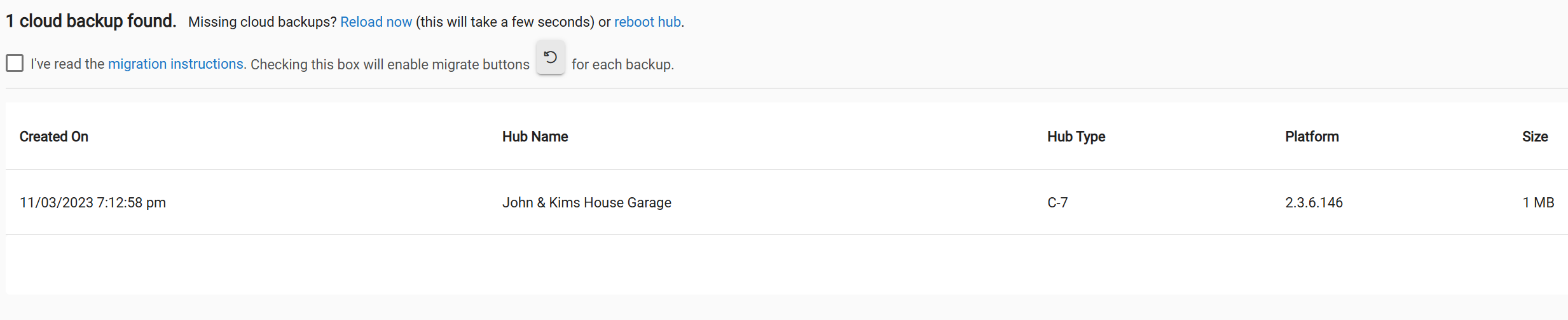
What does it show for subscriptions on your hubs. Kind of sounds like you don't have cloud back/hub protect for the C8 only the C7
I don't have a subscription and never had one on any of the hubs My understanding is it is not needed for the upgrade from C8 to A C8 pro I think I should have post this in the help area not sure how to move the post.
That is true. So when you go into the C8 settings is the "create and upload" greyed out or not clickable?
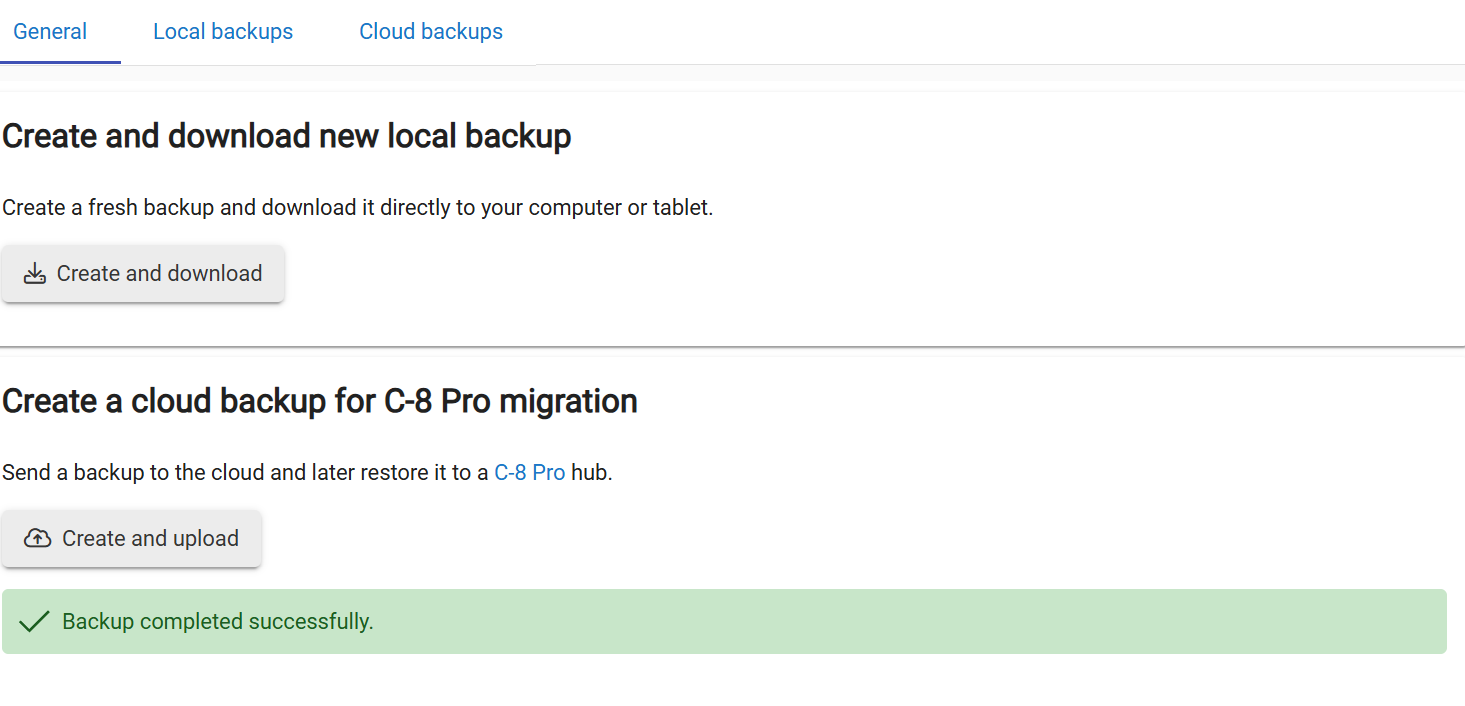
Just to be clear, if you don't have a cloud backup subscription, you should have a button that says Create a cloud backup for Migration on the C8. I assume you did that and It says it completed, but you just can't see it when you click on Migrate Hub on the Pro?
Your screenshot is of the cloud backups tab, not the Migrate hub page. So you don't see the backup shown when you click Migrate Hub? You may have to click reload now on that page for it to show.
Correct on the first part it show completed as I showed above I also showed the migration tab and what shows, the only file in migration tab after C8 cloud backup is the C7 file nothing else so I can not do the upgrade unless I'm missing something I did read all the how too. So far this has not been a cut and dry upgrade.
This may be a real bug then?
One solution may be to subscribe to Cloud Backups on the C8 and take a cloud backup, to see if it will show on the Pro after that. It has a 30 day trial, so you could cancel the subscription after getting the hub migrated. Though you may just want to keep it, and then transfer it to the C8 Pro. Depending how many devices you have, having to re-pair everything in the case of a catastrophic hub failure can be a lot of time and work. It is a good subscription to have for only $25/year.
Edit: Note, I did a C8 to C8 Pro Migration last week, but the C8 was subscribed to cloud backups via Hub Protect. The migration backup button goes away when you subscribe, so you use a regular cloud backup with Zwave and Zigbee for the migration, and that cloud backup showed up on the C8 Pro Migration tab. The migration went smooth for me. There is nothing special about a "Migration Backup" compared to standard cloud backup, if you save the radio data.
When you bring up the restore on the C8 pro do you see the c8 backup?
I haven't gone as far as to connect the c8 pro until i resolved the backup issue
I am going to speculate that is the reason you aren't able to make a backup. There is no eligible hub to migrate to (yet).
Try registering the new hub and then see if you can do a migration backup.
Ok well my issue is that Im replacing the c8 with the c8 pro the c8 is on a static ip which is the one I want to give to the new C8 pro if I put both online the c8 will take on a new ip.
Why would the backup not show pryer.
Ok thanks for they help and advice, I understand what you are saying but I shouldn't have to go through all this just to upgrade after just purchasing the new hub it seems there is another issue going on. Hopefully someone on the higher end can chime in with a solution.
See if the c8 pro can see anything in the backup beside the c7 backup