Been having an issue with Chrome Cast lately.
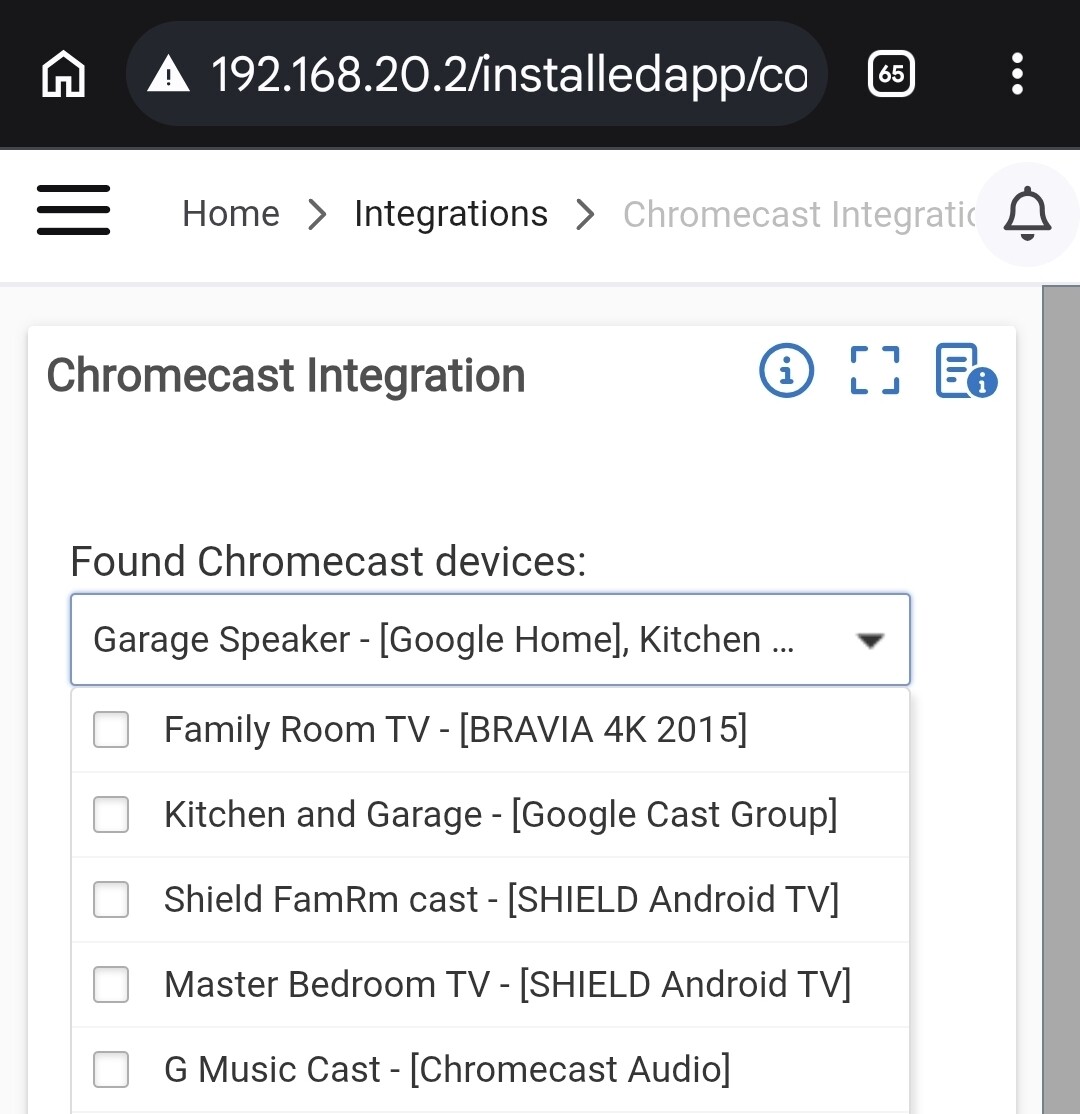
Anyway, noticed the driver was Chromecast Video. I also see a Chromecast Audio driver. Kinda wondering about those.
Been having an issue with Chrome Cast lately.
Anyway, noticed the driver was Chromecast Video. I also see a Chromecast Audio driver. Kinda wondering about those.
Can you share any more details about the problem you’re experiencing? Any troubleshooting steps you’ve tried?
I kept getting issues with the units not speaking when I sent a speak command. No errors just stopped working. I tried rebooting them, etc. I noticed something in the integration about trying something new. So I turned that on. So far it seems to have worked.
The newer version is intended to fix problems like you reported (missing/dropped playback). Hopefully it will work well for you.
I was also curious as to the 2 different drivers, audio vs video.
The Chromecast video driver is also been assigned to my Google display assistants. I've used this integration for years. If there is anything in particular I might be able to answer just ask
None of mine are video devices. But the default driver that was assigned was the Video one. Seemed strange when an Audio one exists. Maybe I should change them?
Yea, I find that odd. I have 9 of the assistants here; the 4 displays (a mix of gen 1 & 2) are all video driver and the 2 original Google Home devices, the 2 original Google minis and the lone Nest mini are all audio drivers.
You can switch it if you want but if it's working why mess with it.
This is really getting weird. I added a google mini to the Google Home app. Then it showed up in HE’s Chromecast integration. But the names didn’t match what Google said they were.
I deleted the Chromecast integration along with all the devices. Re-added it. All the devices showed up wrong again (kinda hard to explain wrong here, but they weren’t correct). Rebooted hub. Re-installed Chromecast. Now none of the devices show up. And nothing I do seems to get them back.
Any suggestions from anyone? For what it’s worth the Google Home integration still works fine.
Can you describe what you mean when you said that all the names of the Chromecast devices were wrong?
That information may be helpful and troubleshooting what's going on.
One example. I had a unit in my garage. Moved it to another room in the Google home app and renamed it. Still showed up in chrome cast with old name. Nothing I seem to do will pick up new name. If I remove one of the units from Google Home it still shows up in cast. Can’t get rid of it.
Now since I rebooted and reinstalled Chrome Cast none of them show up.
Prior to the removal I sent a test message to one of the units. It went to the wrong one. Did it again using the same device and it went to the correct one. Tried several times and it was hit or miss as to where it might go. That’s when I figured something was corrupted and best to start over.
I'm out and about. I'm take a look at mine later tonight. I know I have added and removed some over the years. As for names, I just rename them within Hubitat. Don't care what the names are from the Home app. I have never had the wrong device make an announcement.
I haven’t had those issues before either. Been working fine for a long time. Something changed somewhere and I can’t figure out what. Rebooted everything I can think of.
Anyway, Using alternate means of notifications for now. So not critical.
I don't see anything odd, like devices with more than one name. I have a lot of groups that I have not brought into HE (I could never get groups to work very well) but that's it. If I get a chance tomorrow I'll try and add one of my spare mini’s and see what it does. I have moved the beta slider on/off and am not sure what it does. Must be something behind the scenes……
Since I re-installed the integration I can’t get any devices to show up. It’s almost like it isn’t scanning for devices. Not sure where to go from here.
EDIT: Did an update on my hub, although I was only one version off. Now my devices are showing up with the correct names. I will see what happens from here. Still confused as to what might have happened. But if it works, then ok….
Given history of Google and Chromecast (Google seems to love to break Chromecast off and on) I'd bet at least 1/2 of your issues are caused by Google. 
Glad it's up an running normally for you again.
Early this morning they were all working. Then a few minutes ago they quit. I looked and they all showed up as offline. I switched to the new chrome cast and they all came back online.
Probably is a Google issue, I don’t know. But if they are not gonna be reliable it will be useless to me.
If it is a Google issue it may only be affecting your account. Mine have been working fine this morning. I honestly can't remember the last time they did not work.
That’s what’s weird. Worked fine all day yesterday. They were working fine early this morning. Then a couple hours later it didn’t work and when I checked they all showed offline for some reason. I had not made any changes with anything, Google or HE.