Assuming you have phone devices in hubitat that are currently tied to automations, I would first change the names and labels of the devices in hubitat (preferably on the web interface on a computer) to "his" and "hers" or the appropriate names.
Device Filter for Mobile App. For reference, the small text is the device NAME, the larger text is the device LABEL. I do not recall if the app presents the names or the labels. So, I would change both.
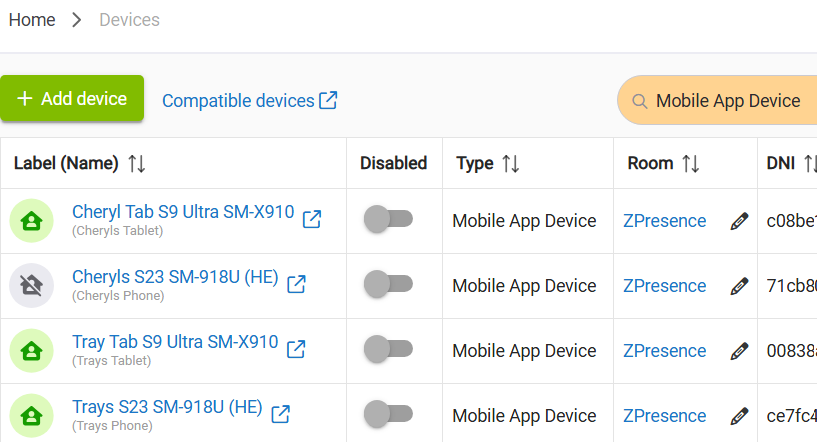
Then you may need to log out of the app on both devices. I would also force close the apps on your phones, and then clear cache and device data BEFORE you try relogging in the app. Since the names are changed, you can log in and should be able to pick the appropriate names when prompted to select devices. The easy way to find the devices is on the device tab and filter for "Mobile App Device"
Afterwards, (again, preferably on the web interface on a computer) verify that the remaining phone devices are not connected to any automations and delete them. If they are still connected to any automations, fix that, and then delete the extra ones.

