Having some success ... but not complete success ...
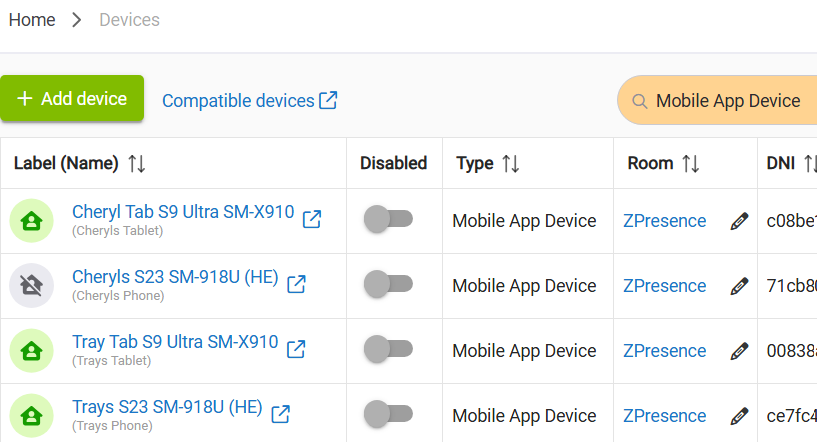
Both my and my wife's phone are connected as the same device ("Pixel 10 Pro"). For the life of me I can't change the Mobile device ID/name of either phone to something else. I need to be able to create a device in the app. I have tried a lot of things but listed below is what I thought would be a "bullet-proof" solution ... but it does not work.
Situation:
Pixel Pro 10 (two phones); Android, up to date
New app (green background) installed and "operational" (with problems)
Hub C-8
Method used to (try to) create a new device:
Log out of Hubitat App
Clear app cache and storage
Uninstall app
Reinstall app
Select Hub
App logs in without offering to assign or create a new device
I am looking help to identify the correct method to create a new phone device.
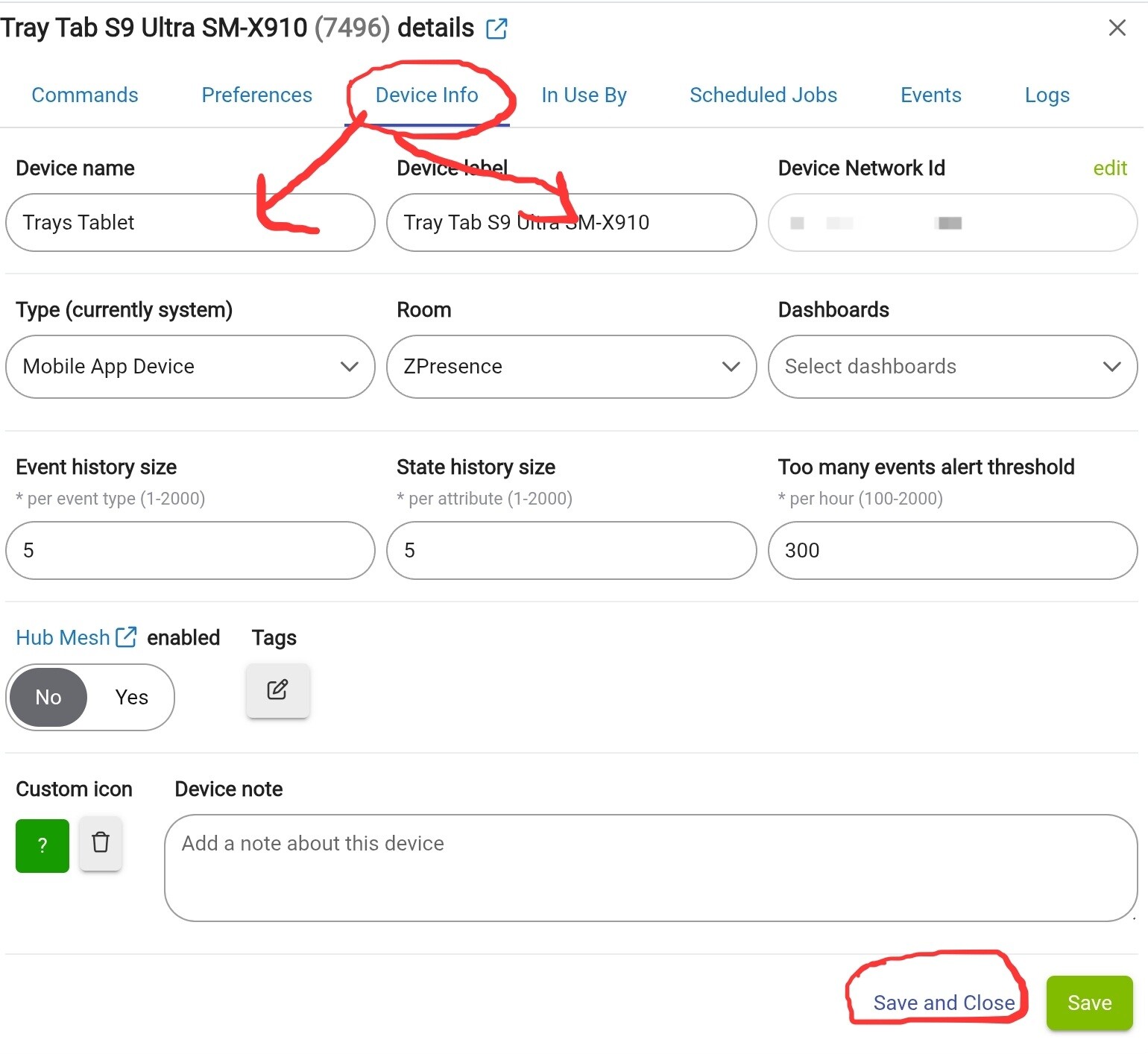
Click on the device, and then click on the "Device Info Tab", you should be able to change both the Device name and Label for any existing device, and then click Save and Close
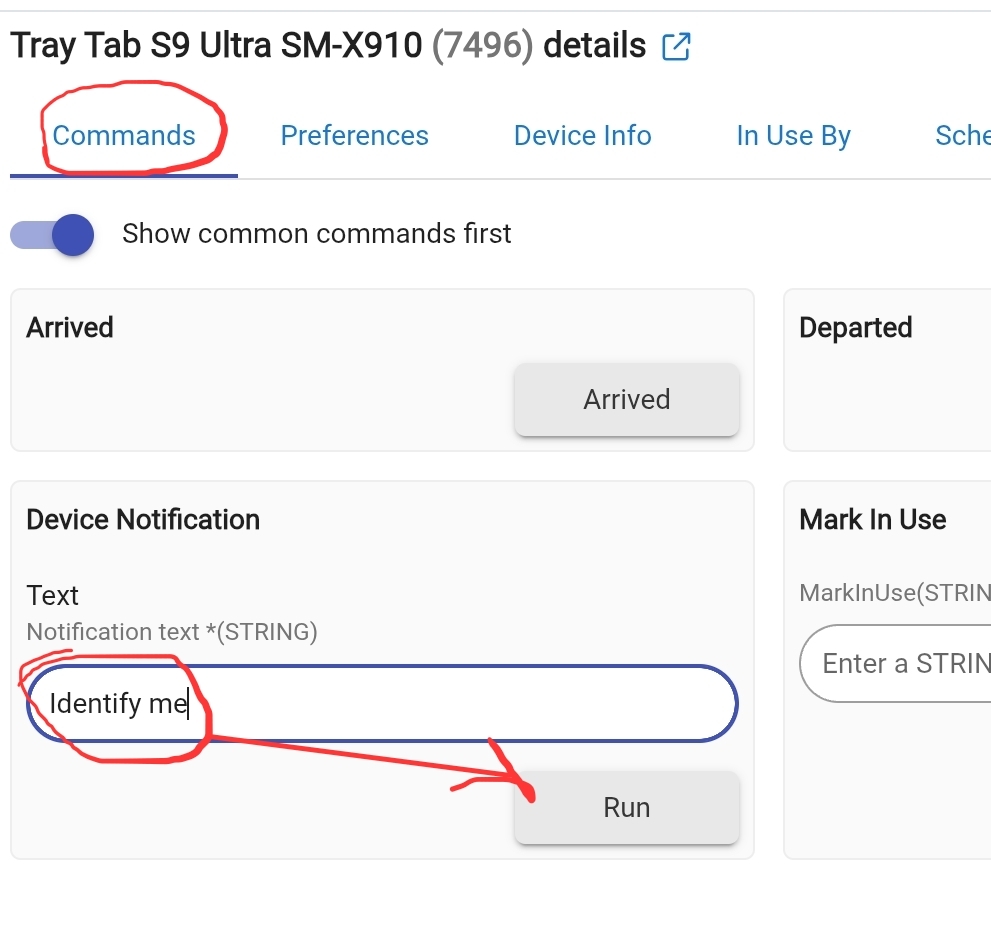
Also note that if you are not sure which device you are looking at and they have the same name, you can send a test message to the device by going to the "command" tab, typing text into the "device notification" box (I typed "identify me"), and clicking run. The phone that is that device should get a message if it is logged into the app.
You should not need to uninstall/reinstall if you are clearing cache and storage. You should do a force stop before you clear cahce and data thogh. You might try a reboot after that to make sure any android cache is cleared.
One other thing, I understand that you are supposed to be able to have multiple devices logged in as the same user without issue. However, this caused problems for me. So, I use different user e-mails to log in for each device.
I was not clear ... I am not having a problem naming the devices ... I am having a problem getting the phone to use the device ... because it does not give me a "select device" dialog on login. I need to be able to select (or create) a device at login. On my phone I saw both devices. On Liz I saw no selection capability. Both phones are assigned to Cellphone-Damian.
This really should have been kept with the original post.
You stated you were having trouble with changing the name/ID
If the issue is just that you are not given the option to choose the device on log in for the second phone (that is what it is sounding like), then you appear to be doing the correct steps. The only things I might add are: 1) click the "recents" and do a close all (the app may still be open in the background), and 2) a reboot of the phone after clearing cache and storage. Again, uninstalling and reinstalling should not be needed as clearing cache and storage does essentially the same thing on android phones.
However, you never answered my last question on the other post: Are you both logging in with the same username (e-mail) and password? If so, that may be part of your problem.
Also, I did find this on a search. It might break some of your automations though if your phone is connected to any automations.