@tray_e summerize the situation perfectly. I could add an option to translate auto to heat_cool in the HADB thermostat driver as @chrisbvt suggested.
PM me if someone willing to test.
@tray_e summerize the situation perfectly. I could add an option to translate auto to heat_cool in the HADB thermostat driver as @chrisbvt suggested.
PM me if someone willing to test.
I'm currently trying the native Homekit Controller integration and was able to get 1 thermostat paired after disconnecting it from Home Assistant 1st. However, the second one won't appear in list of available devices. I can pair it to Apple Home and Home Asst found it so thermostat is broadcasting what it should. I've followed instructions for when device doesn't appear twice.
I have rebooted both thermostat and hub too.
Integrations that rely on broadcasts frustrate me. I'm probably ignorant but don't understand why manual addition via entering IP or MAC address isn't always an option.
I can't get my 2nd floor to show up to Hubitat although Apple Home and Home Assistant can find it.
What makes it worse is that it shows my Lutron Hub available to pair just tormenting me that it was found but 2nd thermostat was not.  .
.
Yes, but in order to do that, you give up an "auto" setting that ecobee already uses (was discussed in the multiple links I shared in the other thread - the one dedicated to the HADB)
Again, @ymerj could address the comments as I am not the developer. I just know that they discussed, and it used to have that setting, but they reverted in order to expose all the native settings available.
Unless you are using the Home Kit integration with Hubitat, yes, it requires cloud. The only local integration with ecobee is via Home Kit, either in HE directly, or through HA.
If the API allows it, then it would be able to be done. However, the only way you can access ecobee locally is over a home kit integration.
My Ecowitt weather station allows that. But, you have to set it up on both ends: You have to tell HE where to listen, and tell Ecowitt where to send.
I don't think this fixes the inability to adjust the setpoints on the tile. I could be wrong on that though. I am thinking the tile needs to see "auto" and the driver needs to send "heat_cool"
The change I propose take care of that
If anybody wish to test, here is the link:
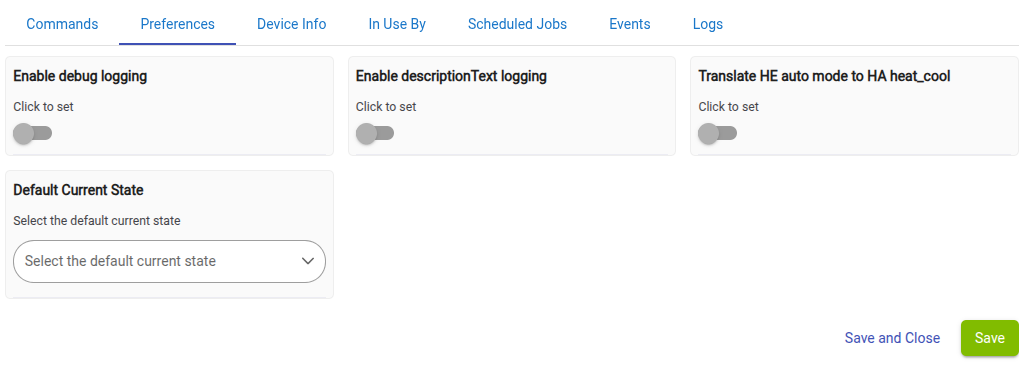
Enable "translate" on the prefs page
The driver is a child device. It sends the correct thermostat mode to the parent directly. The parent is not looking at or subscribing to the mode attribute itself to get the mode change. It is really just a display attribute, but it is also used by the tile to determine if it should show the auto controls.
So, would I have to change any commands in rules where I have set the mode back to "heat_cool"?
Also, would I just replace the current component driver? Or would I need to add this as a separate driver?
When enable "translate" HE see the "heat_cool" mode as being "auto". It should be transparent.
I don't have that kind of thermostat so I can't test it.
Would it make sense to introduce a virtual thermostat into the mix that (a) mirrors whatever your ecobee/HADB setup is doing, while (b) interacting with HE dashboards? Because I seriously doubt any changes are going to be made for the Dashboards app any time soon to "fix" this issue.
So, just copy and paste the text overtop of the existing driver code for that component?
Would a Hub package manager repair revert it back?
This:
Turning off the "translate" option make it behave like the original
Not seeing an enable translate option in the preferences. I have triggered changes, and still no change in the preferences.
I did, and then forced some changes on the local thermostat. Still not updating and showing "heat_cool" as the mode on the dashboard
Also tried the refresh command.
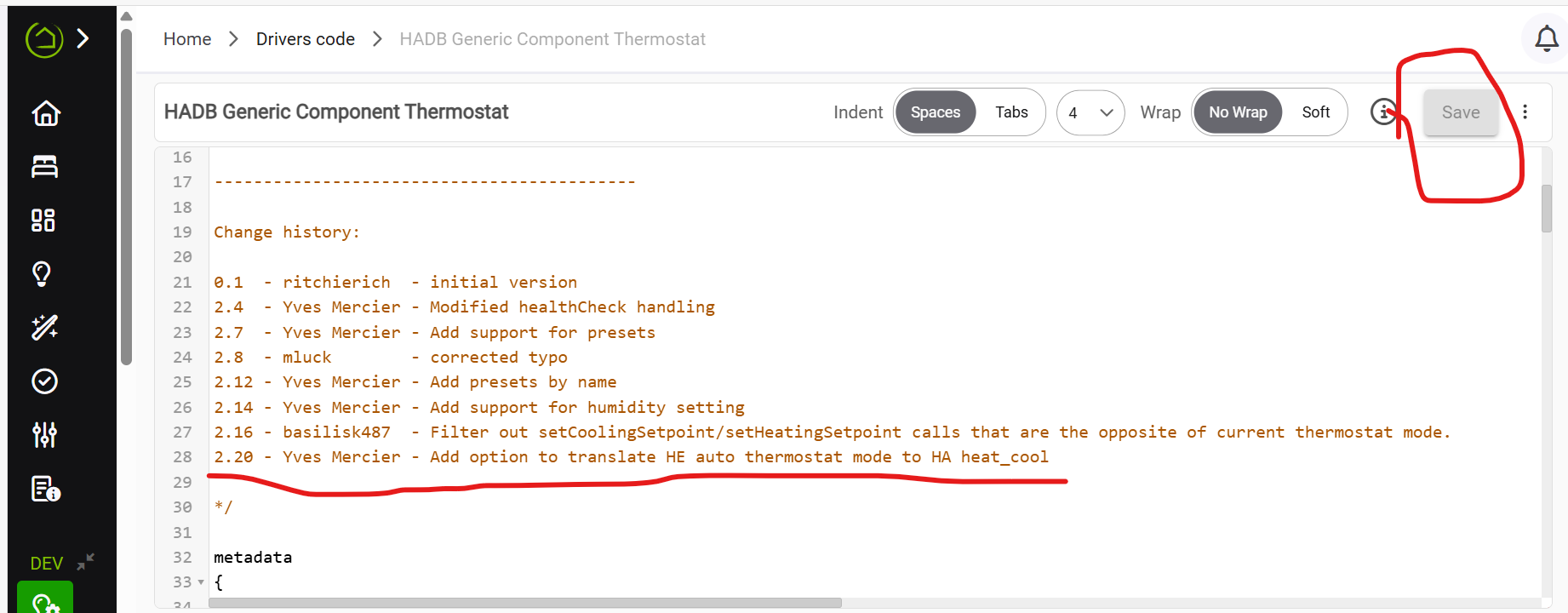
Perhaps the new driver was not properly saved. Check if the version number for the driver says 2.20 (in the comment on the driver code)
ALso ran initialize on the parent
This is odd... Make sure your thermostat list the "HADB Generic Component Thermostat" as the device.
Maybe close browser and reopen?