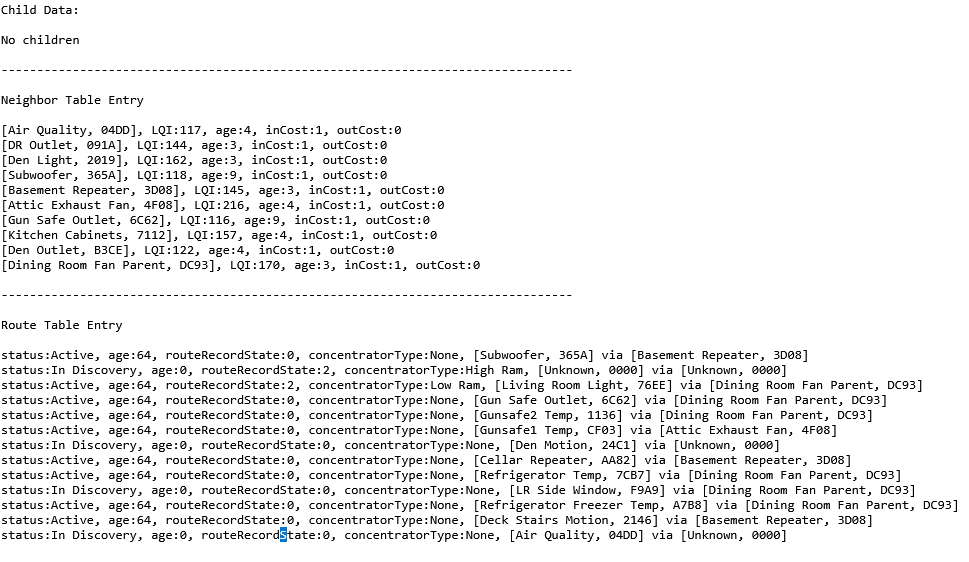
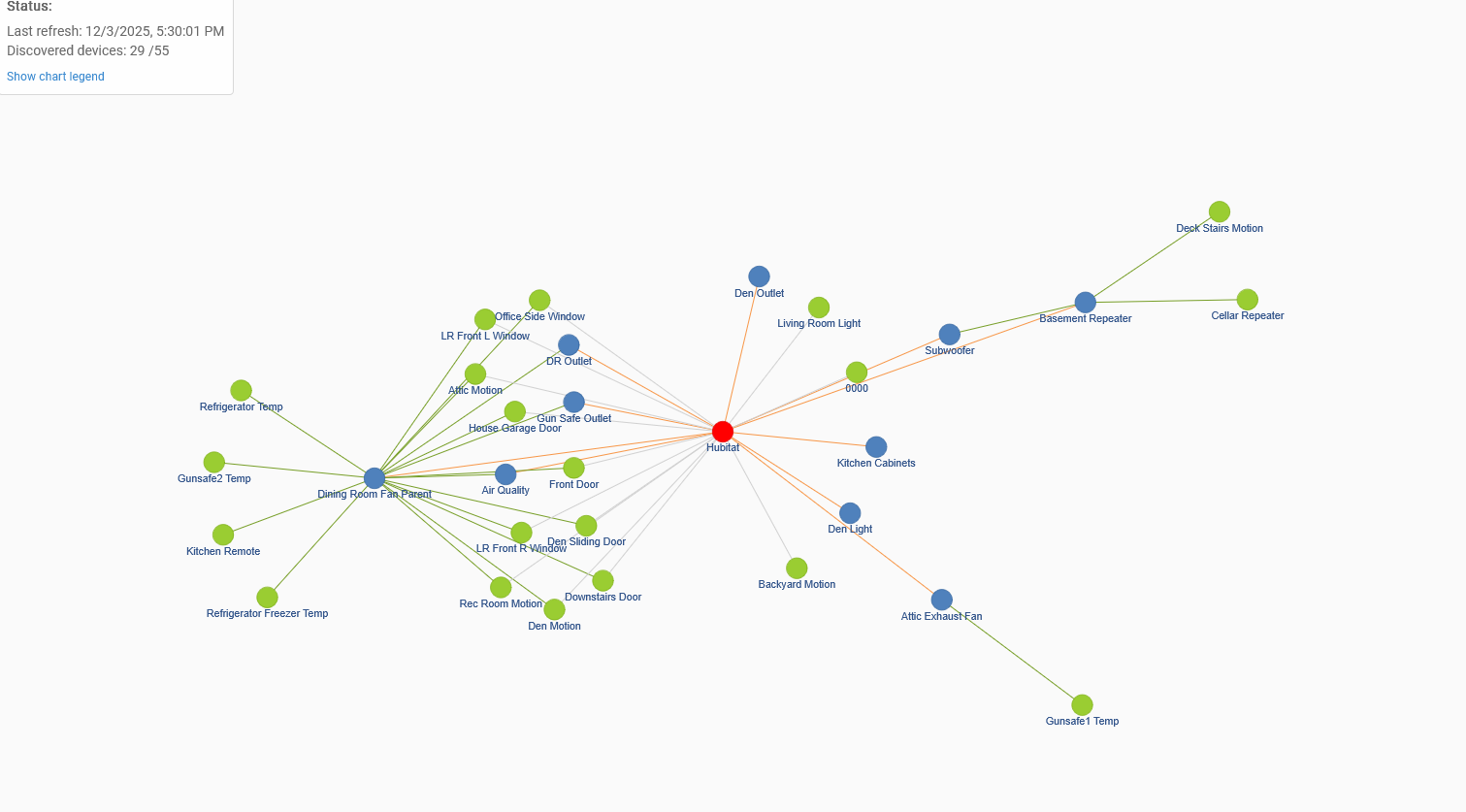
I really didn't want to make another thread, but retried the migration today and everything seemed to go well. Booted up, installed the latest update, etc. All working except for Zigbee. PAN id is populated, I see most devices have messages increasing too. Zigbee graph shows devices talking thru repeaters. I do see a mystery 0000 device as well.
Channel and power is the same as the old hub.
Old hub was on 2.4.3.164, updated new hub to same version after it was up and running.
Some battery devices are updating motion/temp, etc. Some mains devices update if I turn them on manually. But I cannot control anything from the hub.
I let it soak for over 3 hours, no change. reset zigbee radio, then powered down hub, waited and back on.
Waited a bit, no change so I power cycled all mains devices. No change.
Just tried a rebuild zigbee network about 45 minutes ago. No change
I know the getchildandandroute endpoint has limited utility these days, but I notice all my repeaters have an outcost of 0.
Also FWIW, zigbee channel scan comes back with all zeros for everything.
Did you update the Zigbee radio firmware on the C-8 pro before migrating? I was prompted to do this on mine, but only when I tried just restoring everything from a fresh cloud backup, trying to do a migration just sat there and didn’t do anything. I just migrated 110 Zigbee devices and 30 something z-wave from a C-8 to C-8 pro a few days ago on .164 and this was the only Zigbee hiccup. I did it via a cloud restore to the new hub after unplugging the old hub.
You also mention resetting the Zigbee radio, which would require restoring the Zigbee radio again for devices to function.
Have you performed a controlled shutdown of the new hub, unplugged the power for about 10s, and then powered it back on? This is the only way to truly reboot the Zigbee and Z-Wave radios (IIRC) so it might be worth a try.
I updated the firmware of both radios, and used zip for zwave, since that is what the old hub was using. Then restored the cloud backup with both radios checked.
That's not good. Unfortunately, there is no magic migration failure fix. Some hubs may not be able to migrate and a manual migration may be the only solution. I would try to go back to the C8 for the night and submit a warranty case. Based on the details you shared, your new hub may be dealing with a hardware malfuntion. If that's the case, we will send you a replacement right away.
You must’ve gotten a defective hub. I did the migration a few days ago and every radio device was immediately working. Except for some meshed device issues that I messaged @gopher.ny and @bobbyD about, it was not much different than doing an update. I hope your experience is similar with your replacement hub.
Me too, no migration issues and it went incredibly smooth. I was throughly impressed. I came from a C7 to a C8pro (270 devices).
Sorry @scoob8000 I don't have any sage advice.
I brought the C8 pro to work so I could boot it up to factory reset for the warranty process and boot it without interfering with my home stuff.
Just for giggles, I did a FULL reset on it and after I powered it back up I let it do a firmware update before doing anything else.
After the firmware update I tried a zigbee channel scan. Sure enough it's returning stuff now.
So again for giggles, I restored a fresh C8 cloud backup to it let it reboot, and again the zigbee channel scan still works.
I'm tempted to power down the C8 at home and let it boot and see if it works. Think it could have just been something corrupt with the zigbee radio the full reset fixed?
Just wanted to share, I will post back if I try it and my findings...
Thanks for the update. Just for clarification, the full reset process doesn't do anything different than you going into Zigbee Details page and select reset, or simply restoring a cloud backup. All 3 perform the same radio reset.
Channel scan almost never works for me. Once in a while I can refresh and get it to work. It is not an indication of any operating status of your own Zigbee network.
How long does the warranty process take? It's been a week since I got the automated response from filling out the form and haven't heard anything else.