I went ahead and jumped on the Fathers day flash sale to up grade from My C8 to a C8 Pro. As I recall my migration from C7 to C8 wasn't as flawless as it should have been, and ended up redoing everythng a few months later. I would like to avoiid that exercise again.
The Hub I am migrating is one of thee production hubs, being the one that houses all of my local devices (Zwave and Matter over Thread). 99% of rules, automations apps are on another hub.
I have the hub on a reseravtion on my IoT VLAN on Unifi. I would like to keep the same address for the new hub taking its place.
Does anyone have any tips, suggestions or reccomended practices for how to proceed? Thanks!
I did the same thing this morning. I booted the fresh outta the box C-8Pro and the Platform version that came with it was just old enough that the migrated backup didn't give me any ZWave devices. I almost instantly realized what happened, did the platform upgrade first THEN did another restore of the Cloud Backup.
Usually I get the fully blank hub running first, register it, get it to the Platform, and so on... this time I tried to just click the small migrate word and see if it sped things up. It didn't
I migrated from C7 to C8 and then to C8 Pro. I used the migration process. Be sure to power down your older hub before downloading the cloud file to your new hub. Please note that it is likely that the DCHP server on your router will assign a new IP address to the C8 Pro hub. So do not try to use the old IP address to reference the hub.
To keep the same IP, as you follow the instructions, after you shut down the old hub edit the IP reservation to be the MAC of the new hub (on sticker on bottom). If it the new hub had already booted and gotten some other IP you might have to reboot the router and hub to flush the cache and have it take the reserved IP.
As for any potential issues, the only complaint I have seen recently is people messing with ZWJS. Make 100% sure both hubs are running the same gateway (ZIP or ZWJS). You old non Pro should be on ZIP, so just be sure not to switch the new one to ZWJS before attempting migration.
Otherwise I think it is all covered in the migration docs.
Make sure you transfer your subscriptions when done if they were attached to the old hub.
@bobbyD If the old hub (the one this is to replace) is in beta, do I need to get this one in the beta and on the current build before I do the migration? Also, the docs talk about disabling Lan Devices and Apps. Do (or more specifically Should I) disable Apple Home (by all its various names).
Disabling various network integrations is more so a preventive measure to avoid these integrations to overwhelm your hub when it first boots. You can check the logs to see if something goes haywire and then disable the misbehaving app/device.
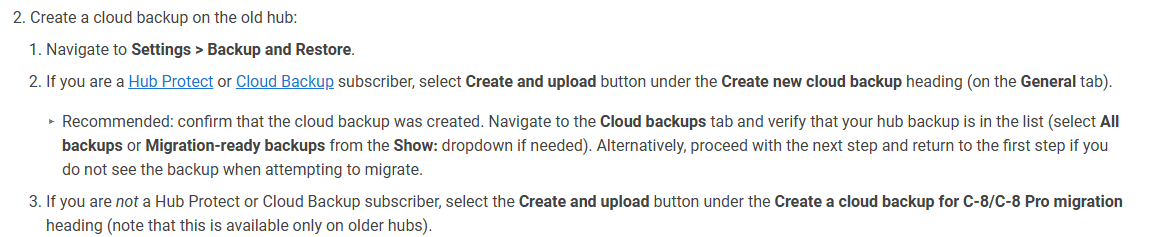
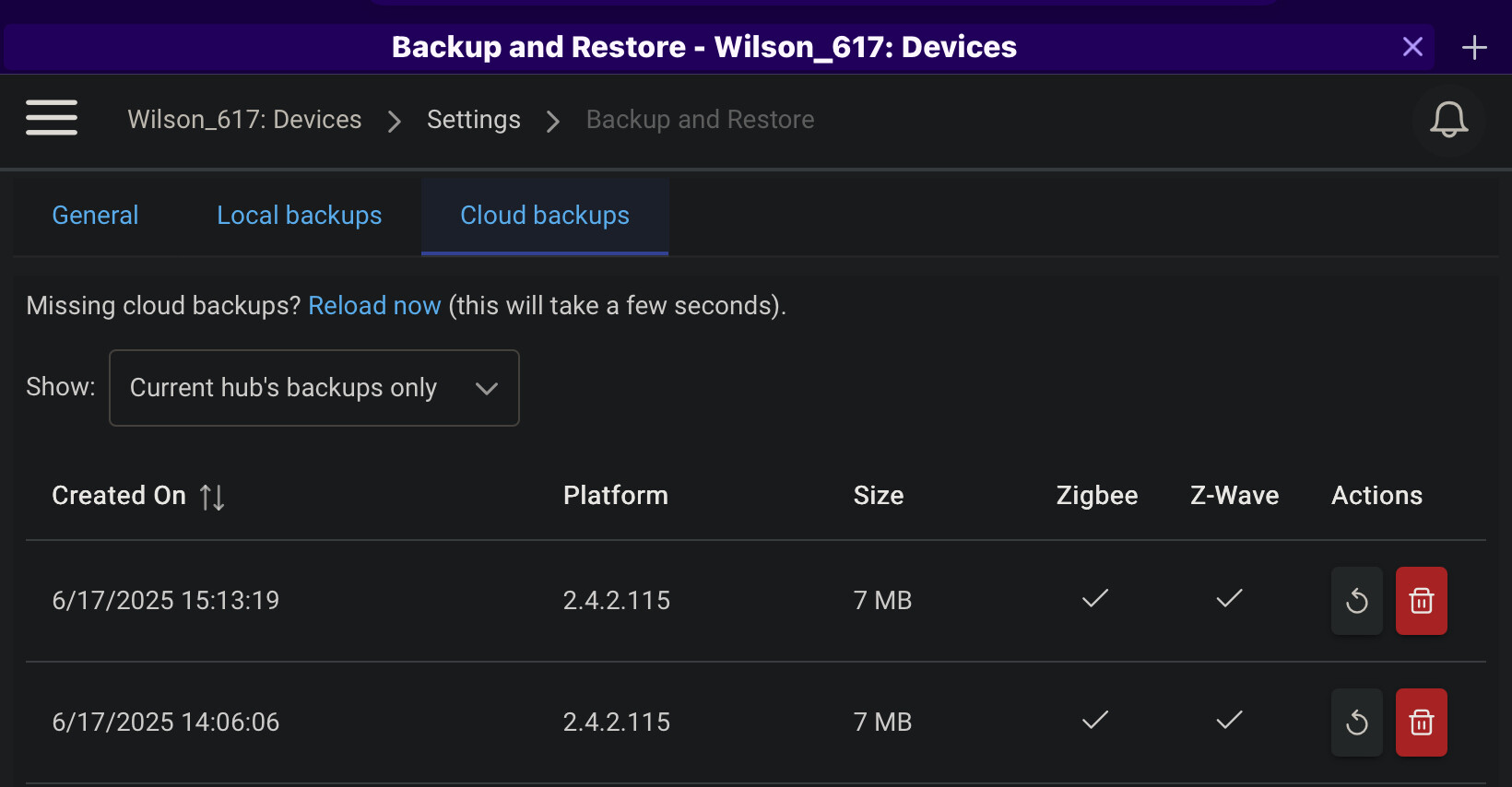
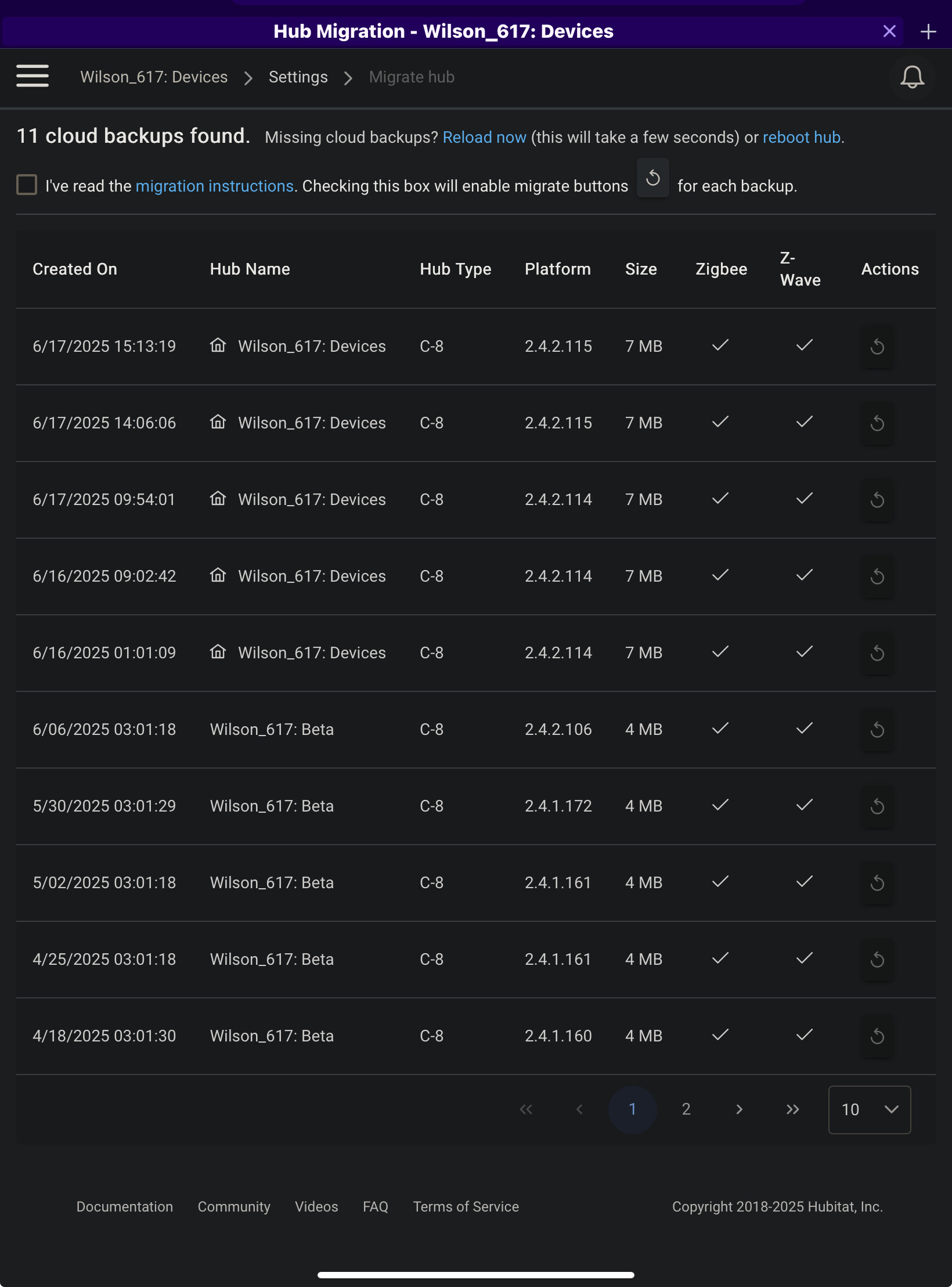
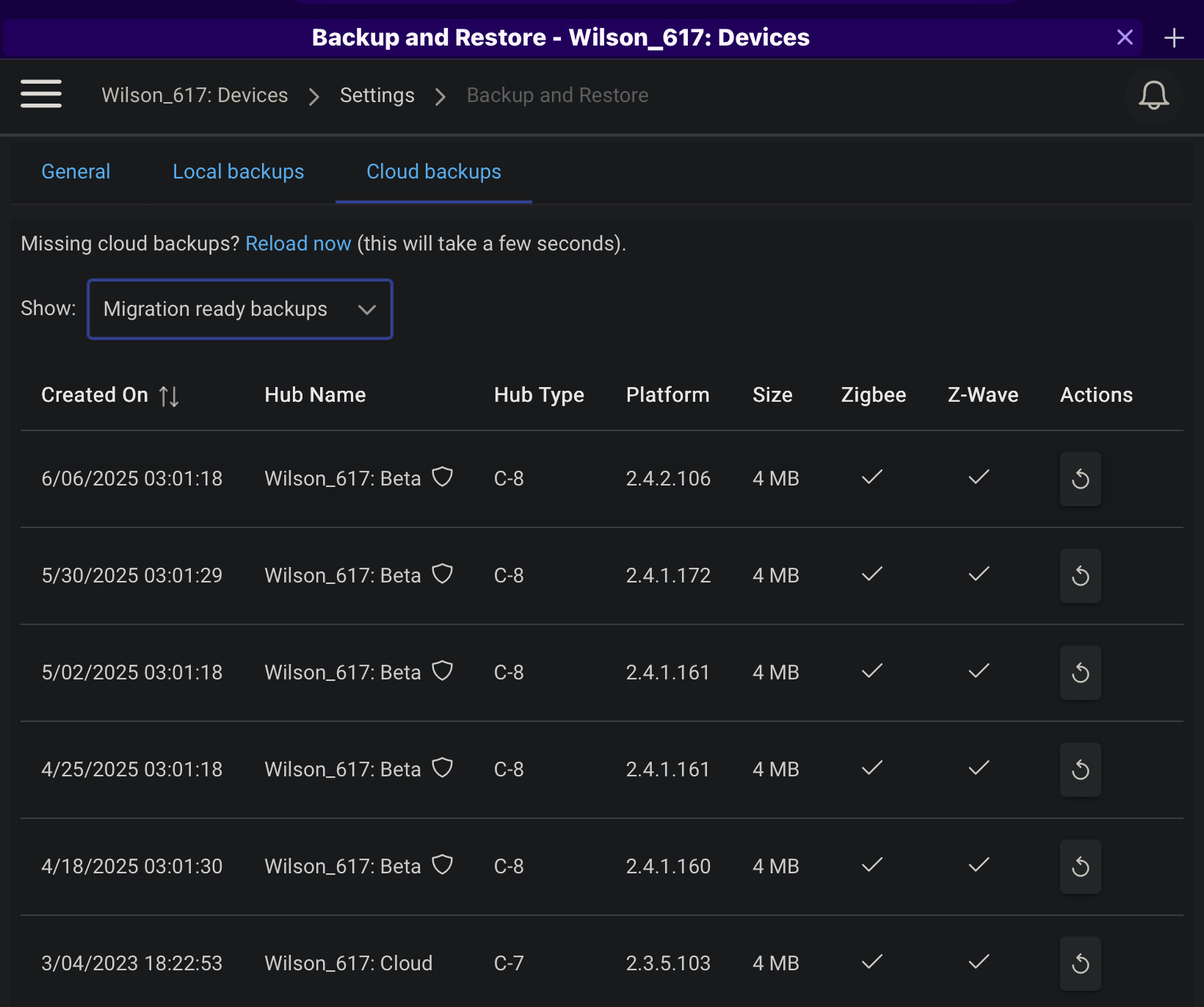
In preparing to do this migration, I have Hub Protect on the old hub. I have created the cloud back up. When I go to check, it is not listed as "migration ready". The last migration ready cloud back up was June 4, and that wasn't even for this hub. There are no Migration Readybackups for this hub listed. I also do not have the Create a Cloud back up for C8/C8 Pro Migration button. This is a C8-to-C8 Pro Migration, Am I missing something ?
EDIT:
Even weirder the recent backups are listed on the Migrate Hubs page, but not on the Backup and restore page as stated in the documentation.. Ant hey be used from this page? or do they need to be listed on the Back up and restore page.?
I am guessing they would only show on the "Backup" page if the target hub also has hub protect. Its the same backup on whatever section you find it in, so if its showing up as a migration backup then you can use it from there. The two section just have different filters to prevent people from abusing the migration backups and circumventing the Hub Protect subscription.
On the source hub, you don't have the "Create a backup for Migration" option because you already have Hub Protect with cloud backups.
You should be able to just take a regular cloud backup, and then load it for migration on the new hub (from somewhere, not sure exactly how it shows up), assuming it is registered to the same account.
I have no control of my zwave devices. The migration douements were of no use. Nothing shown in them reflected what was on the hub. Apparently you can't just use any cloud back up, it apparently very much DOES NEED to be a migration ready cloud back up, and they do not have instruction for how to creat a migration ready cloud back up . For what ever reason that hub would not produce such a back up, just the regular cloud back up, even though it was the only hub with hub protect (specifically becasue it was the one that had the zwave devices). At this point I'm not really sure what to do. Do I set about excluding and reincluding aprpox 40 is devices and rebuildinng my mesh, rules etc from the ground up? Does anyone have any suggestions?
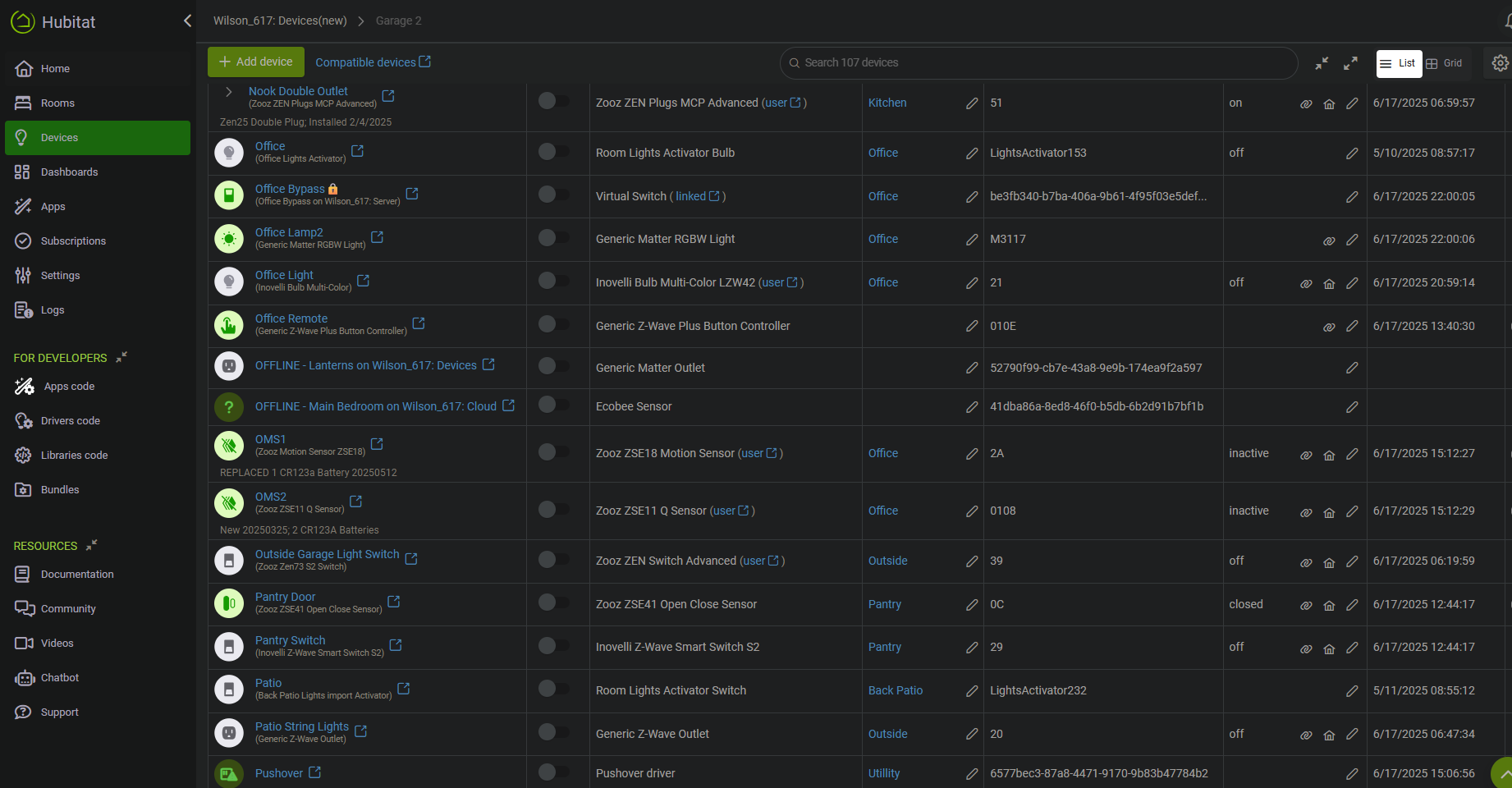
here is the devices page after migration:
The majority of my devices are Zwave, no Zigbee , and a hand ful of amatte over thread. Thise I do have control over via homekit. Zwave is just completely dead.
You can use any cloud backup as I said, as long as you restore the radios.
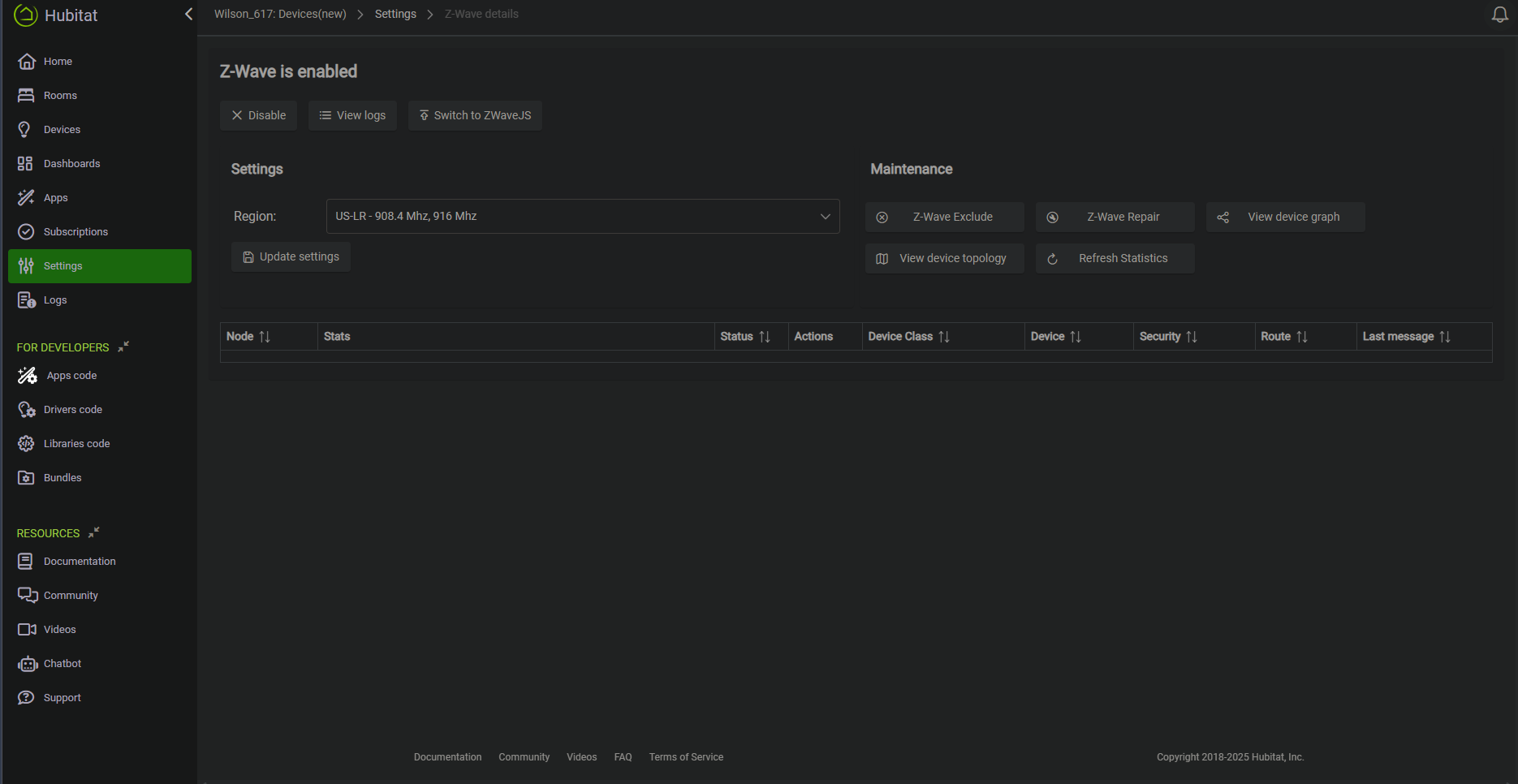
Looks like your z-wave restore did not take, or your radio is offline. Did you try a power pull shut down and reboot?
Did you fiddle with enabling Z-wave JS at all prior to the migration? That has been a possible factor in the migration failing.
Go back to the old hub, it should drop right back in and take over.
I would then try the migration one more time when ready. If still not transferring zwave over I would open a support ticket: Warranty – Hubitat Support
Cant help there, I don't use Hub Mesh since I only have one hub for the house.
I tried a shut down for a full minute, then reboot. No dice. Im really not sure what happening here. Even tried diabling and re-enabling the radio. I went back to the old C8 for now. I had a similar issue when I went fron the C7 to C8 where the migration didn't work like it was supposed to and I had to essentialy rebuild my meshes from the ground up. I would really prefer NOT to have to do that . Then I only had about 20 devices if that many, I have more than double that now. I really don't want to go through that whole process of excluding and reincluding everything.
If you have a spare device you could do a full reset soft reset and radio reset on the new hub and then try pairing a zwave device on the blank hub. That will test the radio.
Or you can also just do a full reset and try the migration again. No need to reset but you could soft reset and/or reset the problem radio for good measure if desired.
I dont know why I didnt think of that. I did the full reset, So far I have tried 4 different devices, nothing will include the to the hub, but I have been able to get one device to exclude.
Just for anyone else following along, it was brought to my attention it would be better to do a soft reset / radio reset if needed so that any engineering logs for staff do not get wiped out. I edited my post above.