I'm just trying to find out how I can confirm that the Zigbee is just not working.
Please provide your hub model (C7, C8, etc.) and its platform version from Settings>Hub Details.
Check out the following post for help troubleshooting problems and gathering details that will help others to identify and solve the problem you are experiencing: ‼ READ FIRST - Before Posting in Get Help
I have 7 Zigbee items (mostly bulbs) and we noticed some were not turning off on command. I tried resetting the hub, rebooting the radio, and anything I could think of and none of them are working. Zwave and matter devices are fine. So some of the Zigbee devices were flaky at first and then all of them stopped working (commands stopped working) just stopped working all together.
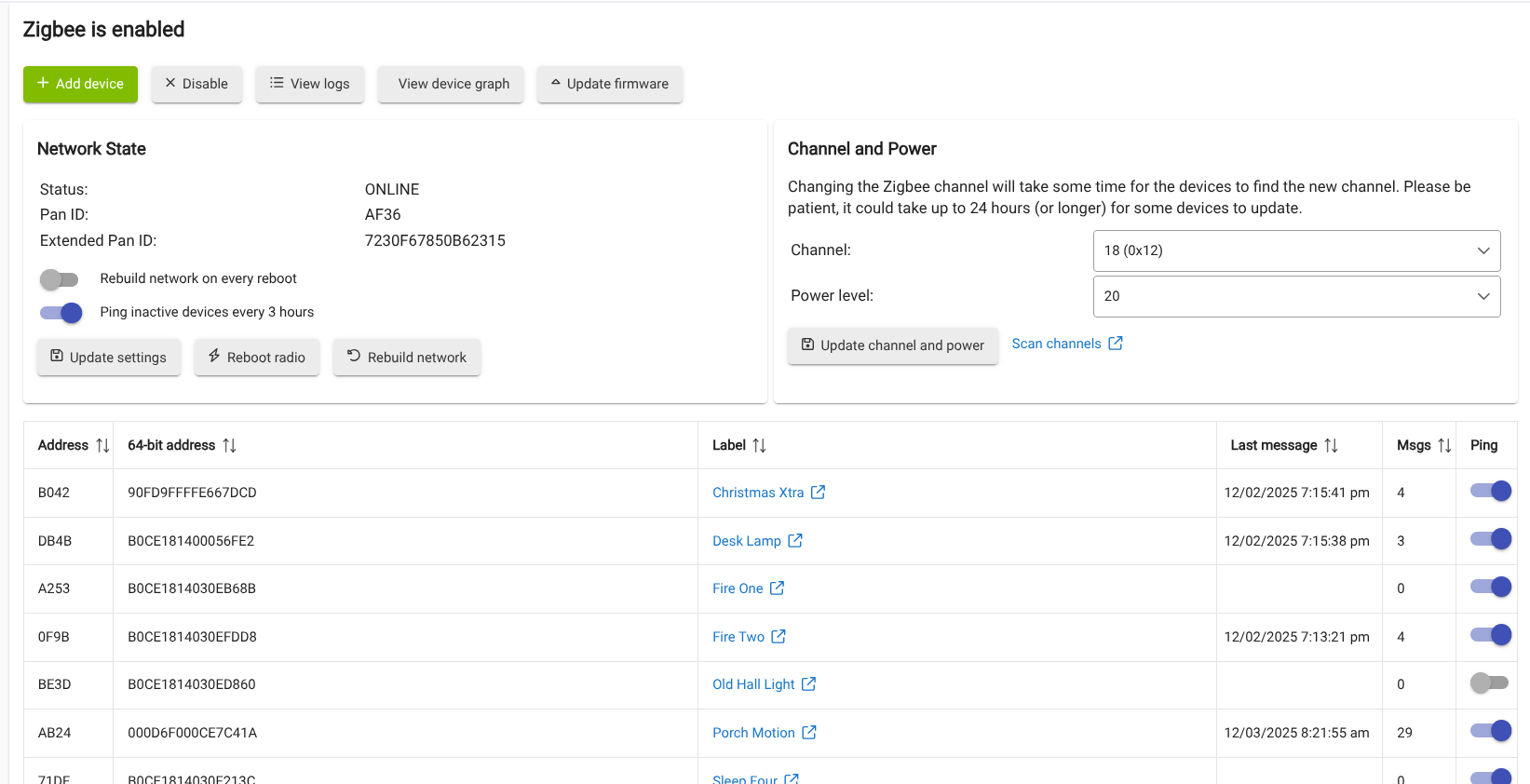
That’s not good… can you share a screen shot of the Zigbee Details screen? Tagging @support_team as well in case this is something that they might have insight into..
After reviewing everything this morning, I think I can say that the Zigbee IS NOT dead as the one Zigbee sensor I have is sending and receiving data. So it seems like only the Zigbee bulbs have gone quiet. Looking at the logs no Zigbee light has any entries since around 6pm yesterday.
I had weirdness several months ago and it was a bad zigbee device messing up everything else. Try to determine which device is the culprit and swap it out. See if that doesn't clear up your problem.
Don’t forget that you usually need a few “repeaters” to make a resilient Zigbee mesh.
You might want to try the “View Device Graph” button to see what it looks like.
These 6 bulbs are all Sengled bulbs that have been running for at least 3 years. I sort remember I had to either reset them once but I didn't have to remove them from the Hubitat system because when they came back on they were remembered. Does that sound right to anyone. If I have to reset them I don't mind as long as I don't have to change all of my routines.
Okay, just talking through this helped me remember. I reset all 6 bulbs and then went back into the system and added them all back in. The system remembered them during the process and after that they all worked. Very odd how they failed randomly after no event (firmware update, etc) and started by some not working to none of them working. Anyway, thanks for all of the input.
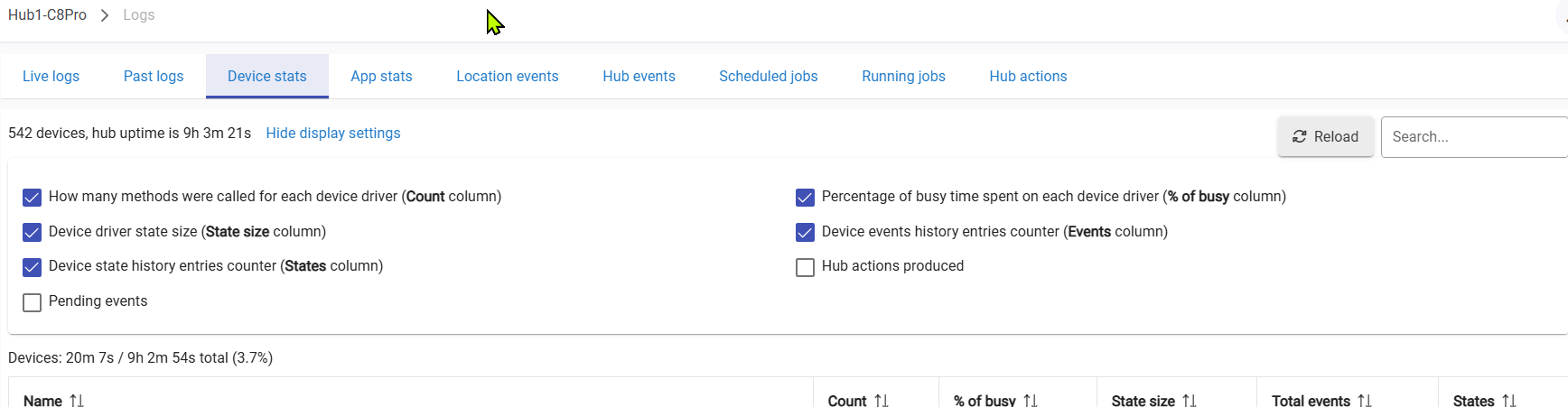
I stopped using Sengled bulbs a couple of years ago due to reliability issues on my mesh. They would stop working in ones and twos (I had five or six of them IIRC). They were fine for a couple years and then started not being fine. Didn't find any obvious cause. Having all of them stop responding does sound like you had a Zigbee device(s) that got stuck in a loop and was pounding your Zigbee mesh. If this happens again take a look at Device Stats in your logs for devices that have high % of busy and/or Total Events.
 Didn't find any obvious cause. Having all of them stop responding does sound like you had a Zigbee device(s) that got stuck in a loop and was pounding your Zigbee mesh. If this happens again take a look at Device Stats in your logs for devices that have high % of busy and/or Total Events.