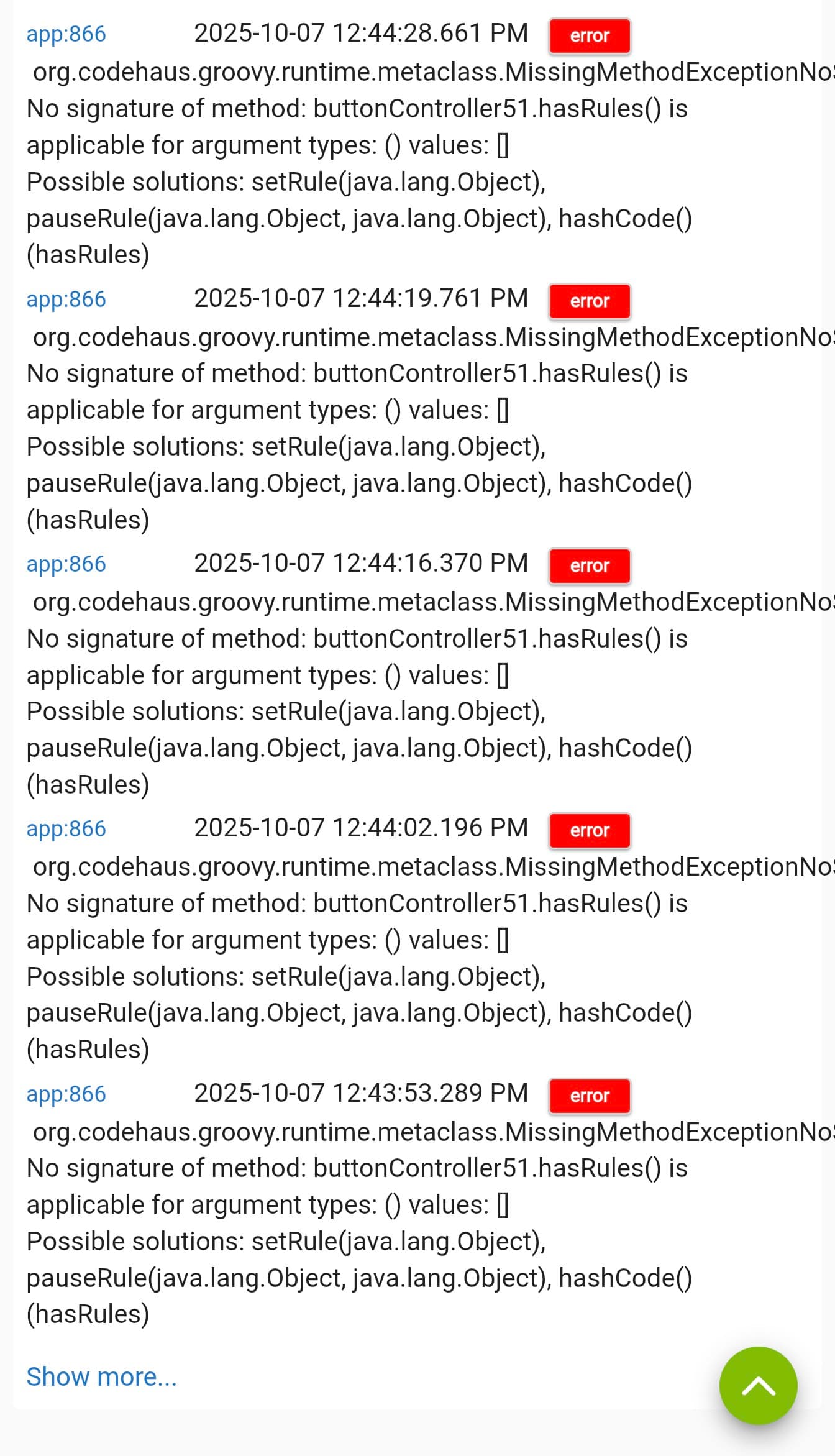
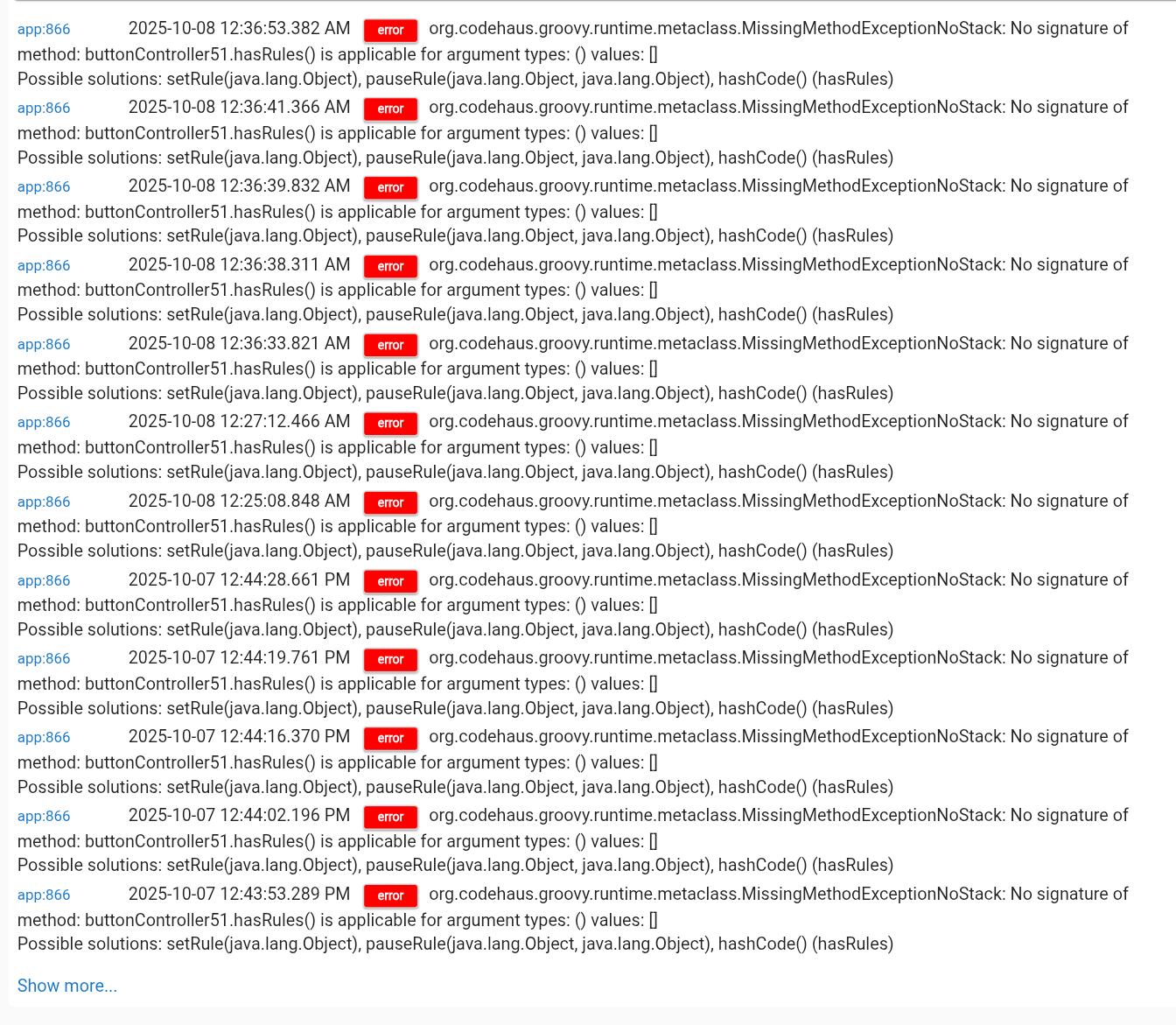
The device is a Inovelli Dimmer Red Series LZW31-SN.
I can get this working fine through rule machine, but button controller has issues with this.
Additionally, for some odd reason the device stops responding to commands. This is the second time this has happened, both times configuring through button controller. This sits in a 4 gang box with 3 other Inovelli devices and they all have pretty solid communication back to the hub.
I've tried rebooting and I've tried shutdown and unplug. The only way I found to get it responding again is by excluding and reincluding.
Would love to troubleshoot with any of the developers to figure out a fix for this.
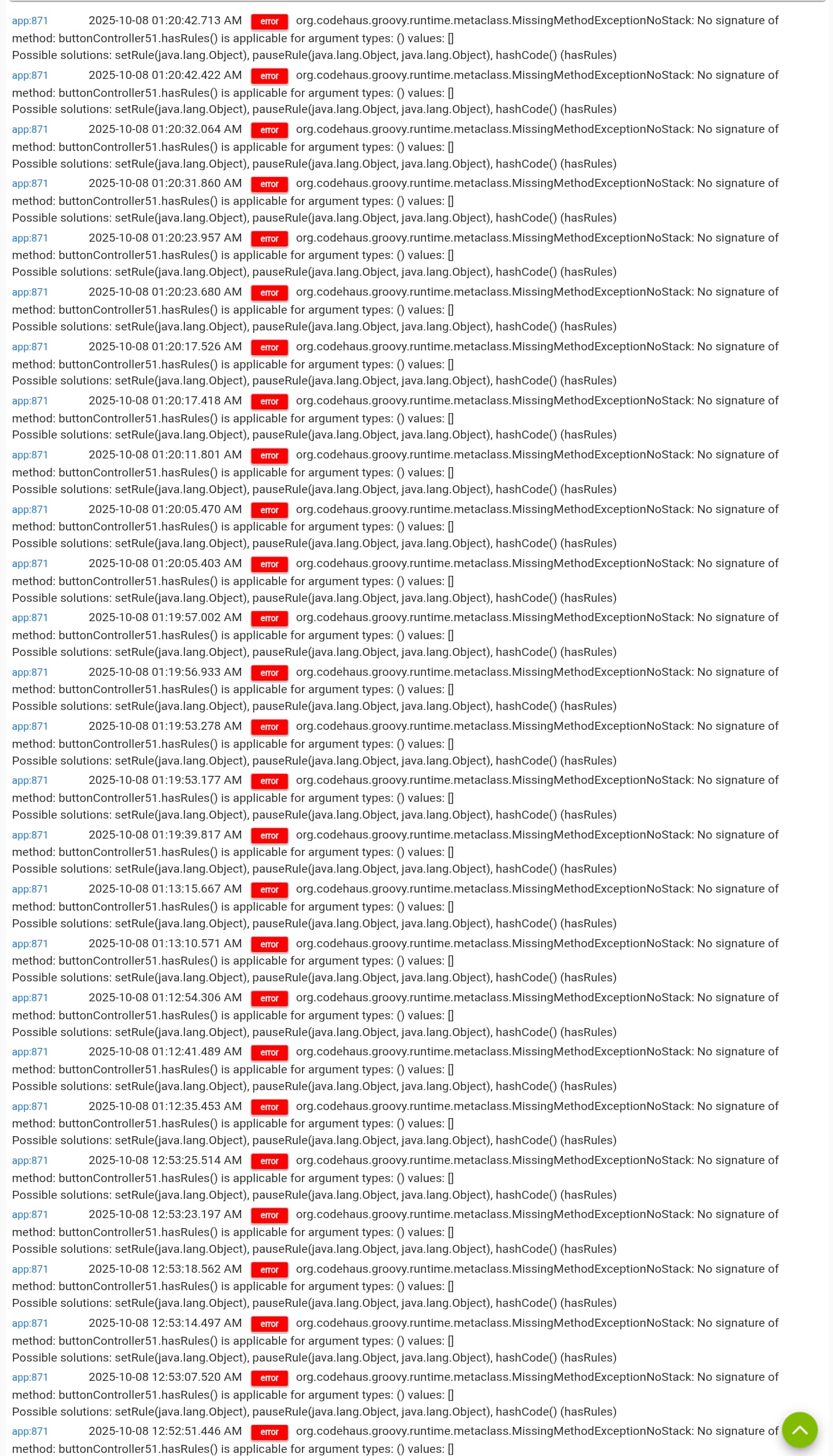
Looks like the end of the first line of the error is cut off, can you get screenshots from a computer?
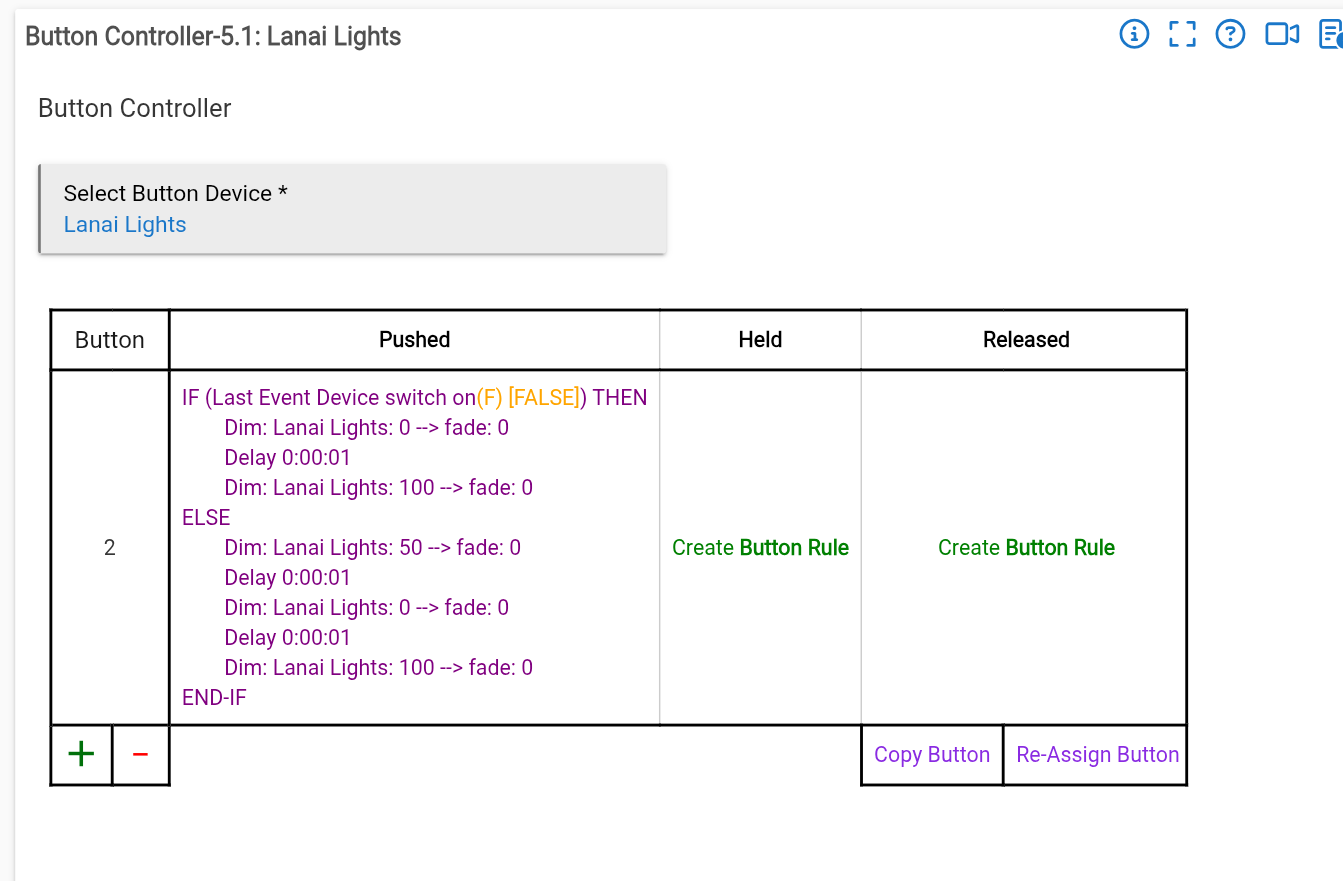
What are you even trying to do? Do you realize all those commands will execute right away and all delay 1 second? So they will all execute at about the same time. A delay on a command like that is not the same as a wait or pause.
So you are basically setting the same light to 3 different levels (between 5 commands) all at the same time.
Can you share more information about when this happens? I'm having trouble figuring out when the thing it's complaining about would actually happen, but knowing this might give some clues.
A couple things jumped out at me. Since I remembered that you had the original post on the button controller issue with the same device, I jumped over there to refresh my memory. Then I saw on your last comment that you had excluded and repaired the switch. This might have been useful to include in your original description.
Then, looking at your photo of the Zwave details for the device, I noticed in the messages column that there were Zero messages. That should not be the case if you have been pressing the buttons (at least as I understand it).
It is almost as if the button controller app is calling a device that does not exist anymore. Or the device itself is just having issues.
How did you remove and repair? Did you use the "replace device?" Or did you just remove the device, and then repair it. Before removing, did you disassociate the device from all apps it was connected to? After repairing, did you reassociate the "new" device in button controller (and any other apps)? Or, is this button rule one you created AFTER excluding and including again?
In the original thread the device was responding for a bit and then completely stopped. While investigating the logs, I did see commands were being sent but the device wasn't responding. I then checked the logs for the button controller rule and saw those errors. I ended up doing a factory reset (yes, I know in hindsight I should have excluded first but my frustration got the best of me) exclude and include. The old version of the device was removed. I tested the device and it was clearly responding again. I rewrote a rule machine rule and it behaved as expected with no issues going forward. I did not attempt to try a button controller rule again.
I ended up doing a soft reset a couple of days ago and loading a backup version that was dated before I started playing around with rules and with the button controller trying to get my device to respond in that manner described in that thread. I will add that this was not done for anything related to that original issue, but to address some automation issues I was having that were out of the norm. I considered revisiting the button controller issue I was having to see if it would reoccur since I rolled back and here we are.
This device stopped responding immediately after I added the button controller rule. Now I will add that I didn't think to check if this device was working after the backup rollback but I didn't think I needed to because 1) The device was working prior to the backup roll back 2) I didn't have any other devices experiencing issues after it. So whether this device had an issue prior is something I cannot answer but will have to keep an eye on going forward if it exhibits this issue without touching anything.
The next steps I'll describe will cover the errors I posted above I got in button controller.
This time I excluded the device and then included it. It was responding to all zwave actions, including "push button 2", but for the life of me I could not get the physical doubletap on the device to work. After a long time troubleshooting I decided to just perform a factory reset. This time I excluded first, reset the device and then included it back. Rewrote another button controller rule and this time it started respondong to the physical button presses.
So as of right now and a late night working on it, it appears to be functioning both physically and digitally by following the button controller rule.
When you restore a backup, it does not restore the Zwave device table. Note sure how the main device table is populated from the Zwave table. But it is possible that the OLD device network id would be what would come back in the device tables. Regardless, and rules written before the backup would have the OLD ID associated with any rules that the old device had been in use in. Part of the issue would be that you now have a new network ID on the device itself that none of the old rules would be pointing to.
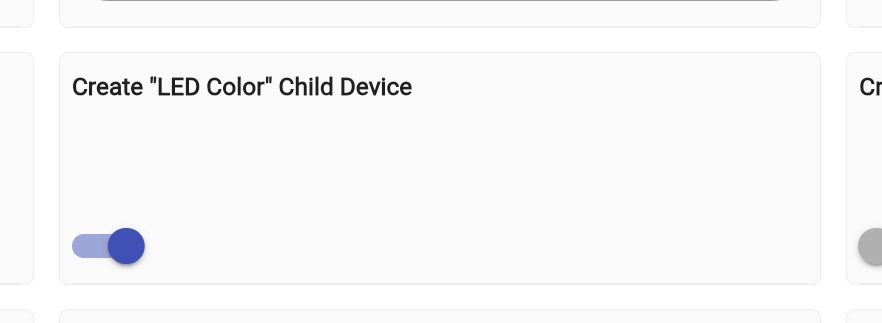
Before you remove a device, you should either remove it from all the rules, or create a virtual device for device swapping and then use the swap device utility to temporarily replace it. The other issue, for this specific device is that it has child devices that will not work with the swap device utility. So, you either need to temporarily remove those child devices by toggling off the Create LED Child device before you swap (Which may also need to be replaced in apps).
I would check the device info tab and see what the the network ID is on the device shown in your devices tab and compare that to the ID in the Zwave table for the same named device.
If they are not the same, then that is likely at least a portion of your issue.
If they ARE the same, check the apps that are not working and try replacing the devices with the new version. (Go to the device picker in the action(s), and select the device again from the dropdown list). That should reassociate the correct ID in the rule(s).
From the errors in the log you attached, it appears it is looking for a device ID that is just not there anymore.
This now makes sense. Yes, I did re-include it in the prior configuration and didn't take into account that it would load a different device table. This explains why I had no response from the device after the soft reset.
That's a great tip. I only considered the swap using a physical device, I didn't think it would work the same with a virtual one. Thanks again for the heads up regarding removing the child devices. I may just turn that off on all my switches (and there are many of them) as I haven't found a use case for it and because they just litter my devices list whenever I'm working with rules and other items that list devices.
The device page and the zwave details currently have the same device ID. The button controller is the only app that uses this device ID. I do have Alexa and Google integrations but it has been my experience that the old device removes itself from those apps and I have to include the new one back in.
Thanks for your help. I'm happy to know that it wasn't the button controller causing the disconnect with the device, but reverting back to wrong device table ID. This still doesn't explain the sudden disconnect and unresponsiveness of the device when I initially set up button controller, but I'm past that point to try and troubleshoot.
Currently, there are no new errors showing in the button controller logs, the device is still acting normally and according to the rules. I will consider this resolved thanks to your help along with your informative tips regarding device swapping and the chid devices.
Thank you @tray_e for your help! Great learning experience for me!
Just to clarify, it used to break apps if you removed a device that was associated with or used in apps rendering them in a weird state that you could not edit. After doing this once, and going through the pain of removing the app, then recreating from scratch, I decided I would never, ever, do that again. I think I have seen where it now would display a broken action or some similar, allowing you to fix the broken apps/rules. However, after one instance in dealing with the pain, I have not made that mistake again.
I do not know that THIS was the issue you were having. I only know it doesn't like to have rules/apps that point to a missing device (and the "null" java messages in the log are sometimes caused by this).
Anyhow, making sure you fix apps (like using the swap devices app) before deleting even a nonresponsive device is one way to rule it out as the issue.
Well thank you for sharing your experience, I know I have learned alot and hopefully this thread can help another novice like myself problem solve any similar issues and how to handle the proper removal of devices.
The first removal I did in that previous thread was clearly the wrong way to do it (device reset, exclude, include) mostly due to my aggravation.
Doing an exclude usually does bring up the warning of any apps that will be affected when the device is removed. I will follow your advice and create a temporary virtual device to replace the device with first to avoid the app issues (also save me time from rewriting rules and adding the device in other apps)
One thing I've appreciated over the long period of time being a Hubitat user is the outstanding level of community support that everyone can find in these forums. I've learned so much during troubleshooting, reading other threads for similar issues and just exploring the hub itself. I wish it could be a flawless experience programming the hub in what are not so common sense situations. But a quick search or post requesting help always solves the problem and leaves me with a little more knowledge.