First off, I really like Laundry Monitor, it is both fun and practical.
I do have a question on one of its features.
Under "Inform", "Choose Additional Devices", "Which Switches" I selected a light bulb in the kitchen (for test purposes) and found that when the dryer started it would turn the light off and when the dryer stopped it would turn the light back on.
This is the opposite of what I expected but perhaps I'm in the wrong mindset. Can someone clarify, is this the intended mode of operation or a bug.
Hmmm .. something is backwards somewhere. It works as you (and I) expect for me. I have a virtual switch "Washer Running" that comes on when cycle starts, and off when complete.
Perhaps having the light on when the load is complete is to indicate that you now need to action something, i.e. go and deal with the washing? Perhaps the app simply toggles the light? Does it do nothing when the load starts if the light is already off?
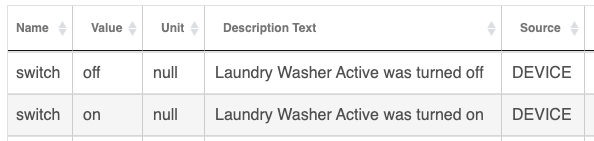
That is what I was expecting to happen and I was using a Virtual Switch and getting the inverse results. So I used a light bulb instead and ran it again. As you can see it switched off first and then switched on at the end.
Just to let anyone who is using a some other device for notifications, such a light bulb. The Smart Laundry Monitor changes the state of the device to "off" when the washer\dryer is running and then to "on" when they are considered to have stopped. The choice of state was not intuitive to me and I thought others might hit the same issue and wonder why.
BTW I use the Alexa Virtual Switch to open\close a virtual contact sensor which is visible to Alexa. I then have an Alexa routine which does an announcement about the Washer\Dryer stopping or starting. I used this because I don't have a device for announcements and Echo Speaks was not reliable enough and overkill for my simple needs.
Thanks to the authors for this code. It is one of the most "fun" things in my Hubitat world.
Just use RM to 'track' the (virtual) switch selected in BLM (Better Laundry Monitor) and do what you need based on it's state.
The logic inside BLM is to turn off the list of switches proactively, once a week. Then, with each 'Cycle started" the list of switches are turned On. With each 'Cycle ended' the switches are turned off.
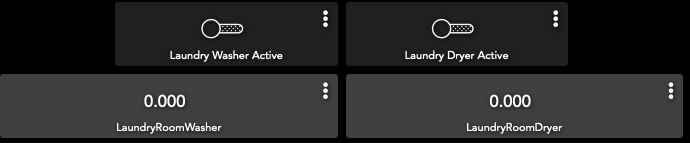
I have mine using a virtual switch and it's event logs show what I expect:
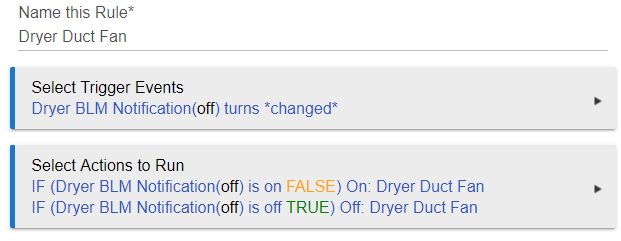
Still not working as I hoped. I created a virtual switch called Dryer BLM Notification, then added that virtual switch to the Dryer child App on the inform switches line. (I also get the notification "Dryer started" on my Pixel phone.
I then created a RM4.0 IF based on Dryer BLM change:
I get the notification of "Dryer Started" and the duct fan turns on as expected. But I am not getting a final "Dryer Complete" notification.
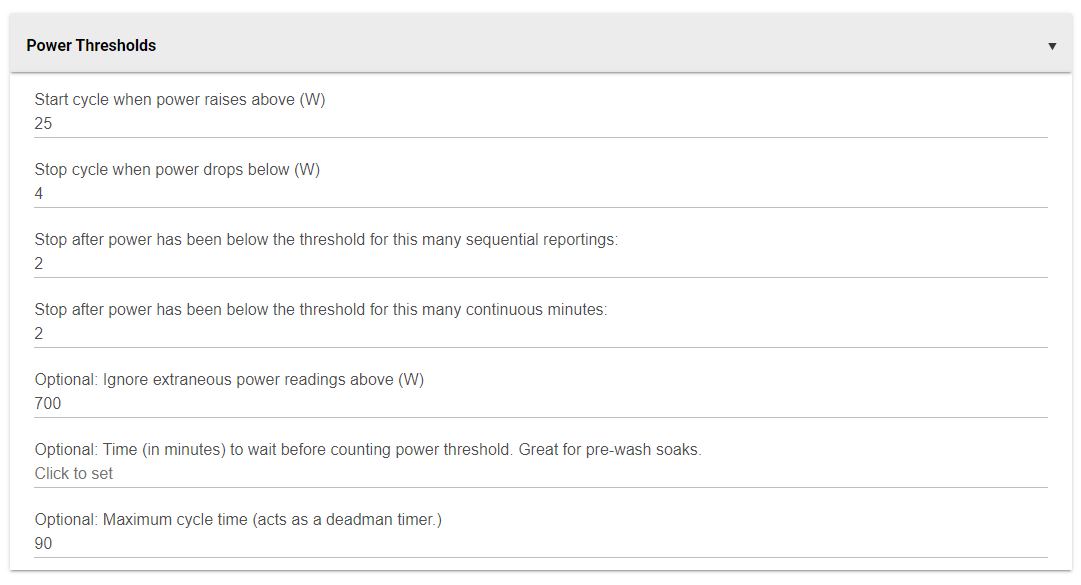
My settings for the Aeotec HD Smart Switch (Power Meter) are to report every 30 seconds and the Dryer child app threshold settings are 11 start, 4 stop 2 intervals. I've also tried it at 11/10/2...
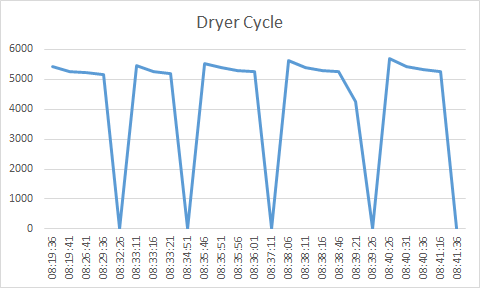
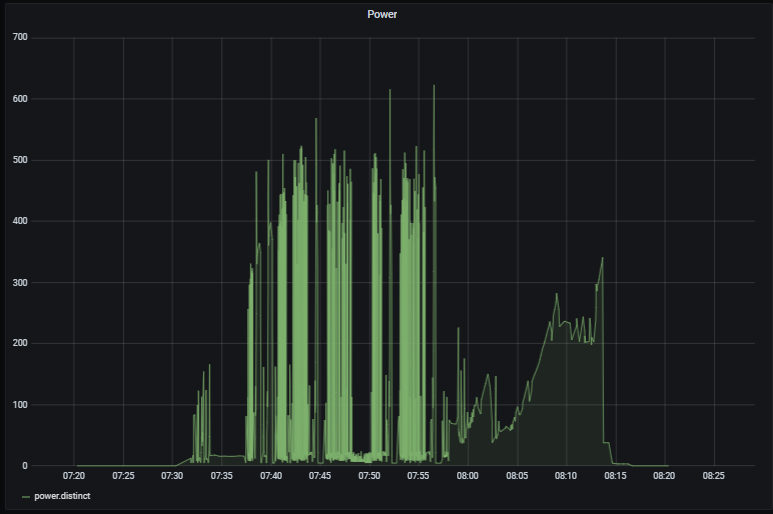
Look at the Events list for your Aeotec HD Smart Switch (Power Meter). Grab one cycle's worth.. put it into a spreadsheet or just graph it out on the back of a napkin.. watch what it DOES, then make the Threshold settings match.
For me, I found the device did not repeat zero power. I'd see Zero multiple times but then followed by greater than... so I added the feature for the 'Deadman timer" to provide an equivalent to the 2nd Zero report. If there are no reports for X minutes, call it done... you may be running into something similar, and the graph will make that clear.
@csteele thanks for the work you have done. I am using a Power meter and for some reason once in a while I get a spike in power then the cycle starts and finishes a couple minutes after. Is there a way to prevent this?
Also I have added a virtual switch to prevent Alexa from announcing but when I add the switch it blocks all speech no matter the state of the switch. Have you seen this before?
Thanks for this! BLM was one of my favorite apps/automations from SmartThings. Now if I can just get the darn Sonos integration to detect my speakers, I can get the announcement.
At one level, BLM is combining things to intuit a Laundry Cycle. It's not too dissimilar to Presence sensing where you combine 2-3 phenomena to identify when someone is home, or not. In BLM, adding a Deadman is a combination that really enhances the experience, I think. Well.. it does for ME